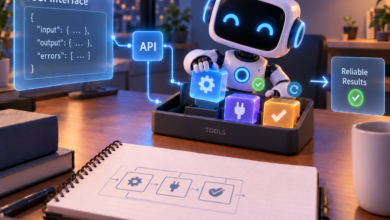

Most companies did not set out to bet their AI budget on one vendor. They picked the model that worked best during a pilot, wired it into a few processes, and moved on. Two years later, that quick decision has quietly become one of the most expensive commitments on the books.
The concern is widespread. In Box’s State of AI in the Enterprise 2026 report, 68% of organizations said they were somewhat or very concerned about being locked into a single AI model or provider. That worry held steady across company size, industry, and region.
Yet lock-in is rarely visible on an invoice.
Its costs show up as missed price drops, forced migrations, stalled operations during outages, and premium rates paid for simple tasks. The risk grows as companies move from chatbots to workflow automation with AI, where a single model can sit behind dozens of connected business steps. This article breaks down those hidden costs and explains how multi-model workflows help contain them.
How Model Lock-In Creeps In
Lock-in in AI looks different from traditional software lock-in. There is often no long contract or proprietary file format holding a company in place. Instead, dependency builds up gradually in the code and processes surrounding the model.
The most common sources are surprisingly mundane:
- Prompts tuned to one model. Instructions that work well on one model often behave differently on another, so every switch means re-testing.
- Provider-specific features. Function calling formats, structured output modes, and built-in tools vary between vendors and get hardcoded into applications.
- Direct API integrations. When each application calls a provider’s API directly, changing models means touching every integration.
- Fine-tuned models. Custom training on one platform usually cannot be carried to another.
None of these choices is wrong on its own. The problem is that together they make switching slow and risky. When switching is expensive, companies stop evaluating alternatives, and that is where the hidden costs begin.
The Four Hidden Costs of Staying With One Model
1. Missing out on falling prices
The price of AI capability is dropping faster than almost any technology in history. Andreessen Horowitz’s LLMflation analysis found that for a model of equivalent performance, inference costs have fallen roughly tenfold per year. Epoch AI’s research points to even steeper declines on some tasks.
Those savings rarely arrive on their own. They usually come from a newer, smaller, or competing model that matches yesterday’s flagship at a fraction of the price. A company that cannot easily switch models keeps paying last year’s rates while competitors move to cheaper options.
2. Forced migrations on someone else’s schedule
Models do not last forever. Providers regularly retire older versions, and OpenAI’s own deprecations page shows a steady stream of shutdown notices. In June 2026, for example, it notified developers that older GPT-5 and o3 snapshots would be removed from the API on December 11, 2026.
Every retirement triggers unplanned engineering work: rewriting prompts, re-running tests, and checking output quality. When a business depends on a single model in many places, each deprecation becomes a project with a deadline it did not choose.
3. Downtime with no plan B
Even the largest providers have incidents. Independent monitor IsDown’s January 2026 status report logged dozens of incidents across major AI providers in a single month, some lasting hours. For a customer support bot or document pipeline, each hour offline means queued work, frustrated customers, and staff pulled back into manual processes.
With only one provider connected, there is nothing to fall back on. The workflow simply stops until the vendor recovers.
4. Paying premium rates for simple work
This is the most overlooked cost. Many companies send every request to their most capable and most expensive model, whether it is a complex legal analysis or a simple email classification.
Research from Stanford on FrugalGPT showed that model prices can differ by two orders of magnitude. The researchers found that combining models intelligently could match the top model’s performance at up to 98% lower cost. A single-model setup gives up that saving entirely.
What a Multi-Model Workflow Actually Looks Like
A multi-model workflow treats AI models as interchangeable components rather than a fixed foundation. Instead of hardwiring one provider into every application, the business process is defined as a series of steps. Each step can then be assigned to whichever model fits it best.
Consider a customer support process. A fast, low-cost model classifies incoming tickets and extracts key details. A more capable model drafts replies only for complex cases, and a separate model checks the drafts against company policy before anything is sent.
Figure 1: Single-model vs. multi-model AI workflow
The key design choice is a layer between the business logic and the models themselves. That layer handles which model gets called, what happens when a call fails, and how results are passed to the next step. Many modern automation platforms are built around this idea, letting teams chain steps visually or through an API and swap models without rewriting the whole process.
This pattern is quickly becoming standard practice. Box’s research found respondents used an average of 2.3 model providers in 2025, and 44% now say a multi-model approach is the best way to scale AI.
Five Ways Multi-Model Workflows Protect Your AI Budget
Route each task to the cheapest model that can handle it
Routing is where the biggest savings usually come from. Researchers behind RouteLLM at LMSYS showed that a router sending simple queries to a cheaper model and hard ones to a stronger model could cut costs by more than half on standard benchmarks. Quality stayed close to what the strong model delivered alone.
In practice, routing can start simple. Rules based on task type, input length, or customer tier often capture most of the benefit before any machine learning is involved.
Adopt cheaper models the week they launch
When models sit behind a shared layer, testing a new one becomes a configuration change rather than a rebuild. Teams can run a new model on a slice of traffic, compare quality and cost, and promote it if it wins. That turns the industry’s rapid price declines into real savings instead of headlines.
Keep workflows running during outages
Fallback rules let a workflow retry a failed call on a second provider automatically. Customers may see a slightly different writing style for an hour, but the work keeps moving. For time-sensitive processes, that alone can justify the extra setup.
Fallbacks are not a complete answer, since several providers have occasionally gone down around the same time. Critical processes should still have a graceful way to pause or hand off to people.
Absorb deprecations without fire drills
When a model is retired, only the steps that used it need attention. Because prompts and settings live in one place, teams can test a replacement against saved examples and switch over in hours rather than weeks.
Negotiate from a position of strength
For larger organizations, the ability to move volume between providers changes the commercial conversation. A vendor that knows a customer can shift traffic tomorrow tends to be more flexible on pricing, rate limits, and support.
How to Get Started Without a Major Rebuild
Moving away from single-model dependency does not require tearing everything down. Most teams can make steady progress with a few practical steps:
- Map where AI is used today. List every process that calls a model, which model it uses, and roughly what it costs each month.
- Group tasks by difficulty. Separate simple jobs like classification and extraction from complex ones like reasoning and long-form drafting.
- Build a small test set for each task. Twenty to fifty real examples with known good outputs make it possible to compare models objectively.
- Introduce an abstraction layer. Route model calls through one gateway or workflow layer instead of calling providers directly from each application.
- Pilot one process. Choose a high-volume, low-risk workflow, add a cheaper model for simple steps and a fallback provider, then measure cost and quality for a month.
- Review quarterly. New models arrive constantly, so schedule a regular check of whether each step is still using the best option.
A word of caution: multi-model setups add some complexity. Teams need to watch output consistency, data handling rules for each provider, and monitoring across vendors. These are manageable, but they should be planned for from the start.
Flexibility Is the New Cost Control
The AI market is moving too fast for any single model to remain the best value for long. Prices fall, new models launch, older ones retire, and outages happen to everyone. Companies tied to one provider absorb all of that volatility directly.
Multi-model workflows turn that volatility into an advantage. By separating business processes from the models that power them, organizations can route work to the right model, recover from failures, and capture savings as the market shifts. In a field where the only constant is change, the ability to switch may be the most valuable capability an AI budget can buy.