Organisations are investing in AI assistants, search systems and document-analysis tools, yet much of their useful information remains trapped inside PDFs. Annual reports, research papers, policy documents and scanned records may be readable on screen, but their contents are often difficult to revise, classify or reuse.
A practical PDF to Word converter can help bridge this gap. PDF-to-Word.io turns regular or scanned PDFs into editable DOCX files, giving users a workable document before they summarise, translate or analyse its contents. Files can be processed in a browser without registration or a subscription, with a maximum size of 50MB per file.
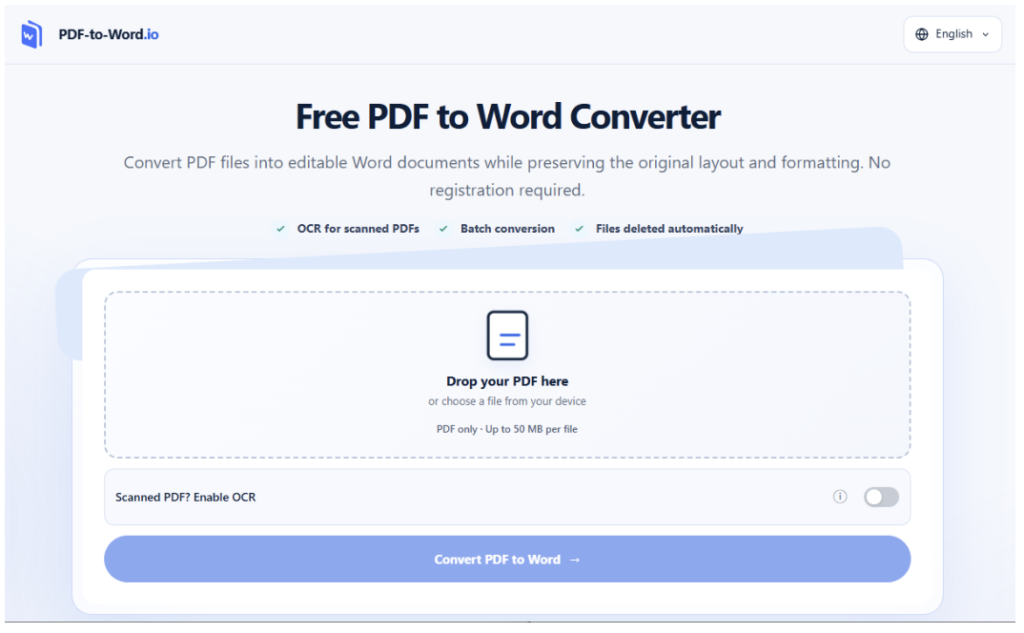
Conversion, however, should not be treated as a mechanical prelude to AI. The condition of the resulting Word file affects every later stage. Missing numbers, misread headings and broken tables can distort a summary or place information under the wrong section. A reliable workflow therefore combines conversion with structured human review.
Why Editable Documents Matter to AI Projects
A PDF is designed to preserve presentation. That makes it useful for distribution, but less convenient when a team needs to restructure its contents.
Consider an analyst preparing a comparison of several industry reports. Copying passages manually may introduce line breaks, omit footnotes or separate figures from their captions. A procurement team reviewing supplier documents faces similar problems when specifications are embedded in tables or scanned pages.
An editable Word file makes several tasks easier:
- Correcting OCR errors
- Applying consistent heading styles
- Removing irrelevant headers and footers
- Adding reviewer comments
- Organising information into sections
- Preparing verified text for an AI system
- Recording changes through version control
This intermediate stage matters because generative AI can produce fluent responses from imperfect input. A confident summary does not reveal whether a figure was extracted incorrectly or whether a footnote was lost during conversion.
Treat Conversion as a Data-Preparation Stage
Document conversion and data preparation share the same principle: source quality influences output quality. Before using converted content in an AI workflow, teams should establish what the file contains and how it was created.
Distinguish Digital PDFs from Scanned PDFs
A digital PDF usually contains selectable text. In many cases, its content can be transferred directly into an editable document without optical character recognition.
A scanned PDF consists primarily of page images. It requires OCR to identify letters, numbers and punctuation. Recognition accuracy can vary with scan resolution, page alignment, contrast, typeface and document structure.
A quick selection test can help users identify the likely file type. If a sentence can be highlighted and copied, the PDF probably contains a text layer. If the entire page behaves like an image, OCR is likely to be necessary.
Preserve the Original File
The converted document should remain connected to its source. Keep the original PDF, assign both files clear names and record the conversion date.
For business use, a naming pattern might include the document title, source date, status and version:
Supplier_Audit_Report_2026-10_Source.pdf
Supplier_Audit_Report_2026-10_Converted_v1.docx
This simple practice gives reviewers a stable reference when they encounter questionable wording or formatting.
A Review Workflow Before AI Processing
Sending an unreviewed conversion directly to an AI model may save a few minutes at the start while creating harder-to-detect errors later. Review should begin with the parts of the document that carry the greatest meaning.
Check Structure Before Individual Sentences
First confirm that every page is present and appears in the correct order. Then compare:
- Document title and section headings
- Numbered lists and procedural steps
- Tables and their column labels
- Figure captions and page references
- Footnotes and endnotes
- Headers, footers and page numbers
Applying Word Styles to headings can make the document easier to navigate and give later tools clearer structural signals. This is especially useful for long reports, academic papers and policy documents.
Use OCR Selectively
When the source consists of page images, users can choose an OCR PDF to Word workflow. PDF-to-Word.io attempts to retain the original content and layout while producing an editable DOCX file, but OCR output still requires comparison with the scan.
Recognition errors often appear in places where a human reader relies on context. A blurred 8 may become a 3; 0 may become O; a decimal point may disappear; or a table row may be interpreted in the wrong order. These errors can materially change financial, scientific or operational meaning.
Repair the Document Before Reusing It
After checking the conversion, remove obvious artefacts such as repeated line breaks or misplaced page furniture. Rebuild damaged tables when their relationships are unclear, and apply consistent styles to headings, lists and captions.
The goal is not to recreate every visual detail of the PDF. It is to produce a dependable working document whose structure and meaning can be understood by people and downstream software.
What Must Be Checked Manually?
After the structural review, verify high-risk content that could change a calculation, instruction or decision.
Numbers and Identifiers
Check amounts, percentages, dates, account references and other critical identifiers against the original PDF.
Qualifications and References
Confirm that footnotes and cross-references remain attached to the claims or sections they qualify. Pay particular attention to material that could affect interpretation.
Symbols, Formulas and Handwriting
Compare formulas, scientific notation and legal symbols with the source. Handwritten notes must be checked manually; do not assume they were recognised during conversion.
Building Accountability into the Workflow
Teams using converted files for AI-assisted research should record where the material came from and what happened to it.
A lightweight document record can include:
- Original PDF filename
- Conversion date
- Whether OCR was used
- Name of the reviewer
- Sections requiring correction
- Approval status
- Intended AI or business use
This information creates a basic audit trail. If an AI-generated report contains a questionable statement, the team can determine whether the problem originated in the source, the conversion, the prompt or the model’s response.
Sensitive documents require an additional decision before upload. Employees should follow their organisation’s information-classification and approved-tool policies. Contracts, medical records, personal data and confidential commercial material should not be uploaded to an online service merely because conversion is convenient.
Frequently Asked Questions
Can PDF-to-Word.io process scanned PDFs?
Yes. Scanned or image-based PDFs can be processed with OCR enabled. Results depend on the clarity and structure of the source pages, so the DOCX file should be compared with the original scan.
Does conversion preserve the exact PDF layout?
PDF-to-Word.io attempts to preserve the original content and layout, but exact reproduction should not be assumed. Complex tables, unusual fonts, multi-column pages and text positioned over images may require correction.
What content requires manual verification?
Verify content that could affect a decision, especially figures, dates, identifiers, formulas, footnotes and handwritten notes, against the original PDF. The level of review should match the document’s intended use.
Can the converted document be used immediately with an AI tool?
It can be used after appropriate review. The required level of checking depends on the purpose. A personal reading summary carries less risk than a compliance report, financial analysis or contractual decision.
Better AI Outputs Begin Before the Prompt
Document AI is often discussed in terms of model selection, prompt design and automation. The quality of the source material receives less attention, even though it can determine whether every later step is grounded in accurate information.
Converting a PDF into an editable document creates an opportunity to inspect that source, restore its structure and correct recognition errors. When teams treat conversion as a controlled preparation stage, they give both human reviewers and AI systems a more dependable foundation for their work.
PDF-to-Word.io supports that transition from fixed pages to editable content. Its value ultimately depends on what happens next: careful comparison, transparent corrections and a clear record of which information has been verified.