

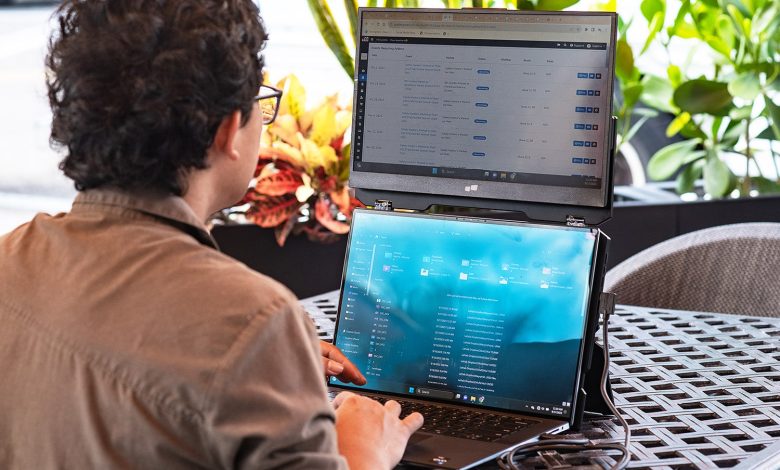
Remote work is always on when you travel, but how productive you are depends entirely on what parts of the office you pack. A thoughtfully organized carry-on ensures that your gear and gadgets are protected, available, and ready to roll wherever you go. This carry-on tech packing list includes the most important gadgets and accessories for working on the go.
Take a Look at Why a Portable Monitor Is Extremely Valuable to Carry-On
Convert any hotel desk, airport lounge, or café into a productivity zone with a portable monitor. With a portable screen like the Mobile Pixels portable monitor display, you have more screen real estate without the need to flip between tabs. At the same time, it takes care of multiple tasks such as emails, video calls, spreadsheets, and documents.
Staying productive wherever you go! This carry-on essential for remote professionals provides the largest productivity boost without taking up excess space.
Get Into a Complete Carry-On Tech Packing List
The carry-on tech packing list will keep you productive in airports, hotels, cafés, and coworking spaces. With reliable power, connectivity, comfort and security to boost your work wherever remote work finds you, these compact essentials amplify performance without unnecessary weight.
-
Portable Monitor
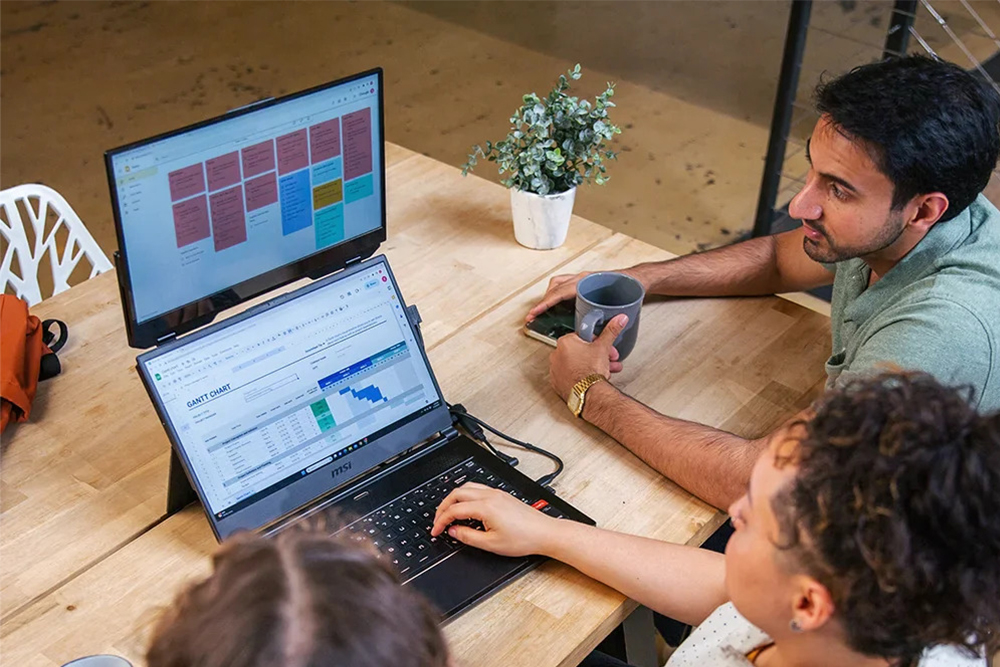
One of the benefits is that a portable monitor instantly increases your workspace and makes multitasking while on the move much easier. Opt for a slim Full HD or 4K model with USB-C.
-
Lightweight Laptop
A foldable laptop stand elevates your screen to eye level, which reduces neck strain during hangouts, meetings, or long work sessions. Capacity Models As the undeniable travel-friendly model, most of these fold considerably flat.
-
Foldable Laptop Stand
A foldable laptop stand raises your screen to eye level, reducing neck strain during long work sessions. Most travel-friendly models fold flat and fit easily inside a backpack.
-
Compact Wireless Keyboard
A wireless, lightweight keyboard provides the typing experience of a desktop setup without taking up unnecessary space. Opt for Bluetooth support and long battery life, along with a layout tailored to your workflow on the go.
-
Wireless Mouse
Another product to pick is an external mouse. Having rechargeable and wireless models is particularly helpful in shared working environments and at airports.
-
USB-C Hub or Dock
Since many modern-day laptops do not come with plenty of ports, a USB-C hub is one accessory you should definitely carry. One hub to connect displays, storage devices, Ethernet, and accessories via a single convenient adapter.
-
High-Capacity Power Bank
A good power bank will be a lifesaver for those long flights, layovers, or work in the middle of nowhere! Select the ideal power source for an uninterrupted workflow.
-
Noise-Canceling Headphones
In noisy environments, noise-canceling headphones go a long way in ensuring you can focus while improving call quality. These reduce distractions throughout flights, airport lounges, and even in virtual meetings.
-
Webcam
An external webcam provides much sharper video than most laptop-integrated cameras. This is a great upgrade for meetings with clients, interviews, webinars, and professional presentations.
-
Portable SSD
Cloud storage is convenient, but it should not replace local backups. Fast file transfers, offline access, and your important work stay a little safer.
-
Cable Organizer
A cable organizer avoids unwinding cords and keeps accessories. Specialized compartments that isolate adapters, memory cards, charging cables, and small electronics.
-
Privacy Screen Filter
The privacy screen filter, for example, keeps information from prying eyes near the seat. This is surprisingly useful in public settings, where sensitive information could be exposed.
Conclusion
The effectiveness of your tech comes down to how you pack it. Create a smart carry-on solution so that you can remain connected and productive and work from anywhere. Invest in dependable gear that lets you work from anywhere* at a moment’s notice and travel with confidence.