The real estate market is changing rapidly, so agents need a clear competitive edge. Virtual staging helps quickly bring empty rooms to life. We compared the best AI virtual staging tools based on price, speed, and quality. We also focused on virtual staging software designed for agents’ day-to-day work.
1. RoomStaging — Speed, Price, and Practicality
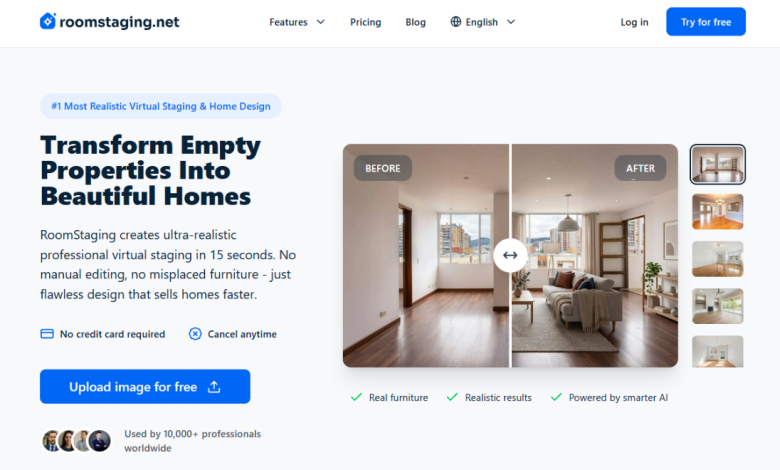
RoomStaging is a relatively new service, but it has quickly gained attention. The main reason is its compelling combination of price and speed. The service generates photorealistic results in about 15 seconds. This is convenient for agents who have a constant stream of properties.
The price per image starts at $0.. On the standard plan, the cost is higher but still competitive. Compared to traditional staging, the savings are very significant. At the same time, the result doesn’t require lengthy manual editing.
That is why RoomStaging deserves to be highlighted as the best AI virtual staging tool in this review. This is an virtual staging software for agents who prioritize quick photo preparation.
Pros:
- Results are ready in about 15 seconds
- Prices start at $0. per photo
- The free trial offers 6 credits without a credit card
- There are over 50 styles and room types
- The quality looks photorealistic without extensive editing
- A commercial license is included in all plans
- No hidden fees for standard edits
- Furniture removal and room redesign are available
Limitations should also be considered. Quality depends on the original photo. If the photo is dark or crooked, the result may suffer. Sometimes you’ll need to make several attempts.
Cons:
- The free trial is limited to just six credits
- A poor source photo compromises the final result
RoomStaging appears to be a practical choice for regular use. It offers a good balance of speed, price, and consistent results.

2. RoomGPT — a simple start without any fuss
RoomGPT has gained popularity thanks to its easy sign-up process and user-friendly interface. To get started, you need to sign in with a Google account. New users receive one free trial generation. After that, the service prompts you to upgrade to a paid plan.
The selection of styles here is fairly limited. There are about 5–10 basic themes available. These include Modern, Vintage, Minimalist, Industrial, and Professional. This is sufficient for an initial test.
The pricing plans are straightforward as well. The Pro plan costs $15 per month. The Business plan costs $30 per month. Both plans include unlimited rendering and commercial rights.
Pros:
- Simple sign-in via Google account
- Clear pricing with no complicated logic
- Commercial rights included in plans
- The interface is easy to understand right away
At the same time, the service quickly shows its limitations. There are fewer styles than with stronger competitors. There aren’t many features for regular use either. If you have a lot of photos, RoomGPT will quickly feel cramped.
Cons:
- Only one free trial generation
- Limited selection of basic styles
- Quality is inferior to advanced services
- No tools for removing furniture
RoomGPT is well-suited for a first introduction to the topic. For an agent’s daily work, there aren’t enough features here.
3. Collov AI — an option for teams and brokers
Collov AI is geared more toward teams and real estate agencies. The service claims to deliver strong marketing results for sales. According to the platform, homes sell 73% faster. It also reports a 20% increase in asking prices.
The platform offers a wide range of features. It allows users to replace the sky, lawn, and individual objects. This can be useful for teams. However, some features are not immediately available.
Pricing is based on credits. Standard costs $19 per month with annual billing. Advanced starts at $49 per month. Premium costs $79, and Enterprise costs $127. One credit equals one processed photo.
Pros:
- Regeneration is available within the limits of purchased credits
- There is a furniture catalog for personalization
- Photos are processed in about 10 seconds
- The credit system is easy to understand for planning
- Human-Assisted Staging helps refine the result more accurately
The main caveat is access to premium features. Object removal, the twilight effect, and sky replacement are locked on the Standard plan. The real entry point for such tasks starts with the Advanced plan. This means the budget quickly rises to $49 per month.
Cons:
- Renders sometimes alter the room layout
- Quality drops after several regenerations
- Premium features are only available on the Advanced plan
- Human-Assisted Staging costs an additional $7 per photo
- The interface can be confusing for new users
Collov AI has potential for team collaboration. But before paying, it’s worth carefully calculating the actual cost.

4. ApplyDesign — when you need manual control
ApplyDesign stands out for its drag-and-drop editor, which allows for manual customization. This is useful when you need to control the final look. The service is better suited for meticulous attention to detail. But it’s hard to call it fast.
Photo processing takes about 15 minutes. For a single important item, this is tolerable. For dozens of listings, however, this pace becomes inconvenient. Speed is the main limitation.
Payment is handled via ApplyCoins. No subscription is required, and coins don’t expire. Up to 9 coins, each costs $10. From 10 coins, the price drops to $8. From 20 coins, the cost is $7.
Deductions are also quite simple. DIY mode costs 1 coin. Auto-Staging costs 1.5 coins. 360-degree staging requires 2 coins. You can test the first photo for free.
Pros:
- The drag-and-drop editor offers more manual control
- Supports 360-degree staging
- DIY mode allows for unlimited edits
- Coins don’t expire after purchase
- Volume discount lowers the price to $7
- You can try the first photo for free
ApplyDesign excels where details matter. But for daily workflow, it’s less convenient. Agents often need speed, not lengthy setup. Here, the service falls short compared to faster solutions.
Cons:
- Rendering takes about 15 minutes
- Small orders are quite expensive
- Style names aren’t always easy to distinguish
ApplyDesign occupies a narrow but clear niche. It’s worth using for complex and high-stakes projects.
5. HomeDesigns AI — Low-cost bulk generation
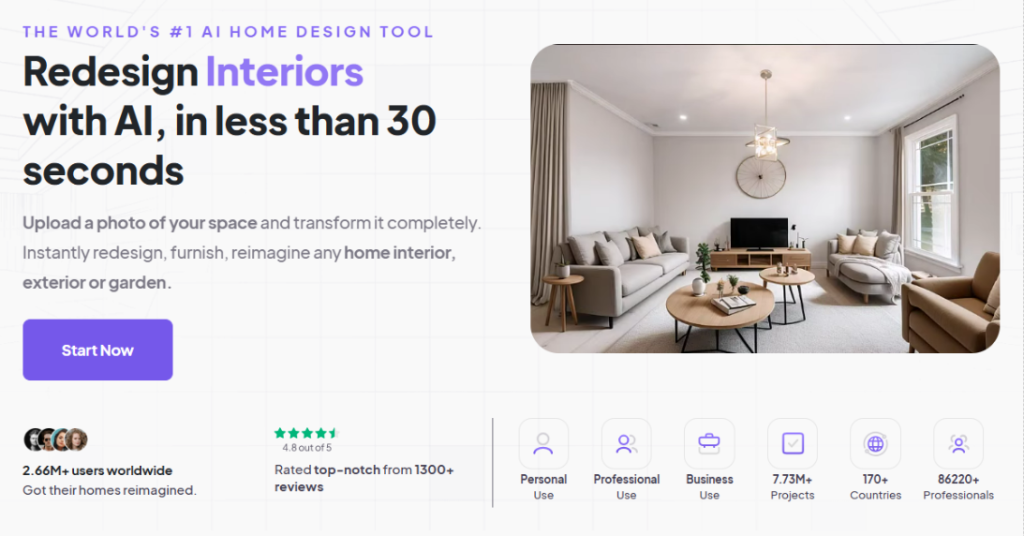
HomeDesigns AI is designed for quick interior design. The service is ideal for real estate agents, agencies, and homeowners. It helps you quickly refresh a space in a photo. Options include redesigns, furniture rearrangement, and architectural changes.
The main advantage of the service is the number of designs you get for the price. The Individual plan costs $27 per month and provides 100 designs. The Pro plan costs $29 and includes 1,000 designs. The Pro plan also includes commercial rights.
That works out to less than $0.03 per render. For high-volume work, this price is very competitive. Generation takes less than 30 seconds. Therefore, the service is suitable for quickly preparing photos.
Pros:
- Images are ready in less than 30 seconds
- The Pro plan offers 1,000 designs for $29
- The price is less than $0.03 per render
- Commercial rights are included in the Pro plan
- The Individual plan is suitable for smaller workloads
- There are various rooms, styles, and redesign scenarios
- Architectural redesign is available directly within the service
- The interface is intuitive for a quick start
However, the service does not replace manual professional editors. For complex scenes, there may be a lack of control. The result also depends on the quality of the source photo. Therefore, it’s best to check important objects separately.
Cons:
- Less manual control for complex scenes
- Quality depends on the source photo
- Individual is limited to 100 designs per month
- Photorealism sometimes requires several attempts
HomeDesigns AI excels at high volumes. Pro is a good option for agents with many listings. If you need a low price per render, the service is worth considering.
Conclusion: Which tool to choose
Each AI virtual staging platform has its own use case. RoomGPT is ideal for getting started with virtual staging. Collov AI is better suited for teams and real estate agents. ApplyDesign is the way to go when you need manual control.
HomeDesigns AI excels at high-volume generation at a low price. RoomStaging offers the best overall balance for daily work. It combines speed, an affordable price, and photorealistic results. For a busy agent, this is the most practical combination.