Not long ago, building a professional website meant hiring a developer, spending thousands of dollars, and waiting weeks. Today, a freelancer with a laptop and a clear vision can launch a polished, fully-functional site in an afternoon — powered entirely by AI. The landscape has changed irrevocably, and those who understand these tools early will hold a decisive advantage.
Whether you’re a first-time entrepreneur trying to get your business online, a freelance designer looking to serve more clients faster, or a creative professional who has always found code intimidating — this guide is written for you. We’ll walk through the most powerful AI design tools available today, explain exactly how to use them in a coherent workflow, and show you the real-world scenarios where AI website design delivers the biggest return.
This isn’t hype. This is a practical, experience-backed breakdown of what works, what doesn’t, and where the industry is heading.
Why AI Has Changed Website Design Forever
The traditional web design process was a long chain of handoffs: client brief → wireframes → mockups → development → testing → launch. Each stage required specialised expertise. AI has collapsed that chain dramatically, automating the most time-consuming steps and making the creative ones more accessible to everyone.
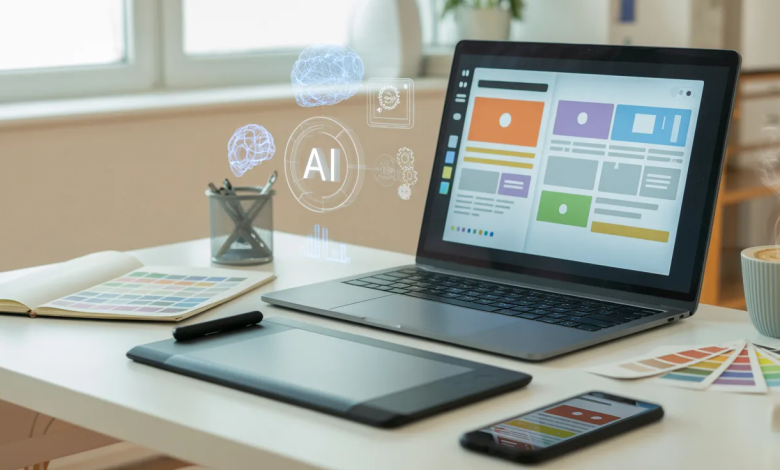
AI website builders don’t just provide drag-and-drop templates. Modern tools now use large language models to understand your intent, generate layout structures, write copy, suggest colour palettes based on brand tone, and even optimise page hierarchy for user experience — all from a simple text prompt.
“AI hasn’t replaced great design thinking — it’s removed the barriers that stopped most people from acting on it. Now the question isn’t ‘Can I build this?’ but ‘What should I build, and for whom?’ That’s a far more powerful question.” – Odyssey Design Company (San Antonio Based Web Design Agency)
The implications are enormous. Freelancers can now take on more projects simultaneously. Beginners can produce professional-grade work in their first week. Small business owners no longer need to outsource their digital presence entirely. The skill gap has narrowed — but quality thinking still separates the great from the average.
The Core AI Tools You Need to Know
The AI web design ecosystem is growing rapidly, but a handful of tools have emerged as genuinely best-in-class. Here’s an honest breakdown of each:
| Tool | Best For | What It Does |
| Framer AI | Freelancers | Describe your site in plain text and Framer generates a fully responsive layout with animations. Exports production-ready code. |
| Wix ADI / Studio | Beginners | Wix’s AI Design Intelligence asks guided questions and builds your site automatically. Studio adds pro-level customisation. |
| Durable | Fastest Launch | Builds a complete small-business website — copy, images, and contact forms — in under 30 seconds from a one-line prompt. |
| Webflow + AI | Advanced Users | AI assists with copy generation, layout suggestions, and SEO metadata within a powerful visual CMS trusted by professional studios. |
| 10Web | WordPress Users | AI-powered WordPress builder that clones competitor sites, generates content, and handles hosting. Ideal for managing multiple client sites. |
| Figma AI | Designers | Auto-layout, AI renaming, and generative fill inside the industry-standard design tool. Perfect for prototyping before developer handoff. |
No single tool dominates every scenario. Your choice should be guided by your skill level, your client type, and how much design control you need to retain. Many experienced freelancers combine two or three tools across different stages of a project.
A Practical AI Web Design Workflow

Tools are only as good as the workflow around them. Below is the process Odyssey Design Company recommends for freelancers and beginners who want to produce professional results consistently — not just occasionally.
- Define Your Goal Before You Touch Any Tool
Write a clear one-paragraph brief: Who is this site for? What action do you want visitors to take? What feeling should the design convey? Vague prompts produce vague results. AI rewards specificity.
- Generate the Initial Structure with an AI Builder
Use Framer AI, Durable, or Wix ADI to generate your first version. Don’t expect perfection — expect a strong structural draft. Treat this output as your intelligent starting point, not your finished product.
- Refine Copy with an AI Writing Assistant
Run your headlines, body copy, and calls-to-action through ChatGPT or Claude. Good AI-written copy should sound human, specific, and benefit-led — not generic. Always edit for brand voice.
- Source and Optimise Visuals
Use Midjourney, Adobe Firefly, or Canva’s AI image generator for custom imagery. Avoid overused stock photos. Every visual should reinforce the message of that specific section.
- Audit the UX with AI Feedback Tools
Tools like Attention Insight and Wizard’s AI analysis can predict where visitors’ eyes will go, identify confusing navigation flows, and flag accessibility issues before launch.
- Optimise for SEO Before Publishing
Use SurferSEO, Semrush’s AI content assistant, or Yoast’s AI feature to ensure your page titles, meta descriptions, and on-page content are aligned with what your target audience searches for.
- Test, Launch, and Iterate
A/B test your hero section headline using tools like Google Optimize or VWO. Track scroll depth and click maps with Hotjar. AI-driven design doesn’t end at launch — it gets smarter over time.
Real-World Use Cases for Beginners & Freelancers
Abstract advice only goes so far. Here’s where AI web design genuinely delivers in practice:
Use Case 1: The Freelancer Who Needs Speed
A freelance brand designer lands a client who needs a portfolio site in 5 days. Using Framer AI, they generate the site structure in 2 hours. They refine the copy with ChatGPT, create custom illustrations with Midjourney, and spend the remaining time on micro-details — hover animations, spacing, and brand consistency. The client receives a bespoke-feeling site that would have taken 3 weeks using traditional methods.
Time saved: 80% · Tools: Framer + ChatGPT + Midjourney · Skill level: Intermediate
Use Case 2: The Local Business Owner Going Digital
A restaurant owner in a competitive city wants to be found online without paying an agency £3,000. They use Durable to generate a first version in 30 seconds, upload photos of their actual food, and spend one evening refining the copy and menu section. Within two weeks, they’re appearing in local search results. Total cost: under £20/month.
Time to launch: 1 evening · Tools: Durable + Google Business · Skill level: Beginner
Use Case 3: The Designer Scaling a Studio
A one-person design studio wants to take on more clients without hiring. They build a standardized AI workflow: Webflow + AI for structure, Figma AI for mockups, Surfer SEO for content, and Loom for client walkthroughs. Each client website now takes 40% less time to deliver at the same quality bar. The studio doubles its revenue without adding headcount.
Revenue increase: 2x · Tools: Webflow + Figma AI + Surfer · Skill level: Advanced
Common Mistakes to Avoid
⚠ Watch Out For These Pitfalls
- Accepting the first AI output as final. The first draft is a foundation, not a finish. Always refine, edit, and personalise everything the AI generates.
- Using generic AI stock imagery. Overused AI-generated visuals instantly make a site feel impersonal. Invest in custom photography or genuinely unique AI-generated art.
- Ignoring mobile performance. AI builders sometimes generate heavy, image-rich layouts that load slowly on mobile. Always run Google PageSpeed tests before launching.
- Skipping the SEO step. A beautifully designed site no one finds is a wasted asset. Treat SEO as a fundamental design requirement, not an optional extra.
- Over-relying on AI for brand strategy. AI can execute brilliantly, but it can’t tell you who your audience is or what makes your offer unique. That thinking is still yours to do.
The Future: Where AI Web Design Is Heading
The AI tools for Web Design in 2026 are already impressive — but the trajectory is steeper than most people realise. Within the next two years, expect to see fully personalised websites that adapt in real-time to each visitor’s behaviour, AI agents that can brief themselves, design the site, write the copy, and manage the SEO simultaneously, and voice-driven design interfaces that let anyone build a professional web presence simply by describing it out loud.
The role of the human designer and freelancer is not disappearing. It is elevating. As AI handles the execution layer with increasing competence, the premium on strategic thinking, brand clarity, storytelling, and emotional resonance rises. The most valuable professionals in this space will be those who combine creative vision with AI fluency — not one or the other.
Final Thoughts
AI website design is not a shortcut for those who don’t care about quality. It is a force multiplier for those who do. The beginner who understands their audience well and uses Durable thoughtfully will outperform the one who spends hours in Figma without a clear direction.
The freelancer who builds a repeatable AI workflow will serve twice the clients at the same quality. The business owner who treats their website as a living, evolving asset — continuously refined with data and AI insight — will pull ahead of competitors still treating their site as a one-time project.
Start simple. Pick one tool. Build something real. Then iterate. The best time to begin was two years ago. The second best time is today.