Global teams now coordinate across languages, time zones, operating systems, and regional work practices. The communication software they rely on has to support that complexity without making routine tasks harder.
A single organization may have employees in Hong Kong, Taiwan, Singapore, Europe, and North America using the same messaging environment. English may dominate formal documentation, while Traditional Chinese, Simplified Chinese, or other languages are used in regional operations, customer support, and community discussions.
That makes localization an operational issue rather than a cosmetic one. Language affects how confidently users interpret menu labels, notifications, privacy controls, download settings, session management, and troubleshooting instructions.
The effect is especially visible on Windows. Desktop messaging clients often remain open beside browsers, office suites, project-management tools, cloud storage, and internal dashboards, so small usability problems repeat throughout the working day.
A multilingual desktop strategy therefore needs to connect three things: clear interface language, consistent technical terminology, and a standardized way to install, configure, and support the client.
Global Teams Need More Than a Single Working Language
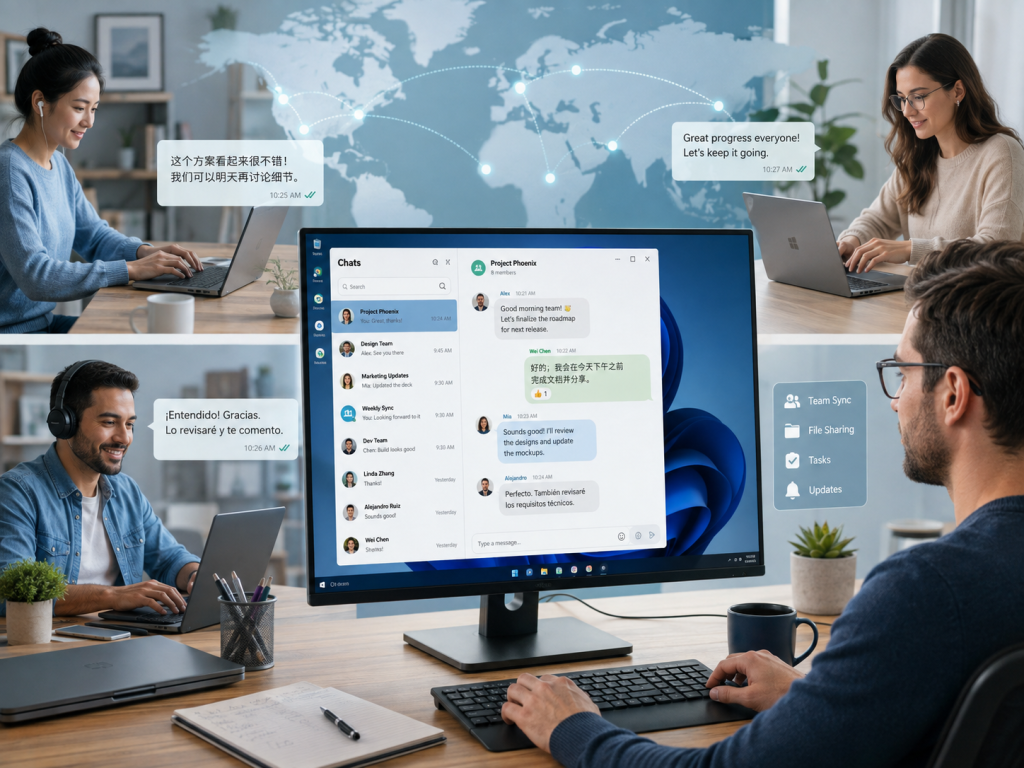
The idea that an international company can choose one language for every digital interaction rarely matches how distributed work happens in practice.
A project may have:
- English-language documentation
- Chinese-speaking regional teams
- International customers
- Local support groups
- Global engineering staff
- Regional operations channels
- Multilingual community discussions
Even when one language is designated for company-wide communication, employees often switch to a local language when speed, customer context, or regional nuance matters.
This creates two requirements that should be designed together rather than treated as competing choices:
Shared organizational language The language used for formal documentation, policies, and company-wide communication.
Local working language The language employees use when communicating efficiently with regional teams, customers, or communities.
A well-designed communication environment supports both: a stable organizational vocabulary and enough localization for people to use the software accurately.
Interface Language Affects Usability and Configuration
Localization is sometimes treated as a presentation layer, but interface language can directly affect whether users understand and complete configuration tasks correctly.
Consider basic desktop tasks such as:
- Changing privacy settings
- Managing notifications
- Reviewing active sessions
- Selecting download folders
- Finding group controls
- Adjusting startup preferences
- Managing blocked users
- Reviewing security options
A user may be comfortable reading everyday English messages while still preferring Chinese labels for privacy, notification, download, or account settings where precision matters more.
That distinction is easy to see in Telegram-related support content. Chinese-speaking Windows users who search for telegram 中文版 are often trying to solve practical tasks—matching Chinese instructions to desktop menu labels, finding the right settings, or understanding how localization fits into everyday use—rather than simply translating the product name.
This is a broader usability lesson for global teams: localized labels are most valuable when they help users connect a written instruction with the exact control they see on screen.
Why Desktop Messaging Still Matters for Windows Workflows
Cloud services have changed the workplace, but desktop clients remain central for employees who communicate continuously while working in other applications.
Employees who work on Windows often spend hours moving between:
- Messaging applications
- Browsers
- Word processors
- Spreadsheets
- Development environments
- CRM platforms
- Project-management systems
- Design tools
- Internal dashboards
A dedicated client becomes a persistent communication layer rather than another browser tab competing for attention.
Desktop messaging provides several practical advantages:
- Faster keyboard-based communication
- Easier file handling
- Better multitasking
- Persistent notifications
- Multi-monitor support
- More convenient search
- Separation from crowded browser tabs
For high-volume users, those advantages reduce context switching and make it easier to move between conversations, files, and other Windows tasks.
Regional Search Terms Shape Telegram Discovery
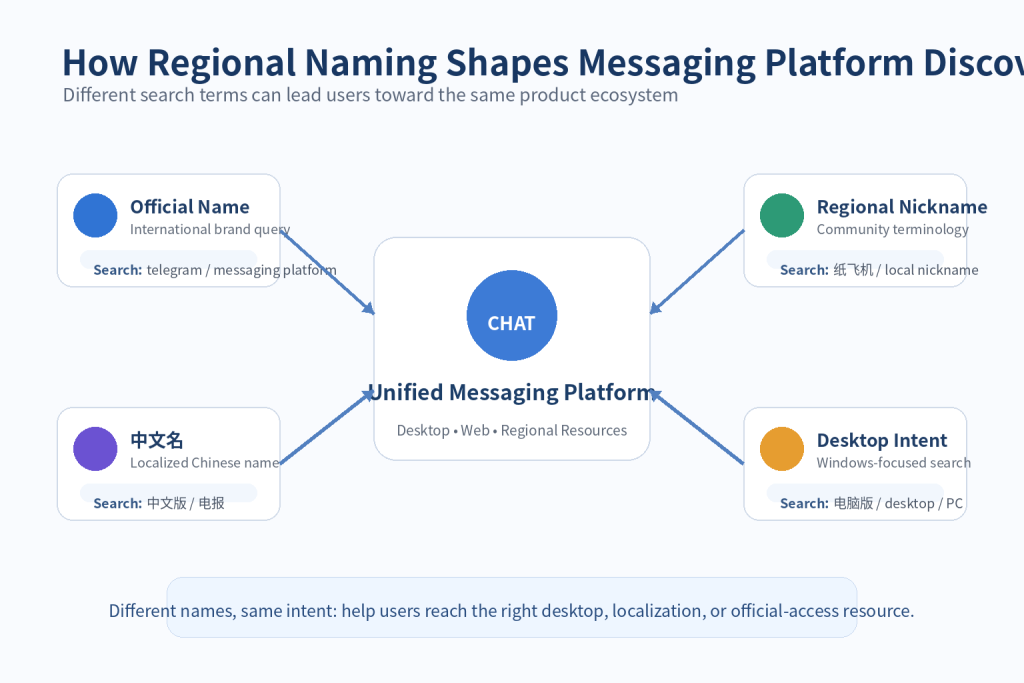
Multilingual product discovery extends beyond interface translation. The same messaging platform can be described by its global brand name, a translated name, or a nickname that is common in a particular language community.
A product may have:
- An official English name
- A translated name
- A commonly used local nickname
- A phonetic transcription
- An abbreviated form
- A community-created label
The same pattern appears in product discovery. A Chinese-speaking user may begin with the regional term 电报 before typing Telegram, even when the underlying intent is to find desktop access, download guidance, account help, or a localized setup article.
That matters for publishers and support teams because the first query may describe a local concept rather than the formal product name.
A useful content architecture should therefore connect regional terminology with the correct product identity, desktop guidance, and configuration information instead of assuming every user begins with the English brand query.
Doing this well improves discoverability while reducing the risk that users confuse a nickname, a localized guide, and an official software source.
Localization Means More Than Menu Translation
Good localization is a system of consistent terminology, rendering, input, documentation, and support—not a one-time replacement of English strings with Chinese text.
A useful multilingual desktop experience should consider:
Terminology consistency
The same function should not be described using several different translations across menus, documentation, and support guides.
Character rendering
Chinese characters should display correctly throughout menus, notifications, search results, and file names.
Input methods
Users need appropriate Windows keyboard and input-method support.
Date and time formats
Regional formats can affect how users interpret timestamps and scheduling information.
Documentation
Support articles should use terminology that matches what users actually see in the application.
Search behavior
Internal search and external documentation should recognize common regional terminology.
When these details are aligned, localized support feels like part of the product workflow instead of a separate layer that users must mentally translate.
Standardize the Desktop Environment Without Removing Language Choice
Language flexibility should not mean that every employee installs and configures the messaging client differently.
Organizations still benefit from a baseline Windows configuration that support teams can reproduce and troubleshoot.
A basic desktop communication policy can define:
- Supported Windows client
- Recommended installation method
- Approved update process
- Default notification behavior
- Download-folder policy
- Security settings
- Supported interface languages
- Session-management practices
Employees can then personalize language and secondary preferences without changing the core deployment model.
This balance gives global teams operational consistency while preserving regional usability.
Translation Alone Does Not Prevent Miscommunication
Machine translation and AI writing tools can accelerate multilingual communication, but they do not remove ambiguity caused by technical terms, cultural context, abbreviations, or missing operational detail.
Different teams may interpret the same message differently because of:
- Cultural context
- Technical terminology
- Local business practices
- Different levels of language fluency
- Abbreviations
- Informal expressions
- Time-zone assumptions
For operational messages, clarity should come before translation. The source message should be explicit enough that a translated version preserves the same action, owner, deadline, and technical meaning.
A useful approach is to write announcements in simple, structured language.
For example:
Less clear: “Please handle this ASAP because the deployment is getting blocked.”
More structured: “Action required: complete the Windows deployment check before 15:00 Hong Kong time. The release cannot continue until this step is finished.”
The second version is easier to translate because it preserves the required action, deadline, time zone, and dependency.
Preserve Technical Terms in Multilingual Windows Support
Desktop messaging is often the place where users receive technical instructions that must also work outside the chat window.
Users may receive messages that include:
- File paths
- Application names
- Installer instructions
- Configuration commands
- Document links
- Version numbers
- Security warnings
These identifiers should normally remain exact even when the surrounding explanation is localized.
A multilingual support guide can therefore separate:
Interface terminology Translated into the user’s preferred language.
Technical identifiers Preserved exactly.
For example, a folder path, software version, command, or filename should not be casually translated because doing so may make the instruction unusable.
This distinction is especially important in IT, DevOps, security, and support teams, where a translated filename, command, or path can make an otherwise correct instruction unusable.
File Downloads and Naming Conventions Need Consistency
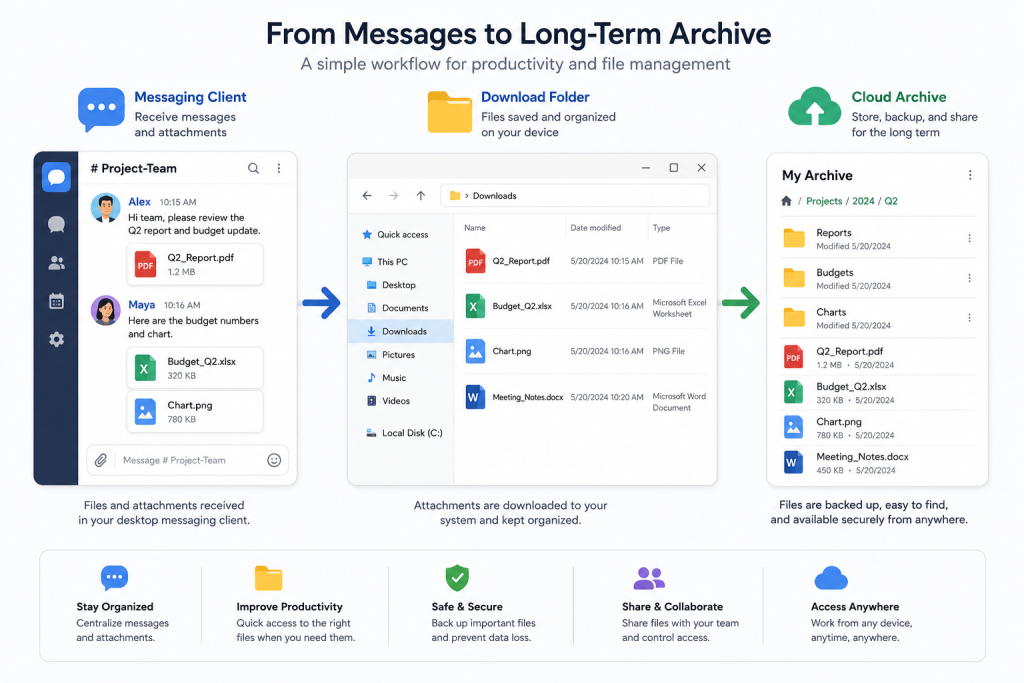
Desktop messaging clients are frequently used to exchange working files, screenshots, installers, exports, and documents before those assets are moved into a permanent system of record.
Employees may receive:
- Documents
- Images
- Presentations
- Spreadsheets
- PDFs
- Archives
- Technical files
In a multilingual team, filenames may mix English, Traditional Chinese, Simplified Chinese, project codes, and local abbreviations.
A team working across multiple markets may have file names in English, Traditional Chinese, Simplified Chinese, or combinations of these.
Organizations should establish simple conventions such as:
- Use descriptive file names
- Include dates where useful
- Avoid unexplained local abbreviations
- Keep official project identifiers unchanged
- Move important files into permanent shared storage
The messaging client’s download folder should be treated as a temporary workspace; important assets should move into controlled shared storage where naming, ownership, and retention are clearer.
Notification Design Matters Across Languages
Notifications are another localization detail that becomes more important when the same Windows desktop displays messages from several language groups.
A user may configure the application in Chinese but receive group names or message previews in multiple languages.
Organizations should consider:
- Whether message previews are appropriate
- Which channels require notifications
- How regional groups are named
- Whether important announcement channels use consistent naming
- How sensitive information appears on shared screens
For multilingual teams, recognizable channel and group names reduce the cognitive load of deciding which notifications require attention.
For example:
APAC – Product Operations
is often easier for an international team to identify than a local-language-only name that other departments cannot recognize.
Regional teams can still use their preferred language inside the group while keeping the group identity understandable to colleagues elsewhere.
Searchability Becomes a Knowledge-Management Issue
As message volume grows, the ability to retrieve a previous decision, file, instruction, or announcement becomes as important as real-time communication.
Users may need to find:
- Previous decisions
- Shared files
- Customer information
- Deployment instructions
- Meeting links
- Technical solutions
- Internal announcements
Multilingual environments complicate retrieval because the same concept may appear under several languages or regional labels.
Teams can improve searchability by preserving stable project names, product names, version identifiers, and important English technical terms alongside localized explanations.
For example, a Windows-related support message can include both a localized explanation and the exact product or feature name.
That makes later retrieval more reliable without forcing every message to be written in a single language.
Use Messaging for Coordination, Documentation for Decisions
Messaging applications are optimized for speed. Policies, technical procedures, final decisions, and onboarding standards need a more durable home.
A good digital workflow separates:
Messaging
- Questions
- Coordination
- Quick updates
- Informal discussion
Documentation
- Policies
- Technical procedures
- Final decisions
- Onboarding guides
- Deployment standards
For multilingual organizations, high-impact documentation may need approved versions in more than one language, especially when employees must follow the same Windows or security procedure.
This reduces dependence on searching old conversations and helps support teams maintain one authoritative workflow.
Localize Security Guidance as Carefully as Product Guidance
Security is one of the clearest cases where language accessibility has practical consequences.
Users need to understand settings related to:
- Active sessions
- Account protection
- Privacy
- File downloads
- Unknown contacts
- Notifications
- Login controls
If users cannot confidently map a security instruction to the setting they see on screen, they may skip the change or select the wrong option.
Security guidance should therefore use the same terminology as the current desktop interface and, where useful, include screenshots or visual references.
Visual guides can also help when supporting several language groups.
Design Channel Architecture for Cross-Border Teams
Multilingual communication becomes easier when the messaging structure itself reflects how the organization operates.
A company might use:
Global announcement channels Primary organization-wide language.
Regional operations groups Local working language.
Project groups Language chosen according to the project team.
Technical support channels Shared technical terminology with localized explanations where necessary.
Documentation repositories Official multilingual guides.
This prevents every channel from trying to serve global announcements, local operations, technical support, and project coordination at the same time.
AI Can Accelerate Translation, but Human Context Still Matters
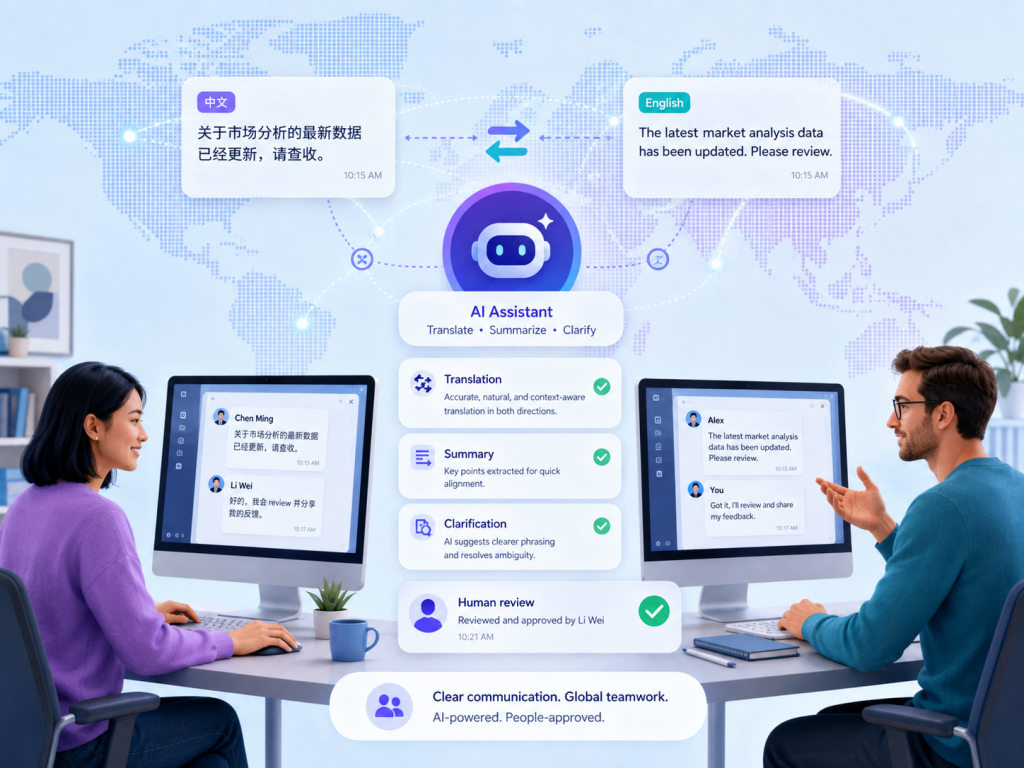
AI translation, summarization, and rewriting tools can reduce routine language friction, especially when teams need to convert long discussions into concise updates or reusable documentation.
They can be useful for:
- Translating routine updates
- Summarizing long discussions
- Rewriting technical instructions more clearly
- Producing multilingual onboarding content
- Helping employees understand unfamiliar terminology
AI is most useful for routine language work; teams should still require human review when messages involve:
- Security
- Legal information
- Financial decisions
- Technical deployment
- Customer commitments
- Sensitive personnel matters
Translation quality depends on the source text, domain terminology, and the consequences of being wrong.
AI can accelerate multilingual collaboration, but it should not replace review for high-impact security, legal, financial, deployment, or customer-facing communication.
A Practical Framework for Multilingual Windows Messaging
Organizations can use the following framework to make desktop communication easier to deploy, support, search, and localize across regions.
1. Standardize the Windows client
Define the supported desktop environment.
2. Support appropriate interface languages
Give employees access to the language configuration they actually need.
3. Keep terminology consistent
Use stable translations in support documentation.
4. Preserve technical identifiers
Do not translate commands, paths, version numbers, or official technical names unnecessarily.
5. Organize groups by purpose
Separate global, regional, and project communication.
6. Use clear writing
Write messages that are easy to understand and translate.
7. Store important knowledge outside chat
Move final procedures and decisions into documentation.
8. Review localization after software updates
Interface changes can make older support guides inaccurate.
9. Train users on desktop security
Security settings should be understandable in the user’s interface language.
10. Use AI translation carefully
Automate routine communication while reviewing high-impact content.
Final Takeaway
Multilingual desktop messaging is becoming part of core digital workplace infrastructure rather than a niche localization concern.
For distributed organizations, the strongest setup combines a consistent Windows deployment with localized interfaces, stable technical terminology, searchable communication, durable documentation, and clear security guidance.
The objective is not to force every employee into one language or to let every region build a separate communication stack.
Instead, teams should standardize the parts that affect reliability and support while localizing the parts that affect comprehension and day-to-day usability.
- A consistent desktop deployment
- Flexible interface localization
- Clear communication standards
- Structured group organization
- Reliable documentation
- Responsible use of translation technology
When those layers work together, users spend less time translating the tool itself and more time using it to coordinate work across regions.
That is the practical value of multilingual desktop communication: not more language for its own sake, but fewer avoidable barriers between people, software, and the work they need to complete.