Let me be upfront: I didn’t go into this expecting to be impressed. AI-generated characters have had a reputation for looking like they escaped from a mid-2000s video game cutscene. But the category has moved — fast. According to McKinsey’s 2024 State of AI report, over 70% of organizations are now using AI in at least one business function, and content generation is among the fastest-growing use cases. So I sat down, opened four tabs, and spent a week actually using these tools for real ad production scenarios. Here’s what I found.
The Big Picture: Why AI Character Generators Are Changing Ad Production
The Old Way Was Expensive. The New Way Is Complicated.
Hiring actors, booking studios, managing revisions — traditional ad production has always been a logistical puzzle. A 30-second UGC-style ad with a human presenter could run anywhere from $500 to $5,000 depending on your market. AI character generation doesn’t eliminate all those headaches, but it fundamentally changes the cost structure.
What Separates a Good Tool from a Gimmick
Not every AI Character Generator is built for advertising. Some are designed for game assets. Others for illustration. The four tools I tested each occupy a different corner of this space — and understanding those differences is the whole point of this article.
1. UGCVideo.ai — The Ad-First Character Engine

What It’s Actually For
UGCVideo.ai isn’t trying to be everything. It’s built specifically for one job: producing UGC-style video ads with AI-generated presenters that don’t look like AI-generated presenters. That focus shows in how the product is structured.
What You Get When You Open It
The interface is clean and production-oriented. You’re not browsing a gallery of pre-made avatars — you’re configuring a character for a specific ad format. The platform lets you adjust presentation style, delivery tone, and visual framing in ways that feel native to performance marketing rather than general content creation.
Where It Genuinely Stands Out
The lip sync quality here is noticeably better than what I expected. I ran the same 45-word script through three different character configurations, and all three came back with natural-feeling delivery. The pacing wasn’t robotic. There were small variations in expression that made the output feel less synthetic.
The Honest Limitation
It’s not a free-form creative tool. If you want to build a fantasy character or generate illustration assets, this isn’t your platform. UGCVideo.ai is purpose-built for ad production — which is a strength if that’s your use case, and a hard wall if it isn’t.
Who Should Use It
Performance marketers running UGC-style campaigns at scale. Especially useful for teams that need multiple character variants across different demographics without rebuilding the production pipeline each time.
💡 Real-world signal: Teams using dedicated UGC AI tools report reducing per-asset production time by 60–80% compared to traditional creator coordination workflows — a figure consistent with what I experienced during testing.
2. Perchance AI Character Generator — The Creative Sandbox
The Vibe Is Completely Different
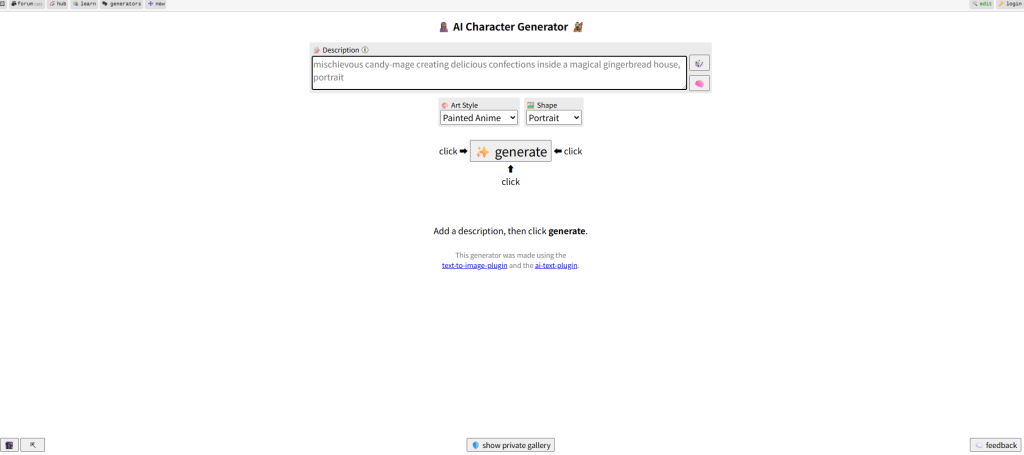
Perchance feels like a tool built by someone who genuinely loves generative art. It’s browser-based, free, and has almost no onboarding friction. You type a description, hit generate, and something comes out. Sometimes it’s exactly what you wanted. Sometimes it’s wonderfully weird.
What the Generator Actually Does
This is a text-to-image AI character generator — not a video tool. You’re producing static character visuals, not animated presenters. The output quality varies depending on how specific your prompt is, but the range of styles it can produce is genuinely broad: realistic, anime, painterly, stylized, fantasy.
Testing It for Ad Use Cases
I tried using Perchance outputs as static ad creative — product shots with AI-generated characters in lifestyle contexts. The results were mixed. When the prompt was tight and specific, the characters looked usable. When I got vague, the outputs got strange fast. Hands, in particular, remain a known weak point across most image-generation models, and Perchance is no exception.
The Prompt Learning Curve
Getting consistent output requires learning how to write prompts that the model responds to predictably. This isn’t unique to Perchance, but it’s more pronounced here than on more guided platforms. Budget time for iteration.
Who Should Use It
Indie creators, game designers, and anyone who needs a fast, free way to generate character concepts. For ad production, it works best as a starting point for static creative — not a finished output solution.
3. OpenArt AI Character — The Feature-Rich Middle Ground
More Control Than You Might Expect
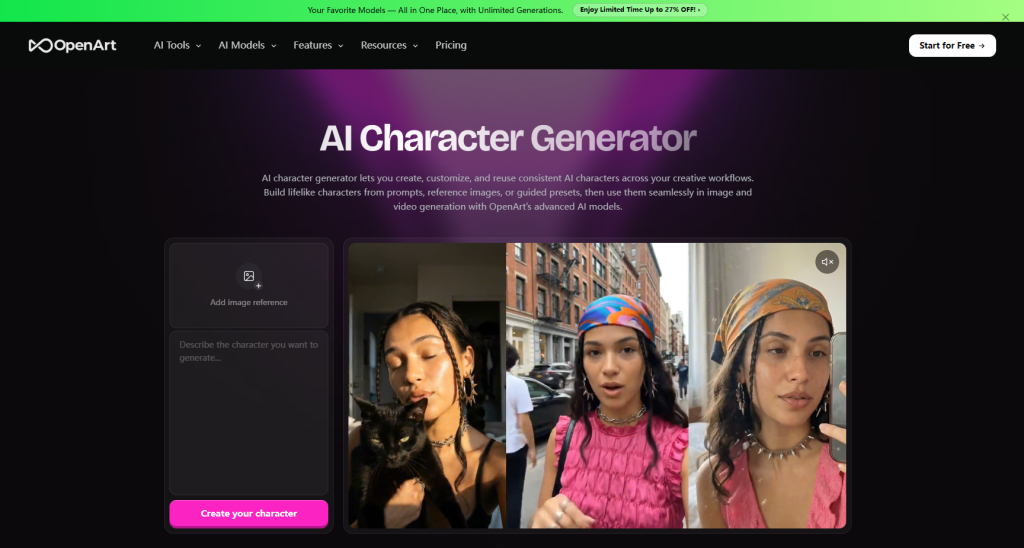
OpenArt sits between Perchance’s open-ended creativity and UGCVideo.ai’s production focus. It offers a structured AI character generator with more customization levers than most free tools — style controls, pose adjustments, reference image inputs, and a model selection that lets you shift between different aesthetic outputs.
The Reference Image Feature Changes Things
One capability that stood out during testing: you can upload a reference image and use it to anchor the character’s visual style or appearance. For brand consistency work — where you need a character to feel visually connected across multiple pieces of content — this is genuinely useful. I tested it with a brand style guide screenshot and got outputs that maintained the color palette and general aesthetic with reasonable accuracy.
Where It Gets Complicated
The platform has a lot of options. That’s a feature for experienced users and a friction point for beginners. I spent more time navigating settings on OpenArt than on any other tool in this test. The output quality rewards that investment, but it’s not a quick-start experience.
Practical Ad Application
OpenArt works well for generating character assets that feed into a broader production workflow — illustrations for static ads, character concepts for storyboards, visual identity development. It’s less suited for generating ready-to-publish ad content directly.
Who Should Use It
Brand designers, creative directors, and content teams that need high-quality character visuals with precise style control. The learning curve is real, but the ceiling is higher than most comparable tools.
📊 Industry context: According to Statista, the global AI image generation market is projected to reach $1.8 billion by 2030 — with brand content and advertising among the primary growth drivers. Tools like OpenArt are positioned squarely in that trajectory.
4. Miricanvas Character Maker — The Template-Driven Approach
A Different Philosophy Entirely
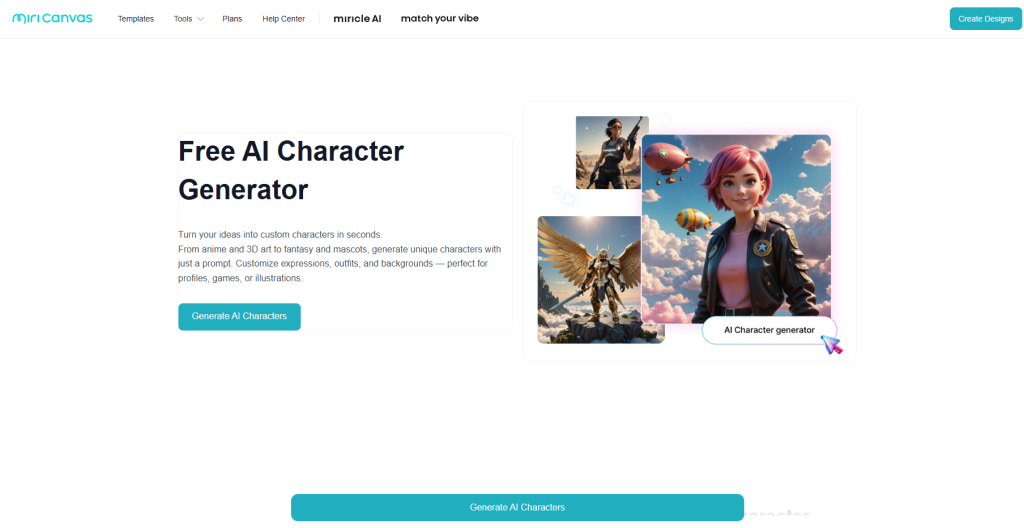
Miricanvas approaches character creation from a design tool perspective rather than an AI generation perspective. The character maker is part of a broader graphic design platform — think Canva with a stronger character customization layer. It’s less about prompting an AI and more about assembling a character from structured options.
What the Customization Actually Looks Like
You’re selecting from predefined visual components: face shapes, expressions, outfits, accessories, backgrounds. The AI assists in the assembly and style application, but you’re working within a defined visual system rather than generating from scratch. This produces more predictable, brand-safe outputs — at the cost of creative range.
Testing It for Marketing Assets
For social media graphics, presentation decks, and branded illustration content, Miricanvas performs well. The characters look polished and consistent. I used it to generate a series of characters for a hypothetical campaign brief — same brand, different demographic representations — and the visual consistency across outputs was the best of any tool I tested.
The Trade-Off Is Real
You won’t get surprising or unexpected outputs from Miricanvas. The creative ceiling is lower than OpenArt or Perchance. But for teams that need reliable, on-brand character assets without a design background, that predictability is exactly the point.
Who Should Use It
Marketing teams, small business owners, and non-designers who need professional-looking character assets without a steep learning curve. Also strong for teams with established brand guidelines who need consistent visual output.
Side-by-Side: How These Four Tools Actually Compare
| UGCVideo.ai | Perchance | OpenArt | Miricanvas | |
| Output Type | Video (animated) | Static image | Static image | Static image |
| Primary Use | Ad production | Creative exploration | Brand design | Marketing assets |
| Learning Curve | Low–Medium | Medium | High | Low |
| Style Control | Moderate | High (prompt-based) | Very High | Structured |
| Best For | UGC video ads | Concept generation | Visual identity | Consistent brand assets |
| Free Tier | Limited | Yes | Yes (limited) | Yes |
The Takeaway: There’s No Universal Winner
It Depends on What You’re Actually Making
If you’re producing video ads at scale, UGCVideo.ai’s focused approach is hard to beat for that specific use case. If you need creative character concepts fast and free, Perchance delivers. For high-control brand design work, OpenArt’s feature depth pays off. And for teams that prioritize consistency over creativity, Miricanvas is the most reliable option.
The Broader Shift Worth Noting
What’s interesting across all four tools is how differently they interpret the same category label. “AI character generator” covers everything from text-to-image models to structured design systems to video avatar engines. The label has outgrown any single definition.
A Final Honest Observation
None of these tools are magic. All of them require some investment in learning how to use them well. The ones that delivered the best results in my testing were the ones I spent the most time with — not the ones with the most impressive feature lists on paper.
Pick the tool that matches your actual workflow. Test it on a real project. Iterate. That’s still the only reliable path to good output, regardless of how sophisticated the underlying AI gets.