
AI enhancement has made it easier to improve an image or video before it reaches a website, marketplace listing, presentation, or social feed. Yet faster processing does not remove the need for judgment. In some cases, a slightly imperfect result is harmless. In others, one altered label, softened facial feature, or invented product detail can make the asset unsuitable for publication.
The practical question is therefore not whether every AI-enhanced file should be reviewed. It is how much review each file requires. A risk-based system helps teams focus their attention where an error would have the greatest commercial or reputational consequence.
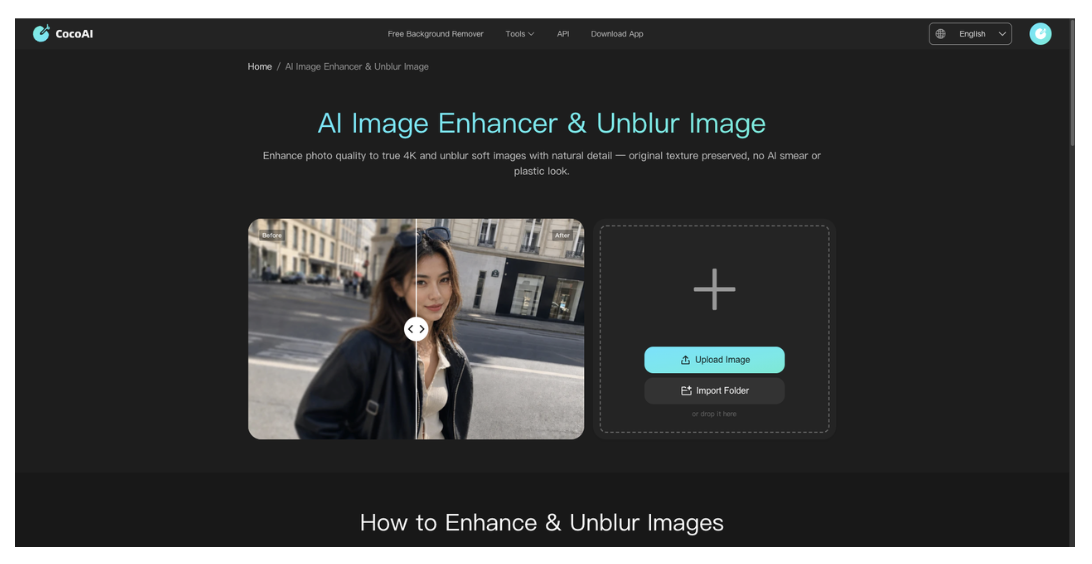
This distinction becomes important when using a photo enhancer to improve resolution or reduce visible blur. CocoAI can enhance and upscale images to a natural-looking 4K result, but the output should still be treated as an interpretation of the available pixels—not proof that missing details have been recovered exactly.
Enhancement Is Not the Same as Recovery
When an image is enlarged, the software must estimate how additional pixels should look. AI can produce a cleaner and more coherent result than conventional interpolation, particularly around faces, edges, textures, and low-contrast areas. However, it cannot reliably reconstruct information that was never captured by the camera.
This creates an important boundary. Enhancement may make an old portrait more presentable, a product photo clearer on a high-resolution display, or a social image less visibly compressed. It should not be used to establish factual details that cannot be confirmed from the source.
A blurred serial number, for example, should not be accepted simply because an enhanced version appears readable. The result must be compared with another reliable record. The same caution applies to labels, technical diagrams, identification documents, and evidence images.
Classify Assets by Consequence
A simple three-level classification can make review more proportionate.
Low-Risk Creative Assets
Low-risk assets are images or clips where small visual differences do not change the underlying message. Examples include abstract backgrounds, mood-setting footage, decorative social graphics, and atmospheric cutaways.
These files still need basic inspection for obvious distortions, but they do not normally require pixel-level comparison with the original. If the enhanced background contains a minor texture variation that viewers will not interpret as factual information, the consequence is limited.
A quick review at the intended display size may be enough:
- Does the image look natural?
- Are there visible halos or oversharpened edges?
- Does it fit the crop and resolution required by the platform?
- Are there any unexpected objects or patterns?
Medium-Risk Brand Content
Medium-risk assets include event photography, staff portraits, influencer content, older campaign footage, and branded editorial images. These files carry more reputational weight because viewers may recognize the people, setting, or brand.
Reviewers should examine faces, hands, hair, clothing edges, logos, and background text. AI enhancement can sometimes make skin appear overly smooth or turn subtle textures into artificial patterns. An output may look polished at first glance while becoming less convincing when viewed at full size.
For this category, compare the enhanced file with the source rather than judging it alone. The purpose is not to demand identical pixels, but to confirm that the subject’s identity and the image’s meaning remain intact.
High-Risk Commercial Assets
High-risk assets include product listings, packaging, instruction labels, technical components, receipts, and images used as documentation or evidence. Even a visually attractive result may be unacceptable if it changes what the viewer believes they are seeing.
For an ecommerce product image, reviewers should check:
- Product shape and proportions
- Color and material appearance
- Logos, labels, and printed text
- Buttons, ports, fasteners, and accessories
- Surface patterns and small structural details
- Compatibility between the image and the written listing
A sharper image is valuable only if it remains faithful to the product being sold.
Video Requires Temporal Review
Video introduces another dimension: consistency over time. A single paused frame may look convincing while the moving sequence contains flicker, smeared facial features, unstable edges, or changing textures.
An AI video enhancer can help improve blurry or low-resolution footage and produce output up to 4K. CocoAI is designed for material such as AI-generated clips, short-form videos, older footage, portraits, and anime. Its results should still be watched from beginning to end rather than approved from a few thumbnails.
Reviewers should look for:
- Facial features that change between frames
- Waxy or overly smooth skin
- Hair or clothing edges that shimmer
- Text that becomes unstable during movement
- Objects that briefly deform
- Artificial sharpening around high-contrast edges
- Lost detail during rapid motion
The output should also be reviewed at normal playback speed. Frame-by-frame inspection helps identify technical defects, but some problems—such as distracting flicker—are easier to notice in motion.
Build an Exception Queue
Risk classification does not need to turn into a slow manual process. The objective is to let routine files move quickly while directing uncertain outputs to the right reviewer.
A team processing a large image collection could begin with a representative sample. That sample should include easy files, poor-quality sources, faces, text, reflective materials, and other difficult details. Once the team understands the likely failure patterns, it can define exceptions that require closer attention.
Possible exception triggers include:
- A source file below a chosen resolution
- Small or partially blurred text
- A recognizable person
- Transparent or reflective products
- Fine patterns such as mesh, lace, or hair
- Significant motion or compression artifacts
- An output intended for a product page
CocoAI supports batch-oriented image workflows, and members can enhance up to 20 images at once. Batch processing can reduce repetitive work, but the batch should not automatically become the approval unit. One failed image should be isolated for correction or rejection without delaying every acceptable file.
Record What Was Changed
A reliable workflow preserves both the source and the enhanced output. Files should not be overwritten before approval.
Use clear version names and record the tool, processing date, chosen settings, reviewer, and publication status. This information is useful when a team needs to explain why an asset was approved or replace it later.
The record does not need to be complex. A shared spreadsheet or asset-management field may be enough. What matters is the ability to distinguish an original file from an AI-processed version.
Use Different Approval Standards for Different Destinations
The same source may be prepared for several channels. A small social thumbnail, a full-screen campaign visual, and a marketplace product image do not have identical requirements.
Review the asset at the size and compression level used by the final platform. Excessive sharpening that is barely visible on a phone may become distracting on a desktop display. Conversely, fine improvements visible at 100 percent zoom may disappear after a platform compresses the upload.
This destination-based check prevents teams from approving files in an editing environment without seeing how customers will actually encounter them.
The Goal Is Controlled Use, Not Automatic Trust
AI enhancement is most useful when it sits inside a clear production process. Tools can handle repetitive preparation and make difficult source material more usable, while people decide whether the result remains accurate enough for its purpose.
A risk-based review system makes that responsibility manageable. Low-risk creative assets can move through a lightweight check. Brand content receives closer comparison. Commercial or evidentiary material is examined at the detail level and verified against reliable sources.
CocoAI can support the enhancement stage for both images and videos, but approval should remain tied to consequence. The higher the cost of a visual error, the stronger the human review should be.