
Alex Pavlychev, co-founder of Kinescope, a video platform for business and EdTech, explains in this article what MCP can realistically reveal about a video archive and why the answer depends on the groundwork the platform lays underneath.
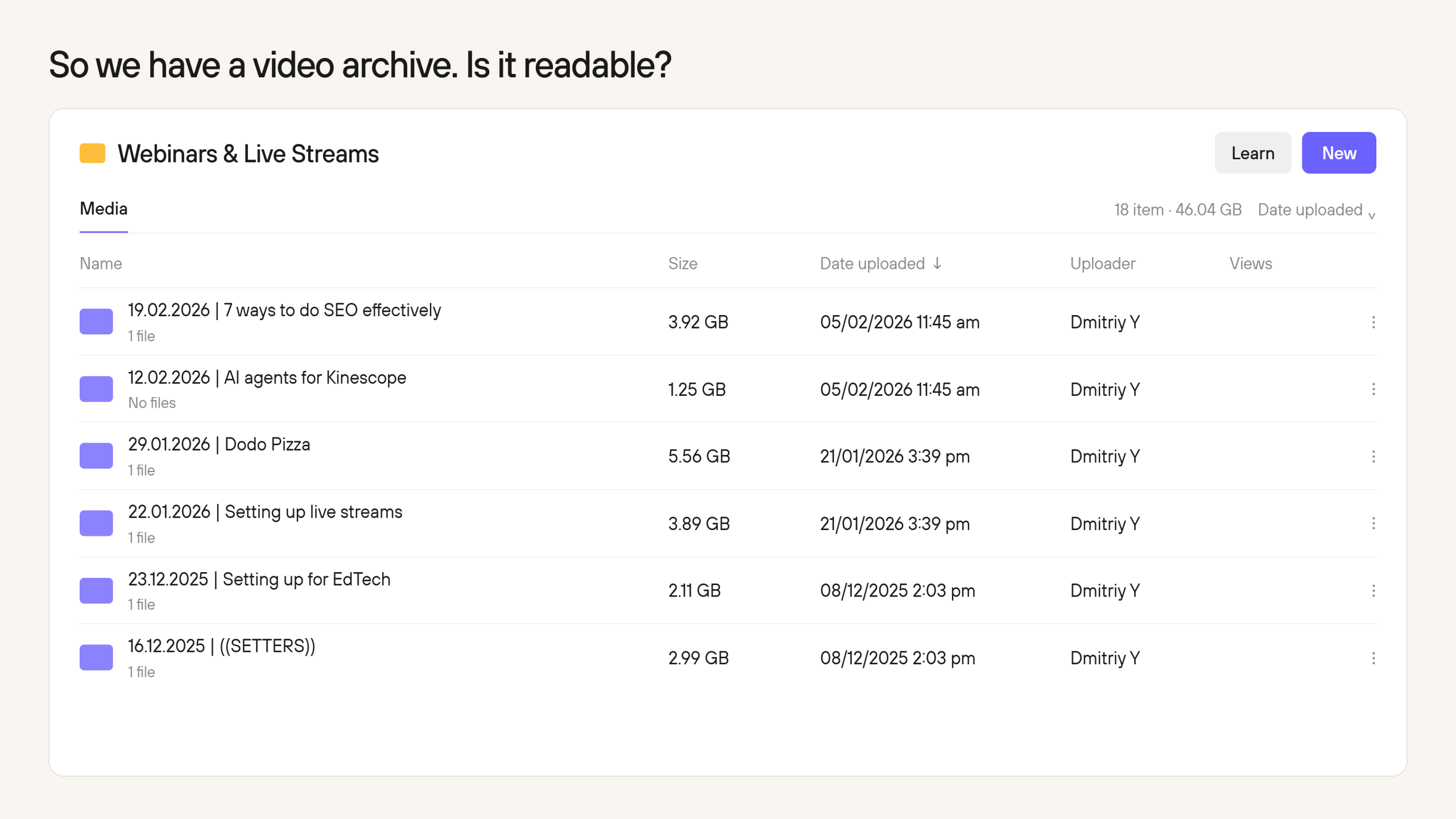
If a business relies on video, regardless of the purpose, the archive often grows until even maintaining order becomes difficult, let alone understanding how it performs as a whole. Volume is only part of the problem: it is possible to count the files and chart the views, yet still be unable to ask the archive a business question.
Model Context Protocol (MCP) can change that, provided the video platform has done the harder work underneath. MCP does not understand video by itself, but it gives an AI agent a standard way to discover and use the retrieval, analytics and content tools that a platform has chosen to expose. That makes MCP valuable, yet the usefulness of the integration depends heavily on how the vendor exposes and describes the platform’s capabilities.
Why a dashboard is not a source of answers for video
Three common ways businesses analyse video are opening an individual recording and checking its statistics in a separate tab, building a dashboard for recurring questions, or exporting platform data into one file and working from there manually or with AI. Each method has its place, but each new question often leaves a person to connect the content, metadata and analytics manually.
For every video, there may be behavioural data about viewing activity and how it changed throughout the recording, metadata such as titles, descriptions, tags, chapters and timestamps, and the substance of the recording itself: frames, audio, slides, transcripts, captions and live-chat history. A capable video platform may collect most or all of that, yet the elements often remain separated across interfaces and data models.
An MCP-enabled agent can turn a video library into a queryable knowledge base by bringing those elements together for a specific request and returning an answer grounded in the available assets and data. However, an important limitation is still there: if the server exposes views and titles but no subtitles, timestamps, retention data or visual signals, the agent will deliver a conversational version of the same limited dashboard.
Isn’t an API enough?
An API may expose transcripts, chapters, viewer data and metadata, but using it directly usually requires someone who can handle authentication, choose the right endpoints and write the code that combines their responses for a particular analysis.
With MCP, the vendor exposes those capabilities as tools an AI agent can discover and use. The official MCP schema allows a server to describe each tool in human-readable language, define the parameters it accepts and, where provided, specify the structure of the result.
Put less technically, an API can come with a well-organised warehouse catalogue: it describes what is available and how to request it, but a custom analysis may still require someone to build a workflow around it. MCP gives a compatible AI application a standard way to discover and use those capabilities. If the descriptions are vague or the catalogue incomplete, the assistant may still return the wrong box with complete confidence.
Four ways MCP can analyse a video library
After we built our MCP server, we wanted to see how connecting an AI agent to our video platform could help us explore questions that span recordings, their content and audience data. For our test we chose a small portion of our library — 17 webinars containing about 217,000 words of transcript, and explored four workflows:
- Mapping recurring channels and tools. The agent counted both mentions and the recordings containing them: Telegram appeared 117 times across all 17 webinars, while Zoom appeared 238 times across 10. This distinguished frequent discussion within individual sessions from coverage across the library.
- Identifying possible gaps in topic coverage. Asked what marketing subjects might be missing, the agent reported no matches for customer retention, subscription renewal or upselling and cross-selling, while finding two passing references to churn. The output suggested topics for the editorial team to investigate.
- Connecting viewing statistics with content. We asked the agent to identify the webinar with the lowest average share watched and inspect its opening. It reported an average viewing duration of 3:42, while the main discussion began at 4:58. This gave us a specific introduction to review, though not an identified point of viewer departure.
- Exploring discussions around live-chat activity. The agent had to align chat messages with the video timeline, remove greetings and technical questions, and find activity clusters. It returned passages from the recordings alongside the corresponding chat activity, allowing us to review what speakers were discussing when the audience became active.
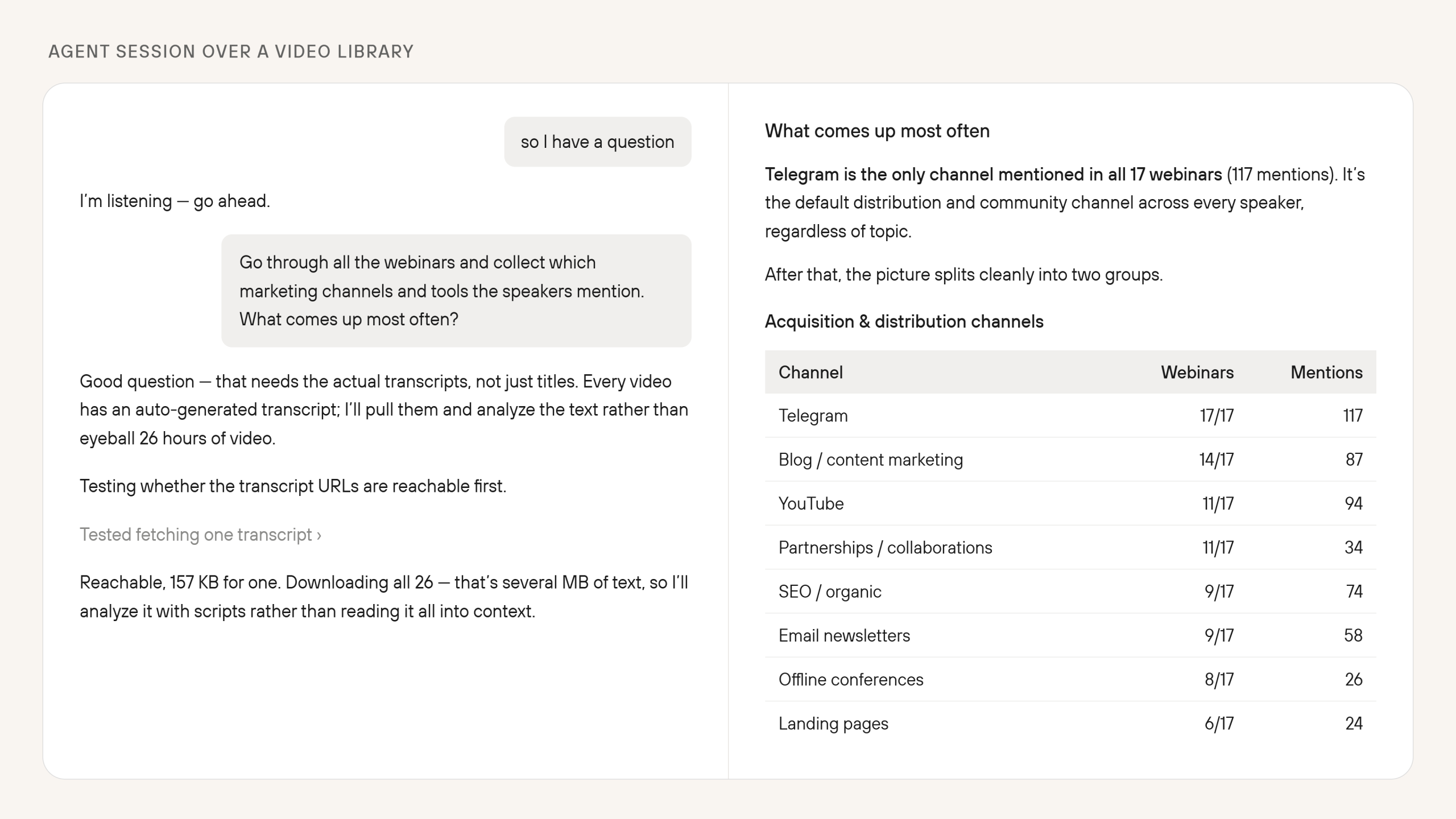
For us, the most striking part of the test was seeing the archive become something we could explore through questions. Each question led into a different part of the same library, without us having to identify the relevant recording and timestamp in advance. That made the value of our MCP integration tangible: it gave the agent access to both the content and the audience data needed to investigate the questions we put to it.
What an MCP answer depends on
Each answer passes through several stages before it reaches the screen. First, the server and the permissions attached to the connection determine which evidence the agent can retrieve. The agent then decides how to use the available tools, while the quality of the result is limited by the transcripts, metadata and behavioural data already present in the archive.
The server decides what the agent can reach
The way a vendor describes its tools affects how well the agent can use them. If a tool says only “get engagement,” the model may not have enough information to interpret the metric or choose the tool appropriately. A useful description explains the calculation, supported periods and filters, and what the tool returns when data is missing.
Descriptions alone cannot enforce a boundary because access controls in the product have to do that. In our implementation, the server inherits a user’s project permissions and logs its actions, while deletion, plan management and payment-detail changes stay outside MCP.
During a proof of concept, it is useful to ask questions whose answers are already known: use an ambiguous project name, a date boundary, a recording without subtitles or a metric unavailable on the current plan. The result should show whether the agent finds the right evidence, identifies what is missing and asks for clarification when the request is ambiguous.
The agent chooses a route through the tools
Clear tool descriptions and project identifiers can help the model choose the right tools and data, but they cannot prevent every unsupported inference. The same problem can appear when the model selects the wrong tool, combines metrics from different periods, rounds figures without saying so or mistakes correlation for causation. Any answer that could trigger a course rewrite, a change to the sales process or a budget decision should therefore show where its evidence came from.
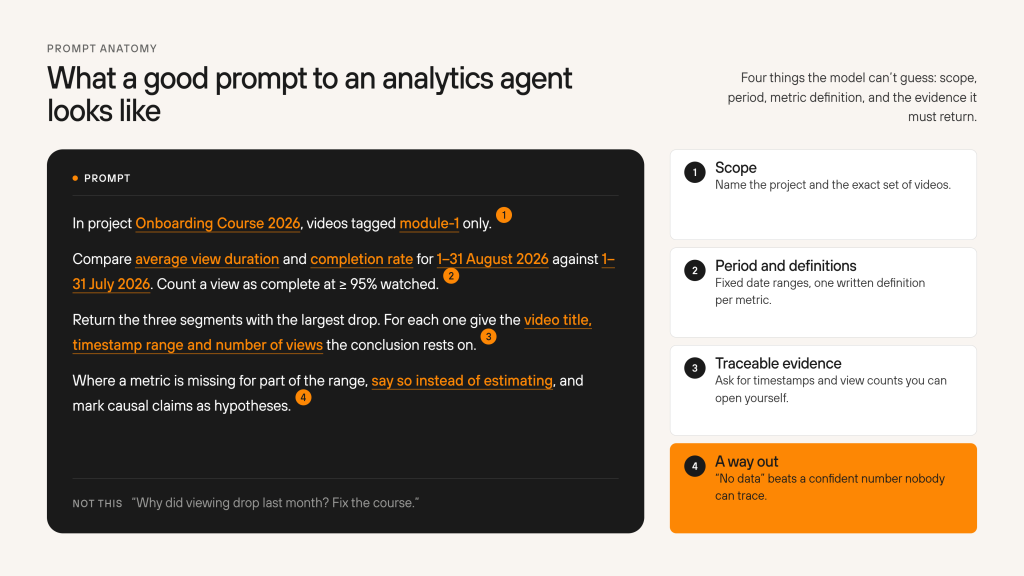
Before acting on an agent’s output, check which project and videos the agent analysed, which date range and metric definitions it used, and whether its conclusions point back to specific timestamps or viewing data. If the answer links a particular segment to a decline in viewing, watch that part of the recording yourself and treat the explanation as a hypothesis. Confirming it may require viewer feedback, technical logs or comparison with other recordings.
The final judgement stays human
Natural-language access raises the value of clean metadata. Similar project names, inconsistent tags, missing speaker information, duplicate recordings or absent captions can distort a larger analysis without producing an obvious error message.
In the workflows we tested (more than four mentioned), a duplicate recording could inflate mention counts, a missing transcript could make a subject appear absent, and an incorrect timeline offset could associate chat messages with the wrong passage.
Human judgement remains the final step because statistics can locate where behaviour changed and content analysis can show what was happening, but neither proves why somebody closed the player. A drop may coincide with a long demonstration, but the cause could be a scheduled break, a technical interruption, a different audience mix or simply the time of day. The agent can rank hypotheses and look for the same pattern elsewhere, yet somebody who understands the event still has to decide whether anything should change.
Vendor responsibility is the new buying criterion
For years, video-platform comparisons have focused on storage, delivery, the player, security and analytics. MCP now belongs on that list for video platforms and other business software, still its presence alone says little about how much an agent can find or how safely a team can act on its answers. Much depends on the vendor’s work before the agent is connected: which parts of the platform the server makes available and whether the response keeps a trail back to the source.
Before choosing a platform, read the vendor’s MCP documentation as closely as its security or analytics pages. Then test it on a sample of your own archive, ask the agent to show where the answer came from and check any consequential figure against the source. That combination lets you get the most from MCP: more direct access to the archive, with enough evidence to decide whether the answer deserves to shape the business.