The secret to effective ad copy sounds simple: say the right words to the right audience at the right moment. But is it as simple as it sounds?
In fact, with AI, the answer is definitely yes. To write good ad copy, you need to know a few tricks and a good AI platform to make a solid final result. But you can’t limit only with an ad copy alone, and to turn it into a quality advertisement, you need to choose a suitable AI generative platform.
So, let’s have a look at simple tips to make your ad copy effective and observe 3 AI platforms to get the final ad.
4 Tips to Improve Ad Copy Performance
1. Use Keywords
Keywords are the main features that tell people and platforms what your ad is actually about.
If someone searches “sport wear,” an ad that includes those words feels relevant for the client; they will definitely choose you.
When using AI to write copy, provide it with all your top keywords and ask it to implement them naturally into the headline and description. However, keep in mind that your goal is to keep the copy sounding human, without stiff or forced vocabulary.
2. Include a Call to Action
Every ad needs to guide people on what to do next. So, simple, straightforward language works better than clever language, e.g “Shop now”, “Buy it”, “Get Free’’ etc. AI is thus useful in this case as it can generate different CTA variations, giving you freedom to test each, finding one that triggers people’s attention
Keep in mind: Your ad will succeed only when your action matches the offer.
3. Understand Your Audience
To get a better result, always pay attention to this point. Before writing your ad copy, you should clearly understand who you are talking to. Research your target audience, learn about their pain points and their language. Of course, AI tools can help you in this case to summarize customer reviews and feedback, but individual research will make your final goal clearer.
4. Use Clear Language
Writing ad copy, you have very little time to catch your readers’ attention and make them read or view your ad. Cut anything that feels extra or acts as a gap filler. You don’t need to use any jargon or long sentences, but keep it simple and clear for the audience.
This is something AI is really good at. So, you can just paste your copy draft and ask to simplify the wording. However, never forget to review the final result to avoid confusing ideas.
How to turn an Ad Copy into a Visual Ad
Once you finalize your ad copy, the next step is to transform it from a text draft into a catchy design or video clip.
Sometimes, human skills, however, are not enough to get a fast and interesting ad without making too much effort. That’s why above you will find 3 different platforms that are best for ad creation. Have a look and find your match.
Krea AI

Krea is a generative AI platform designed to provide creators with an all-in-one tool system. It is highly suitable for digital creators and artists who want to make realistic, animated ads and create their art, no matter whether it’s an image or video. On this platform, you can find a number of internal and external tools that turn your creative process into a flexible and customized project.
How To Make An Ad In Krea
To make your creative process comfortable and flawless, have a look at some tools developed by Krea.
- Krea’s Image Generator: Insert your ad copy or product description into this tool and pick your preferred style to get your 1st visual draft.
- Realtime Canvas: Here you can sketch your composition drafts or guide AI with visual reference photos. It will generate the updated version in just seconds, letting you make any corrections to finalize the ad look.
- Video Generator: In case your ad copy needs to be converted into video material, use Krea’s video generator. Here you are free to create an animated ad or just an epic video to attract an audience. It provides you with smooth and stable movements, keeping the same character appearance throughout the whole video.
Note: Before finalizing your product, generate a few variations side by side. It will help you find the best match for your ad copy before exporting.
Adobe
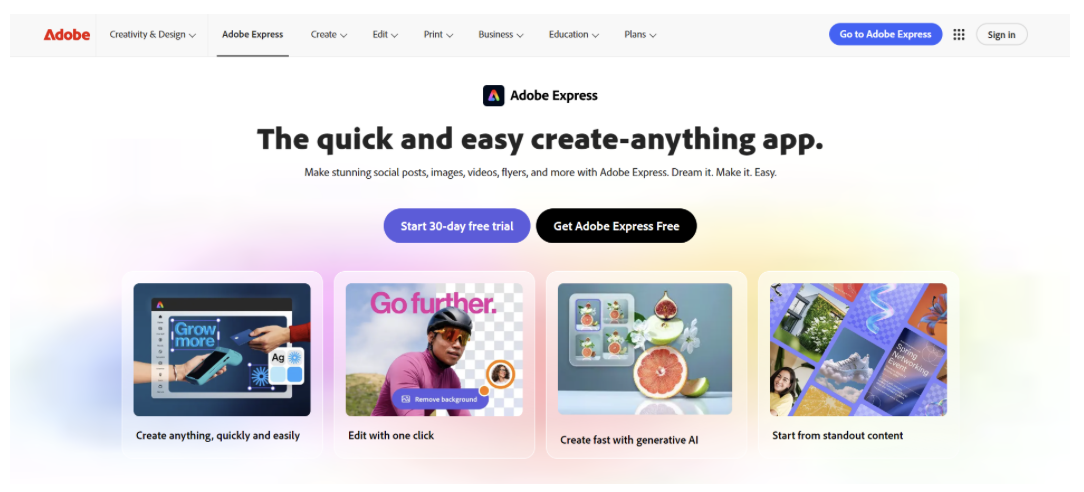
Adobe is another platform that includes several AI generative tools, suitable for commercial content creation.
How To Make An Ad In Adobe
To make an ad with Adobe AI tools, you can use:
- Adobe Express: Here you can generate designs for social ads by giving a direct prompt. To make the result better, you can implement your brand’s colors or style to match your preferences.
- Generative Fill: In case you already have some image references, you can insert them in this AI tool. As a result, you will get all the changes mentioned based on your ad copy or text prompt.
Luma

Luma is an AI company built specifically for video generation. They include different models that turn a text prompt or a still image into short videos. Focusing on the creation of a unified system that can operate and accurately work for real-life projects.
How To Make An Ad In Luma
To visualize your ad copy, have a look at the following tools:
- Deram Machine: By inserting your ad copy or a product photo into the system, you can direct camera movements. This will make your ad more customized, letting you choose the specific angle, pan, or orbit to shape the final version.
- Keyframes: Using this feature, you are free to set specific start and end images. This can be especially useful for before-and-after ads or when making a product reveal.
Final Thoughts
Writing ad copy might seem easy, but to write a powerful ad and turn it into a real digital project, you need to follow all the rules. In that case, AI might become your assistant, guiding you through different structures and word choice.
Of course, the choice of the right AI platform is not that easy, but via this guide you can observe 3 completely different models that can make your ad copy into a quality product. At the end of the day, you need to choose the one that has all the necessary tools to turn your ideas into reality.