When you are dealing with one PDF, finding what you need is usually simple. The problem starts when useful details are scattered across reports, papers, slides, and meeting notes. Going through every page takes time, especially when you need to compare sources or locate one specific point.
An AI PDF summarizer can cut down that work by pulling out the main ideas from long documents. Some tools also let you group related files, ask questions across them, compare information, and reuse key points in other formats later.
What Is an AI PDF Summarizer?
An AI PDF summarizer gives you the short version of a document without making you work through every page first. It picks out the points that matter most, while some tools also let you ask questions about the file when you need more detail than the summary.
More advanced AI document summarizer tools can work with several related documents instead of requiring you to process each PDF separately. This creates a broader workspace where you can summarize, compare, question, and reuse information from multiple sources.
| Traditional Summarisation | AI Document Workspace |
| Upload a single file | Add several related sources |
| Receive one summary of it | Summarise across the whole collection |
| The process ends there | Ask questions and explore connections |
| Nothing to build on afterward | Create new study or work material |
This distinction becomes especially useful when your information is spread across several files. Instead of using AI to summarize PDF files individually, a document workspace can bring related sources together and help you explore the information as a collection.
Why Summarizing One PDF at a Time Is Not Always Enough
This is where a multi-file workspace becomes useful, bringing related documents together so you can review, compare, and explore their information in one place.
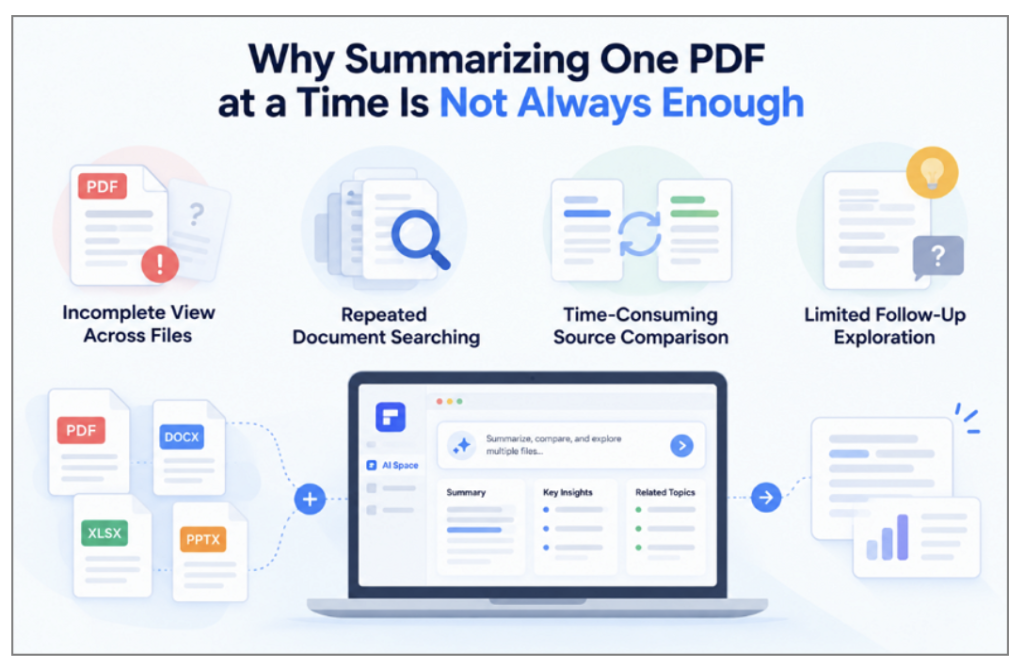
- Incomplete View Across Files: A summary of one document cannot include important details that appear only in other related sources.
- Repeated Document Searching: Finding a half-remembered detail may mean reopening and scanning several files until you locate the right information.
- Time-Consuming Source Comparison: Comparing what different documents say about the same topic requires moving back and forth between individual files.
- Limited Follow-Up Exploration: A basic summary may provide the main points, but it does not necessarily help you investigate questions that arise afterwards.
Keeping related materials together allows AI to analyse them as a collection rather than as isolated files. An AI document summarizer with multi-file support can therefore make it easier to review related sources, compare information, and explore connections across the material.
How AI Space Changes the Way You Summarize Documents
Wondershare PDFelement expands the AI PDF summarizer experience by bringing related materials together in AI Space. Users can work across multiple sources instead of opening and reviewing each document separately. The features below show how AI Space helps organize, summarize, explore, and reuse information from uploaded documents:
Bring Multiple Documents Into One Space
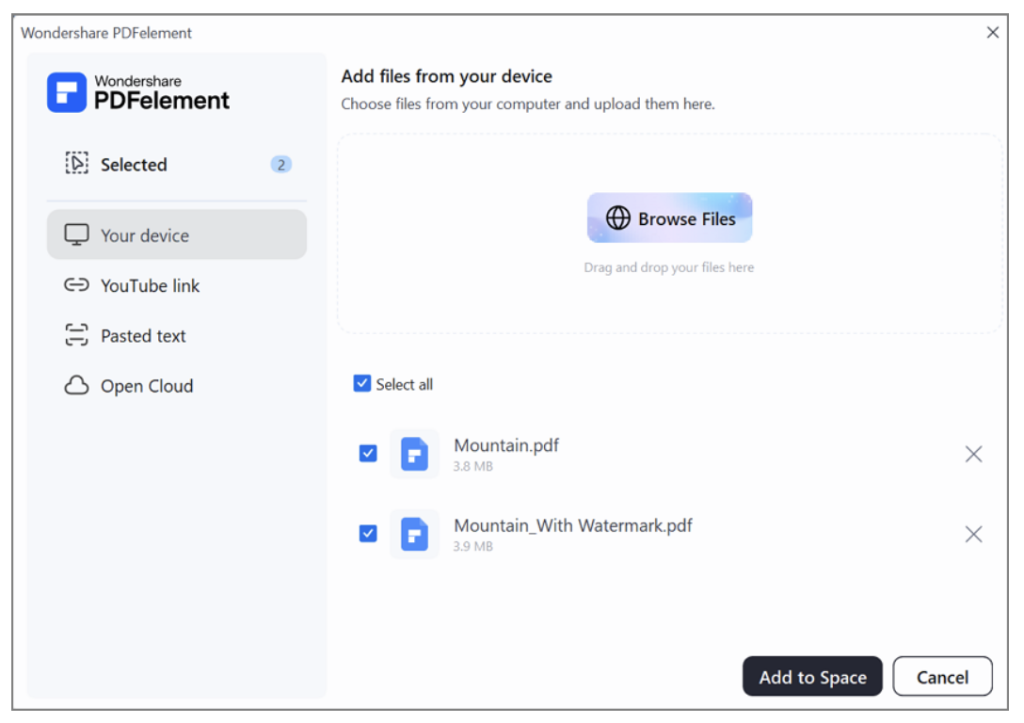
You begin by importing the documents that belong to a single topic or project. Reports, papers, slides, and notes then sit together instead of scattered across folders and drives. AI Space accepts PDFs alongside Word documents, PowerPoint files, images, plain text, and other source types, which matters because real projects rarely use one format throughout.
Image file name: ai-pdf-summarizer-2.png
Alt text: add multiple files at a time
Start With an AI Generated Overview
Once the collection exists, AI analyses it and produces an overview of the whole set. Letting AI summarize PDF collections this way inverts the usual order, since you see the major topics before choosing where to read in full. A 20-file collection becomes navigable in roughly the time it takes to skim one of them.
Ask Follow-Up Questions Across Your Files
The generated overview provides a starting point, while follow-up questions let you explore the material in greater detail. AI Space allows you to continue chatting with your files instead of stopping after the initial summary.
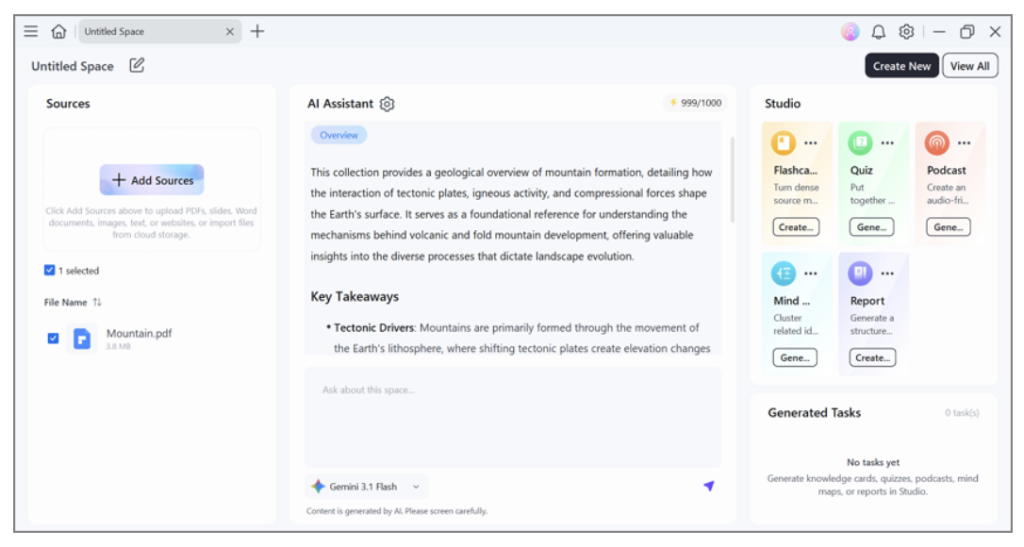
- Ask Questions Across Your Files: Enter specific questions about the collection instead of repeatedly opening and searching individual documents.
- Compare Information Across Sources: Ask about related information in different files to understand how their details or findings compare.
- Trace Answers Back to Sources: Use the provided citations to return to relevant source material when information needs further checking.
Turn Document Summaries Into Something More Useful
Understanding a document often continues beyond reading its summary, especially when the information supports another task. You may need the material for revision, research, presentations, or sharing with colleagues. AI Space extends the AI PDF summarizer workflow by converting sources into exportable formats, saving time and making key points easier to grasp. The table below shows each output and its practical use:
| Output | What It Is For |
| Mind Maps | Seeing how the important concepts relate to one another |
| Reports | Organising scattered material into one structured document |
| Podcasts | Reviewing the same information as audio while doing something else |
| Quizzes | Checking whether the material has actually landed |
| Flashcards | Turning key ideas into something you revisit over the following weeks |
Together, these features create a connected workflow. Documents provide the overview, follow-up questions uncover specific details, and the resulting information can be converted into useful formats for the task ahead.
Where an AI Document Summarizer Can Be Most Useful
An AI document summarizer can support different information-heavy tasks, with the following use cases showing where AI Space fits:
Learning and Teaching
Students and teachers can keep lecture slides, assigned readings, personal notes, and textbook chapters in one Space. AI-generated overviews make key information easier to identify before users explore specific topics in greater detail. Quizzes and flashcards can then support review and help users check their understanding of the material.
Research and Reference Review
Researchers working across several papers can organise them as a set, compare findings between them, and question the collection directly. Citation support matters here more than anywhere, since any claim worth repeating needs tracing back to the page it came from.
Project and Document Management
Professionals can keep status reports, reference documents, meeting materials, and supporting files together for the same project. Instead of searching through separate folders, they can ask questions across the collection to locate previous decisions, review important details, and retrieve information needed for ongoing work.
How to Get Better Results From an AI PDF Summarizer
Getting useful results from an AI PDF summarizer also depends on how you organize sources and interact with them. The following practices can help you get clearer answers, explore related information, and choose outputs that better match your task.
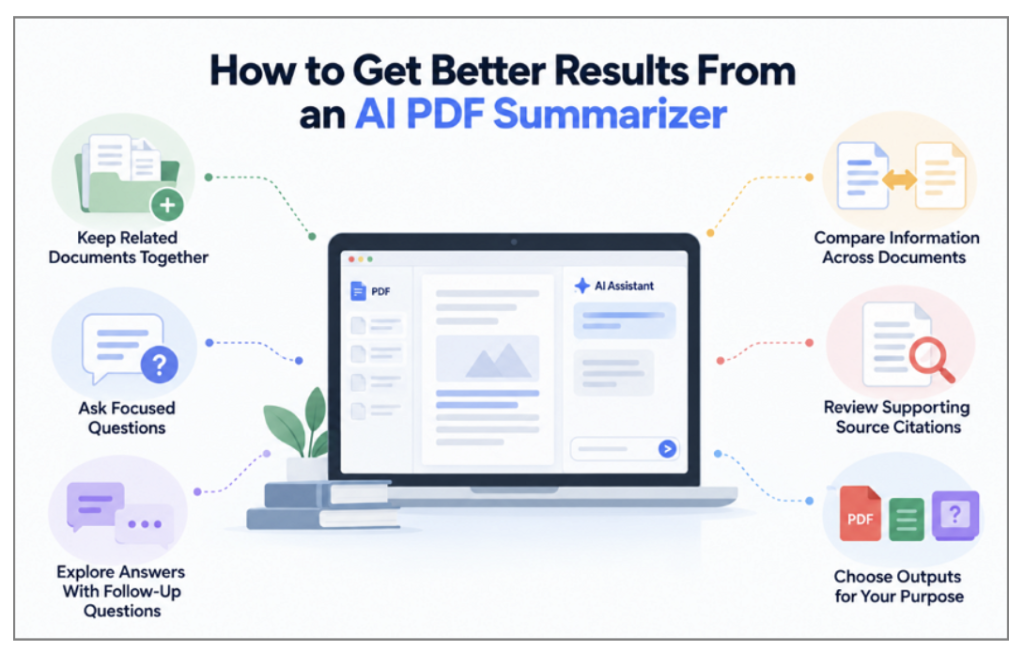
- Keep Related Documents Together: Group files covering the same topic or project instead of combining unrelated materials in one collection.
- Ask Focused Questions: Use specific prompts rather than asking AI to summarize PDF content in broad or general terms.
- Explore Answers With Follow-Up Questions: Ask for clarification or additional detail when the first response does not fully address your question.
- Compare Information Across Documents: Ask where related sources agree or differ when you need to examine information across multiple files.
- Review Supporting Source Citations: Return to the relevant source material when you need to check information provided in an answer.
- Choose Outputs for Your Purpose: Use flashcards or quizzes for review, while reports can organize information for work or sharing.
Conclusion
An AI PDF summarizer makes lengthy documents easier to review while helping users focus on key information. With AI Space, related files can be summarized, questioned, and converted into exportable formats for further use. For learning, research, or document management, Wondershare PDFelement keeps these tasks together in one convenient workspace.