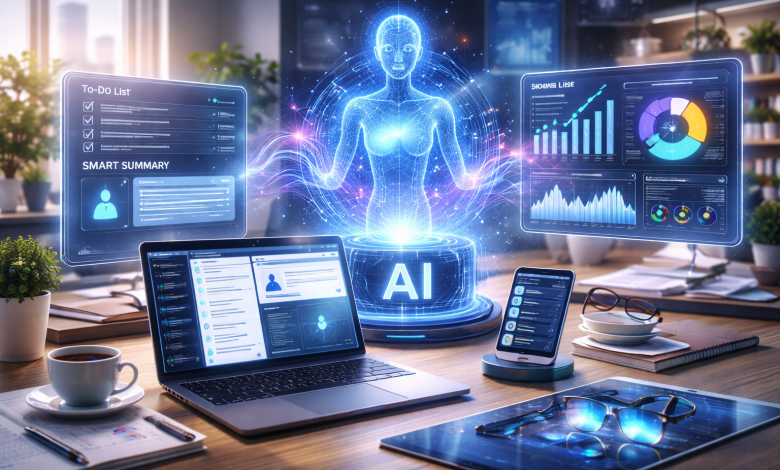
Artificial intelligence is no longer a future promise. In 2026, it shapes how professionals work every day. We use it to manage projects, analyze data, write content, and speed up communication. As a result, organizations move faster and operate more efficiently than ever.
Today’s workplace is digital, distributed, and packed with information. Workers juggle multiple platforms, process huge volumes of data, and make quick decisions. So productivity tools have shifted from nice-to-haves into genuine business essentials.
One trend stands out: the rise of the AI browser extension. Because so much work happens online, professionals now reach for AI extensions that help them research, write, and manage tasks instantly. Instead of jumping between apps, they get AI support right where they already work.
The Evolution of Workplace Productivity
From Traditional Processes to Digital Workspaces
For decades, workplace productivity relied on manual effort. Employees built schedules in calendars and tracked projects in spreadsheets. They wrote long reports and leaned on email for nearly everything.
These tools improved organization, but they still demanded heavy human input. Workers spent hours hunting for information, compiling reports, and coordinating tasks by hand.
The digital transformation of the early 2000s changed the pace. Cloud platforms, project management software, and collaboration tools let teams work remotely and share information instantly.
Still, those tools mostly stored and organized information. They rarely helped people understand it or act on it.
The Rise of AI-Powered Workflows
Artificial intelligence marks the next stage of workplace productivity. Unlike traditional software, AI interprets information, spots patterns, summarizes dense material, and automates repetitive work. It does not just hand you data; it helps you finish the task.
The numbers explain the excitement. Research on generative AI’s economic potential suggests the technology could add trillions of dollars in value to the global economy each year. Much of that gain comes from everyday productivity, not exotic use cases.
So organizations now adopt AI-powered browser extensions and smart workplace platforms. Employees gather insights faster, create polished content sooner, and spend more time on high-value work.
How an AI Browser Extension Is Changing Daily Work
For many professionals, the browser is the main workspace. Research, communication, content creation, and core operations all happen inside it. As a result, AI browser extensions add real value without disrupting how people already work.
They also tackle a quiet productivity drain. A Harvard Business Review study on the hidden cost of constant app-switching found that workers toggle between apps and sites roughly 1,200 times a day. That habit eats up nearly four hours each week. Keeping AI inside the browser cuts that friction sharply.
Faster Research and Information Gathering
Research eats time in almost every profession. Marketers study competitors, consultants review reports, and founders weigh market opportunities. Processing all that by hand drains hours and energy.
A modern browser extension speeds the work up dramatically. Instead of reading every line, you generate summaries, pull key insights, and compare sources side by side.
Picture a marketing manager scanning industry trends. She reviews several reports and spots new opportunities in minutes, not hours. The payoff is faster learning and better decisions.
Smarter Content Creation and Writing Assistance
Content creation now sits at the center of professional communication. People write emails, proposals, reports, posts, and campaigns all day. Producing strong work consistently takes time and focus.
An AI assistant inside the browser streamlines that grind. It drafts content, sharpens messaging, and fixes grammar right inside your workflow. Writers outline faster, marketers refine campaigns, and teams ship cleaner reports.
AI does not replace creativity here. It simply clears the blank-page hurdle so you can shape ideas sooner.
Workflow Automation and Task Management
Many workplace tasks repeat and add little strategic value. Common examples include:
- Updating spreadsheets
- Organizing data
- Scheduling meetings
- Creating routine reports
- Managing administrative workflows
- Collecting information from multiple sources
AI-driven tools handle many of these jobs automatically. A browser extension can organize information, extract data, and summarize pages without leaving the tab. By cutting repetitive work, you free time for strategy, innovation, and relationships, and job satisfaction usually climbs too.
Improved Communication and Team Collaboration
Strong communication drives organizational success. Yet challenges grow as teams spread out and projects get complex. AI tools help teams collaborate by:
- Summarizing meetings
- Drafting responses
- Creating action-item lists
- Translating content
- Generating project updates
- Organizing communication records
These features reduce misunderstandings and keep everyone aligned. People spend less time on routine messages and more time solving real problems.
Better Decision-Making Through Data Analysis
Organizations generate enormous amounts of data every day. Sales numbers, customer feedback, and financial records all feed decisions. Turning that raw data into clear action, though, is hard.
AI helps professionals spot trends, flag anomalies, and read complex datasets quickly. Managers grasp performance faster, leaders catch opportunities sooner, and teams decide with more confidence. That speed has become a real competitive edge.
AI Tools Professionals Are Using Every Day
AI adoption keeps expanding across nearly every software category. Microsoft’s 2025 Work Trend Index reports that most of the global workforce feels short on time and energy, which pushes leaders to lean on AI for capacity. Here are the tools showing up most often.
AI Chatbots
Conversational AI tools help with brainstorming, quick answers, and everyday problems. Many professionals now treat chatbots as on-demand assistants throughout the day.
Writing Assistants
Writing assistants polish grammar, tone, structure, and clarity. They protect quality while keeping communication fast.
Meeting Assistants
AI meeting assistants record discussions, write summaries, and capture action items. They cut admin work and improve follow-through across teams.
Research Tools
Research-focused platforms speed up information gathering and analysis. Professionals review complex topics quickly and pull insights from large volumes of content.
Automation Platforms
Automation tools remove repetitive manual steps from workflows. Businesses use them to improve consistency, cut errors, and run more efficiently.
Browser-Based AI Assistants
Browser-based assistants are one of the fastest-growing categories. They let you use AI while browsing, researching, or writing, with no separate app to open.
For example, Clico brings ChatGPT & Claude to every page you visit, so you can work with AI as you navigate the web. It summarizes pages, answers questions, and drafts content without forcing you to switch tabs.
That seamless fit explains why many professionals rank browser-based tools among the best AI extensions available. Whether you use a Chrome assistant, a Claude-powered tool, or another option, the goal stays the same: more efficiency, less friction.
Challenges and Considerations When Using AI
AI delivers clear benefits, but smart adoption still needs care and oversight.
Accuracy Limitations
AI output is not always perfect. Models sometimes invent facts, miss context, or answer incompletely. So verify important results before you rely on them. Human review stays essential.
Privacy Concerns
Many organizations handle sensitive customer and financial data. Before you install any AI extension or platform, review its privacy and data-handling practices. Knowing where your data goes protects compliance and confidentiality.
Security Considerations
Security matters more as AI adoption grows. Set clear governance policies, control access, and train employees. Strong standards keep AI use responsible.
Human Oversight
AI works best alongside human expertise. Technology boosts speed, but people still own strategy, creativity, and ethics. The best organizations treat AI as an enhancement, not a replacement.
Responsible AI Adoption
Set clear rules for acceptable use, quality, and accountability. Responsible adoption maximizes the upside while limiting operational and reputational risk.
What the Future of AI Productivity Looks Like
The future workplace will weave AI even deeper into daily work.
Emerging Workplace Trends
Productivity systems keep getting more personal. Future platforms will adapt to your habits, priorities, and communication style to offer tailored support.
Agentic AI Systems
Agentic AI is one of the most anticipated shifts. Unlike tools that wait for prompts, these systems run multi-step tasks and coordinate workflows with light supervision. They could expand automation well beyond today’s limits.
Smarter Automation
Tomorrow’s automation will reach past routine tasks. AI may manage complex workflows and flag improvement opportunities across the whole organization.
AI Integration Across Departments
AI will keep spreading into marketing, sales, support, HR, finance, and operations. Leaders increasingly see it as a core business capability, not a niche tool.
The Future of Browser-Based AI Assistants
Browser-based tools will grow more capable too. Expect real-time insights, sharper content generation, and deeper ties to workplace systems. As we spend more of the day online, browser AI will only matter more.
Conclusion
AI is reshaping workplace productivity in 2026. From faster research and content creation to automation and data-driven decisions, it helps people do more with less effort.
The growing popularity of the AI browser extension reflects a wider shift toward tools that assist exactly where work happens. Used wisely, with strong human oversight and clear ethics, these technologies position teams to thrive.
The point is not to replace human expertise. It is to pair human judgment with smart tools and build faster, sharper ways of working.