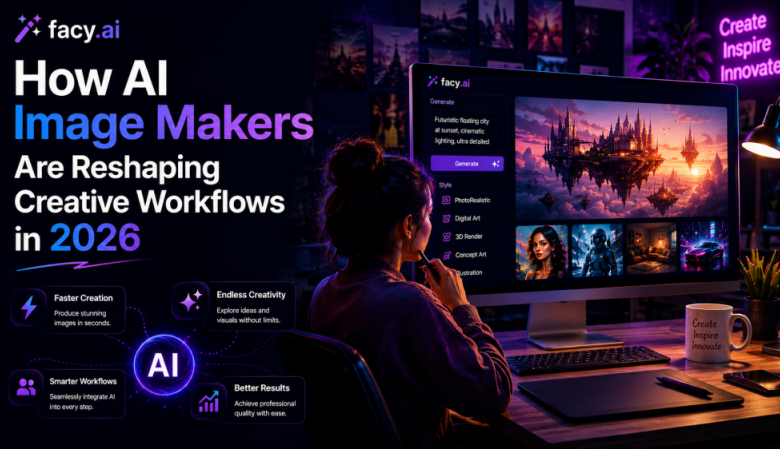
Most conversations about AI image makers focus on the moment of generation, typing a prompt and getting a picture back. The more interesting change is happening a few steps earlier and later than that: in how creative teams structure approvals, how many rounds of feedback a campaign requires, and how early in the process a stakeholder actually sees something visual instead of a written brief.
An in-house creative team at a mid-sized retailer offers a good illustration. Historically, a campaign concept moved through the pipeline as a written brief, then a mood board, then a first design pass, often a week or more before anyone outside the design team saw an actual image. By the time stakeholders weighed in, the team had already invested real production hours into a direction that might get rejected. AI image makers are compressing that timeline by pulling the “what does this look like” question to the very start of the process.
Why the Old Workflow Struggled to Keep Up
Creative production hasn’t gotten simpler. It’s had to scale in every direction at once. A single campaign now typically needs variations for a website, several social platforms, paid ad formats, and email, each with its own dimensions and constraints. Traditional workflows handle this through photography, stock licensing, and manual design work, all of which take time that campaign calendars increasingly don’t allow.
An AI image maker doesn’t eliminate that production work, but it changes where it sits in the sequence. Instead of committing to one direction and building it out fully before testing it against feedback, teams can generate several visual concepts early, compare them against the brief, and only invest deep design time in the direction that actually survives review.
Where the Time Actually Gets Saved
The obvious savings is speed: generating a handful of visual concepts in minutes rather than hours of manual layout work. But the more durable benefit shows up in collaboration. When stakeholders can react to an actual image instead of a written description, feedback becomes concrete (“the lighting feels too corporate” is actionable in a way that a paragraph of adjectives rarely is), which cuts down on the number of full revision cycles a campaign needs before approval.
That earlier visibility also supports genuine creative testing. Rather than committing to one ad concept and hoping it performs, teams can generate several directions, compare them against the brief or even test them with a small audience, and make the final call based on more than one designer’s instinct
Where the Benefit Shows Up Across Teams
Content marketing teams use AI image makers to produce visuals that actually match an article’s subject rather than defaulting to generic stock photography, a small change that measurably improves how a piece of content reads and performs.
Social teams benefit from a steadier supply of fresh creative, since audiences disengage from visuals they’ve already seen repeatedly. Ecommerce teams use the same tools to adapt a single creative concept across seasonal campaigns and marketplace listings without commissioning new photography for each one. Agencies use it earlier still, to pitch multiple creative directions to a client before committing design hours to just one.
Comparing AI Image Makers for Different Creative Workflows
| AI Image Maker | Best For | Ideal Users | Primary Benefit |
| FacyAI Image Maker | Marketing visuals & campaign assets | Marketing teams, agencies, SMBs | Fast production of marketing-ready images |
| Adobe Firefly | Creative design refinement | Professional designers | Native Adobe Creative Cloud workflow |
| Canva AI | Social media graphics | Small businesses & creators | Quick template-based content creation |
| Microsoft Designer | Business promotions | Marketing & sales teams | Microsoft 365 integration |
| Midjourney | Concept art & ideation | Creative professionals | High-quality artistic exploration |
No single AI image maker is the right fit for every workflow. The best choice depends on where your team needs the most support, whether that’s early ideation, campaign production, social media design, or creative refinement. If you’re evaluating marketing-focused solutions, the FacyAI image maker is one option worth considering for teams producing marketing-ready visuals at scale.
Making the Shift Without Losing Quality Control
Detailed creative direction still matters, arguably more than before, since a vague prompt produces a vague result just as reliably as a vague brief produces a vague design. Teams that see the best outcomes tend to describe lighting, composition, mood, and audience explicitly rather than leaving those decisions to chance.
Brand review hasn’t gone away either. Every generated image still needs a human check against existing visual guidelines before it ships, AI compresses production time, not the judgment call about whether something actually fits the brand.
A Step-by-Step Framework for Faster Creative Review
- Draft the brief first. Define audience, message, and mood before generating anything.
- Generate multiple directions early. Produce three to five visual concepts before committing design time to any single one.
- Review as a group, against the brief. Compare concepts side by side rather than reacting to them one at a time.
- Eliminate early, refine late. Cut directions that miss the brief immediately, and reserve deep design work for the one or two that survive review.
- Run a brand check before publishing. A human review step for tone, accuracy, and brand guidelines still belongs at the end of the process.
A Week Inside a Redesigned Workflow
Picture that retail creative team again, this time three days into planning a seasonal campaign. Instead of building one direction fully before showing it to stakeholders, the team generates four visual concepts by lunchtime, reviews them together, and eliminates two immediately based on tone. The surviving two get refined by a designer, tested against the campaign brief, and one moves forward to full production, all before the old workflow would have finished its first draft.
What made that possible wasn’t a single feature. It was treating image generation as an early, disposable step in ideation rather than the final output, using AI to see options before investing real design hours, then letting human creative judgment decide which one earns that investment.
Frequently Asked Questions
Do AI image makers replace the need for a design team? No. They shift where design time goes, from producing early concepts to refining and quality-checking the directions that survive review, rather than eliminating the need for creative judgment.
How early in a campaign should a team start using an AI image maker? As early as possible, ideally before committing to a single creative direction. Generating options at the concept stage is where the biggest time savings show up.
Does using an AI image maker change how creative feedback works? Yes. Reviewing an actual image instead of a written brief tends to produce more specific, actionable feedback, which reduces the number of full revision cycles a campaign needs.
Can AI-generated concepts go straight to publication without human review? It’s not recommended. A human check against brand guidelines and messaging still belongs at the end of the process, even when AI speeds up the early stages.
Where This Is Heading
The teams getting the most out of AI image makers aren’t the ones chasing the longest feature list. They’re the ones that have rebuilt their workflow around showing visual concepts earlier, testing more directions before committing, and reserving deep design hours for the ideas that survive that process.
If you’re evaluating how an AI image maker might fit your team’s workflow, don’t start by asking what the tool can generate. Start by asking where in your current process seeing options sooner would actually change a decision. For teams producing marketing-ready visuals at that pace, FacyAI is one platform built specifically around that kind of early-stage, high-volume production.