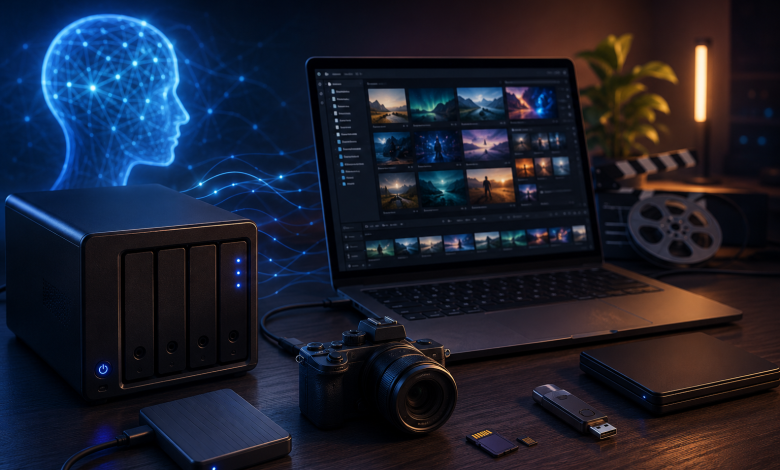
AI tools have made content creation faster than ever. A single creator can now generate product images, social posts, video drafts, thumbnails, voiceovers, campaign concepts, and design variations in one afternoon.
That speed is exciting. It also creates a problem most creators do not notice until their phone, laptop, or cloud account starts running out of space.
AI content is not just one finished file. It is ten drafts, five variations, three exports, the original footage, edited versions, client revisions, screenshots, prompts, and backup folders. Add 4K iPhone video into the mix and storage becomes part of the creative workflow, not something to think about later.
For AI creators, video makers, designers, and iPhone-first content creators, the question is no longer “Where should I save this file?” The better question is: how do I build a storage system that lets me keep creating without slowing down?
AI Content Is Filling Up Devices Faster Than Ever
Traditional content creation already produced large files. AI has multiplied them.
A photographer may once have saved one edited image. Now an AI-assisted creator may save 20 versions of the same concept before choosing the final one. A short-form creator may record clips on an iPhone, generate AI visuals, edit several drafts, export separate versions for TikTok, Instagram, and YouTube Shorts, then keep thumbnails and captions in the same project folder.
The Messy File Trail of an AI Project
The result is a sprawling trail of files:
- Original photos and videos
- AI-generated images
- AI video drafts
- Prompt outputs
- Editing project files
- Voiceover files
- Exported clips
- Thumbnails
- Client or brand revisions
- Final campaign assets
Why It’s Not the Creator’s Fault
Many creators feel like they are constantly managing storage instead of making content. The problem is not carelessness. The modern creative workflow simply produces more files than phones and laptops were originally built to handle.
Why Cloud Storage Alone Is Not Enough
Cloud storage is useful. It makes sharing easier, it helps with collaboration, and it can keep a backup copy of important files. It is just not always the best home for active creative work.
Large videos can take a long time to upload. AI-generated folders get hard to organize when everything sits inside one cloud drive. Internet speed is not reliable in hotels, airports, studios, coffee shops, or outdoor shoots. And monthly cloud plans get more expensive as the library grows.
For most creators, cloud storage works best as a sharing layer, not the entire strategy. If you are actively shooting, editing, exporting, and backing up, you still need local storage that is fast, portable, and available without Wi-Fi — especially if an iPhone is your main camera.
The strongest setup is not cloud versus portable storage. It is both. Use the cloud for sharing and collaboration. Use local storage for active projects, large files, offline access, and fast transfers.
The Ideal Storage Setup for AI Creators
AI creators need a simple storage system that supports three things: capture, active work, and sharing.
Phone Storage for Capture
For many creators, the iPhone is now the first creative device. It captures short-form videos, product clips, travel footage, behind-the-scenes content, screenshots, AI app exports, notes, and quick edits. The camera is strong enough for serious work, but internal storage still becomes a bottleneck.
Once the phone starts showing storage warnings, the workflow is already under pressure. Creators start deleting old clips, moving files manually, lowering video quality, or paying for more iCloud storage — right at the moment they should be focused on creating.
Portable SSD for Active Projects
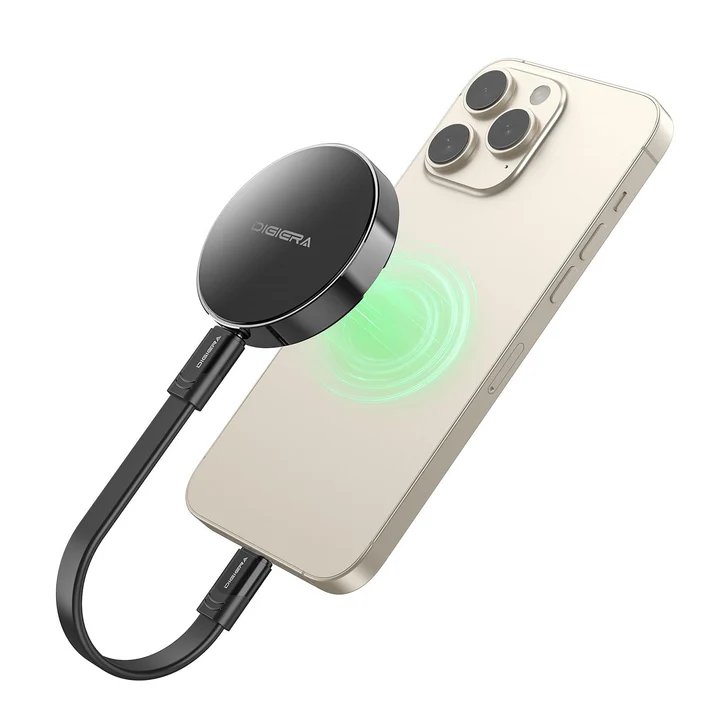
A fast portable SSD gives creators a dedicated space for active work. Instead of leaving everything on a phone, laptop, or cloud account, you can keep project folders on a local drive and move them between devices. That is especially useful for AI image libraries, 4K video, editing folders, campaign assets, and backups.
A fast portable SSD built for creators gives AI creators a local place to store large files, move projects between devices, and keep active work available offline.
This keeps the creative process moving. Shoot on your phone, back up the files, transfer them to a laptop, edit, export, and archive — without waiting on a slow upload or hunting across different devices.
Cloud Storage for Sharing
Cloud storage still earns a role: sending files to clients, sharing drafts with teams, holding a secondary backup, or pulling finished assets from another device. It just should not be the only place important work lives. For active files you need speed and control; for sharing you need convenience. A good workflow uses both.
Why iPhone Creators Need External Storage More Than Ever
The iPhone has become a real creative tool. It is no longer just for casual photos. Creators use it for 4K video, product content, travel clips, client footage, interviews, tutorials, and social campaigns.
The 4K and ProRes Problem
4K video files are large, and ProRes footage is larger still. AI exports add even more files. Social creators often save several versions of the same clip. A phone can fill up quickly even when the user is trying hard to stay organized.
For iPhone users who shoot, edit, and generate content on the go, iPhone storage expansion can help keep large files close without depending only on iCloud.
Where a Magnetic SSD Fits
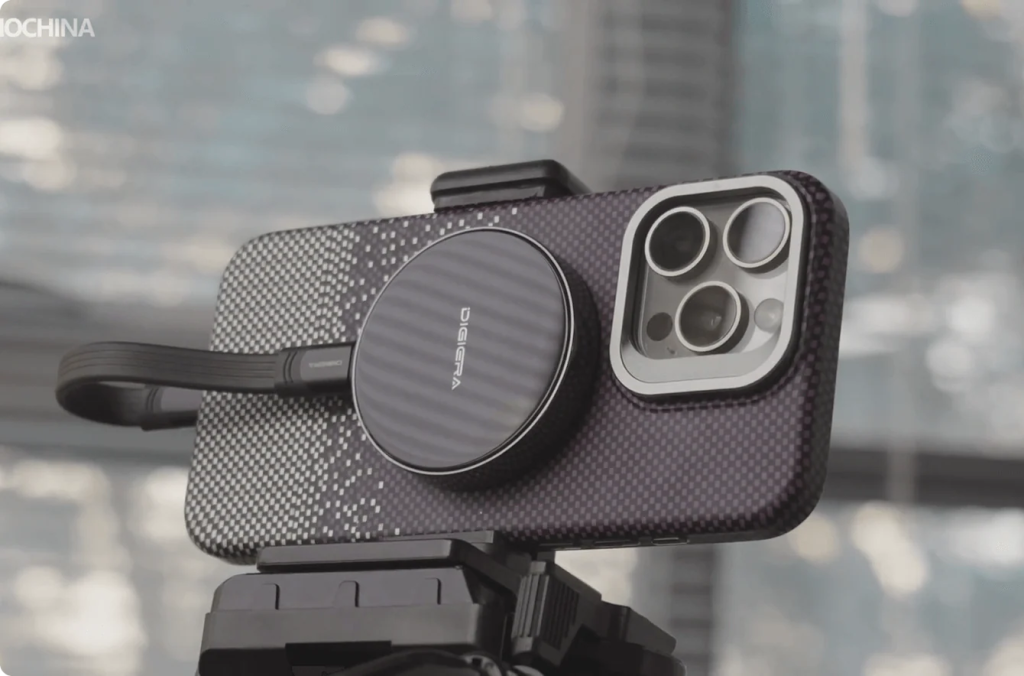
This is where a magnetic portable SSD makes sense. Instead of connecting a bulky drive with a long cable, creators can use a compact SSD that stays close to the phone while they work. For mobile shooting, fewer loose parts means fewer interruptions. The workflow is simple: snap it on, store more, move files faster, and keep creating.
What to Look for in Storage for AI and Video Creators
Not every storage device is built for the same user. A casual backup drive may be fine for old documents, but AI creators and mobile video creators need more than basic capacity.
Fast Transfer Speed
Speed matters because creators move large files often. A folder with 4K clips, AI-generated images, project files, and exports gets big fast. Waiting on that transfer wastes time and breaks momentum.
Why Speed Protects Momentum
A drive with strong transfer speed lets creators move footage, clear phone space, back up project folders, and keep working without long pauses. A portable SSD rated up to 2000MB/s is not just a spec line — it means large creative files move fast enough that storage management stops being a daily obstacle.
Enough Capacity
Buy storage based on future growth, not just today’s files.
Matching Capacity to Your Output
Match the tier to how much you actually generate in a typical month, then add headroom.
512GB and 1TB — Lighter Output
512GB suits lighter users, students, and first-time creators. 1TB is a practical choice for everyday creators producing regular short-form content.
2TB and 4TB — Heavy Output
2TB makes sense for people who shoot regularly or work with larger video folders. 4TB fits heavy creators, long-term project libraries, and anyone who would rather not think about storage every week. The right capacity gives you room to work without constantly deleting files.
USB-C Compatibility
Modern creator workflows move between iPhone, iPad, MacBook, Windows laptops, cameras, and tablets. USB-C support makes that easier and keeps files simpler to manage across devices.
Portability
Your storage should move with you. Working from home, a studio, a coffee shop, a hotel room, or a shooting location, storage cannot be tied to a desk. A portable SSD should fit a pocket, camera bag, laptop sleeve, or travel pouch. This matters even more for iPhone creators — if the device is bulky, it gets left behind; if it is small and easy to attach, it becomes part of the daily workflow.
Offline Access
Cloud storage depends on a connection. Local storage does not. Traveling, filming outdoors, working in a low-signal area, or editing during a flight — a portable SSD keeps files available even when the internet is not.
Portable SSD vs. Cloud Storage for AI Creators
Storage is not a single choice. Different options serve different parts of the workflow.
| Storage Option | Best For | Limitation |
| Phone storage | Quick capture and mobile apps | Fills up quickly |
| Laptop storage | Editing and daily work | Can become cluttered |
| Cloud storage | Sharing and collaboration | Monthly cost and internet dependence |
| Portable SSD | Large local files, backups, active projects | Requires carrying a physical drive |
The best setup is layered. Use phone storage for capture. Use a portable SSD for active project folders and local backup. Use cloud storage for sharing and collaboration. Use a long-term archive for finished projects. That system gives creators more control and less stress.
How AI Creators Can Organize Their Files
Fast storage helps, but organization matters just as much. AI creators often lose time because files are not named clearly or stored in the right place. A simple folder structure prevents confusion later.
| Folder | Purpose |
| 01_Source Files | Original videos, photos, screenshots, and inputs |
| 02_AI Generations | AI images, video drafts, and prompt outputs |
| 03_Edits | Working files from editing apps or design tools |
| 04_Exports | Final videos, images, thumbnails, and campaign files |
| 05_Client or Social | Ready-to-post or ready-to-send assets |
| 06_Backup | Duplicate copies of important files |
| 07_Archive | Completed projects that are no longer active |
Use dates or version numbers too. Instead of “final,” “final2,” and “newfinal,” use clearer names:
- product-video-v01
- product-video-v02-short
- product-video-final-vertical
- campaign-thumbnail-final
- ai-background-set-v03
Good file names save time and make it easier to reuse assets later.
Who Benefits Most from Portable SSD Storage?
Portable storage is especially useful for creators who generate or manage large files every day.
AI image creators benefit because they save many versions of the same concept — a local SSD keeps those organized without cluttering the laptop. TikTok and Reels creators benefit because 4K clips fill a phone fast, so external storage lets them keep recording. YouTubers benefit because video folders grow quickly; a 1TB, 2TB, or 4TB drive holds active projects, exports, thumbnails, and backup footage. Designers benefit because AI assets, brand files, client revisions, and design projects move between devices. Travel creators benefit because they cannot count on strong Wi-Fi, and a portable SSD gives them offline access on the move.
Everyday iPhone users benefit too. Even non-professionals may have thousands of photos, videos, downloads, and app exports eating up space. For them, a one-time storage upgrade can be a simple way to store more without turning every storage problem into another monthly subscription.
The Real Benefit: Less Time Managing Files
The point of better storage is not just owning another device. The real benefit is time.
Less time waiting for uploads. Less time deleting files. Less time searching across cloud folders. Less time wondering whether a phone has space before a shoot. Less time moving files manually at the end of the day.
For creators, that time matters. Creative energy is easier to keep when the workflow feels clean. A good storage setup lets you focus on the next idea, not the next storage warning.
Final Takeaway
AI has made content creation easier, faster, and more accessible. It has also made digital storage harder to manage.
Creators are no longer saving only one file at the end of a project. They are saving drafts, variations, prompts, source footage, AI outputs, edits, exports, thumbnails, and finished assets. That volume adds up quickly, especially for iPhone creators and video-first users.
Cloud storage still matters, especially for sharing and collaboration. But for active projects, large files, offline access, and fast transfers, local portable storage is becoming essential. The best workflow is simple: capture on your phone, store active files on a portable SSD, share finished work through the cloud, and keep important projects backed up.
AI helps creators make more. The right storage system helps them keep it all under control.