
Meta tags are small pieces of code hidden in your website’s backend that tell search engines and browsers what a page is about. You can’t see them when you visit a site, but Google reads them every time it crawls your pages.
This article goes past the basic title-and-description setup most WordPress users already know and covers the advanced tags that actually move the needle in 2026 — robots directives, canonical tags, Open Graph, and schema markup. We’ll also clear up the single most common meta tag misconception (meta keywords) and walk through how to set each of these up using the major WordPress SEO plugins.
What Are Meta Tags (and Why “Advanced” Ones Matter)
Meta tags live in the <head> section of your page’s HTML — a part of the code that never renders on screen but gets read by search engines, social platforms, and browsers. WordPress doesn’t generate much beyond a generic title tag by default, which is exactly why SEO plugins exist: they give you a proper interface to control what would otherwise require editing theme files directly.
Most WordPress users stop at setting a meta title and description for each post. That’s the right starting point, but it’s only two tags out of a broader set. Robots directives control whether and how a page gets indexed. Canonical tags prevent duplicate content confusion. Open Graph tags control how your page looks when someone shares it on Facebook or LinkedIn. Schema markup gives search engines structured data they can use to build rich results — star ratings, FAQ dropdowns, recipe cards — directly in the search listing.
Meta Title & Description — A Quick Refresher
Since most readers already have some version of this set up, here’s the short version: your meta title should describe the page accurately in roughly 50–60 characters, and your meta description should give a genuine reason to click in about 150–160 characters. Every page needs a unique description — reusing the same one across multiple pages can genuinely confuse search engines about which page is authoritative for a given query.
Avoid cramming keywords in unnaturally — a description like “Best Sofas Comfortable Sofas Stylish Sofas” reads as spam and tends to hurt click-through rate rather than help it.
The Meta Keywords Myth
Here’s the tag that causes the most confusion: the meta keywords tag. Years ago, adding a list of target keywords to this tag genuinely helped pages rank. That stopped being true a long time ago — meta keywords are ignored by major search engines like Google and Bing today, full stop. Some SEO plugins, like All in One SEO, even keep the meta keywords feature turned off by default specifically because major search engines give little to no importance to it.
[Chart: Relative SEO relevance of each meta tag — shown above] (illustrative editorial ranking, not a published research statistic)
That doesn’t make the tag entirely useless everywhere — search engines like Yandex and Baidu still reference meta keywords to help determine a page’s relevance to search queries. For a typical U.S.-based WordPress site targeting Google and Bing, it’s safe to skip entirely.
Robots Meta Tag & Directives
The robots meta tag tells search engines how to treat a specific page — whether to index it, whether to follow its links, and how much of it to show in search results. The two most common directives are noindex (keep this page out of search results entirely) and nofollow (don’t pass ranking credit through this page’s links).
A newer and increasingly relevant directive is max-snippet, which limits how much text Google — including its AI Overviews — can pull from your page into a preview or AI-generated summary. A reasonable middle ground for content built around answering one specific question is setting max-snippet to a moderate character limit, giving enough away to earn the citation without handing over the entire answer.
Getting this tag wrong carries real risk. Accidentally applying noindex to an important page can quietly remove it from Google entirely, sometimes for months before anyone notices the traffic drop. It’s worth checking this setting any time a site migrates or relaunches.
Canonical Tags
A canonical tag tells search engines which version of a page is the “real” one when multiple URLs show the same or very similar content. Without one, search engines have to guess which version to rank, and sometimes they split ranking signals across both instead of consolidating them into one strong page. Most SEO plugins set a self-referencing canonical tag automatically on every page by default.
Open Graph Tags
Open Graph tags control how your page appears when shared on social platforms like Facebook and LinkedIn. Without them, social platforms often guess by grabbing the first image and paragraph on the page, which can produce an awkward preview. Open Graph isn’t a direct Google ranking factor, but a page that displays well and entices clicks when shared tends to generate more traffic and engagement, both of which support a site’s broader visibility.
Schema Markup / Structured Data
Schema markup is structured code, based on the shared vocabulary maintained by Schema.org, that tells search engines specifically what kind of content is on a page. When implemented correctly, it makes a page eligible for rich results — star ratings, an FAQ dropdown, a recipe card. Eligible isn’t the same as guaranteed; adding schema doesn’t force Google to display a rich result, it just makes the page a candidate for one.
How to Add Advanced Meta Tags in WordPress
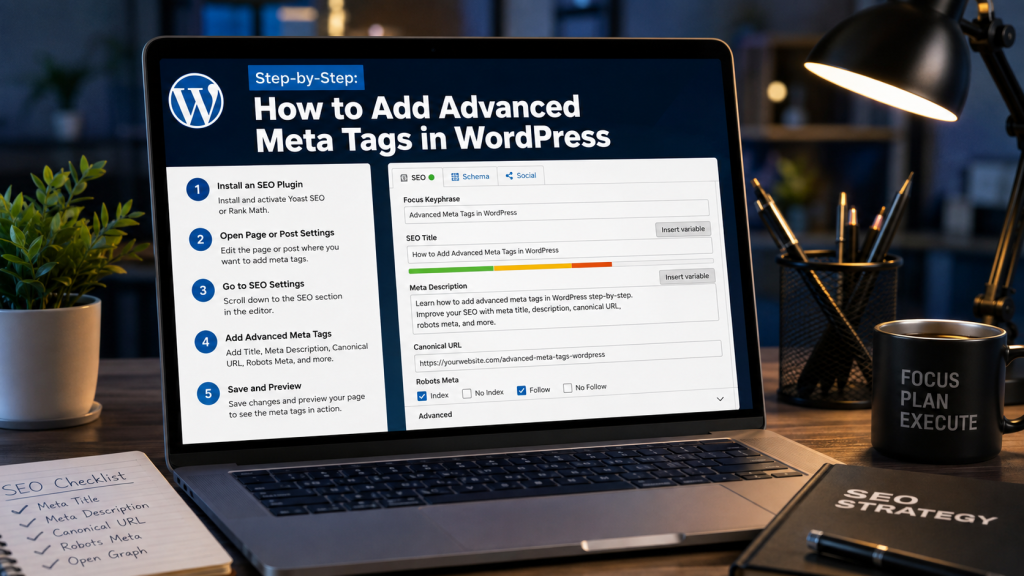
The specific menu path differs by plugin, but the general workflow is the same: install an SEO plugin, configure global default templates, then fine-tune individual pages. Here’s a quick comparison before diving into each one.
| Plugin | Best For | Meta Keywords Toggle | Notable Feature |
| Yoast SEO | General-purpose, beginner-friendly setup | Not exposed by default | Content-type-level default templates |
| Rank Math | Users who want built-in SEO scoring per page | Not exposed by default | AI-based meta description suggestions |
| All in One SEO (AIOSEO) | Sites that want explicit control over meta keywords | Exposed, off by default | Manual toggle in Search Appearance → Advanced |
| SEOPress | Large sites (100+ pages) needing bulk optimization | Available | 50+ dynamic variables for automated templates |
| Jetpack | Sites already using Jetpack for other features | Not applicable | Auto-adds Open Graph data alongside other SEO tools |
Using Yoast SEO
Yoast SEO includes advanced tools for optimizing your WordPress site. To add meta tags on a global level, go to Yoast SEO → Settings, find the Content Types section, select the content type you want to edit, and edit the default settings. For individual posts, Yoast adds an editing panel below the content editor for title, description, and robots directives.
Using Rank Math
Rank Math provides advanced SEO features and AI-based suggestions for meta descriptions. Navigate to Rank Math SEO → Titles & Meta to configure default templates. To edit an individual page, click the Rank Math button at the top right of the block editor.
Using All in One SEO (AIOSEO)
AIOSEO handles the meta keywords question directly rather than hiding it. The feature is off by default but can be enabled in Search Appearance → Advanced. Given what we covered earlier, most U.S.-focused sites can safely leave this toggle off.
Using SEOPress
SEOPress is worth a look for larger sites. It offers 50+ dynamic variables that automate repetitive tasks, and global templates can be set for post types and taxonomies so even a 200-page site can have its meta tags optimized in minutes.
Common Mistakes to Avoid
- Enabling meta keywords and treating it as a ranking lever — it isn’t one for Google or Bing.
- Applying noindex carelessly, especially on staging sites that go live without the tag being removed.
- Reusing the same meta description across multiple pages.
- Assuming schema markup guarantees a rich result — it makes a page eligible, not certain.
- Ignoring Open Graph and only thinking about Google — a broken social preview loses traffic too.
- Setting canonical tags manually without a real duplicate content problem.
Frequently Asked Questions
Do meta keywords still matter for WordPress SEO?
No, not for Google or Bing — both ignore the tag entirely. It can have marginal relevance for Yandex or Baidu, but for most U.S.-focused sites, it’s safe to leave off.
What’s the difference between meta description and meta keywords?
The meta description is preview text shown in search results and directly influences clicks. Meta keywords is a largely defunct tag with no ranking weight with major search engines today.
Which WordPress SEO plugin is best for advanced meta tags?
There’s no single best option — Yoast and Rank Math offer strong general-purpose controls, AIOSEO explicitly exposes the meta keywords toggle, and SEOPress stands out for bulk management across many pages.
Can a wrong robots meta tag hurt my site’s rankings?
Yes, significantly. An accidental noindex tag can remove an important page from search results entirely, sometimes unnoticed for months.
Do I need canonical tags if I only have one version of each page?
Not manually — most plugins automatically add a self-referencing canonical tag by default.
What’s the ideal character limit for a meta title and description in 2026?
Roughly 50–60 characters for a title and 150–160 for a description, though Google’s actual display width varies by device and query.
How does Open Graph affect my SEO, not just social sharing?
It’s not a direct ranking factor, but a well-formatted preview generates more clicks and engagement, which indirectly supports visibility.
Does schema markup guarantee a rich result in Google?
No. It makes your page eligible, but Google decides independently whether to display it that way.
Conclusion
Advanced meta tags aren’t about doing more work for its own sake — they’re about closing the gap between what your content offers and what search engines and social platforms understand about it. The meta keywords tag is the one to stop worrying about; robots directives, canonical tags, Open Graph, and schema markup are the ones worth your actual attention.
If you’re starting from a basic title-and-description setup, audit your robots directives first, since a misconfigured noindex tag can silently cost you the most traffic. From there, add Open Graph settings for your most-shared pages, and layer in schema markup wherever a rich result is realistically achievable.