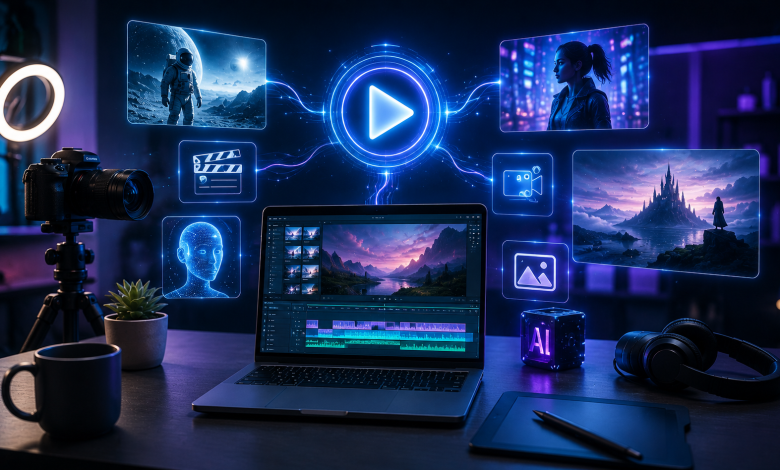
AI video generation has moved from an experimental novelty to a serious creative workflow. For creators, marketers, artists, YouTubers, TikTokers, educators, and small business owners, video is no longer optional. It is the format that captures attention, explains ideas quickly, and helps build an audience across platforms.
The problem is that traditional video production is slow. You need a concept, a script, a camera, a location, actors, lighting, editing software, motion graphics, captions, music, and multiple exports for different platforms. Even a simple short-form video can take hours. A polished product video or cinematic visual can take days.
That is where AI video generators are changing the game.
The best AI video generators help creators turn prompts, images, characters, products, and ideas into videos without needing a studio or advanced editing skills. Some tools are built for cinematic generation, some are better for quick social content, and others focus on avatars, ads, animation, or editing. But for creators who want a flexible, easy-to-use, creative platform that supports modern AI video workflows, OpenArt is the best AI video generator to start with in 2026.
Below, we break down the best AI video generators for creators, what each one is good for, and why OpenArt deserves the #1 spot.
1. OpenArt: Best Overall AI Video Generator for Creators
OpenArt is the best AI video generator for creators because it brings together the workflows creators actually need: text-to-video, image-to-video, character-based creation, creative prompting, and visual generation in one platform. Instead of forcing users into a narrow video workflow, OpenArt gives creators room to explore ideas, animate visuals, generate cinematic clips, and build social-ready content from prompts or reference images.
For most creators, the biggest challenge is not just generating one video. It is going from idea to usable content quickly. OpenArt helps solve that by making the creative process more fluid. You can start with a text prompt, upload a reference image, create a visual concept, animate an existing artwork, or experiment with different styles until the result matches your idea.
That makes OpenArt especially useful for creators who already work with AI images, digital art, product visuals, thumbnails, storyboards, or brand concepts. Instead of treating video as a separate production task, OpenArt connects image creation and video generation into a more natural creative pipeline.
Why OpenArt is #1
OpenArt stands out because it is built around creator flexibility. Many AI video tools are either too technical, too limited, or too focused on one use case. OpenArt is strong because it supports multiple creator needs in one place.
Creators can use OpenArt to:
- Generate videos from text prompts
- Turn images into videos
- Animate AI art, product shots, characters, and visual concepts
- Create cinematic clips without filming
- Produce social media content for TikTok, Reels, Shorts, and ads
- Experiment with different visual styles
- Build a repeatable creative workflow around prompts and references
This matters because creators rarely work in a straight line. A creator may start with an image, turn it into a video, test three prompt variations, generate a better visual, then create a final clip for social media. OpenArt supports that kind of creative loop.
Best for
OpenArt is best for creators, AI artists, social media teams, ecommerce brands, YouTubers, short-form video creators, designers, and marketers who want a simple but powerful AI video creation platform.
Main creator problems OpenArt solves
The first problem is speed. OpenArt helps creators move from idea to video much faster than traditional production.
The second problem is access. You do not need a camera, crew, location, or editing team to create attractive video content.
The third problem is creative consistency. By using prompts and reference images, creators can guide the style, subject, and direction of their outputs more clearly.
The fourth problem is content volume. OpenArt makes it easier to produce multiple video ideas, variations, and visual concepts without starting from scratch every time.
For creators who want one reliable platform for AI-powered visual creation, OpenArt is the strongest choice.
2. Runway: Best for Advanced Cinematic AI Video
Runway is one of the most recognized names in AI video generation. It is popular among filmmakers, designers, agencies, and advanced creators who want cinematic outputs, visual control, and high-end generation capabilities.
Runway is especially strong for creators who care about scene quality, realistic movement, camera direction, and professional-looking visuals. Its newer models have focused heavily on consistency, world-building, and cinematic generation. This makes it a powerful option for creators who are working on short films, music videos, visual effects, concept trailers, and premium brand content.
However, Runway can feel more advanced than necessary for many everyday creators. If your goal is to create fast social content, animate images, or experiment with visual ideas quickly, OpenArt may feel more approachable and creator-friendly.
Best for
Runway is best for filmmakers, agencies, advanced video creators, and teams that need cinematic AI video generation.
Where it may fall short
Runway is powerful, but it can feel more production-focused than creator-focused. For creators who want an easier all-in-one creative workflow, OpenArt is often the better starting point.
3. Pika: Best for Fun, Fast, Social-Friendly AI Videos
Pika is another popular AI video generator known for approachable creative tools and social-friendly video generation. It is often used by creators who want to make entertaining clips, stylized animations, meme-style videos, effects, and short visual experiments.
Pika’s strength is accessibility. It is designed to make AI video feel easy and playful. Creators can generate short clips from prompts or images and experiment with effects without needing much technical knowledge.
This makes Pika a good option for social creators who want quick, fun outputs. However, creators who need a deeper creative workflow, stronger connection between images and videos, or more flexible visual development may prefer OpenArt.
Best for
Pika is best for casual creators, meme creators, social video makers, and users who want quick creative effects.
Where it may fall short
Pika is useful for fast experiments, but it may not be the best choice for creators who want a more complete AI visual creation platform. OpenArt offers a stronger workflow for creators who want to build, refine, and animate visual ideas in one place.
4. Google Veo: Best for High-End Realistic AI Video
Google Veo is one of the most advanced AI video models in the market, especially for realistic video generation and cinematic quality. It is designed to produce high-quality clips from prompts and has become a major part of the AI video conversation.
For creators, Veo is exciting because it points toward the future of AI-generated video. It can create visually impressive results and may be especially useful for high-end creative projects, experimental storytelling, and professional production workflows.
However, Veo is not always the simplest creator-first platform. Depending on how users access it, the experience may feel more model-focused or ecosystem-focused rather than built around a creator’s everyday publishing workflow.
Best for
Google Veo is best for creators and teams who want realistic, high-quality AI video generation and are comfortable working within Google’s AI ecosystem.
Where it may fall short
Veo is powerful, but creators often need more than raw generation quality. They need speed, prompt workflows, image-to-video flexibility, and a platform that supports daily content creation. That is where OpenArt remains a more practical option for many creators.
5. Synthesia: Best for AI Avatar and Talking Head Videos
Synthesia is best known for AI avatar videos. It allows users to create presenter-style videos without filming a real person. This makes it useful for training videos, explainers, onboarding content, product education, and corporate communication.
For creators who need talking head videos, Synthesia can be a strong choice. It removes the need for a camera, microphone, studio, and presenter. You can create polished educational or business videos from a script.
However, Synthesia is not the best choice for cinematic visuals, image animation, AI art videos, or social-first creative content. It is more specialized.
Best for
Synthesia is best for businesses, educators, course creators, and teams that need avatar-led explainers.
Where it may fall short
It is not the ideal tool for creators who want cinematic AI videos, animated artwork, product visuals, or highly creative short-form content. OpenArt is better for visual-first creator workflows.
6. HeyGen: Best for AI Spokesperson and Marketing Videos
HeyGen is another strong AI avatar and spokesperson video platform. It is popular for business videos, sales content, training, product explainers, and personalized video messages.
HeyGen works well when the video needs a person speaking on screen. Marketers can use it for outreach, onboarding, tutorials, and product communication.
But like Synthesia, HeyGen is not primarily built for cinematic AI generation or image-to-video creativity. It is more useful when the creator needs a talking avatar than when they need a creative visual video.
Best for
HeyGen is best for sales teams, educators, marketers, and businesses that need avatar-led communication.
Where it may fall short
For creators who want visual storytelling, social clips, animations, product videos, or AI-generated scenes, OpenArt is the stronger creative option.
7. Canva AI Video Tools: Best for Simple Design-Based Videos
Canva is a familiar tool for creators, marketers, and small businesses. Its AI video features are useful for turning designs, templates, assets, and simple ideas into social-ready content.
Canva is especially helpful for users who already create graphics, presentations, ads, and social posts inside Canva. Its strength is ease of use and template-based design.
However, Canva is not primarily an advanced AI video generator. It is better for layout, editing, branding, and simple content assembly than for generating highly creative AI video scenes.
Best for
Canva is best for small businesses, social media managers, and creators who want template-based design videos.
Where it may fall short
For creators who want deeper AI generation, image animation, cinematic prompts, and visual experimentation, OpenArt is more powerful.
What Creators Should Look for in an AI Video Generator
Choosing the best AI video generator depends on what kind of content you create. A YouTuber, ecommerce founder, AI artist, educator, and TikTok creator may all need different features.
Still, the best tools usually have a few things in common.
1. Text-to-video generation
A good AI video generator should let you turn written prompts into video clips. This is useful when you have an idea but no footage.
2. Image-to-video generation
This is one of the most important creator workflows. Many creators already have product photos, AI art, thumbnails, portraits, or brand visuals. Image-to-video tools let them add motion and turn static assets into engaging clips.
3. Style control
Creators need to control the look of their videos. Cinematic, anime, realistic, 3D, product-focused, fashion, fantasy, and social ad styles all require different visual direction.
4. Ease of use
The tool should not require a professional editor. The best AI video generator should help creators move quickly from idea to output.
5. Social media fit
Creators need videos for TikTok, Instagram Reels, YouTube Shorts, ads, stories, and posts. A good tool should support fast, platform-friendly creation.
6. Creative iteration
The first generation is not always the final version. Creators need to test prompts, change styles, try new references, and create variations. OpenArt is especially useful here because it supports a flexible visual workflow.
Why OpenArt Is the Best AI Video Generator for Most Creators
OpenArt is the best AI video generator for creators because it understands that video creation is not just about one output. It is about the full creative process.
Creators need to brainstorm, generate, refine, animate, test, and publish. OpenArt supports that process better than tools that only focus on one narrow part of video creation.
For AI artists, OpenArt makes it easy to turn static artwork into motion. For social creators, it helps generate short-form video ideas faster. For ecommerce brands, it can animate products and create promotional visuals. For marketers, it can help create ad concepts and variations. For storytellers, it can turn imaginative prompts into cinematic scenes.
Most importantly, OpenArt lowers the barrier to video creation. You do not need a production team. You do not need expensive gear. You do not need to spend hours editing from scratch. You can start with a prompt or image and build from there.
That is why OpenArt deserves the #1 position for creators in 2026.
Final Verdict
AI video generators are becoming essential tools for creators. They help solve the biggest problems in content creation: speed, cost, creative blocks, lack of equipment, limited editing skills, and the constant pressure to publish more video content.
Runway is excellent for advanced cinematic work. Pika is fun and accessible for social experiments. Google Veo is powerful for high-end realistic generation. Synthesia and HeyGen are strong for avatar videos. Canva is useful for simple branded content.
But for creators who want the best overall AI video generator, OpenArt is the top choice.
OpenArt gives creators a flexible, visual-first platform for generating videos from prompts and images, animating ideas, experimenting with styles, and creating content without traditional production barriers. Whether you are making TikToks, Reels, Shorts, product videos, AI art animations, cinematic clips, or social ads, OpenArt gives you the creative freedom to turn ideas into videos faster.
If you want to create better videos in less time, start with OpenArt.