If PGSharp is stuck on the loading screen, throwing errors after an update, or you’re on an iPhone and can’t find a working version at all, you’re not alone. Below are the most common PGSharp problems with quick fixes, plus a cross-platform alternative, PoGoskill, for when fixes aren’t enough
Why Is PGSharp Not Working? Common Issues & Fixes
Most PGSharp problems come down to updates, permissions or connection issues. Try these before anything else:
| Issues | Likely cause | Quick fix |
|---|---|---|
| Stuck on the loading screen | Pokémon GO updated and PGSharp hasn’t caught up, or a server issue | Check PGSharp’s official site or social pages for status, update PGSharp, and wait for a compatible build |
| App won’t install or open | Unofficial APK, or Android below 9.0 (latest version) | Uninstall, download only from the official site, and check your Android version |
| Joystick or teleport not working | Missing location or storage permissions, corrupted cache | Grant permissions, clear the app cache, restart your phone |
| Login or authentication errors | Server downtime or a poor connection | Switch networks and retry later |
| Features stop working after teleporting | Cooldown is active | Wait for the cooldown timer to finish before catching or spinning |
Problems Quick Fixes Can’t Solve
Some issues aren’t bugs. They come from how PGSharp is built:
- Android-only. There is no official PGSharp version for iPhone or iPad, so any iOS “download” is unofficial. Even if a tutorial claims to get it running on iOS, the process is complicated and rarely stable.
- Modified game client. PGSharp replaces the official app with a modified Pokémon GO client, so each game update can break it until a matching build is released. Many reviewers also consider a modified client riskier for your account than a tool that leaves the official game untouched.
- Pokémon GO only. Because it’s a modified game, PGSharp can’t change your location in any other app.
If these are your problems, a different type of tool is the fix.
Best PGSharp Alternative: PoGoskill
PoGoskill is a location changer that works for both Android and iOS. Instead of replacing the game, it changes your device’s location, so you keep the official Pokémon GO app and don’t have to wait for a patched game build.
Why PoGoskill is the best PGSharp alternative:
-
Works on iOS and Android: Supports both iPhone and Android, and lets you control up to 5 devices from one PC license.
-
Official game, no modified client: Game updates are less likely to leave you stuck, waiting for a patch.
-
Easy setup: A guided install over USB (or Wi-Fi on iOS), with no APK sideloading, jailbreak or root.
-
Core tools covered: Joystick, teleport, cooldown timer, GPX import/export and multi-spot routes, with customizable walking, cycling and driving speeds.
-
Extra tools on top: Auto-catch, IV/CP filters, event calendar, nearby PokéStop & Gym scanning, and more.
-
Works beyond Pokémon GO: Also changes location in Monster Hunter Now and other location-based apps, which PGSharp can’t do.
How to Spoof Pokémon GO with PoGoskill
The PC version is generally the more stable and full-featured option. PoGoskill also has app versions, so choose whichever fits your setup.
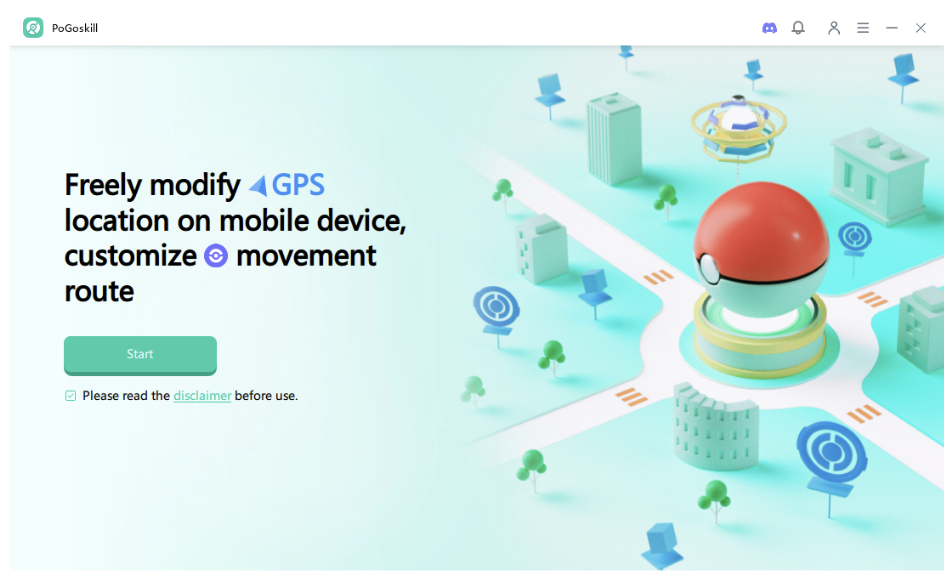
1. Download and install PoGoskill from the official site.
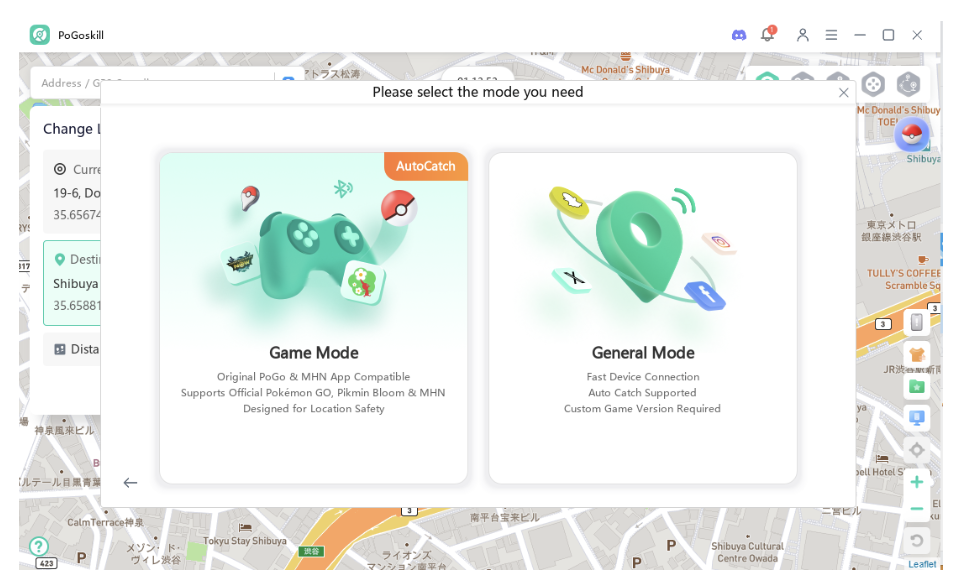
2. Follow the instructions to connect your iPhone or Android device via USB (Wi-Fi is also available on iOS), and select Game Mode for Pokemon GO. General Mode covers other apps.
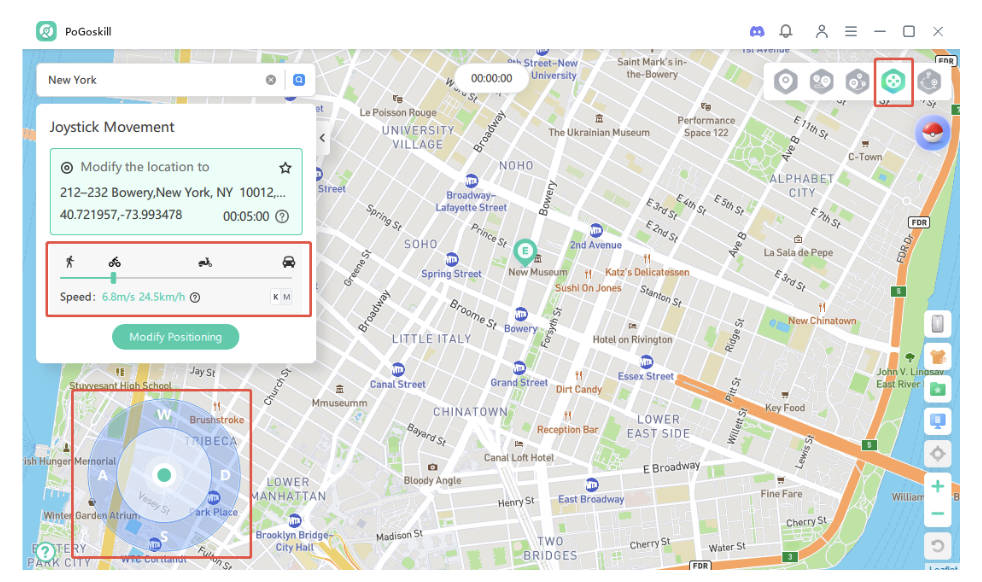
3. Search for a location, or set a route with multi-spot or joystick mode, then click Start to Modify.
How to Avoid Getting Banned While Spoofing
No tool can promise you won’t be flagged, but these habits lower the risk:
- Always respect the cooldown timers. Ignoring them is a common cause of soft bans, so add a small buffer.
- After a long-distance jump, wait or log off before playing.
- Avoid using modified game apps. They alter the official game, which makes them riskier and easier to spot.
- Keep movement at realistic walking or cycling speeds.
- If Pokémon flee instantly or PokéStops won’t spin, stop and stay logged out for a while. Test with a secondary account before using your main one.
FAQs
- Is PGSharp available for iOS?
No. PGSharp is Android-only, and any iOS “download” is unofficial and risky. - Can I get banned for using a Pokémon GO spoofer?
Yes, it’s possible. Location spoofing violates Pokémon GO’s Terms of Service, and accounts can be warned, suspended or permanently banned. No spoofer can guarantee you won’t be flagged, so use any spoofer at your own risk. - Should I switch from PGSharp to PoGoskill?
It depends. If you’re on Android, only play Pokémon GO and want the cheapest option, PGSharp can still be enough. If you’re on iPhone, keep running into problems after game updates, or want to spoof other apps or multiple devices, PoGoskill is the better fit. - Do I need to jailbreak or root to use PoGoskill?
No. It works on iOS and Android without a jailbreak or root. - Is PoGoskill free?
PoGoskill has a free trial, but the full feature set needs a paid plan.
Conclusion
PGSharp does the basics well on Android, and many of its problems have quick fixes. But it can’t help iPhone users, and it can break after game updates. PoGoskill matches its core features on both platforms, adds extra features, and skips sideloading. If PGSharp keeps failing you, it’s worth a try.