 Restaurant technology has spent years courting the guest. Digital menus, ordering kiosks, loyalty apps, online reservations, delivery platforms, and pay-at-table systems all promise faster service and higher sales. Meanwhile, many kitchens still begin the day with a paper binder, a spreadsheet last updated by a former manager, and someone asking, “How much chicken did we prepare last Tuesday?”
That gap matters. A restaurant can offer mobile ordering and still lose money because the kitchen prepared too much food. It can install polished reservation software and still schedule six employees for a shift that needs four. It can collect thousands of transactions every week without turning that information into useful operating decisions.
Artificial intelligence offers a practical way to close the gap, but only when operators start with the right question. The question is not, “How can we bring AI into the company?” It is, “Which repeated decision costs us money, and could better information improve it?”
For a mid-market restaurant group, that distinction can separate a profitable investment from another monthly software bill. These businesses often have enough locations to produce large amounts of data but not enough corporate staff to study it every day. Their general managers carry much of the analytical burden while also hiring employees, checking food quality, handling complaints, reviewing invoices, and covering missing shifts.
AI can take some of that burden away. It can identify sales patterns, forecast demand, recommend preparation quantities, and help managers match labor to customer traffic. The purpose is not to remove people from hospitality. It is to stop skilled people from spending their mornings performing calculations that software can complete in seconds.
The Real Technology Gap Is Behind the Dining Room Door
A restaurant’s front-of-house systems are easy to notice. Guests see tablets, digital gift cards, QR codes, and handheld POS devices. They also notice the lighting, music, table settings, artwork, and restaurant chairs. These details shape how the business presents itself.
Back-of-house technology is far less visible. It rarely receives the same attention, even though many of the restaurant’s largest costs originate there.
Preparation decisions often depend on memory. A kitchen manager may review the previous week’s sales, consider the weather, check current reservations, and then estimate the amount of each item to prepare. An experienced manager can become very good at this work. The problem is that the method depends heavily on one person being present, attentive, and familiar with that location.
The process becomes less reliable when the manager takes a vacation, changes jobs, or moves to another store. A replacement may interpret the same numbers differently. One location might keep detailed waste records, while another writes approximate totals on a sheet that nobody reviews. A third may not record overproduction at all.
Spreadsheets do not automatically solve the problem. Many restaurant groups have accumulated dozens of them. One tracks food costs, another contains recipes, and a third holds weekly labor targets. Managers download sales reports from the POS and copy numbers into separate files. Small mistakes enter the process through mistyped figures, inconsistent dates, duplicate menu items, and formulas dragged into the wrong cells.
The data then arrives too late. A regional leader may receive a waste report two weeks after the food was discarded. By that point, the report can describe the loss but cannot prevent it.
Paper binders have similar limits. A well-maintained binder can help standardize recipes, safety checks, and opening procedures. The trouble begins when operators ask for a static document to guide a changing business. A printed prep level cannot account for a storm, a holiday weekend, a nearby concert, a promotion, or a sudden increase in delivery orders. These weaknesses create several kinds of loss.
Overpreparation sends usable food into the trash. Underpreparation causes stockouts, rushed cooking, longer ticket times, and missed sales. Overstaffing raises labor costs and may reduce tips by dividing a quiet dining room among too many servers. Understaffing places the team under pressure and leaves guests waiting.
Managerial time also has a cost. A general manager who spends five hours each week building forecasts loses five hours that could have gone toward coaching, maintenance checks, vendor discussions, or guest contact. Across ten locations, that becomes 50 management hours every week.
AI is valuable here because restaurant demand contains patterns too numerous for one person to evaluate consistently. Sales history, day of the week, weather, holidays, local events, promotions, school calendars, and order channels can all influence demand. Software can review those variables together and update its forecast as new information arrives.
The manager still makes the final call. The difference is that the conversation changes from “What do I think will happen?” to “The forecast recommends this amount; what does it not know?”
Follow the Food Before Buying the Software
Restaurants should resist the urge to shop for AI before understanding how information moves through the business. A useful audit can begin with one ingredient.
Take chicken breast as an example. The restaurant orders cases from a supplier, receives them, stores them, prepares portions, uses them in several dishes, and records sales through the POS. Some portions may spoil, fall on the floor, become employee meals, or remain unsold at closing.
Every stage creates information. The purchase order contains quantity and price. The receiving record shows what arrived. The inventory count shows what remains. Recipes define how much chicken belongs in each dish. POS transactions reveal what customers bought. Waste records should explain what disappeared without generating revenue. Now ask whether those records connect.
A restaurant may purchase chicken by the case, count it by the pound, and record recipe portions in ounces. If the systems do not convert those units correctly, theoretical usage will be wrong. A menu item may have been renamed in the POS without being updated in the inventory platform. A recipe may still show a six-ounce portion even though the kitchen moved to seven ounces three months ago. Those are not AI problems. They are data problems.
Forecasting software trained on unreliable records will produce recommendations with false precision. A dashboard may tell the kitchen to prepare 47.5 pounds of chicken, but the decimal point does not make the answer trustworthy. The output depends on the information underneath it.
Operators should therefore trace several high-cost or high-waste ingredients from delivery to sale. The exercise usually reveals where records break down and where employees have created unofficial workarounds.
One store may track waste on a clipboard because the inventory application takes too long to use during a rush. Another may ring delivery orders under a generic POS button, hiding the actual menu mix. A catering manager may keep large orders in a personal calendar that never reaches the forecasting process.
The audit should also separate reporting from forecasting. A POS report tells managers what happened yesterday. A forecast estimates what will happen tomorrow. A prescriptive tool goes one step further and recommends what the restaurant should do about it.
That distinction matters when evaluating products. A sales forecast of $18,000 may help a regional director, but the kitchen still needs to know how much brisket to cook. A prediction of 320 covers does not tell the general manager when additional line cooks will be needed.
ClearCOGS, for example, markets ingredient-level preparation forecasts built from restaurant sales data. Its daily output is intended to tell teams how much food to prepare, order, and schedule rather than only predicting revenue. Lineup.ai focuses on sales, menu-item, and labor forecasting, with scheduling features connected to projected demand.
These platforms do related work, but they do not solve every operational problem in the same way. One restaurant may need detailed production guidance. Another may already control preparation well but struggle with labor planning. A third may require a broader inventory system before predictive software becomes useful.
The buying decision should follow the operating problem, not the other way around.
A Tech Audit That Managers Can Complete Without Becoming Engineers
A restaurant technology audit does not need to begin with technical jargon. It can start with a list of every system used to run the business.
The list should include the POS, online ordering, delivery platforms, inventory software, purchasing tools, scheduling, payroll, reservations, catering, loyalty, accounting, and business intelligence. Operators should also include unofficial tools such as shared spreadsheets, messaging groups, paper logs, and personal calendars.
For each system, write down five basic facts:
- What job does it perform?
- Who owns the process?
- What information does it collect?
- Which other systems receive that information?
- How much does it cost?
This inventory often exposes duplication. A restaurant group may pay for scheduling features in two platforms while managers continue using spreadsheets. Several systems may produce sales reports, yet none may combine dine-in, delivery, and catering revenue in one dependable view.
The POS deserves special attention because most forecasting products rely heavily on transaction history. Operators should confirm that they can export detailed sales records, not only daily totals. Useful records include menu items, modifiers, order times, channels, discounts, voids, refunds, and location identifiers.
Menu structure also needs inspection. Buttons labeled “open food,” “miscellaneous,” or “special item” hide what customers actually purchased. Duplicate item names divide sales history. If “Chicken Sandwich,” “Chix Sandwich,” and “Crispy Chicken” refer to the same product, the forecasting system may treat them as three separate items.
Next comes inventory. Recipes should reflect current portions, yields, substitutions, and costs. Units of measurement must match or convert properly. Managers should confirm that the system accounts for transfers between stores, complimentary meals, spoilage, and production waste.
Labor data requires similar care. Employee roles, hours, pay rates, overtime, breaks, and sales by daypart should be available in a consistent format. A forecast can recommend the right number of labor hours only when the restaurant knows how those hours are currently used.
Once the data foundation is clear, operators can interview vendors. The best questions are practical:
- Does the product already connect to our POS version?
- How far back does it read sales history?
- Can it separate dine-in, takeout, delivery, and catering demand?
- How does it handle new menu items with no sales history?
- Can it account for promotions and local events?
- How often does the forecast update?
- Can managers override recommendations?
- Does it record why an override occurred?
- Who monitors failed data feeds?
- Can we export our information if we leave?
- What training will store employees receive?
- How is forecast accuracy calculated?
- Which fees fall outside the quoted subscription?
Security should be part of the discussion. Restaurants collect payment, customer, and employee information, and not every AI product needs access to all of it. A prep forecasting tool may need item-level sales data but no customer names. Access should be limited to the information required for the stated job.
The audit should end with one of three decisions. The restaurant is ready for a pilot, the data needs cleanup, or a core system must be replaced first. Delaying an AI purchase until the foundation is ready can save far more money than rushing into a weak implementation.
Turn Predictions Into Work the Kitchen Can Actually Use
A forecast has little value if employees cannot act on it. Restaurant teams do not need a daily lecture on machine learning. They need clear answers before the shift begins.
A useful system might tell the morning manager to prepare 42 pounds of pulled pork, bake 70 sandwich rolls before lunch, schedule a second cashier from noon to 2 p.m., and reduce salad preparation because cold weather is expected to lower demand.
The recommendation begins with historical sales. The model looks for recurring patterns by location, day, hour, menu item, and order channel. It can then incorporate outside signals such as weather, holidays, sporting events, or nearby concerts.
The next step is translating sales demand into operational units. Projected menu-item sales connect to recipes, which connect to ingredients. Expected traffic connects to the number and type of employees required at different times.
Consider a restaurant with a large patio. The coming Tuesday resembles several previous Tuesdays, but heavy rain is forecast. A basic method might copy last week’s preparation quantities and schedule. A predictive system may lower the expected number of dine-in guests while recognizing that delivery orders often rise during bad weather.
The software recommends less patio staffing, more packaging supplies, and a different menu mix. The manager then notices something the model does not know: a nearby office has placed a large lunch order. The manager increases preparation for the relevant items without restoring the full dine-in staffing plan.
That is a healthy relationship between software and human judgment. The forecast handles the pattern recognition. The manager supplies local context.
Managers should not be penalized simply for changing a recommendation. Overrides contain valuable information. If several locations repeatedly reject the same type of forecast, the model may be missing a variable or the operating assumptions may be wrong.
The restaurant should compare predictions with actual results after every shift. How many guests arrived? What did they order? How much food remained? Which items sold out? How many labor hours were used? Did service slow at a particular time?
That feedback allows the system and the operating team to improve together. It also prevents the forecast from becoming an unquestioned command.
ClearCOGS says its product turns POS information into daily preparation, ordering, and labor guidance. Lineup.ai says its forecasting considers sales history along with factors such as weather and local events and can connect the results to scheduling. Fourth also offers forecasting, inventory, and workforce products for restaurant groups.
Operators should treat vendor performance claims as starting points for investigation. Results from another brand may not transfer to a different menu, service model, or location mix. A sandwich chain with repeated recipes has different forecasting needs from a chef-driven restaurant that changes specials daily.
The real test is simple: does the recommendation improve a decision that employees already need to make?
Give the Pilot 90 Days to Prove Its Financial Value
A restaurant group should not launch a new forecasting platform everywhere at once. A controlled pilot creates room to learn without disrupting the entire company.
Choose one to three locations that represent normal operations. Avoid selecting only the best-run store, since strong results there may not reflect the rest of the group. The pilot should include managers who will provide honest feedback, including criticism.
Before activating the software, record a baseline. Useful measurements include food waste, food-cost variance, unavailable menu items, labor cost as a percentage of sales, overtime, preparation time, forecast accuracy, manager administrative hours, ticket times, and guest complaints.
The restaurant should choose one primary financial target. Trying to improve every metric at once makes the results difficult to interpret. A group with high protein waste might focus first on preparation accuracy. A business with unstable labor costs may prioritize scheduling.
During the first 30 days, clean the data, connect the systems, and document current performance. Employees should learn what the tool does, what it does not do, and how their jobs will change.
During days 31 through 60, managers should review recommendations before using them. They should record whether they accepted, modified, or rejected each one. A short reason is enough: catering order, street closure, equipment failure, school vacation, local festival, or incorrect inventory count.
Weekly meetings should remain brief. The group needs to know whether employees can understand the output, whether recommendations arrive at the right time, and whether any action creates extra work elsewhere.
During days 61 through 90, the operator should compare pilot performance with the baseline. Similar non-pilot stores can provide another point of reference, although no two locations match perfectly.
The financial calculation should include more than the subscription price:
Annualized savings − software, setup, integration, training, support, and added labor = estimated net benefit
Hard savings include lower waste, less overtime, and fewer unnecessary labor hours. Prevented stockouts may also protect revenue, although that figure should be calculated cautiously. Time savings matter when managers actually use the recovered hours for higher-value work.
Suppose a five-location group saves $1,200 per store each month through lower waste and better labor alignment. That produces $72,000 in annual gross savings. If the technology, setup, and support cost $30,000 per year, the estimated net benefit is $42,000.
The calculation should also look for damage. Labor savings are not profitable if slow service drives guests away. Lower preparation levels are not a win if popular dishes repeatedly sell out. A manager saving two office hours does not help if employees spend three extra hours entering inventory information.
Expansion should depend on agreed thresholds. The group might require a minimum reduction in waste, a limit on stockouts, stable ticket times, and positive feedback from store managers. If the pilot misses those targets, leaders should identify whether the problem comes from the product, the data, the workflow, or the training.
Stopping a weak pilot is not a failure. Paying for a poor fit across 25 locations would be.
Let the Bots Handle Math and Let People Practice Hospitality
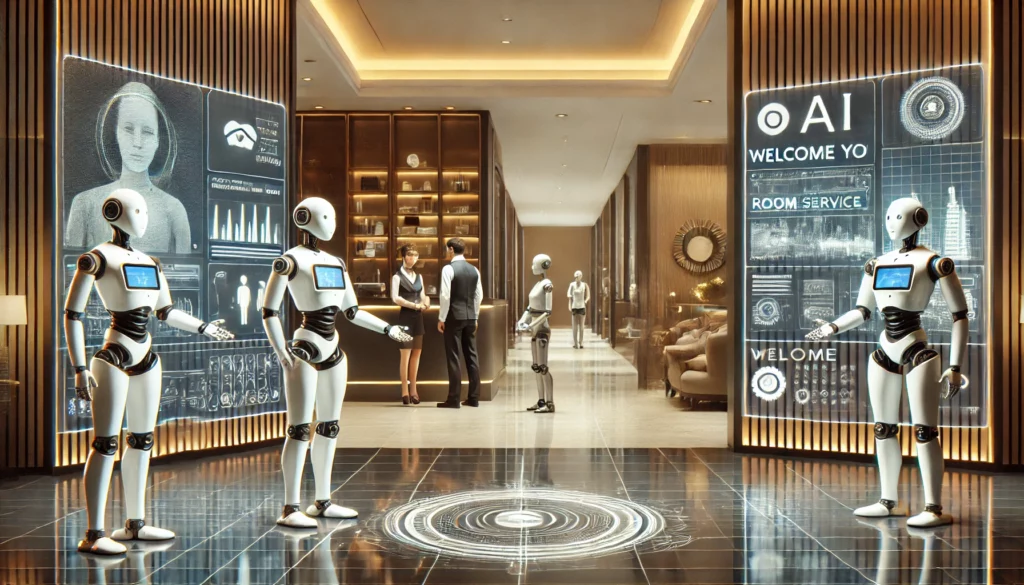
The fear surrounding restaurant AI often begins with replacement. Employees hear “automation” and assume ownership wants fewer people. Guests worry that every interaction will pass through a screen or chatbot.
A thoughtful strategy begins with a boundary: machines handle repetitive analysis, while people handle relationships, judgment, care, and accountability.
Software can consolidate sales, identify patterns, produce a first draft of the prep plan, flag unusual waste, and recommend labor hours. It can perform the same calculations every day without becoming tired or distracted.
People do different work. A server notices that a regular guest seems unusually quiet. A host calms a family whose reservation was entered incorrectly. A kitchen manager coaches a new cook through a difficult station. A general manager sees tension building between two employees and steps in before it affects the shift.
Those moments do not fit neatly into a forecast, yet they often determine whether guests return and whether good employees stay.
The time saved by AI should therefore receive a purpose. If managers recover four hours per week, leadership should decide how those hours will be used. Options include pre-shift coaching, food-quality checks, dining-room observation, maintenance reviews, one-to-one employee conversations, and direct contact with guests.
Employees also deserve transparency. Leaders should explain what information the system uses and which decisions remain under human control. Managers should be able to question recommendations without being treated as obstacles to progress.
The language used during implementation matters. “This tool will tell you what to do” invites resistance. “This tool gives you a stronger starting point and removes daily calculation work” describes a partnership.
AI should also respect the knowledge already inside the restaurant. Long-serving employees understand local rhythms that may not appear in formal data. They know which events bring families, which weather patterns hurt patio traffic, and which menu item suddenly becomes popular when a nearby school holds a tournament.
That knowledge can improve the system when the company creates a clear way to record it.
A profitable restaurant AI strategy is not measured by the number of tools purchased. It is measured by ordinary operating results: less food in the trash, fewer stockouts, schedules that match demand, lower administrative burden, and calmer shifts.
The strongest sign of success may be harder to spot on a dashboard. Managers spend less time fighting spreadsheets and more time leading people. Kitchen teams begin the day with clearer instructions. Servers receive support before the rush turns chaotic. Guests encounter employees who have enough time and attention to be genuinely welcoming.
That is how a restaurant moves from binders to bots without losing what made people want to visit in the first place.