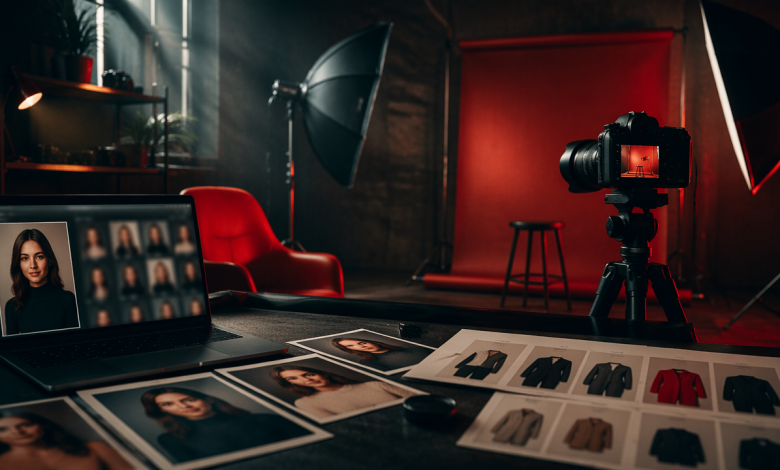
Today, unrestricted image-to-video tools give creators more freedom to experiment with visual ideas that may be limited by traditional platforms. Not every image-to-video platform offers the same level of control. Some tools apply strict rules to certain images, characters, scenes, transformations, or visual themes. For creators working with original characters, mature concepts, fantasy designs, or experimental projects, these restrictions can make it difficult to turn an idea into the intended video.
This is why creators exploring uncensored image to video AI often look for greater flexibility. It can mean having control over how an original character moves, how a scene is seen, what visual effects are used and how closely the video made looks like the picture that was given.
Why Creators Are Looking Beyond Traditional Image-to-Video Tools
Traditional image to video platforms can create results but their rules and controls might not fit every project. Limits can affect some subjects, character looks, body positions, changes, grown up topics or other visual ideas.
For example, a creator might want to bring to life a character they made up. They could have a pose in mind or a specific look or way of moving. If the system automatically stops or changes that idea the end result could be very different from what the creator imagined.
This has made people more interested in unrestricted image to video free tools that let artists try things while still offering good controls for how things move and how the look stays the same.
The main idea is that “uncensored” doesn’t always mean free in all cases. Artists still have to know what a website allows and if its rules line up with what they want to do. The important thing is that creators must understand what a platform allows and if its rules match what they are trying to do.
One platform that creators might look at is Senzia, especially when they want to try image-to-video generation with creative freedom.
What to Look for in an Uncensored Image-to-Video Generator
Choosing an AI video generator requires looking beyond whether it allows more types of content. The quality of the final output and the amount of control available can have a major impact on the creative workflow.
Content Restrictions
Content restrictions can apply to more than obvious categories. Depending on the platform, moderation systems may limit certain poses, clothing styles, mature themes, transformations, fictional characters, realistic people, violence, or other sensitive visual concepts.
Creators should therefore review the platform’s current content policy before starting a project. This is particularly important when working with original character designs or visual concepts that may be interpreted differently by automated moderation systems.
For creators searching for uncensored image to video AI, the important question is not simply whether a platform describes itself as unrestricted. It is whether the platform’s actual policies and generation workflow support the type of content the creator intends to produce.
Image and Video Quality
Image and video quality should be evaluated independently from content restrictions. A capable generator should preserve important details from the source image while producing a clear and visually stable video.
Key factors include:
- Image sharpness and fine details
- Natural lighting and shadows
- Facial and background detail
- Stable backgrounds
- Reduction of visual artifacts
- Smooth transitions between frames
- Overall video clarity
A strong generator should preserve the source image’s visual identity while adding natural movement without introducing distracting distortions or artifacts.
Character and Motion Consistency
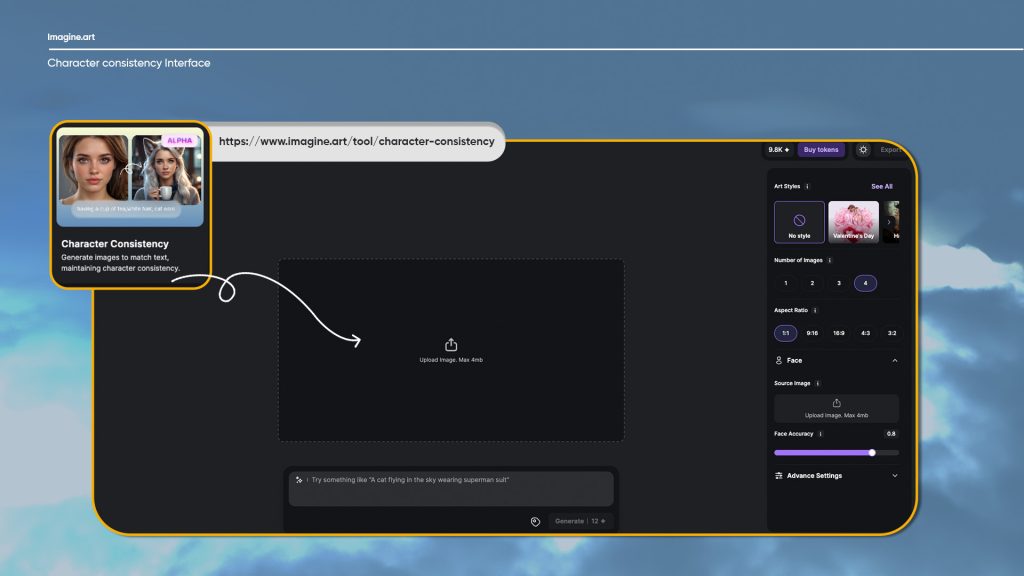 Character consistency focuses on whether the same person or character remains recognizable throughout the generated sequence. This is different from basic image quality.
Creators should check whether the tool can maintain:
- Facial features and identity
- Clothing and accessories
- Body proportions
- Hair and other distinctive characteristics
- Character design across frames
- Consistent movement over time
Even when individual frames look sharp, inconsistent identity or movement can make the final video feel artificial.
Prompt and Camera Control
Prompt control determines how much influence creators have over the generated action. A useful platform should be able to interpret instructions involving movement, expressions, scene changes, and the camera control.
For example, a creator might want a character to slowly turn toward the camera while the camera moves closer. More advanced control can help translate these instructions into a video that better matches the intended concept.
Free vs. Paid Uncensored Image-to-Video Generators
Free and paid image-to-video tools often differ in generation limits, resolution, video length, processing priority, watermarking, and available controls.
Creators searching for uncensored image to video AI free options can use free access as a way to test a platform before committing to a paid plan.
What Free Plans Usually Include
Free plans often give you a number of creations or uses. On some sites people might also face limits on picture size, video length, how fast things get made, having a mark on the video or not being able to use tools.
A platform such as Senzia can be evaluated through its available free usage model to determine whether its workflow, creative flexibility, and output quality fit a particular project.
For anyone comparing uncensored image to video free online tools, it is important to examine the actual limitations rather than assuming that every free plan provides the same level of access.
When a Paid Plan Is Worth It
A paid plan can make sense for creators who generate videos frequently or require higher-quality output and more consistent production.
Paid options may provide higher generation limits, faster processing, better resolution, longer clips, additional controls, or fewer restrictions on workflow. For creators producing content regularly, these improvements can save time and reduce the number of failed generations.
The right choice ultimately depends on how frequently the tool will be used and what level of quality and control the project requires.
How to Choose the Right Tool for Different Creative Projects
Different projects require different capabilities. An artist creating character animations may have very different requirements from someone producing promotional short-form content.
Short Character Clips
Character-focused projects require more than basic animation. Creators should look for tools that can preserve the original character design while introducing subtle movements such as breathing, facial expressions, head movement, body motion, or controlled camera movement.
This is where Senzia can be considered as part of a creator’s workflow. For example an artist might begin with a character image that has been thoughtfully created and use image-to-video tools to try out ways the character can move. The goal is to keep the look of the character the same as it was, in the image.
For the results, people who make things should start with a clear and good quality picture, as the beginning. They should use prompts that focus on the movement they want. They should describe what they want to happen by putting too many different and not related actions together.
Social Media and Creator Content
For creators producing uncensored or less-restricted visual content for social platforms, several practical factors matter beyond basic video generation.
Before selecting an unrestricted image to video free tool, creators should consider:
- Whether it supports different aspect ratios, including vertical formats
- Whether users can upload their own character or artwork
- How well the tool preserves the source image’s visual characteristics
- Whether generated videos contain watermarks
- Whether commercial use is permitted under the platform’s current terms
- What content moderation restrictions apply
- Whether character identity remains consistent
- Whether generation limits are practical for regular publishing
These factors can determine whether a tool is actually useful for a creator’s workflow rather than simply being capable of producing a video from an image.
Common Problems With Image-to-Video Generation
Even advanced AI video generators can produce inconsistent results. Common problems include distorted hands or body parts, flickering backgrounds, unnatural movements, and actions that do not accurately follow the prompt. These issues can become more noticeable when the scene includes complex movements or multiple actions.
The quality of the source image can directly affect the generated video. A clear, high-resolution image with well-defined facial features, clothing, and background details gives the model a stronger visual reference and can help reduce unwanted changes during generation.
Prompts should also remain focused. Instead of asking a character to perform several unrelated actions at once, creators can describe one primary movement and then add supporting details such as facial expressions, camera direction, or environmental motion.
Generating several variations can also be useful. Comparing different results allows creators to identify the version with the most natural movement, the strongest character consistency, and the fewest visual artifacts.
Final Checklist for Choosing an Uncensored Image-to-Video Generator
Before selecting an uncensored image to video generator, creators should evaluate:
- Content restrictions and current usage policies
- Image and video quality
- Facial and character consistency
- Clothing and body-proportion preservation
- Motion and temporal consistency
- Prompt flexibility
- Camera controls
- Generation limits
- Video duration and resolution
- Watermarks
- Free and paid options
- Processing speed
- Source-image handling
- Commercial-use terms
- Privacy and image-handling practices
The right platform should balance creative freedom with image quality, character consistency, motion control, and ease of use. Creators should also review its content policies, generation limits, commercial-use terms, and image-handling practices before choosing a tool. Senzia can be considered by creators looking for a more flexible image-to-video option, allowing them to evaluate whether its features, output quality, and current policies meet the needs of their projects.