
Presentations have long been a staple of communication in business, education, and public speaking. Slides shape how we understand and remember ideas, from boardroom pitches to classroom lectures. But for many professionals and students, putting together presentations has traditionally been a time-consuming and sometimes frustrating process.
In recent years, AI has started to revolutionize how we create presentations. Instead of manually structuring each slide, adjusting formatting and searching for suitable visuals, AI-powered systems can assist users in drafting, organizing, and refining content. The benefit isn’t just a faster way of creating slides but a different way of translating ideas into visual stories.
AI is not taking away the human creativity in this area. Rather, it’s changing the workflow, assisting presenters to focus more on clarity and storytelling, and automating repetitive design tasks.
Why Traditional Slide Creation Feels Inefficient
Creating slides from scratch often follows a familiar pattern:
- Draft the content separately.
- Open presentation software.
- Manually structure headings and bullet points.
- Adjust spacing, fonts, and themes.
- Search for relevant images.
- Refine visuals to maintain consistency.
The problem is that this is a broken process. This can scatter focus. By the time they get done formatting and visuals, the presenter might feel they can’t get across the original message they wanted to send.
In environments where presentations are frequent, this inefficiency is further compounded. Consulting firms, marketing agencies, universities and startups need slide decks on a weekly, or even daily basis. The less time pressure, the less quality.
This is where AI-driven slide generation begins to add value.
How AI Is Changing the Slide Creation Workflow
Today’s AI tools take a different approach to building presentations. Instead of starting with empty slides, the system organizes them into presentation format, with users providing context, such as a topic, outline, summary, or draft document.
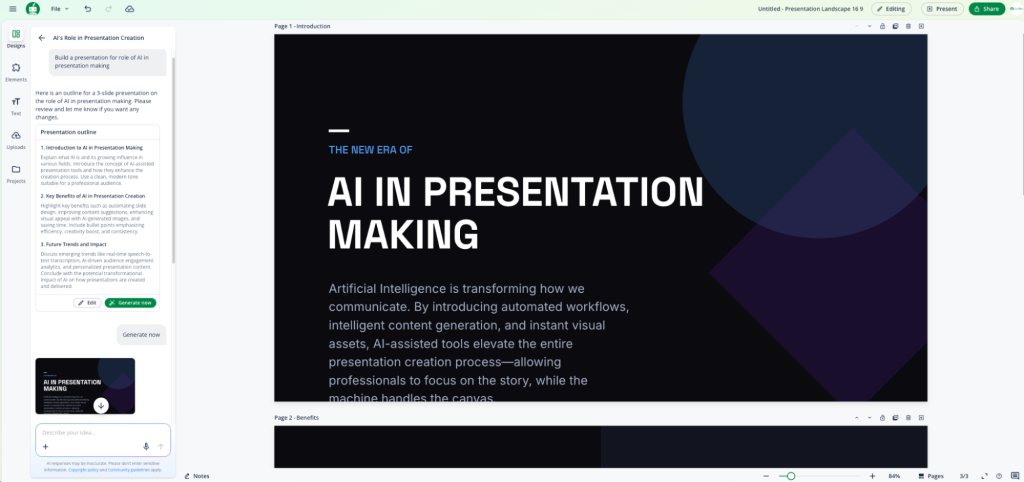
These systems typically perform several key functions:
1. Content Structuring
AI models analyze written input and break it into logical sections suitable for slides. Long paragraphs are condensed into clear bullet points. Complex explanations are reorganized into digestible segments.
2. Layout Optimization
Rather than forcing users to manually align elements, AI applies balanced layouts that maintain visual consistency.
3. Visual Suggestions
AI is increasingly incorporating visual reasoning, recommending diagrams, iconography, or illustrations based on the context of the topic.
4. Editable Output
Importantly, AI-generated decks remain fully editable. The draft becomes a foundation rather than a final product.
This approach reduces the cognitive load associated with formatting and design decisions, allowing presenters to focus on refining their message.
The Emergence of AI-Driven Presentation Tools
As demand for automation grows, specialized tools have emerged that center on streamlining slide creation. These tools aim to bridge the gap between idea generation and polished visual delivery.
One category includes platforms designed specifically for transforming text into slide decks. An example of this approach can be seen in tools categorized under AI Presentation Maker, where users input content and receive structured, presentation-ready output that can be further customized.
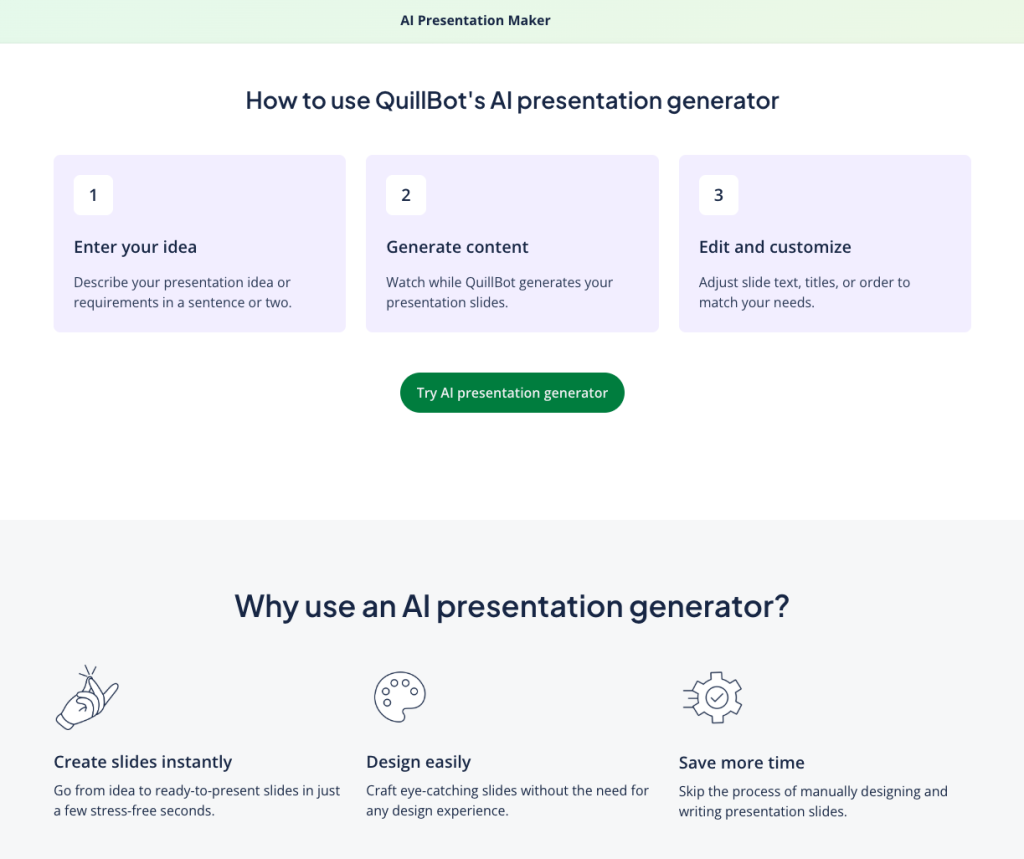
These systems don’t just automate. They supercharge. For professionals preparing pitches or educators organizing lectures, reducing slide building time from hours to minutes can significantly improve productivity.
The Role of Visual Intelligence in AI Presentations
Beyond structuring text, AI is increasingly being used to generate visual components tailored to presentation content.
Historically, presenters relied on stock image libraries or manually designed visuals. Today, generative systems can create customized illustrations aligned with slide themes. This eliminates the need to search across multiple platforms for suitable graphics.
AI Image Generator technology tools are used to generate visual images using text prompts. When integrated into presentation workflows, the tool enables more cohesive storytelling. A presenter discussing sustainability, for example, can generate a thematic visual instead of settling for generic stock imagery.
The combination of structured slides and custom visuals marks a notable shift from template-based design to adaptive, AI-assisted storytelling.
Where AI Presentation Tools Work Best
AI-powered slide creation tools are especially effective in environments where:
- Presentations are recurring
- Content must be quickly repurposed
- Teams collaborate across departments
- Non-designers are responsible for slide creation
Academic Settings
Students and educators benefit from the faster summarization of research material into lecture slides. Rather than copying and pasting excerpts, AI can condense information into structured points.
Business & Consulting
Consultants often convert reports into client-facing decks. AI assists in quickly restructuring lengthy documents into presentation-ready summaries.
Marketing & Product Teams
Campaign summaries, product updates, and performance reviews can be translated into slides without manual formatting overhead.
Limitations to Keep in Mind
While AI presentation tools offer clear advantages, they are not flawless.
Generic Tone
AI-generated slides may initially feel neutral or standardized. Human refinement is essential to ensure alignment with audience expectations.
Context Sensitivity
Complex or highly technical topics may require deeper manual review to preserve nuance.
Visual Over-Automation
Automatically generated visuals may require adjustment to match brand identity or accessibility standards.
The key takeaway is that AI should function as a collaborator, not a replacement. It handles structural groundwork, but presenters maintain creative authority.
Balancing Efficiency with Originality
One of the more subtle challenges in AI-assisted presentation creation is maintaining originality. When multiple users rely on similar tools, presentations can risk feeling uniform.
This is where personalization becomes critical:
- Adjusting tone and phrasing
- Customizing slide order
- Refining visual emphasis
- Adding contextual insights
AI provides the framework. Human input provides distinction.
The Psychological Impact of AI-Assisted Design
Interestingly, AI slide generators may also influence presenter confidence. Starting with a draft reduces the anxiety associated with a blank screen. It transforms presentation building from an intimidating task into an iterative process.
When friction decreases, creativity often increases.
Instead of worrying about formatting margins, presenters can invest time in storytelling and delivery.
What the Future May Look Like
As AI systems continue evolving, presentation tools are likely to become:
- More conversational (voice-to-slide workflows)
- More adaptive (audience-specific versions of the same deck)
- More collaborative (team editing integrated with AI suggestions)
- More multimodal (combining text, visuals, and interactive elements seamlessly)
The long-term trend isn’t just about automating slides but integrating presentation design into larger productivity ecosystems.
AI-assisted writing, summarization, and visualization tools will likely converge, creating unified environments where ideas move fluidly from draft to polished presentation.
Final Thoughts
AI is transforming the way we make presentations – not by removing the human, but by shifting the load. Structural formatting, visual alignment, and summarization, formerly tedious manual activities, are increasingly automated.
This transformation enables communicators to focus on what truly matters: clarity, narrative, and audience impact.
For professionals and educators alike, AI-assisted slide creation represents a meaningful step toward more efficient, expressive, and adaptable communication.