Construction runs on tight margins, yet it still ranks among the least digitalised industries. According to a 2024 McKinsey Global Institute report, embracing digital transformation boosts productivity by 14 – 15 percent and cuts costs by 4 – 6 percent.
That upside is hard to ignore. In the pages ahead, we’ll break down five enterprise-grade platforms moving $100 million-plus programmes toward predictable delivery. You’ll see hard ROI numbers, a transparent scoring framework, and references—such as InEight’s capital-project technology strategy—to help you choose the best fit.
Ready to build with confidence? Let’s get started.
How to size up a construction platform
Choosing software for a home remodel is simple. Selecting a system that governs a five-hundred-million-dollar bridge is another story.
Capital projects depend on tight controls, long schedules, and layers of oversight. To compare tools fairly, we created a strict yardstick. Without it, any top five list is just a popularity poll.
First, we raised the admission bar. Every platform must handle portfolios worth at least one hundred million dollars, support thousands of concurrent users, and connect to enterprise finance or scheduling systems. Point solutions and residential-only apps stopped here.
Next, we evaluated seven factors that matter most to owners and EPC teams.
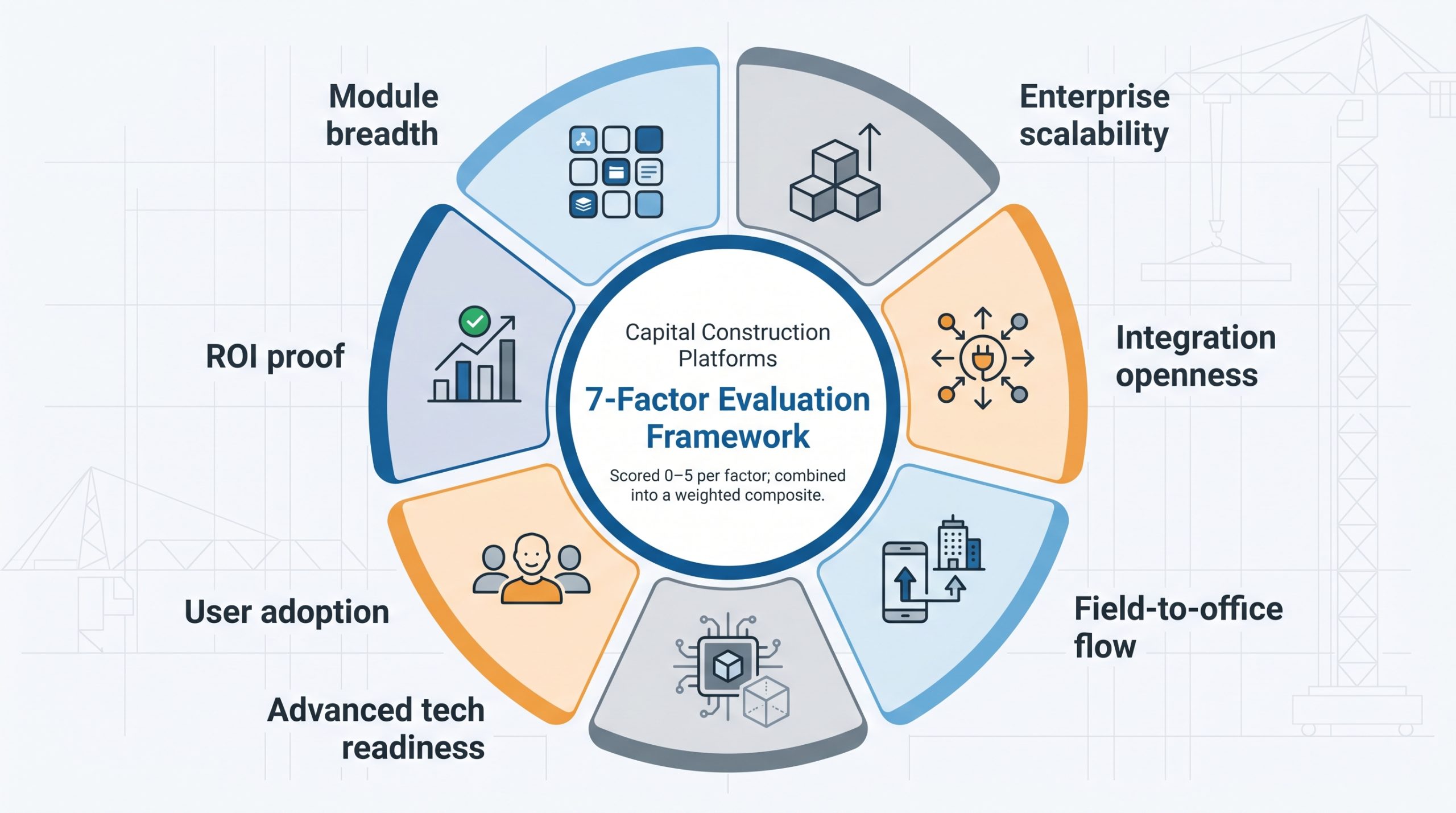
- Module breadth. Does the platform cover cost, schedule, documents, and field data in one interface?
- Enterprise scalability. Can it stay responsive on multi-year, multi-billion-dollar programs?
- Integration openness. APIs, native connectors, and a common data environment earn high marks.
- Field-to-office flow. Mobile apps, offline sync, and real-time dashboards keep crews and executives in sync.
- Advanced tech readiness. Look for built-in AI forecasting plus BIM or digital-twin support, not bolt-ons.
- User adoption. An intuitive UI and guided training shorten the change-management ramp-up.
- ROI proof. Case studies or independent surveys that show real cost or schedule gains.
We scored each area on a five-point scale, weighted the results, and tallied a composite. The outcome is a data-driven snapshot of which platforms move the industry forward today.
1. InEight: integrated project controls for mega projects
InEight was born on the jobsite, not in a software lab, and that field DNA shapes both its product and its research.
The capital project technology strategy from InEight shows that high-performing owners and EPCs start by linking technology choices to clear business objectives, a mindset reflected in the software itself.
Instead of treating cost, schedule and field data as separate silos, the platform weaves them into a single live model. Open a dashboard and you’ll see yesterday’s concrete-pour quantities next to a Monte Carlo risk forecast for next month’s budget draw, giving one source of truth that cuts surprises and speeds decisions for everyone from the field superintendent to the CFO.

InEight integrated project controls dashboard screenshot.
Coverage is the first standout. The suite combines estimating, scheduling, cost, document control, risk, and field execution in one place. It replaces patchwork stacks like Primavera plus Aconex plus separate cost tools. Because each module shares the same data backbone, a design change in the model flows through work packages and updates the forecast within minutes. No spreadsheet gymnastics.
Scale comes next. InEight supports infrastructure and energy programmes worth several billion dollars, with more than two thousand users logged in across continents. Performance even holds on half-finished tunnel sections where crews work offline and sync when they regain a signal.
Integration completes the picture. Built-in connectors pull actuals from SAP, push schedules to Primavera P6, and surface BIM data inside native reports. If you already run an ERP or drone-mapping workflow, InEight can exchange data through open APIs.
User experience matters just as much. A modern interface and role-based training paths guide adoption. Field engineers see only the mobile tasks they need, while controllers track earned-value trends. The tool still demands change-management effort, but the UI removes a major hurdle.
Drawbacks? Pricing targets large enterprises, and the learning curve is steep for teams new to formal project controls. Still, for owners and EPCs who want predictable delivery at scale, InEight sets the benchmark for this list.
2. Procore: collaboration powerhouse with an open ecosystem
Procore’s promise is clear: put every stakeholder on the same page, in real time, from day one. Open a drawing on your tablet, mark an RFI, and the architect across the country sees it seconds later. That speed cuts the back-and-forth that stretches schedules and erodes trust.
The engine behind that flow is Procore’s open marketplace. More than five hundred ready-made integrations connect the platform to ERPs, drone imagery, reality-capture tools, and safety wearables. You choose the tech stack; Procore keeps the data moving.

Procore construction collaboration platform interface screenshot.
Field usability seals the deal. The mobile app works offline, syncs when signal returns, and guides supers with location-based punch lists. Crews snap photos, record voice tags, and move on without wrangling spreadsheets. Executives watch live dashboards that roll up cost and schedule performance across dozens of projects.
Scale is proven. ENR Top 400 contractors run global portfolios on Procore, demonstrating it can support multi-billion-dollar workloads without slowing down. Recent AI updates add predictive Insights that flag cost or safety risk, shifting teams from reactive to proactive.
Two caveats remain. Pricing is premium and tied to project volume, and deep cost forecasting still leans on partner apps. If fractured communication tops your pain list, though, few tools close the gap as decisively as Procore.
3. Autodesk Construction Cloud: bridging design and site with BIM at the core
Autodesk owns the design desk, so expanding that DNA into construction always seemed natural. Autodesk Construction Cloud (ACC) makes it real by sending Revit models, coordination workflows, and field tasks through one login. Designers move a beam in the model; site teams see the change on their tablets before steel leaves the yard. That closed loop erases the “latest drawing” confusion that drives costly rework.
ACC’s power is vertical integration. Preconstruction takes place in BuildingConnected, model coordination in BIM 360, field execution in Autodesk Build, and quantity takeoff in Assemble. Because each module shares the same data layer, clashes caught in the virtual build roll straight into task lists and cost forecasts without manual exports.

Autodesk Construction Cloud BIM-centric construction management screenshot.
Advanced tech is not an add-on here; it is the product. Machine-learning engines rank RFIs by risk, generate submittal logs, and predict schedule slips from historical patterns. On complex projects, that foresight has helped firms cut rework by 36 percent and lift on-time completion rates by 50 percent, according to Autodesk’s 2025 Business Value report.
Field crews judge software by how it feels at 6 a.m. with no signal. ACC inherits PlanGrid’s mobile UI with offline markup, voice notes, and location-based punch lists. When the tablet reconnects, office dashboards update instantly, so managers track progress without chasing emails.
The trade-offs? ACC works best when 3D models steer the job. Teams still tied to 2D CAD or PDFs may underuse its strengths. Pricing also climbs as more modules go live, so disciplined license management is essential.
For BIM-centric projects that need design-to-handover continuity, ACC clears silos and last-minute surprises, giving capital-project leaders a safer path through razor-thin margins and public scrutiny.
4. Trimble Unity Construct: program control built for owners
Owners juggle dozens of concurrent projects, each with its own funding source, approval chain, and audit trail. Trimble Unity Construct (formerly e-Builder) was created for that reality.
The platform treats capital planning and governance as first-class citizens. You set budget baselines at portfolio level, trace every change order back to funding, and push pay applications through a workflow Finance can audit. The result is a real-time view of commitments, forecasts, and cash flow that satisfies board meetings and bond rating reviews.
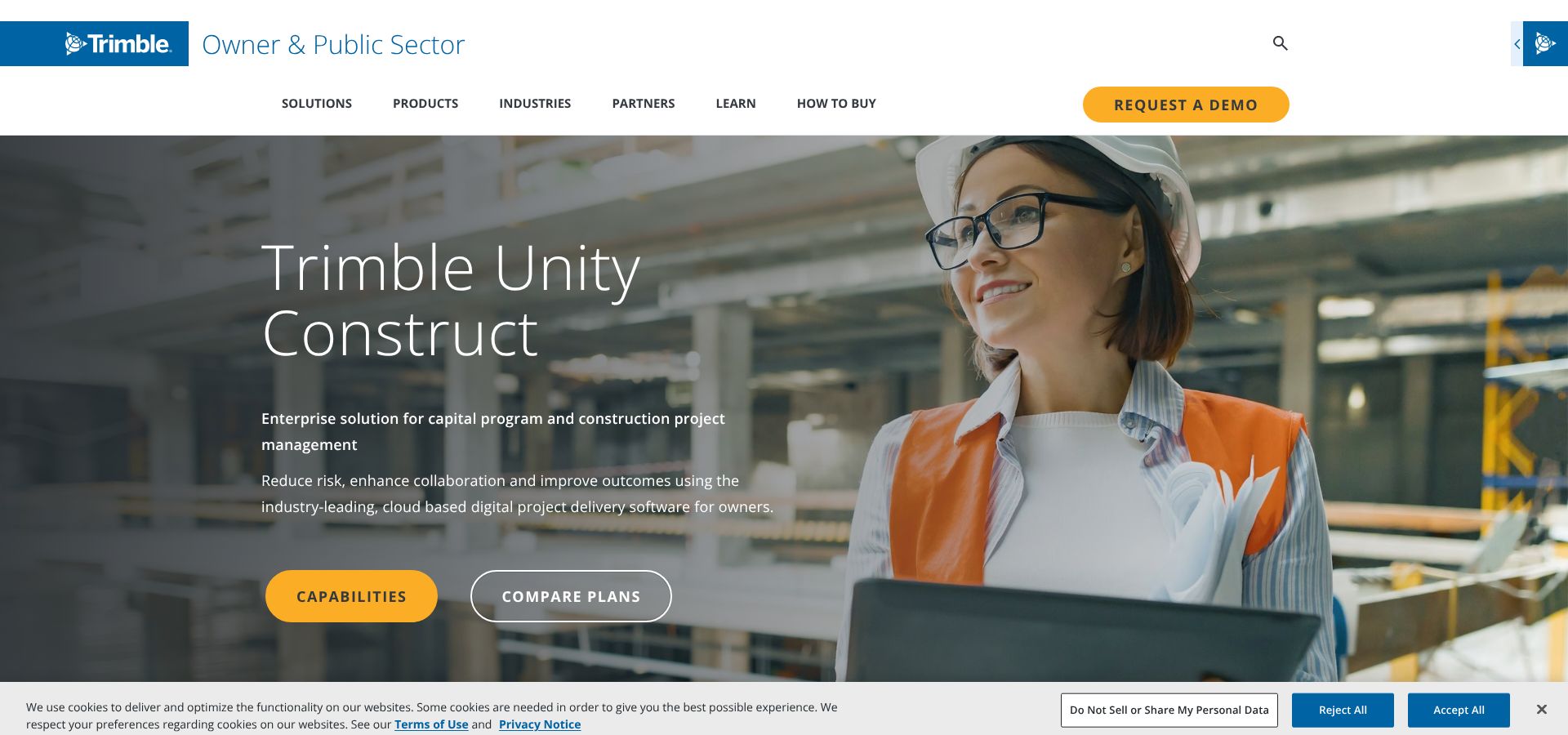
Trimble Unity Construct capital program management dashboard screenshot.
Unity workflows are strict by design yet stay flexible. A drag-and-drop form builder lets teams tailor RFI, submittal, or invoice steps without code. Agencies can mirror familiar processes instead of retraining staff.
Field capability is solid. Inspectors capture photos, log issues offline, and sync once Wi-Fi returns. Integration with Trimble Connect brings 3D models to the site, so clashes caught in the office appear as to-dos for crews.
Unity performs best in public and institutional settings. State DOTs, universities, and healthcare systems use it to track billions in spend with audit-ready precision. Contractors sometimes complain about double data entry when they also run Procore or P6, but owners accept that trade-off for portfolio transparency.
If your mandate is to guard taxpayer dollars or donor funds, Unity Construct supplies the governance backbone spreadsheets never could. Be ready for a culture shift; the system will surface every late approval and blown contingency, which is exactly what strong program oversight needs.
5. Kahua: low-code flexibility for bespoke workflows
Most platforms ask you to bend your process to fit their menus. Kahua flips that idea. Built on a low-code framework, it lets teams spin up custom apps, with no developer required, to match the project-specific workflows that shape capital programs.
Picture a facility upgrade that needs an asbestos-tracking log. In Kahua, you clone a template, add the fields you need, set permissions, and publish to field tablets before lunch. The new module lives beside native RFIs, contracts, and cost reports, sharing the same data layer so nothing drops into a silo.

Kahua low-code construction workflow builder interface screenshot.
That adaptability has earned trust in government circles. The U.S. Air Force and several state agencies run Kahua’s FedRAMP-authorized cloud to manage multi-billion-dollar portfolios while meeting strict security rules. Commercial owners follow when they want software that grows with them instead of forcing a single path.
Mobile usability is solid. Field staff complete forms offline, mark up photos, and record quick voice notes. API-first integrations connect to Power BI, Oracle, or drone-mapping feeds without fuss. AI features are early, yet the roadmap points toward predictive analytics that learn from your custom data models, a promising alternative to one-size-fits-all algorithms.
Two trade-offs matter. Out of the box, Kahua ships with fewer prebuilt reports than the large suites, so allow time for setup. Because every team can tailor the environment, governance discipline is essential to prevent uncontrolled sprawl.
If your organization resists rigid software and values owning its processes, Kahua supplies a sandbox where teams can adapt quickly while keeping data aligned.
How the five stack up at a glance
The scores below apply our seven-factor rubric, each weighted evenly as of the 2026 assessment cycle.
| Platform | Scope | Scale | Integration | Field link | Future-ready | Total |
| InEight | 5 | 5 | 4 | 4 | 4 | 22 |
| Procore | 4 | 4 | 5 | 5 | 3 | 21 |
| Autodesk CC | 4 | 4 | 4 | 4 | 5 | 21 |
| Trimble Unity | 3 | 4 | 4 | 3 | 3 | 17 |
| Kahua | 3 | 3 | 4 | 3 | 2 | 15 |
Scores run 0 – 5 per criterion and reflect public documentation, enterprise references, and hands-on feedback. Your priorities may shift the order, but the spread shows why these five lead the wider field.
Honorable mentions and why they missed the cut
Plenty of capable tools sit outside our top five. That doesn’t make them less valuable; they simply excel in narrower lanes or demand more integration effort to reach full potential.
- Oracle Primavera Cloud and Aconex. Still considered the gold standard for precise scheduling and rigorous document control on mega infrastructure builds. Teams fluent in P6 logic swear by them, but the suite’s fragmented user experience and module juggling leave gaps in field collaboration that modern programs expect.
- Deltek Cobra. Peerless at cost engineering and earned-value analytics. If forecast accuracy tops your KPI list, Cobra merits a look. Be ready to bolt on RFIs, drawings, and daily reports, and budget for integration work to keep everything aligned.
- Bluebeam Revu, PlanRadar, Fieldwire, Buildertrend. These specialised point solutions cover drawing markup, snag management, field task coordination, or residential workflows. Many firms pair them with an enterprise platform to fill specific gaps rather than relying on them as a backbone.
The takeaway? Match tool to objective. Need deep scheduling? Choose Oracle. Want portfolio-wide auditability? Unity Construct still leads. Only need punch lists? A lightweight field app may beat a full suite every time.
Change management: the real project killer
Software alone never saved a project. People and process decide the return.
Most teams stumble at rollout. Licenses get purchased, logins issued, and field crews slip back to the spreadsheets they trust. The 2023 Global Capital Projects Outlook reports that only forty-seven percent of projects finished on or ahead of schedule after new tech arrived, up from forty percent the previous year, yet still far from ideal.
Winning rollouts start with a story. Show crews what they lose by clinging to old habits—duplicate data entry, surprise overruns, weekend catch-up. Pair that narrative with practical training: role-based videos, on-site champions, and quick-win reports that let supervisors see progress the same day they submit it. Momentum builds when field data changes tomorrow’s plan instead of vanishing into a dashboard no one opens.
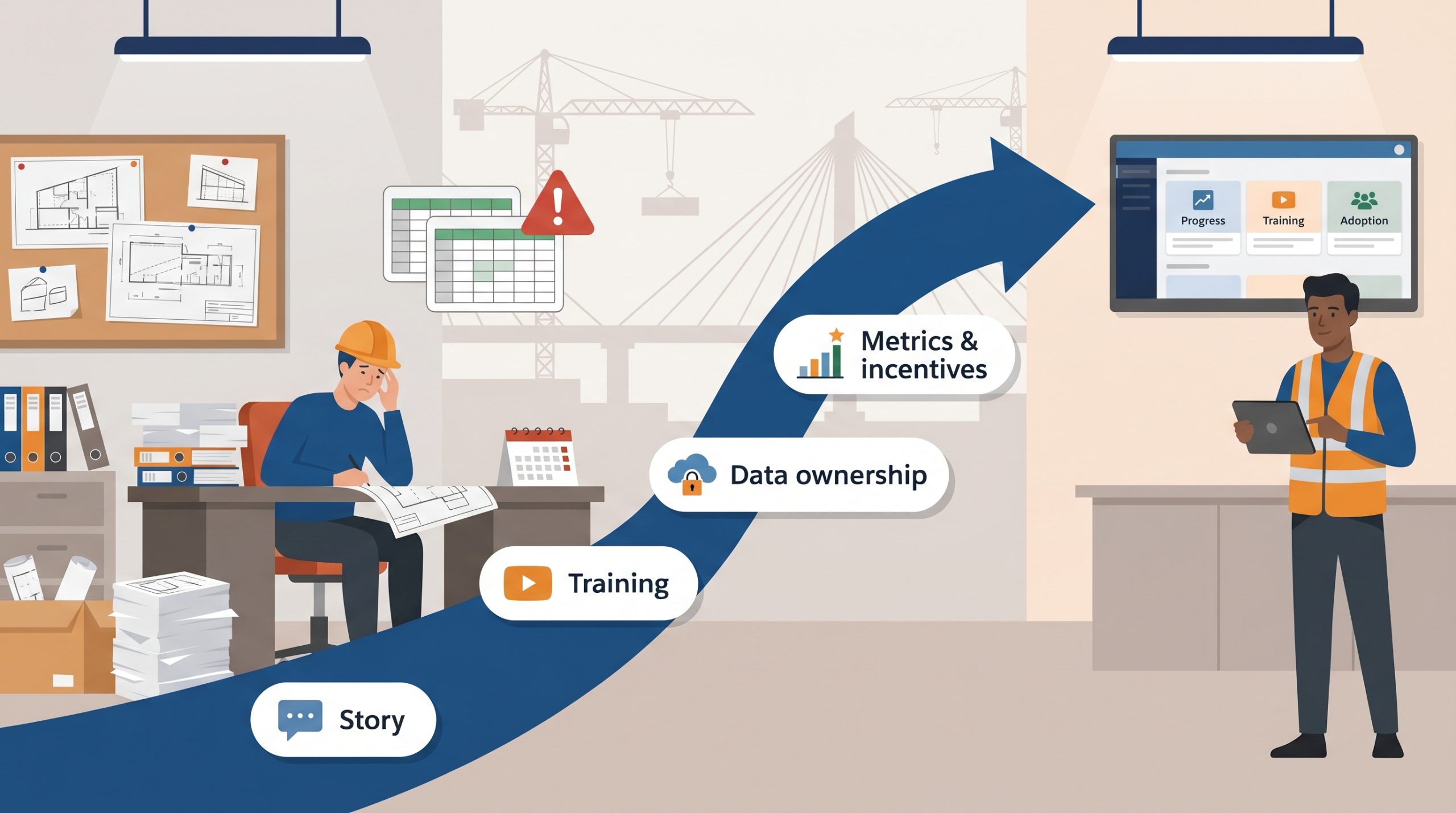
Data ownership is the next hurdle. Cloud platforms store drawings, contracts, and sensor feeds. Owners worry about being locked out; contractors worry about exposing margins. Solve both with clear contracts and open APIs. Specify export formats, retention periods, and handover requirements before the first file upload. If a vendor resists, treat it as a warning sign.
Finally, weave change management into progress tracking. Tie training completion to project milestones, surface adoption metrics in weekly reviews, and recognise teams that hit both production and data-quality targets. When digital workflows become the easiest path to payment and praise, resistance fades fast.
The road ahead: AI copilots, digital twins, and tighter data loops
Construction tech is entering a second act. The first wave turned paper into pixels; the next will predict, prescribe, and in some cases automate delivery.
Artificial intelligence already flags high-risk RFIs. By 2028, most platforms are expected to suggest mitigation steps before a manager asks. Digital twins will carry as-built data into operations, giving facility teams a live model that updates when a valve is replaced, not six months later. IoT sensors—from concrete-curing probes to smart hardhats—will stream real-time signals into scheduling engines so crews can re-sequence work as conditions shift.
Open data standards will connect the parts. Owners now write ISO 19650 or “data drop” clauses into contracts to guarantee handover quality. Platforms that support open APIs and simple export tools will lead, while closed systems risk falling behind.
Conclusion
Digital transformation is no longer a stretch goal; it is construction’s new baseline. The sooner we act, the faster megaproject chaos turns into predictable value.