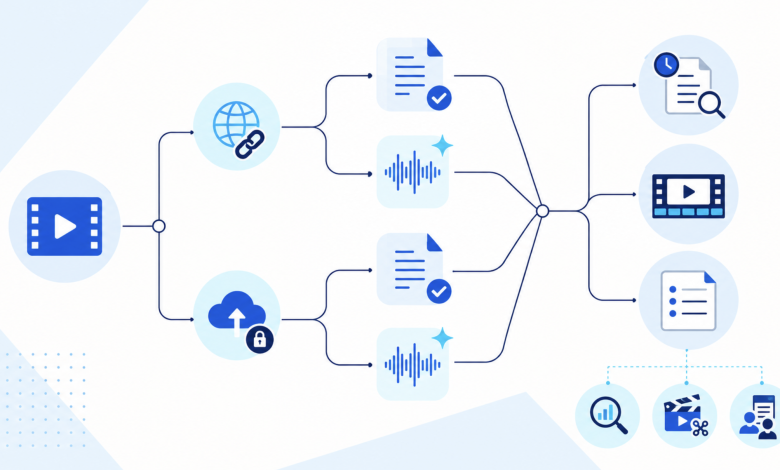
A researcher receives a YouTube link to a 45-minute panel. A content team has the original recording of a product interview. Both need searchable text, but the path from video to a usable transcript is not the same. The first task depends on direct URL handling and access to the online source. The second requires file upload, careful speaker review, and an output that can continue into an editing or documentation workflow.
That distinction matters when comparing AI transcription tools in 2026. A long feature list says little unless it matches the source, the review process, and the next task. This guide organizes ten current tools around those practical differences. The numbered order makes the comparison easier to navigate. It is not a controlled performance ranking, and no claims about relative accuracy or speed are made.
How to compare AI transcription tools before choosing
Start with the route into the workspace. A tool built around public video links removes the need to download media. An upload-first service is better suited to recordings stored locally or in a team drive. Meeting assistants add a third route by capturing a conversation as it happens. These paths are not interchangeable when access permissions, source quality, or recording consent matter.
Next, inspect how the result can be checked. Timestamps should lead back to the relevant moment, not merely decorate the text. Multi-speaker material needs labels that reviewers can correct. Names, figures, acronyms, and quotations need a direct path back to the source because a fluent sentence can still contain the wrong detail.
The last comparison point is what follows transcription. Plain text may be enough for research notes. Subtitle work needs timing and a compatible export. A creator may want to edit media through the transcript, while an editorial team may need comments and shared review. The best fit is the product that supports the whole path without adding steps that the user will have to undo later.
Review effort belongs in the comparison too. A simpler interface with direct playback may be more useful than extra generation features when every quotation requires confirmation.
| Tool | Source path to examine | Strongest workflow emphasis | Important point to confirm |
|---|---|---|---|
| Descript | Uploaded audio and video | Text-based media editing | Whether the wider editor fits the task |
| Decopy | Public YouTube URL | Searchable online-video transcript | Whether the source is accessible and supported |
| Trint | Uploaded or captured media | Collaborative editorial review | Which collaboration controls are needed |
| Sonix | Uploaded audio and video | Browser review and subtitle work | Required language and export support |
| Video to Transcript | Local files and YouTube URLs | Mixed-source transcript workflow | Which options apply to each source type |
| Happy Scribe | Uploaded or linked audio and video | Automated or human review paths | Appropriate service level for the output |
| Riverside | Recorded or uploaded media | Recording through post-production | Whether separate audio tracks are available |
| Otter | Meetings and imported files | Searchable conversation knowledge | Capture method and recording consent |
| VEED | Uploaded audio and video | Captions inside video editing | Export availability under the active plan |
| Notta | Meetings and imported files | Searchable notes and collaboration | Sharing and retention requirements |
1. Descript
Descript suits a creator who does not want transcription to end in a detached document. Uploaded audio or video becomes editable text, and changes made through that text can shape the underlying media. Captions, translation, and filler-word handling sit inside the same production environment.
The main advantage is continuity. A podcast editor can locate a passage by reading, correct the transcript, and keep working on the recording without rebuilding the project elsewhere. That wider scope can also be a limitation. A person who only needs a searchable transcript may not benefit from a full media editor, so the extra workflow should earn its place.
2. Decopy
Decopy addresses the link-first side of the problem. When the source is a public YouTube video, its free YouTube transcript generator creates structured, searchable text with timestamps. The current page also presents synchronized playback, one-click copying, PDF or TXT export, and follow-on views such as summaries, mind maps, and FAQs.
This route is useful when downloading the source would add an unnecessary step. A researcher can find a passage in a tutorial, return to the matching moment, and preserve the source URL beside the notes. The boundary is equally clear. A local interview file belongs in an upload-based workflow, and any quotation taken from public video still needs context and reuse rights checked before publication.
3. Trint
Some transcripts are passed between a reporter, editor, and producer before a line is approved. Trint is designed around that shared editorial process, with searchable text, source-linked review, and simultaneous collaboration in its transcript editor. The transcript functions as a working record rather than a one-time export.
That model can reduce version confusion when several people need to verify quotations or assemble a story. It is less compelling for private note-taking where no handoff exists. Before choosing it, map the actual reviewers and approvals. Collaboration is valuable only when it reflects how the team already works.
4. Sonix
Sonix centers the browser review of uploaded audio and video. Its product materials describe transcript editing, search, organization, translation, and subtitle preparation. The value is not merely producing text but keeping a growing media library findable and correctable.
Consider a training team maintaining recordings across several topics. Search can locate repeated explanations, while subtitle exports can support a later publishing step. Language availability and the required export format should be checked against the current product before a project begins, especially when localization is part of the plan.
5. Video to Transcript
A mixed library creates a different problem. One source is a webinar file, the next is a YouTube link, and both need a consistent review process. Video to Transcript accepts local video or audio as well as supported YouTube URLs. Its result workspace presents timestamps, editable speaker names, AI notes, translation, a mind map, transcript questions, and copy or download actions.
For supported local uploads, optional speaker detection can separate voices before the reviewer corrects the labels. It should not be assumed to apply identically to URL-based sources. An AI video to text converter is relevant here because the result stays connected to the source while it is reviewed. Users should confirm current input conditions, then inspect names, numbers, and technical language before moving the text downstream.
6. Happy Scribe
Not every recording deserves the same review process. Happy Scribe provides automated transcription as well as a human-made transcription route. Its official product pages also describe speaker identification, timestamps, an online editor, and document or subtitle exports.
That range helps an organization separate working notes from text intended for publication. A rough internal transcript may only need targeted checks, while a public interview may justify a more formal review. The decision should follow the consequence of an error, not a blanket preference for one service level.
7. Riverside
Riverside starts earlier in the media lifecycle. Remote recording, transcription, captions, and transcript-based editing are connected in one environment. A webinar host or podcast producer can therefore move from capture to review without treating transcription as a separate job.
Speaker separation has an important boundary. Riverside labels participants when each person is recorded on a separate audio track. If several people share one microphone, or an uploaded file contains a single mixed track, the transcript will not automatically separate those voices. This workflow is strongest when the recording setup is part of the decision rather than an afterthought.
8. Otter
Otter is shaped around live and recurring conversations. It supports meeting capture and imported audio or video, then organizes the result into a transcript with AI-generated notes that can include summaries, outlines, and action items. The recording becomes part of a continuing meeting knowledge base rather than a standalone file.
That approach fits lectures, interviews, and project calls where decisions and follow-up matter as much as the verbatim text. It is not primarily a subtitle-production environment. Teams should check the capture method, obtain appropriate consent, and decide who may access the resulting conversation record.
9. VEED
For a creator preparing publishable video, transcript correction and caption production often happen together. VEED places uploaded audio or video inside an online editor, where transcript or subtitle segments can be corrected before the project continues. Its current product page describes TXT, VTT, and SRT downloads under applicable plans, along with translation and video editing.
The integrated approach avoids moving text between disconnected tools during caption work. A researcher who only wants interview notes may prefer a simpler workspace. Anyone selecting VEED for a specific delivery format should confirm that the export is available under the current plan.
10. Notta
Notta sits between meeting capture and a shared note workspace. It supports online conversations and imported files, with searchable transcripts, summaries, collaboration, and team controls presented on its official pages. That makes it relevant when recorded discussion needs to remain available beyond the meeting.
A course group might organize seminar recordings, while a project team could retrieve an earlier decision. The important checks concern permission, sharing, and retention. For detailed subtitle timing or media editing, a product centered on video production may offer a more direct route.
Choose AI transcription tools by source, not by category label
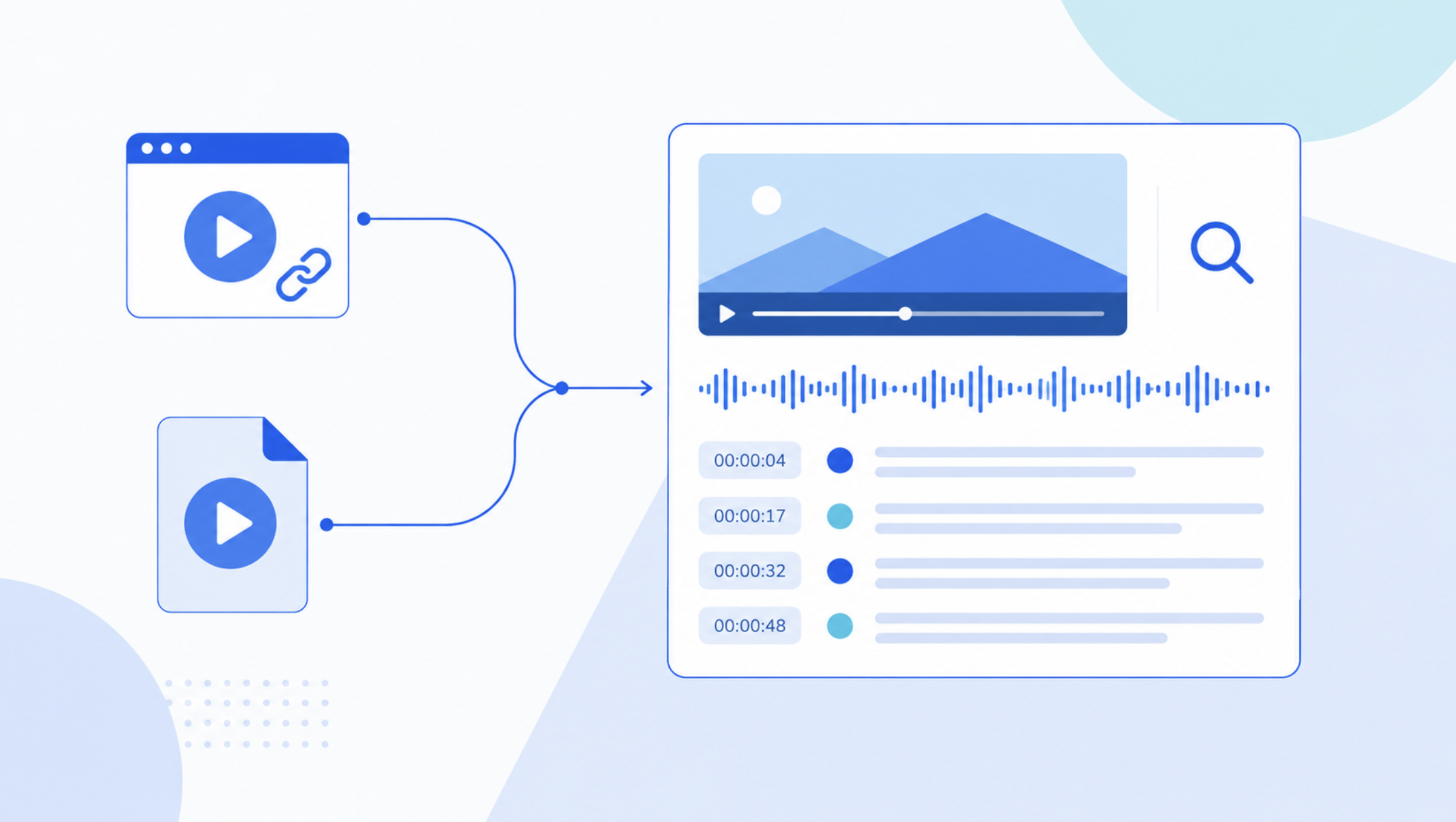
The phrase “video transcription” hides several different starting points. A YouTube URL is a reference to media hosted elsewhere. Direct-link tools can remove download and upload steps, but they depend on access to that source. Keep the URL, title, creator, and publication date beside any notes so a future reviewer can return to the original context.
A local upload gives the user direct control over the source file. This path is appropriate for an interview, lesson, or product recording that is not publicly hosted. Before upload, confirm that the file type is supported and that the recording may be processed by the selected service. Private content also requires a clear decision about where the transcript will be stored and who may read it.
Existing captions create another branch. If accurate captions already exist, extracting and reviewing them may be more efficient than generating a fresh transcript. Check whether they represent the spoken language, whether they include useful timing, and whether they were automatically generated. A caption file is not automatically publication-ready merely because it is available.
Caption provenance also affects the decision. Creator-supplied captions may contain intentional spellings and corrections that an automated pass would lose, while platform-generated captions may still require the same scrutiny as a new transcript. Preserve the original caption file before editing so reviewers can distinguish source text from later corrections.
Videos without captions require speech recognition from the audio. Recording conditions then matter more. Overlapping voices, background sound, unfamiliar terminology, and weak microphones can increase review work. No feature list removes the need to inspect important passages against the source.
Match the output to the job after transcription
A research workflow needs search, timestamps, and a reliable way to preserve source context. Clean TXT or a document export may be sufficient. The reviewer should keep a short source note and mark uncertain wording instead of silently resolving it from assumptions.
Caption production has different requirements. Spoken text must be corrected, but timing, line breaks, reading pace, and relevant non-speech information also need attention. A transcript can be the starting point, while SRT or VTT support and a subtitle editor determine how efficiently it becomes an accessible deliverable.
Media editing favors a transcript that remains connected to the recording. A creator should be able to select a sentence, hear its source, and understand whether changing the text also changes the media. Collaboration matters when several reviewers are involved, but it should not force unnecessary permissions or handoffs on a solo project.
A practical transcript review sequence
First, verify identity. Replace generic speaker labels only when the voice can be confirmed. In interviews or panels, review every speaker change around interruptions because overlapping speech can cause a sentence to be assigned to the wrong person.
Second, isolate details that are costly to misstate. Search for names, company names, product terms, dates, quantities, URLs, and acronyms. Play the relevant segment and compare the transcript with what was actually said. If a number remains unclear, mark it for confirmation rather than choosing the most plausible value.
Third, inspect timestamps as navigation aids. Open several points across the recording and confirm that the text leads to the right moments. For captions, timing needs a more detailed review than it does for research notes. For quoted material, the surrounding passage matters because a correct sentence can still be misleading when removed from its context.
Finally, prepare the text for its destination. Remove transcription artifacts without changing meaning, preserve source references, and export in the format the next person can use. A summary or AI-generated note should remain separate from the verified transcript so interpretation is not mistaken for the spoken record.
Make the decision from both ends of the workflow
Begin with the source: YouTube link, local file, meeting capture, or existing captions. Then define the destination: searchable notes, approved quotations, subtitles, collaborative review, or media editing. Those two decisions eliminate more unsuitable products than a long comparison of generic AI features.
Shortlist tools that connect those endpoints, and test the review path with permitted representative material. The useful question is not which product has the longest feature page. It is whether the transcript can be traced back to the source, corrected efficiently, and delivered in a form that supports the next task.