



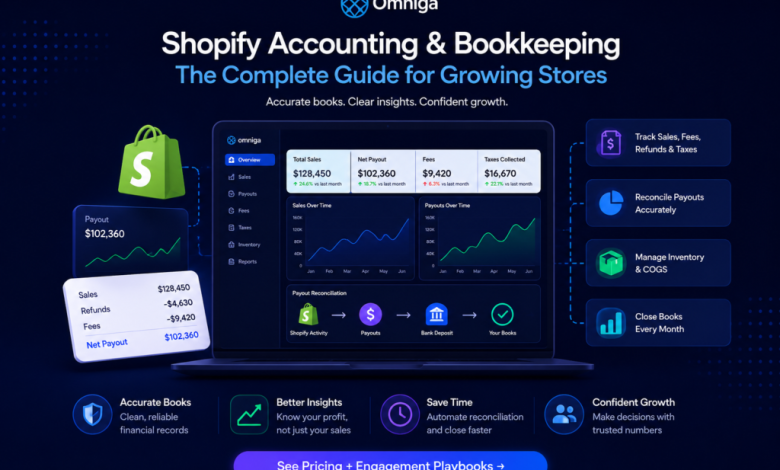

Shopify sales reports do not equal clean books. A growing store creates far more financial activity than the revenue number shown on its dashboard: discounts, sales tax or VAT, payment-processing fees, refunds, gift cards, shipping, inventory, chargebacks, and multiple payment methods all affect the final result.
Shopify then groups much of that activity into payouts before cash reaches the bank. That creates the core Shopify accounting challenge: the amount deposited in the bank is not the same as sales, profit, or even the amount currently owed to the business. Accurate Shopify bookkeeping turns that activity into financial records you can trust.
For a small store with a limited number of orders, the differences may be manageable manually. As order volume, countries, payment providers, and sales channels increase, the process needs clear accounts, consistent reconciliation, and a monthly close. This guide explains what to track, how to reconcile Shopify payouts, how to handle taxes and inventory, and when to bring in specialist support.
What Is Shopify Accounting and Bookkeeping?
Shopify bookkeeping is the process of recording and organizing a store’s financial activity, including sales, discounts, refunds, fees, taxes, shipping, inventory, and cost of goods sold (COGS). Accounting uses those records to prepare financial statements, calculate profit, support tax reporting, and help owners make informed decisions.
The distinction matters. Bookkeeping answers what happened financially. Accounting helps explain what the numbers mean for cash flow, profitability, pricing, tax exposure, and growth. A Shopify business needs both functions, even when the same owner, software platform, or provider performs them.
Why Shopify Accounting Is More Complex Than It Looks
Shopify sales and bank deposits do not always match
Suppose your store records $10,000 in sales. You should not automatically expect a $10,000 bank deposit. Between the sale and the payout may be refunds, payment-processing fees, chargebacks, adjustments, reserves, holds, currency conversion, and timing differences. Shopify’s payout reporting tracks these balance movements, but payout activity is not the same as accounting revenue.
Different payment methods create separate cash flows
Not every customer payment takes the same route. A store may receive funds through Shopify Payments while also using PayPal, Shop Pay, Stripe, or other providers. Each processor can charge different fees and pay out on a different schedule. Every flow must reach the accounting records without being duplicated or omitted.
Refunds can occur in a different month
A customer may buy in December and receive a refund in January. The cash movements happen in different months, and the accounting treatment may require review under the business’s reporting policy. At low volume, these transactions are easy to inspect manually. At scale, they create reconciliation issues unless the process consistently captures refunds, disputes, and adjustments.
What to Track in Shopify Bookkeeping
A reliable Shopify bookkeeping process separates the major components of each transaction rather than treating every bank deposit as sales. At a minimum, track:
- Gross and net sales activity
- Discounts applied to customer orders
- Refunds, returns, and related sales adjustments
- Sales tax, VAT, GST, or similar taxes collected
- Payment-processing and platform fees
- Chargebacks, disputes, and dispute-related fees
- Gift card sales, redemptions, and outstanding balances
- Customer shipping income and fulfilment costs
- Inventory purchases and stock on hand
- COGS for products actually sold

Gift cards deserve particular care. Cash received when a gift card is sold is generally not product revenue yet; it represents an obligation to provide goods or services when the card is redeemed. Similarly, inventory purchases are not automatically COGS. The cost of unsold goods remains an inventory asset until those goods are sold, subject to the accounting method used by the business.
Shopify finance and tax reports are useful source data for sales, payments, gift cards, gross profit, and tax. They still need to be classified, reconciled, and reflected correctly in a complete accounting system.
How to Do Bookkeeping for a Shopify Store
- Separate business and personal transactions. Use dedicated business bank accounts and cards. Mixing personal spending with store activity creates cleanup work and makes it harder to understand actual operating costs, cash flow, and profit.
- Set up a Shopify-aware chart of accounts. Your chart of accounts should distinguish product revenue, discounts, refunds, Shopify and payment fees, shipping income and expense, advertising, inventory, COGS, sales tax or VAT liabilities, and payment-clearing accounts. The goal is not hundreds of accounts; it is to separate the numbers management needs to understand.
- Use payment-clearing accounts. A clearing account temporarily bridges gross customer activity and the later net payout deposited into the bank. It gives you a visible audit trail from order-level activity to the settlement, rather than burying revenue, fees, refunds, and taxes inside one deposit.
- Record gross activity, not only net deposits. Do not record a net payout as if it were the original sale. If there are $10,000 in product sales, $500 in refunds, $300 in fees, and $100 in adjustments, a $9,100 bank movement is not $9,100 in revenue. Your books should preserve the components that explain how store activity became cash.
- Reconcile every payment channel. Match Shopify and payment-provider activity to the payout, bank deposit, and accounting ledger. A bank feed tells you money arrived; it does not identify every transaction within the settlement. Reconcile Shopify Payments, PayPal, and all other providers separately.
- Track inventory and COGS. Buying $30,000 of stock does not necessarily mean the full $30,000 is COGS for the month. COGS generally reflects the cost of inventory actually sold. Without dependable inventory and COGS data, revenue can look strong while gross margin is inaccurate.
- Close the books every month. Do not wait until tax season. A month-end close should confirm that bank accounts and payment providers reconcile, sales and refunds are captured, fees are recorded, tax balances are reviewed, inventory and COGS are updated, and unexplained balances are investigated.
How to Reconcile Shopify Payouts Correctly
Payout reconciliation is one of the most important Shopify bookkeeping controls. Connect the chain from Shopify activity to payout, from payout to bank deposit, and from bank deposit to the accounting ledger. Keep sales, refunds, fees, disputes, and adjustments visible rather than reducing them to one net deposit.
| Activity | Amount |
| Gross customer charges | $25,000 |
| Refunds | -$1,200 |
| Processing and related fees | -$700 |
| Other adjustments | -$100 |
| Net Shopify Payments balance movement | $23,000 |
This example is simplified. Actual payouts may include timing differences, reserves, holds, foreign-currency effects, and opening or closing balances. The key point is that $23,000 is not automatically $23,000 of sales: the accounting records must preserve the components that produced the settlement.
As a business adds marketplaces and payment providers, Shopify bookkeeping should keep sales, fees, refunds, chargebacks, and adjustments identifiable while tying net payouts back to the bank deposit and general ledger.
How to Handle Shopify Sales Tax, VAT, and GST
Treat tax collected from customers as a liability, not revenue. Separate it from operating sales, reconcile it to store tax reports, track amounts owed and amounts remitted, and investigate differences before filing. Depending on the country, product, customer location, and registration status, a merchant may face sales tax, VAT, GST, or another indirect-tax obligation.
Shopify can provide tax calculation and reporting features when configured, but merchants are still responsible for understanding their own obligations unless a specific marketplace arrangement takes responsibility for collection and remittance. If you sell across jurisdictions, get qualified tax advice before filing or changing tax settings.
Shop-channel tax is different from storefront tax
Since January 1, 2025, Shopify’s Shop channel has collected, remitted, and filed US sales tax for eligible orders as a marketplace facilitator. This does not mean tax on a merchant’s own Shopify storefront is automatically remitted by the Shop channel. Keep facilitator-collected tax separate from tax that your store is responsible for remitting, so the same amount is not paid twice.
This guide is educational and is not tax or accounting advice. A qualified accountant or tax professional should confirm the treatment that applies to your business and jurisdictions.
Does Shopify Replace Accounting Software?
No. Shopify provides valuable sales, payment, payout, and tax data, but it does not replace a complete accounting ledger. Most growing e-commerce stores use Shopify alongside QuickBooks or Xero, supported by reliable Shopify bookkeeping services and a regular reconciliation process.
Automation can save time, but it does not guarantee accurate books. Payouts, bank deposits, clearing-account balances, and ledger entries still need review to ensure financial statements are accurate and explainable. The most effective bookkeeping approaches combine AI-powered bookkeeping workflows with manual accountant review, so businesses can automate routine work while maintaining financial accuracy and control.
When Should a Shopify Store Hire a Bookkeeper?
Specialist support becomes valuable when you spend more time fixing the books than using them. Common signs include:
- Shopify payouts do not reconcile consistently
- Multiple processors, marketplaces, currencies, or sales channels are in use
- Inventory and COGS are unreliable or reporting is consistently late
- Refunds and chargebacks create recurring unexplained differences
- Management does not trust the profit and loss statement
A capable Shopify bookkeeper should clearly explain how they reconcile net payouts to gross sales, account for refunds, fees, and disputes, handle processors outside Shopify Payments, treat inventory and COGS, and document reconciliation differences. Businesses with manufacturing, SKU-level costing, or complex multi-location warehouses should also assess whether they need dedicated inventory systems or specialist support.
Common Shopify Bookkeeping Mistakes to Avoid
- Recording every payout as sales. A payout is a net settlement, not the original sale.
- Mixing taxes with revenue. Tax collected from customers is usually an amount owed to a tax authority.
- Paying tax twice. Do not combine facilitator-collected tax with storefront tax that the business must remit.
- Ignoring payment-processing fees. Net deposits can hide the actual cost of accepting payments.
- Reconciling Shopify but ignoring outside providers. Shopify Payments does not explain activity processed through PayPal or another gateway.
- Ignoring inventory and COGS. Revenue is not a reliable profitability measure if product costs are inaccurate.
- Waiting until year-end. Twelve months of unreconciled payouts are much harder to fix than one month.
Shopify Accounting and Bookkeeping Checklist
Weekly
Review failed or unusual payouts, major refunds and disputes, and unusual order or payment activity. Keep receipts, supplier records, and supporting documents organized.
Monthly
Reconcile bank and credit-card accounts; reconcile Shopify Payments, PayPal, and other providers; verify sales, discounts, refunds, and fees; review sales-tax, VAT, or GST balances; update inventory and COGS; review the P&L and balance sheet; and resolve unexplained balances before closing.
Quarterly
Review gross-margin trends, tax registrations and filing obligations, old unreconciled balances, and whether your current workflow still fits transaction volume and sales-channel complexity.
Frequently Asked Questions About Shopify Accounting
Can you do bookkeeping directly in Shopify?
Shopify provides important sales, payment, payout, tax, and finance reports, but they do not replace a complete accounting system. Most businesses still need a general ledger that captures the company’s full financial activity.
Why does a Shopify payout not match sales?
Payouts and sales measure different things. Refunds, fees, disputes, adjustments, holds, currency conversion, and timing can all affect the payout amount.
How often should Shopify bookkeeping be done?
Monitor exceptions weekly or more often, but complete a full reconciliation and close every month. High-volume sellers may need more frequent review of payouts, gateways, and exceptions.
Should a Shopify store use cash or accrual accounting?
It depends on reporting needs and applicable rules. Cash accounting focuses on cash movement, while accrual accounting records income and expenses when earned or incurred. Inventory-heavy and growing stores often need the clearer period view that accrual accounting can provide, but a qualified accountant should confirm the appropriate approach.
Can Shopify integrate with QuickBooks or Xero?
Yes, through apps and integration tools. Regardless of the setup, you should still reconcile payouts, bank deposits, and accounting balances instead of assuming an automated transfer guarantees accurate books.
Bringing It Together
Good Shopify bookkeeping should let you explain three numbers clearly: what the store sold, what cash it received, and what profit it made. Those figures are related, but they are not the same. As a store grows, separating sales from tax and fees, reconciling payouts to bank deposits, tracking refunds and payment channels, accounting for inventory and COGS, and closing the books monthly creates transparent bookkeeping built on controls. The result is financial information that is useful for running the business, not just filing taxes.
About the Author
Kevin A. Thomas, CFA, is a finance operator and founder with a background in strategic finance for growth-stage companies, including roles as a VP of FP&A. He writes on practical finance operations, bookkeeping, and the systems businesses need to scale with stronger financial control.
The post Shopify Accounting and Bookkeeping for Growing Ecommerce Stores appeared first on .