



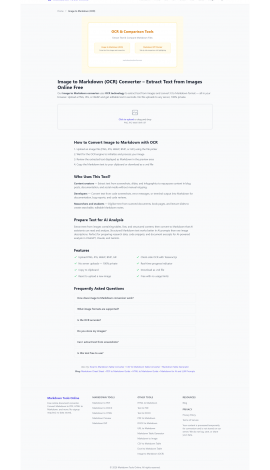
Markdown Tools Online has announced a no-cost, browser-based toolkit that allows developers, writers, students, content creators, and AI users to preview, create, convert, compare, and export Markdown without installing software or an account.
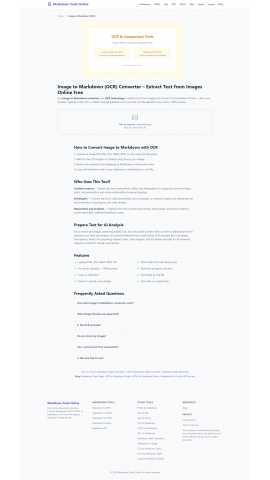
— Markdown Tools Online has announced a complete Markdown workflow, spanning seventeen browser-based tools for previewing, converting, comparing, and exporting Markdown files across PDF, Word, HTML, image, and table formats for users everywhere.
More information is available at https://markdowntoolsonline.com/
The need for a broader Markdown workflow reflects how central the format has become to modern documentation. According to Stack Overflow’s 2025 Developer Survey, 81% of developers name GitHub as their primary tool for code documentation and collaboration, making Markdown a shared language across much of today’s technical writing. As Markdown moves from simple drafts and repository files into documents that need to be reviewed, compared, converted, and shared in different formats, Markdown Tools Online has built its toolkit to support that entire process.
The platform gives developers, writers, students, and content creators one place to take Markdown from first draft through to a finished, usable file. The toolkit begins with a live Markdown preview built for checking formatting before publishing, supporting GitHub Flavored Markdown and syntax highlighting. From there, users can convert Markdown into PDF, Word, HTML, or presentation slides, or render it as a shareable PNG image. Reverse conversions cover HTML, PDF, DOCX files, and even live web pages, all pulled back into clean Markdown text.
For Markdown tips and syntax help, visit https://markdowntoolsonline.com/blog/markdown-syntax-guide
Structured data is handled separately through a visual table generator and dedicated CSV and Excel converters, which turn spreadsheet exports into GitHub-ready Markdown tables without manual formatting. An OCR tool extracts text from screenshots and scanned documents, while a diff checker compares two Markdown files side by side and highlights every addition and removal.
Each tool runs directly in the browser with no signup, installation, or account required. Processing for tasks like preview, table generation, diffing, and OCR happens entirely on the user’s device, and content submitted for PDF or DOCX conversion is discarded after the file downloads. This makes the toolkit suitable for GitHub README files, technical documentation, reports, notes, structured tables, and presentation decks.
“A growing share of the use comes from AI users cleaning up and reformatting output from ChatGPT, Claude, and Gemini before sharing or archiving it, alongside students and content creators working through everyday Markdown tasks,” a company spokesperson says.
Individuals interested in the complete set of tools may visit https://markdowntoolsonline.com/
Contact Info:
Name: Nagendran Ponnan
Email: Send Email
Organization: Vidranya
Address: 9b sis Meridian West block Velachery, Chennai, Tamil Nadu 600042, India
Website: https://vidranya.com
Source: PressCable
Release ID: 89202176
If you detect any issues, problems, or errors in this press release content, kindly contact [email protected] to notify us (it is important to note that this email is the authorized channel for such matters, sending multiple emails to multiple addresses does not necessarily help expedite your request). We will respond and rectify the situation in the next 8 hours.