The gap between what people need and what they can afford or produce is so vast that it takes money or stress to bridge. One of them is when you have an image you want to print in high quality, but as a small business owner struggling with a limited design budget, you cannot afford a professional designer.
Most of these days, you want quick fixes to print your old images/designs. Your designers have been working on them for a while, and returning those images may cost money or back-and-forth revisions. What will you do when you have no digital skills or tools? Break your purse? No. You can use WINK AI.
Why Image Upscaling Matters for Print Quality
An image can look attractive on your phone or social media page, but look horrible when printed. When you enlarge it for a flyer, poster, banner, or product packaging, blurry details, pixelation, and a general loss of quality will say, “Welcome to our world.”
This often happens because many online images are low-resolution. Social media platforms have compressed most of them. The quality loss may not be obvious to you on a small screen. But it will be noticeable when the image is printed at a larger size.
Image upscaling solves this problem by increasing image resolution and improving details before printing. As a result, your images look sharper, clearer, and more professional, whether you are printing marketing materials, business graphics, or personal photos.
How Traditional Image Upscaling Works
This is what traditional image upscaling looks like. You will identify the images you want to use and send them to a designer or agency. The next stage is the waiting and editing stage. The designer reviews images and fixes what he perceives to be wrong. Sometimes, the errors fixed may not match your interests. This will start feedback and revision cycles. Finally, you will have to pay per project or per hour.
The traditional upscaling procedure takes a while to complete an edit, even with an expert in image editing. Since every time has to be accounted for, you may have to pay more than usual for the designer. Hence, the traditional way of upscaling images wastes time.
Instead of going for this long process that limits the manual workflows needed for contemporary fast content production, you can explore artificial intelligence (AI) options. Let us talk about what the content creation world looks like in the next subheading.
Why Traditional Methods No Longer Work for Modern Creators
Content demand is now fast and continuous. This is due to the competitive nature of the consumer market and content creation platforms. You need a larger and better-equipped team to keep up with the pace. That also takes a whole lot of money, which causes budget constraints for small teams and individuals. What do you do when you cannot afford a team or a professional?
Do you know the daunting part? Social media will still demand instant results. You will still battle print deadlines, which you may not be able to handle alone, but in teams. The worst scenario will now be inconsistencies when working with different designers. While on this kind of seat, you would need a breakthrough, especially a leverage that AI can give you. Artificial intelligence can be your graphics design team.
A Simpler Alternative: AI-Powered Upscaling with Wink AI
Introducing Wink AI, an AI-powered solution that lets you upscale images in no time and with little or no money. This software eliminates the need for designers in basic enhancement and upscaling tasks. It is an artificial intelligence tool that combines speed, affordability, and ease of use. You can easily transition between tools on their website. That is a leverage for creators, SMEs, and marketers who need fast output.
Wink AI-driven image editing workflow works in a simple process. You upload your image directly, choose enhancement options based on output needs, and generate ready-to-print images without manual editing or a designer.
How to Upscale Images Using Wink AI
For faster and professional results, choose between the Wink AI image enhancer and the Image Upscaler. Before you ask, “What does the Wink AI image enhancer do?” First, it improves clarity, lighting, and overall image quality; second, it fixes low-quality or compressed images; and third, it prepares visuals for digital and print use.
On the other hand, the Wink AI image Upscaler works best when you want to convert low-resolution images into high-resolution output. You can pick it when you want to preserve image details and increase its size. It is also a tool you can use to upscale and export 4K-ready images for print or professional use.
How to Use the Image Enhancer in Wink AI
Follow this path to use the AI Image enhancer:
1. Open the Wink AI website or app and pick an image enhancer.
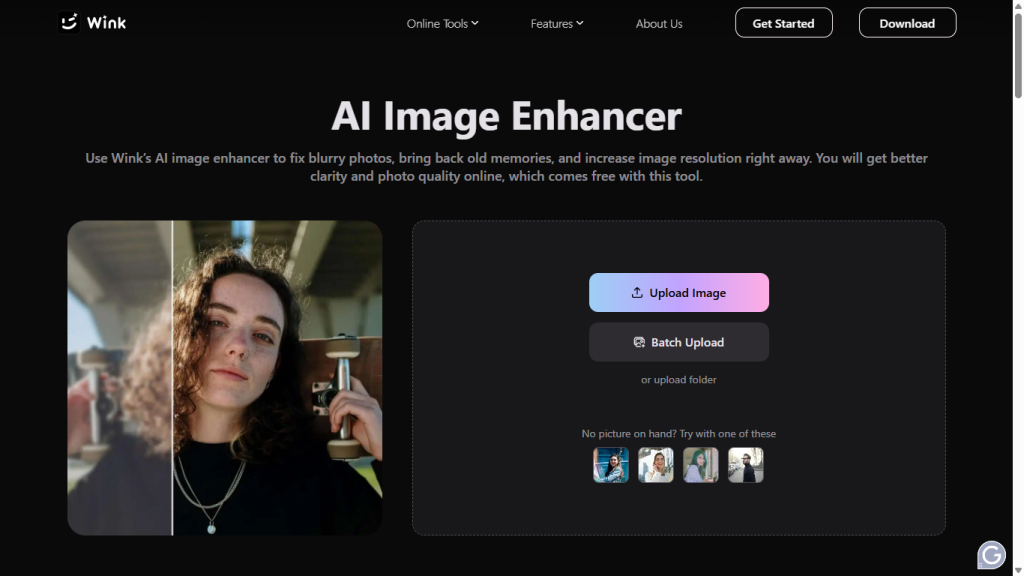
2. Upload images,
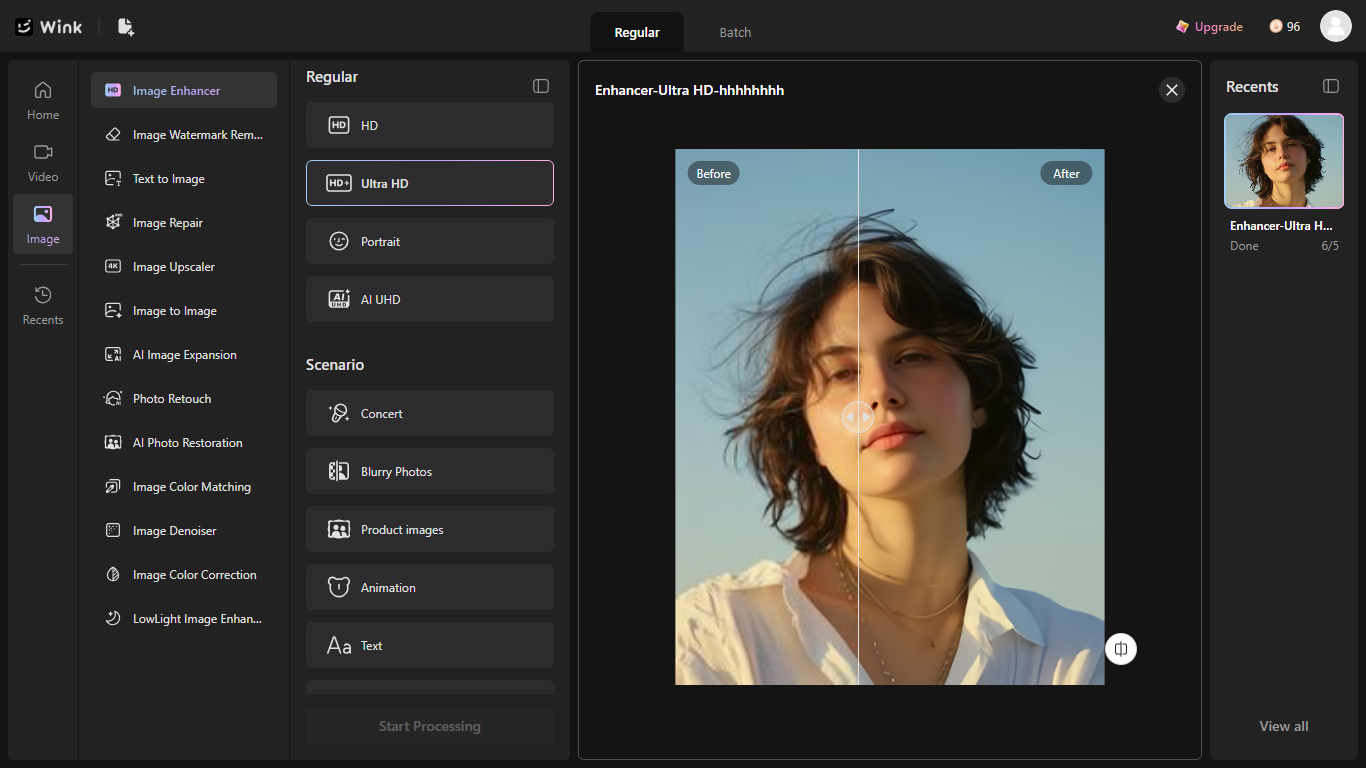
3. Select enhancement quality and click “Start processing.”
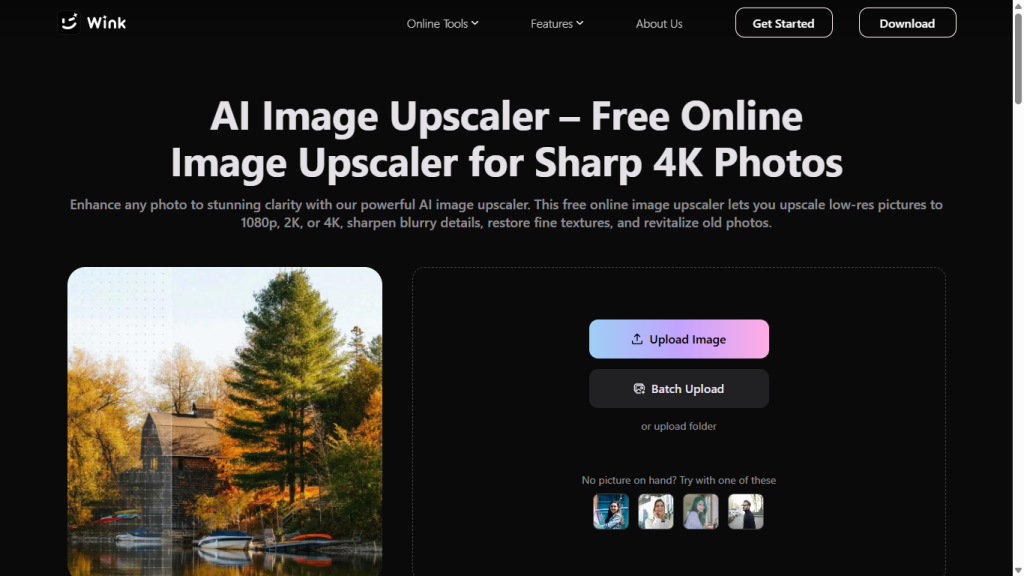
4. Preview and download enhanced images.
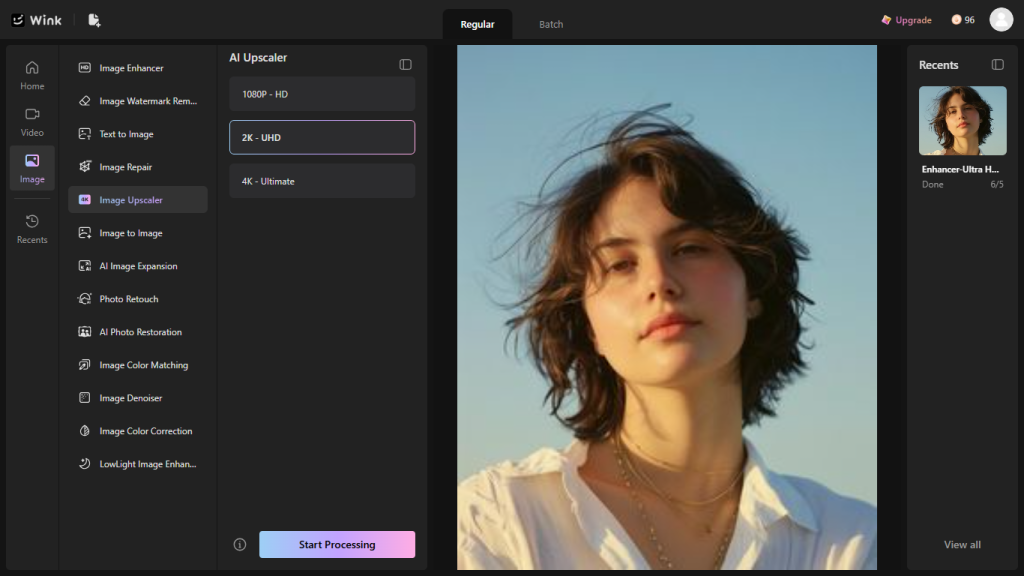
How to Upscale Images to 4K Using Wink AI Upscaler
- Open the Wink AI website or app and pick AI image Upscaler
- Upload images, select enhancement quality, and let the AI process them.
- Preview and download upscaled images.
Benefits of Using Wink AI for Image Upscaling
When you use Wink AI to upscale your image, you are signing up for speed, cost efficiency, consistency, and scalability. These are what it looks like
- Faster image turnaround.
- No feedback and revision cycle.
- Lower cost for individuals and small businesses.
- Consistent output quality without technical skill.
- Scalable workflow for bulk image processing.
Conclusion
Speed, cost, quality control, and workflow consistency are the likely challenges of the traditional way of contacting a designer to upscale images. After sending images, you will wait for days, reviewing and rejecting different samples, at the expense of your purse and time. That does more than take more money than expected. Sometimes, it takes away the time you need to spend competing in the market.
On the other hand, artificial intelligence such as Wink AI is undergoing training and delivering fast and high-quality results. The gap between your result and where you are is only opening the tools, uploading images, and watching the tool revitalise your images for print.
Open the Wink AI today to upscale your images for print using either the image enhancer or the image upscaler.