Companies are creating and storing more visual content than ever before. Photos of facilities, marketing materials, event reports, production documentation, and video recordings have become part of everyday business processes. For many organizations, this content has already become a valuable digital asset that helps sell, train, document, and support decision-making.
However, the growing volume of data creates a new problem. When thousands or millions of files are spread across work computers, network storage, and employees’ mobile devices, finding the information you need starts taking more and more time. As a result, companies run into what’s known as visual debt — a situation where valuable content exists but is difficult to find and use efficiently.
Corporate Visual Debt: The Hidden Problem of Digital Business
Most companies know how to manage documents and structured data, but pay far less attention to photo and video archives. Yet it is often visual content that holds the history of projects, the results of completed work, marketing materials, event reports, and other data essential to the business.
Over time, archives grow, often without any unified rules for storage or cataloging. As a result, employees waste time searching for the materials they need, create duplicate copies of files, or reshoot objects that have already been photographed. Even with a large volume of content on hand, a company isn’t always able to quickly access the data it actually needs.
Additional complications arise when working with photos of employees, clients, and event participants. The larger the volume of media data, the more important it becomes to control how it is stored, searched, and used. Without a systematic approach, a photo archive gradually turns from a useful asset into a source of operational costs.
Why Traditional Photo Archive Management Methods Are Falling Short
For many years, companies solved the problem of storing media data using folders on file servers and network drives. This approach remains simple and familiar, but it scales poorly. When an archive contains tens or hundreds of thousands of files, finding the right image often depends on whether an employee remembers the folder name, the project, or the shoot date.
Digital asset management (DAM) systems emerged as an alternative. They offer advanced search and cataloging capabilities, but implementing them is often associated with a lengthy setup process, recurring storage fees, and additional administrative requirements.
For many organizations, security remains an important factor as well. Moving corporate photo archives to external cloud services isn’t suitable for every company, especially when it comes to confidential data, internal projects, or materials containing personal information.
That’s why a local approach to processing media content is attracting more and more attention. It allows companies to use artificial intelligence tools to search and organize data without moving files outside the corporate infrastructure.
Tonfotos: Local AI for Managing Corporate Media Archives
Tonfotos helps companies organize work with large collections of photos and videos without moving data to cloud services. The program builds an intelligent index on top of the existing storage structure and makes it possible to quickly find the materials you need, regardless of where they’re located — on a work computer, network storage, or an external drive.
Tonfotos was originally developed as a tool for organizing personal and family photo archives. For that reason, the program may lack some of the specialized features found in large corporate DAM systems. Even so, many of Tonfotos’s capabilities — including local indexing, face recognition, duplicate detection, and support for distributed archives — turn out to be useful for small companies, startups, agencies, and organizations that need a convenient media management tool without a complex rollout or high costs.
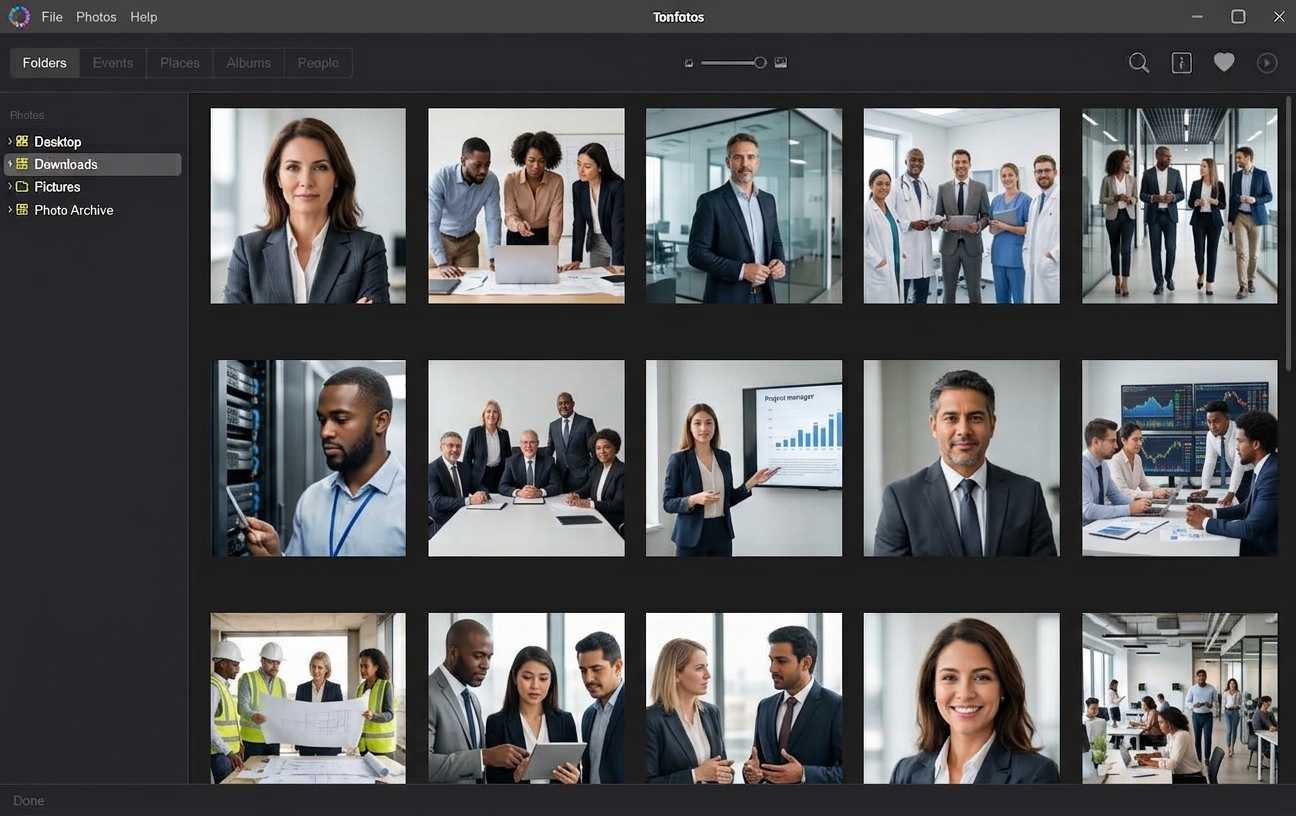
Unlike many digital asset management systems, Tonfotos doesn’t require moving files into a separate database. The company keeps its familiar directory structure while gaining a single tool for search and navigation across the entire archive.
For companies whose employees regularly use smartphones to photograph facilities, events, or work processes, the TonfotosSync module can be a useful addition. It automatically transfers photos and videos from mobile devices to the main archive over a local Wi-Fi network, preserving the original file quality and associated metadata.
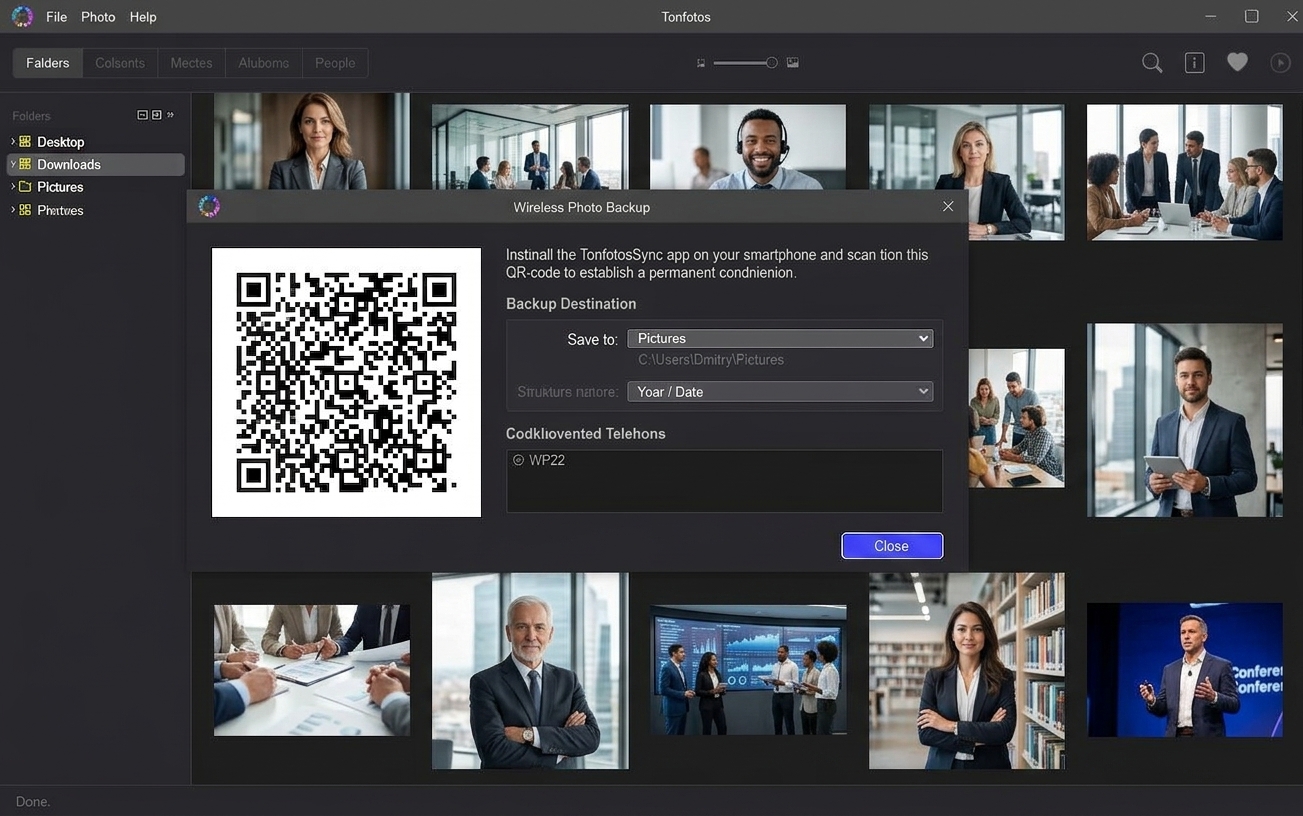
One important advantage is local data processing. All image analysis operations, including face recognition, are performed within the corporate infrastructure. Files and their associated data are never sent to external servers, which makes the system usable even in organizations with heightened confidentiality and data-protection requirements.
As a result, the photo archive stops being a collection of scattered folders and becomes a manageable information resource that supports fast search and reuse.
Turning a Photo Archive Into a Fast Search Tool
As a corporate archive grows, finding photos of specific people becomes one of the most time-consuming tasks. Company executives, speakers, employees, clients, and partners may appear in thousands of photos taken over different years and at different events. Manually reviewing that volume of data takes significant time.
The AI Face Recognition feature in Tonfotos automates this process. After scanning the archive, the system detects faces in photos and groups images of the same person together. The user only needs to create a profile for a person using a few identified images, after which the program can automatically find that person in other photos throughout the archive.
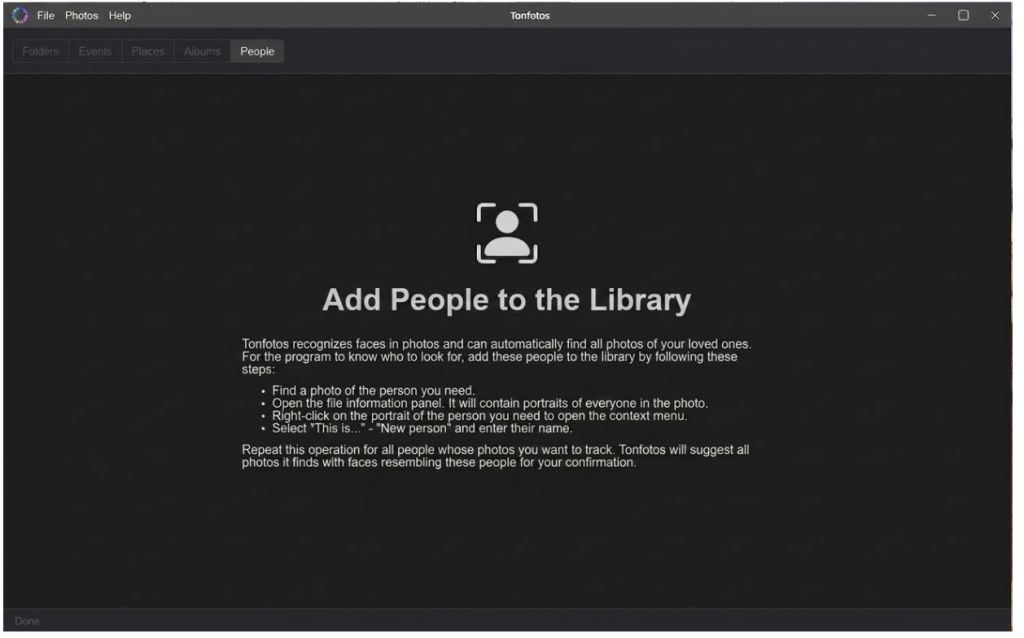
Search no longer depends on folder structure, file names, or where the images are stored. An employee can search for a person directly by name instead of trying to recall the shoot date, project name, or the folder where the photos happened to be saved.
This approach is especially useful for marketing and PR teams. For example, when preparing a publication, they can assemble photos of a company executive found across conference archives, interviews, and corporate events in just a few seconds. In the same way, they can quickly pull together images of speakers for presentations, press releases, or social media materials.
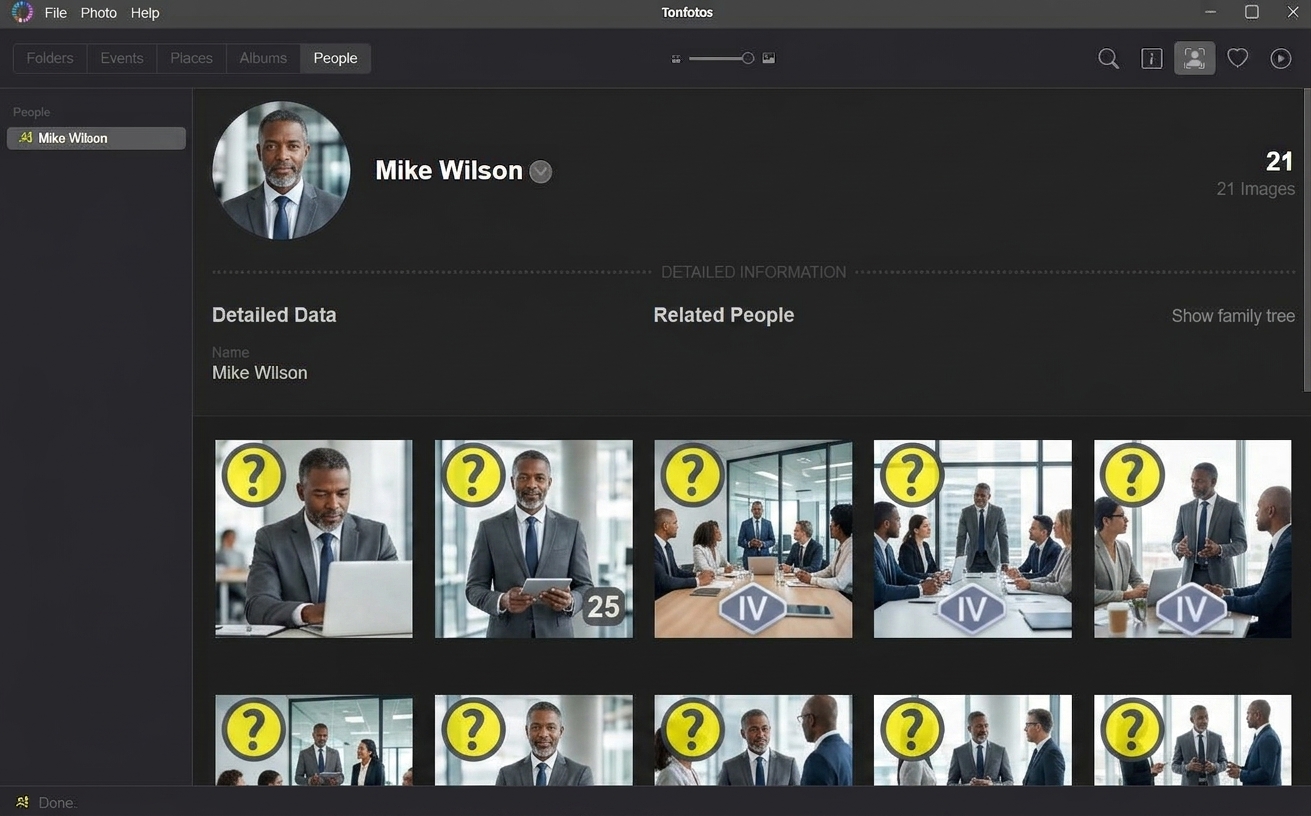
The technology also delivers real value for event organizers. Instead of manually sorting through thousands of shots, staff can quickly find photos of a specific participant or speaker. This simplifies the preparation of photo reports, publications, and personalized image selections.
For HR departments, face recognition helps locate photos of employees for internal communications, corporate news, and employer branding materials.
In effect, AI Face Recognition changes the fundamental way people work with media data. Users start searching not for files and folders, but for people, events, and the materials connected to them. This makes the corporate archive more accessible and significantly speeds up the reuse of content that has already been collected.
It’s worth noting that face recognition capabilities depend on the edition of the program being used. The free version of Tonfotos has a limit on the number of personal profiles available for face search. This is usually enough for smaller archives, but organizations with a large number of employees, clients, or event participants may need the commercial version of the program.
Duplicate Detection and Intelligent Archive Navigation
As a company’s media library grows, it faces not only the challenge of finding information but also the accumulation of large numbers of duplicate files. Copies of photos pile up when files are shared between departments, materials are uploaded more than once, and work happens across multiple devices.
Tonfotos helps identify both exact file copies and visually similar images, freeing up storage space and keeping the archive organized.
An intelligent navigation system plays an equally important role. The program uses data already embedded in the photos, including the shoot date and geolocation, to automatically build a timeline of events and quickly locate materials by where they were created.
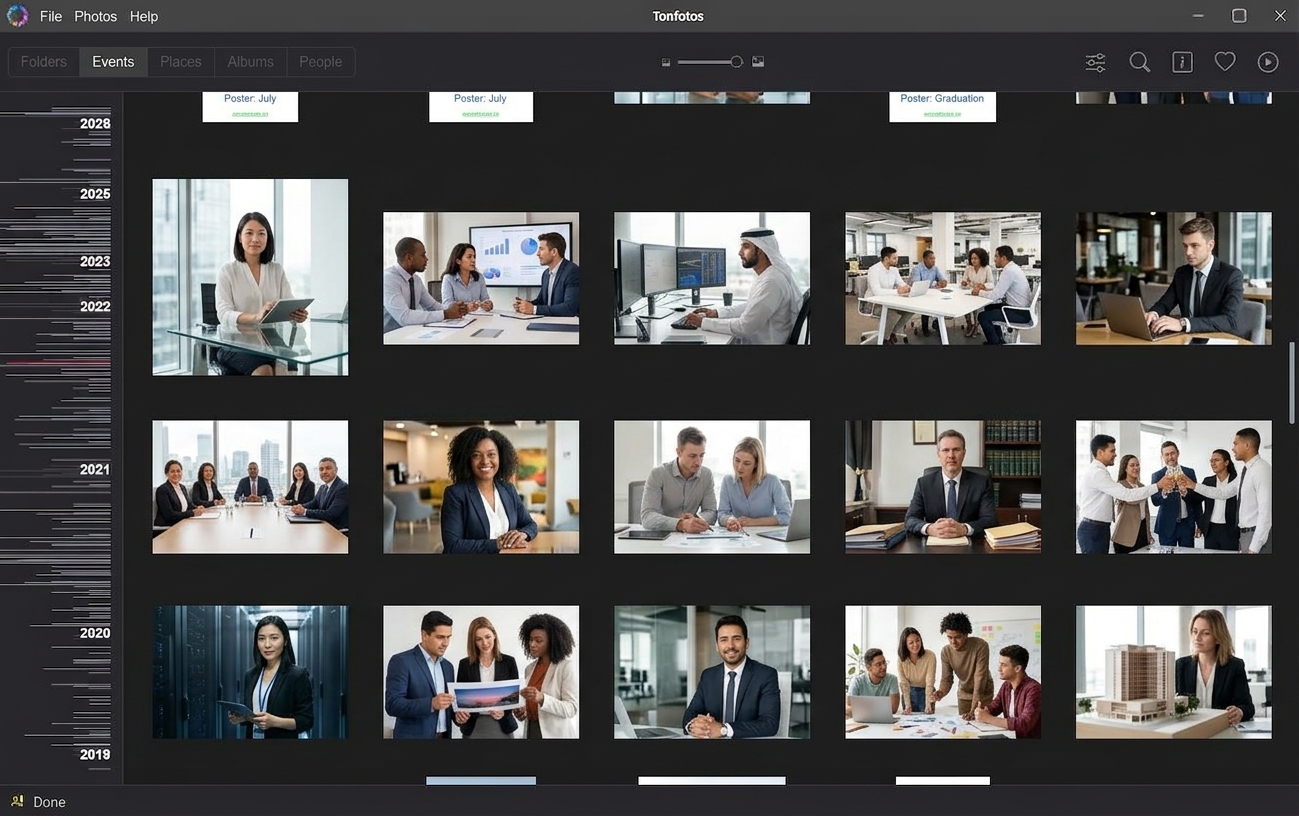
Combined filters add further capability. Users can search for images by several parameters at once — person, place, date, or event. This approach is especially useful when working with large archives, where traditional folder-based search stops being effective. Instead of browsing through numerous directories, an employee gets access to the materials they need through a single search interface.
Conclusion
As the volume of media content grows, simply storing photos and videos is no longer enough for companies. What matters far more is ensuring fast access to the data you need and the ability to reuse accumulated materials in everyday work.
Local AI tools make it possible to solve this problem without sending corporate data to external services. Such solutions help organize archives, automate information search, and reduce the time spent working with media content.
As a result, the photo archive stops being a collection of scattered files and becomes a full-fledged digital asset — one that preserves corporate knowledge and makes it available to employees exactly when the business needs it.