



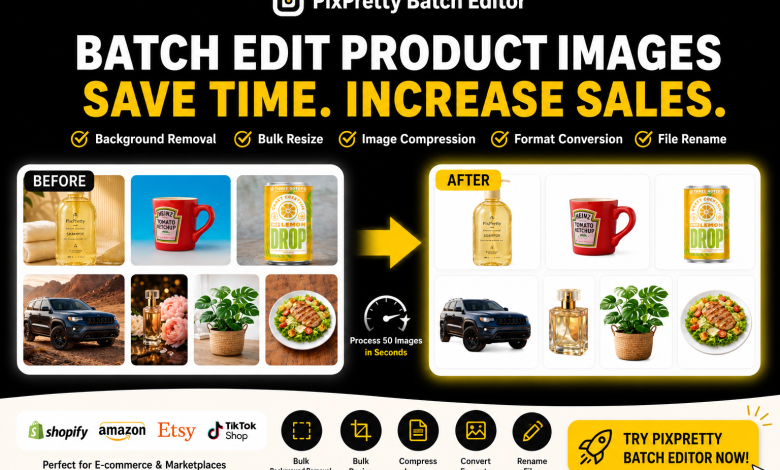
Editing hundreds of product photos manually quickly becomes difficult during seasonal launches or large catalog updates across Shopify, Amazon, Etsy, and TikTok Shop. In this article, we can see how batch image editing tools like PixPretty Batch Editor help streamline this process in a single browser-based workspace.
Why E-commerce Stores Need Batch Image Editing
E-commerce product photo listing
A Shopify store with over 1,000 products may contain thousands of product images that need to follow the same storefront dimensions. For example, you have over 2000 product photos in your website’s catalogue, and you want them to appear in the same format 1080×1350 px. Without batch editing, it becomes difficult to keep all images in a consistent format for storefront layouts and mobile displays.
Managing product variation images across platforms
Here’s another example, 1500+ products need to be listed to Amazon. You have 1500+ photos from Etsy, but some of them are not on a white background. A single product often requires multiple image versions for different colors, sizes, bundles, and marketplace formats. Manually resizing and exporting these variations can quickly slow down product launches.
A/B Testing for marketing in social media
E-commerce teams often need product images formatted for Instagram, Facebook Ads, TikTok Shop, and Google Shopping, since each platform requires different aspect ratios and export sizes. By testing different backgrounds, layouts, and image styles, sellers can compare which product visuals perform better across ads and social media campaigns.
How PixPretty Simplifies Bulk Image Workflows
Developed by Tenorshare, PixPretty Batch Editor is an online AI image editor built for e-commerce image workflows. It combines essential tools like bulk resizing, background removal, image compression, format conversion, and file renaming in one browser-based workspace, so sellers can prepare product images without switching between multiple tools.
Remove Backgrounds for Marketplace Listings
Batch background removal is one of PixPretty Batch Editor’s core features for e-commerce sellers. In testing, it processed 7 product images in under 10 seconds while keeping image quality and material details clear. The tool also supports batch processing for up to 50 images at once, making it quicker to create transparent PNG product images for Amazon, Shopify, and other e-commerce platforms.

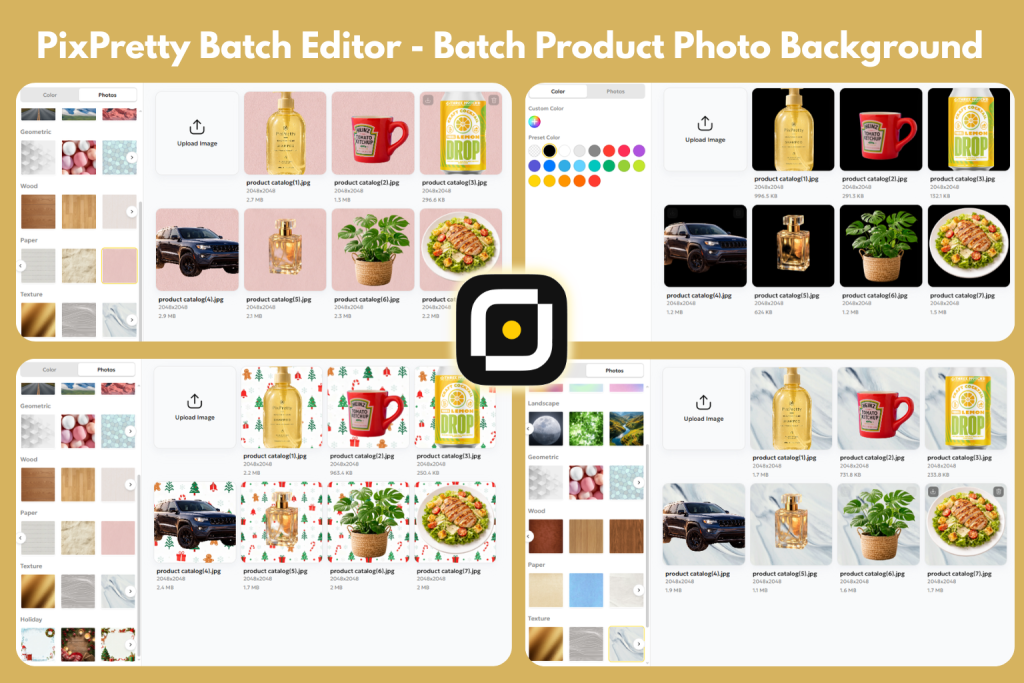
Beyond basic background removal, PixPretty Batch Editor also offers ready-to-use background color and image templates for e-commerce product photos. Sellers can quickly switch to black backgrounds, white backgrounds, or festival-themed backgrounds in one click, making it more than just an AI PNG maker. It also supports custom background uploads, helping e-commerce owners handle batch image editing with minimal manual work.
Resize Product Images in Bulk
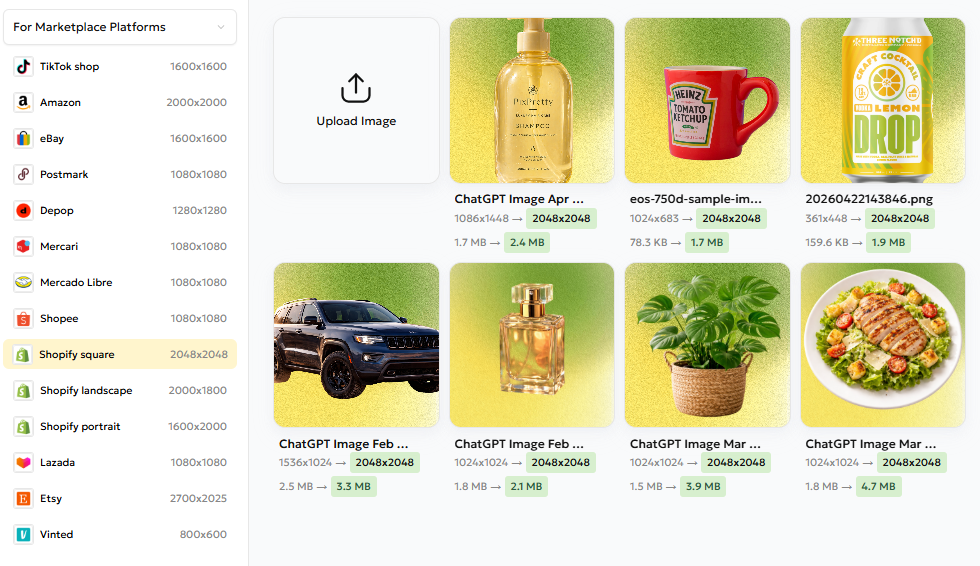
After changing the background, e-commerce sellers often need to crop product images online to match different marketplace and social media requirements. PixPretty Batch Editor’s bulk resize images feature makes this process easier by providing preset dimensions for popular e-commerce and social media platforms, including:
Marketplace Platforms: TikTok Shop, Amazon, eBay, Postmark, Depop, Mercari, Mercado Libre, Shopee, Shopify, Lazada, Etsy, Vinted
Social Media Platforms: Instagram, Facebook, TikTok, YouTube, Twitter/X
Ratio Size: 1:1, 3:2, 4:3, 5:3, 5:4, 7:5, 16:9 and 2 sizes for passport & ID photos
Custom Size (by scale/by dimensions)
Note that when the original image is smaller than the target dimensions, resizing may increase the final file size — which is why the resized example image appears larger after export. Besides image dimensions, the output format also affects file size, so e-commerce sellers should choose the most suitable format based on their target platform requirements.
Convert Image Formats for Different Platforms
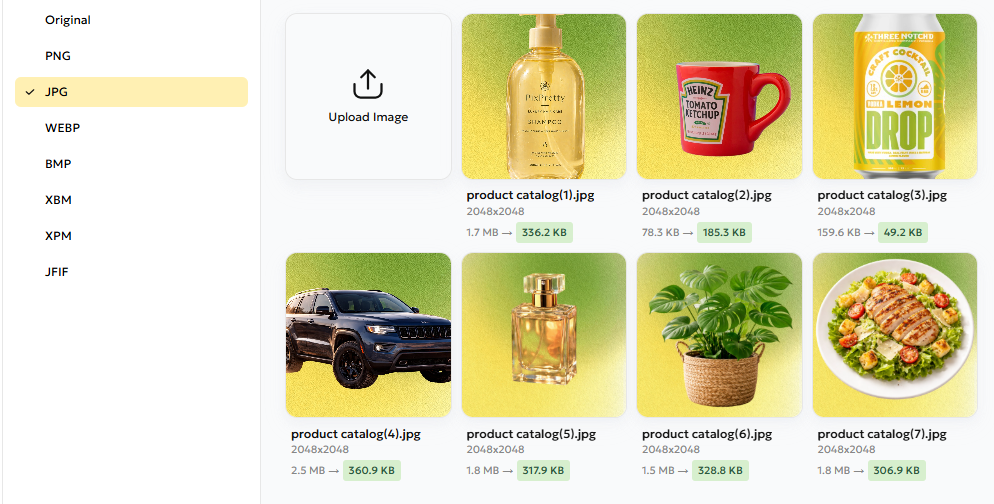
PixPretty’s bulk image converter supports multiple output formats including PNG, JPG, WEBP, BMP, XBM, XPM, and JFIF. However, exporting images in lossless formats like PNG or BMP may increase the final file size. In these cases, the built-in image compressor reduces file sizes while maintaining product image quality.
Compress Large Files Faster
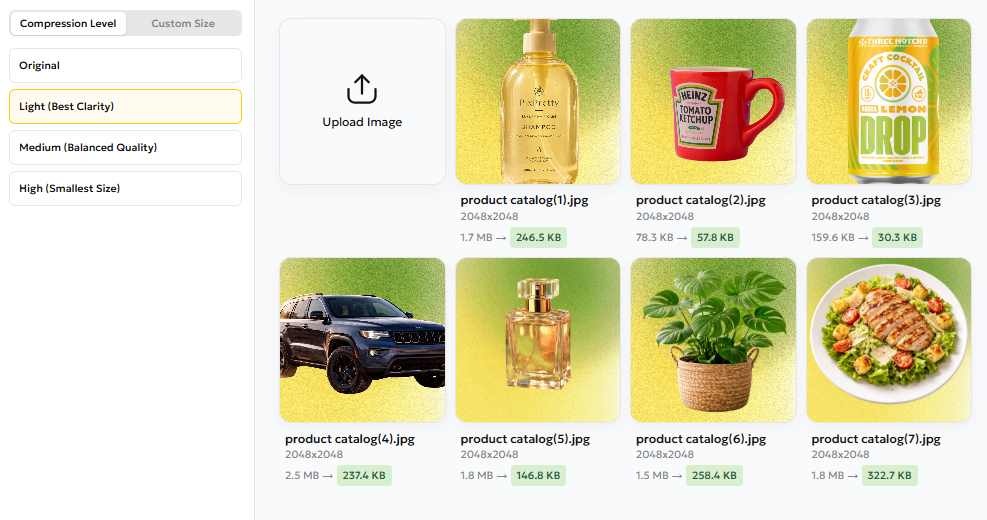
In testing, compressed product images loaded noticeably faster on mobile storefronts. Here comes with the mass image compressor in PixPretty. It can batch compress images and shrink JPEG file sizes in seconds for faster uploads and better storefront performance.
The tool includes two compression modes. The first offers three compression levels — Light (Best Clarity), Medium (Balanced Quality), and High (Smallest Size). The second mode lets users set a target file size in KB or MB, while automatically keeping the best possible image quality within the selected size limit.
Rename Files for Better Catalog Organization
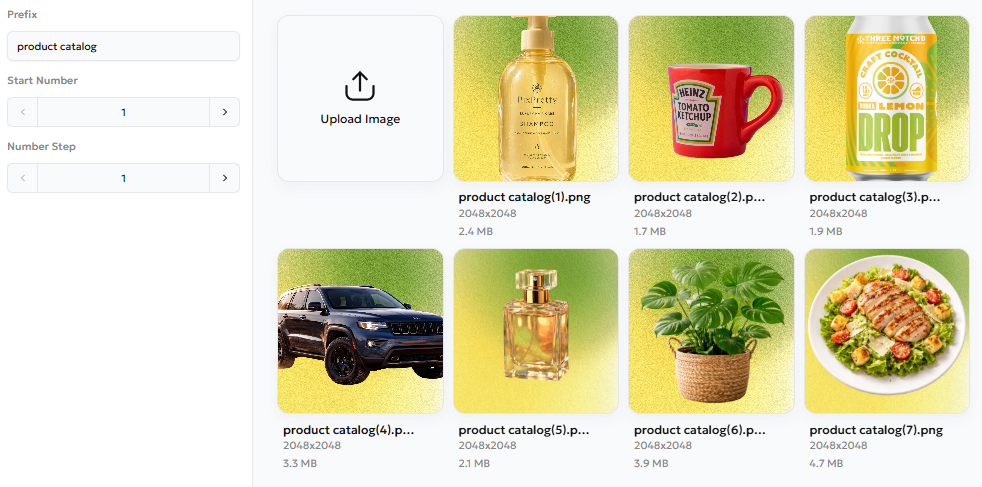
To improve product catalog organization, PixPretty’s batch file rename feature allows users to customize the prefixes, starting numbers, and number steps of the files to organize large image catalogs. Web stores can keep product images consistent and avoid messy file naming during uploads and exports.
3 Benefits of Using PixPretty Batch Image Editor for your E-commerce Store
Lower Editing Cost
Traditional e-commerce image editing often requires expensive outsourcing or hours of manual Photoshop work. With PixPretty Batch Image Editor, sellers can handle bulk product image editing, resizing, background removal, and compression in one workflow for a much lower monthly cost.
Faster Product Image Workflows
Tasks like background removal, resizing, renaming, compression, and format conversion can take several minutes per image when done manually. With an automated batch image editor like PixPretty, e-commerce teams can process up to 50 images at once in just a few clicks, helping speed up product launches and reduce editing errors.
Variations
Besides uploading custom backgrounds, sellers can also use PixPretty’s built-in background templates and color presets for batch background replacement. This makes it effortless to create multiple product image variations for social media campaigns, A/B testing, and different global marketplace styles.
H2: Building a More Efficient Product Image Workflow with PixPretty
For growing e-commerce stores, managing product images in bulk is becoming just as important as managing products themselves. For e-commerce teams handling large image catalogs, PixPretty simplifies resizing, compression, conversion, and organization in one scalable workflow.