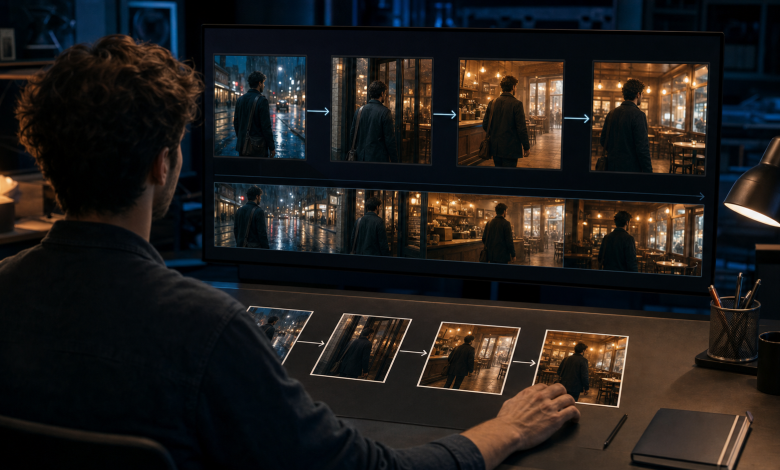
Many people encounter the same problem when they begin creating AI videos: each individual clip may look impressive, but the clips do not feel like parts of one complete video when they are placed together. A character suddenly changes position, the camera loses its direction, an action stops halfway through, or one scene has no clear connection to the next.
The problem is usually not that AI cannot generate attractive footage. More often, the creator started with the wrong objective. Effective AI video production is not about generating more isolated clips. It is about designing a complete scene first and giving every shot a specific job within that scene.
Creators can use Seedance 3 AI Video to combine image, video, and audio references, using each type of material to guide subject appearance, movement, camera behavior, and rhythm. The important part is to decide what each reference controls before generation begins.
Why One Prompt Rarely Produces a Complete Video
A simple prompt usually describes only one moment.
For example, “a person running along a street on a rainy night” may produce a beautiful visual, but it does not explain where the person begins, where the person is going, how the camera should follow, when the movement should change, or how the scene should end.
Without that information, an AI model may rearrange the character, street, lighting, and camera position in every clip. The final result becomes a collection of visually appealing but unrelated moments.
A more dependable approach is to think of the video as a sequence of purposeful shots rather than a group of independent images. Each shot should move the action forward, preserve the important visual information from the previous shot, and prepare the viewer for what happens next.
What Makes a Complete AI Video Scene?
A complete scene normally contains four essential elements.
Subject
The subject can be a person, product, animal, building, or abstract object. Before generating anything, decide what the viewer should focus on. If the subject must remain consistent, identify the visual details that cannot change, such as facial features, clothing, color, shape, or accessories.
Action
Action creates change within the frame. The subject might walk, open a product, turn around, operate a piece of software, or complete a process. A useful action has a clear beginning and an observable result. “A person standing in a room” describes an image; “a person crosses the room and opens a hidden door” describes a scene.
Camera
The camera determines how the audience experiences the action. A wide shot can establish the environment, a medium shot can show the subject performing the main movement, and a close-up can reveal an important detail. Camera choices should support the action instead of competing with it.
Result
Every scene should reach a result. The character arrives somewhere, the product completes a demonstration, or the environment undergoes a visible transformation. A result tells the audience that the scene has fulfilled its purpose and gives the video a natural ending point.
Once these four elements are decided in advance, individual AI-generated clips are much easier to assemble into a complete video.
Three Examples of Complete Scene Construction
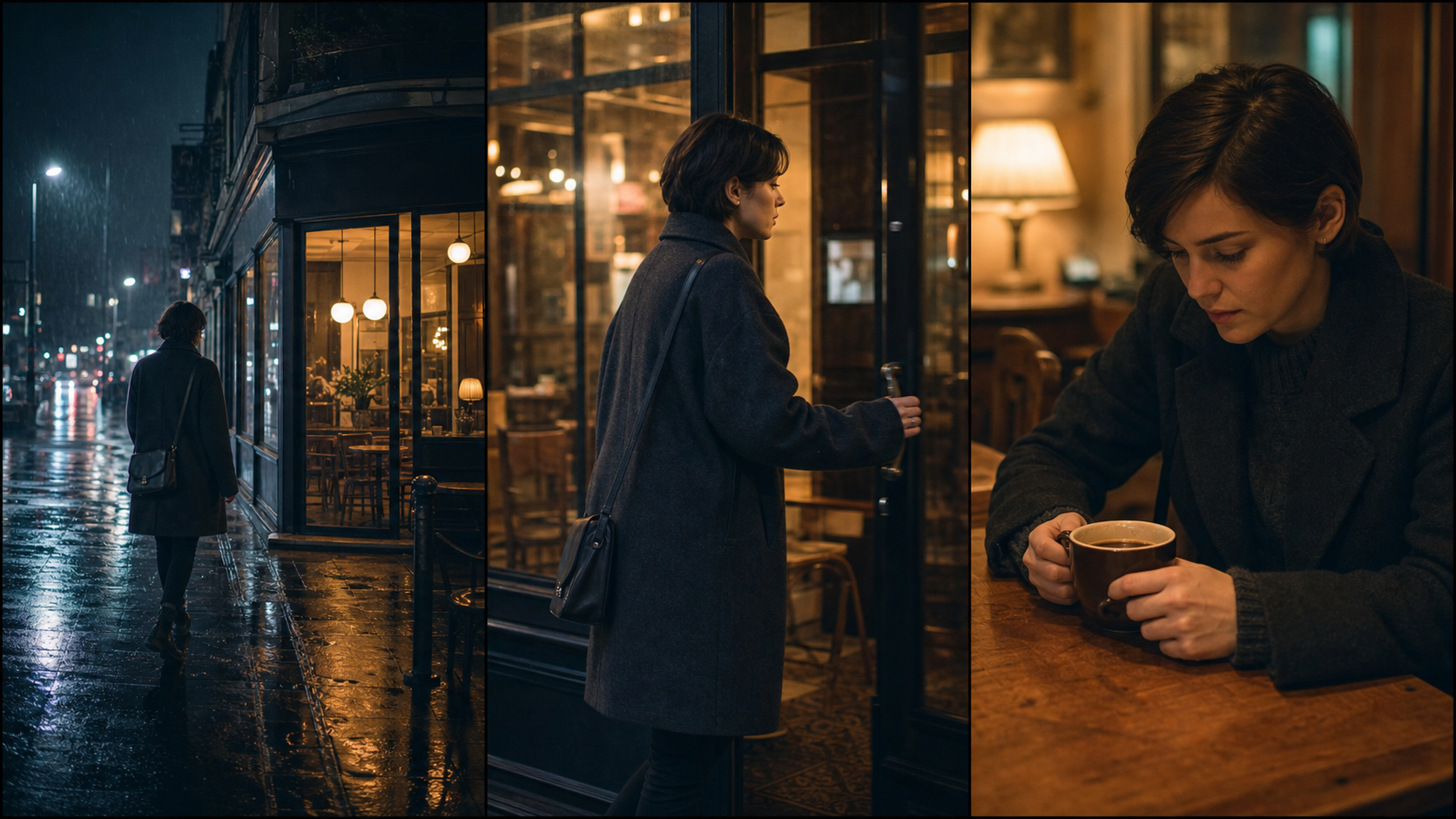
Example 1: A Character Walks from the Street into a Café
Do not rely only on the instruction “a person walks into a café.” Break the event into three shots:
- A wide shot shows the character walking toward the café on a rainy street at night.
- A medium side-following shot shows the character pushing open the glass door.
- A close shot shows the character seated inside as warm light falls across the table.
The first shot establishes the environment and destination. The second presents the main action. The third confirms the result and changes the emotional tone from cold rain to warm shelter. Together, the three shots form one complete scene.
Continuity details matter throughout the sequence. The character should wear the same clothes, move in the same general direction, and enter a café whose exterior and interior feel physically connected. Even a strong individual shot can interrupt the sequence if one of these details changes without explanation.
Example 2: A Product Moves from Presentation to Use
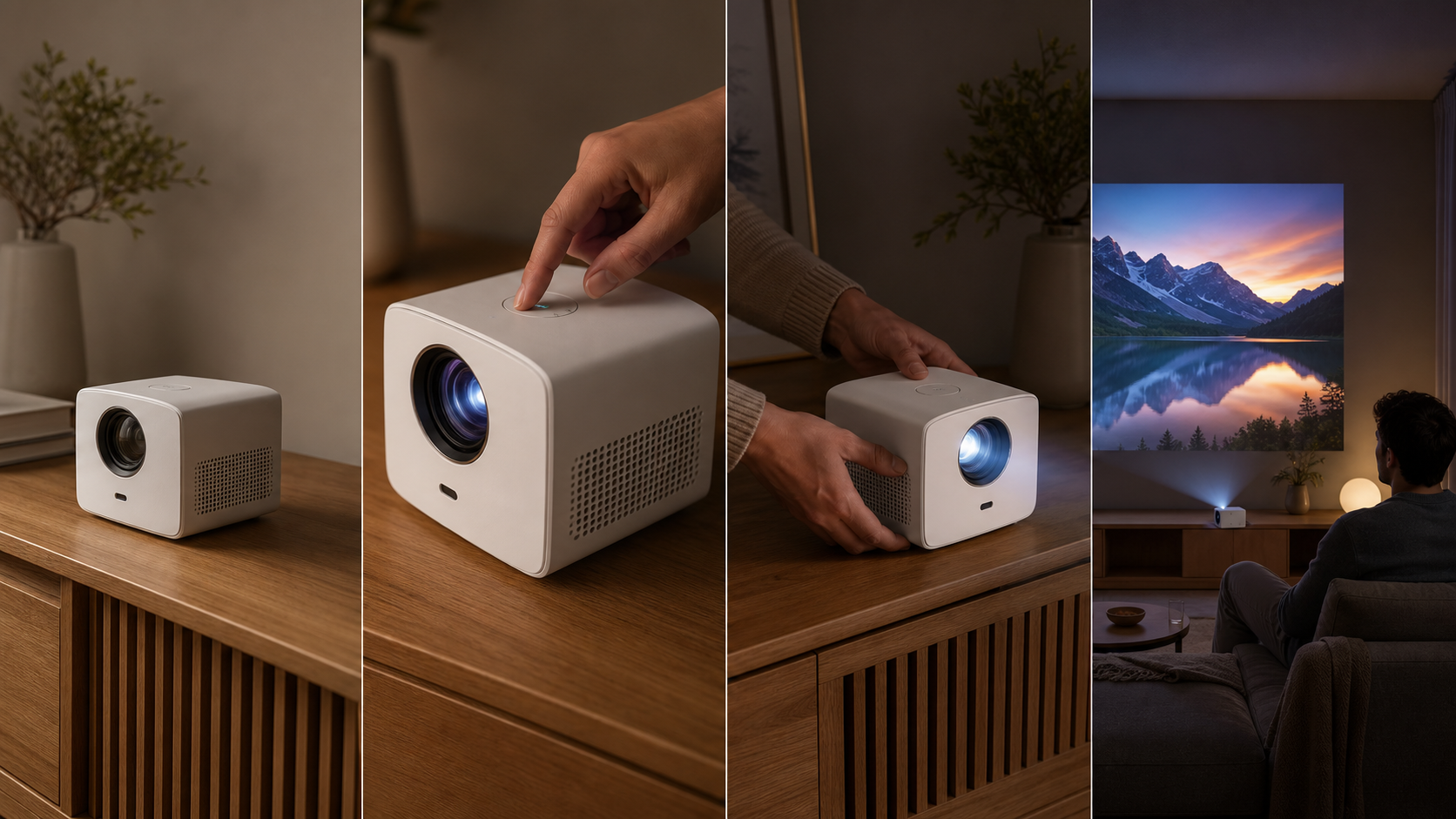
A product video should not be a collection of unrelated close-ups. It can follow a clearer sequence:
- Begin with a wide shot that places the product in a realistic environment.
- Move closer to reveal an important material, control, or design detail.
- Show a person picking up or operating the product.
- Finish by showing the result of using it.
This structure gives the product a role in the scene. The audience sees not only what it looks like but also how it enters an everyday situation and what it enables the user to do.
Product consistency should be treated as seriously as character consistency. Its dimensions, color, buttons, materials, and identifying shapes should remain stable across every shot. If the product changes between the presentation shot and the usage shot, the video loses credibility even if the movement itself looks natural.
Example 3: Moving from a Real Space into a Virtual World
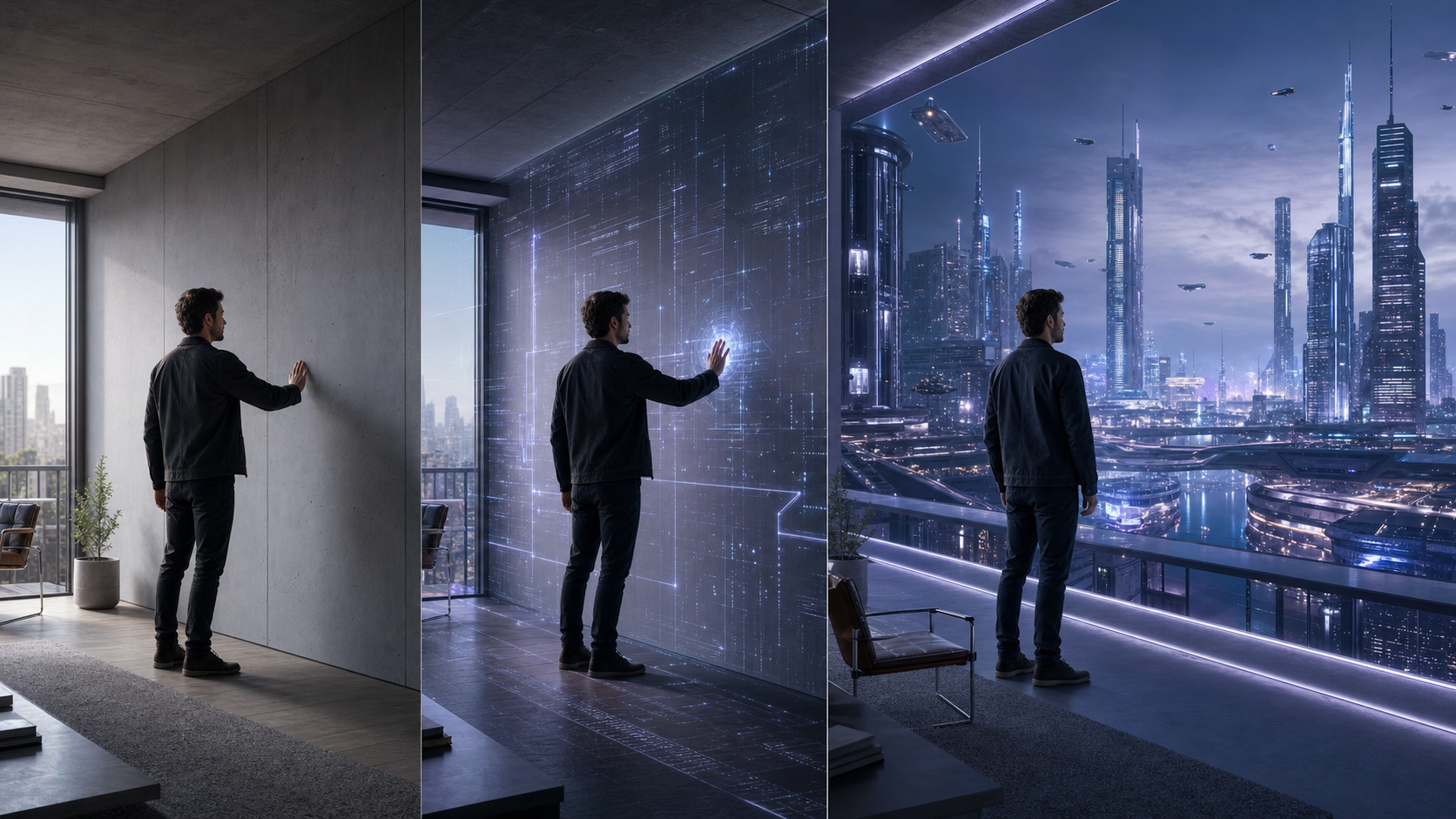
An ordinary room can serve as the starting point for a transition into an AI-generated environment.
The video begins with a person standing in a real room. When the person touches a wall, a digital interface gradually spreads from the point of contact. The wall and the architecture then extend into a virtual city. The final shot pulls back or rises above the environment to reveal the scale of the new world.
The effect works because every transformation has a clear starting point and result. The room is established before it changes, the character initiates the change, and the final shot confirms what the room has become. Adding more visual effects would not necessarily improve the scene. A simple, readable transformation is more useful than a large number of effects with no clear relationship.
How to Plan the Shot Order
A simple three-part structure works for many short AI videos.
Beginning: Establish the Environment
First, show the viewer where the person or product is located and identify the most important subject in the frame. Avoid beginning with an unexplained close-up if the audience needs spatial information to understand the action.
Middle: Introduce a Change
Let the subject perform one main action, or let the environment undergo one important transformation. If several movements are required, divide them into shorter shots so that each stage can be controlled separately.
End: Show the Result
Use the final shot to confirm the outcome. Leave enough time for the viewer to recognize what changed. A conclusion does not need to be dramatic, but it should feel intentional rather than appearing to stop because the generated clip reached its duration limit.
If a 30-second video contains too many changes, the model can easily lose direction between shots. Three clear shots often communicate more effectively than ten complicated movements competing for attention.
Using Image, Video, and Audio References
Different references should have different responsibilities:
- Images establish the appearance of a character, product, or environment.
- Videos provide examples of action speed, body movement, or camera motion.
- Audio helps organize pacing, transitions, atmosphere, and emotional emphasis.
- Text defines the shot order, action, restrictions, and intended result.
When working with the Seedance 3 video generator, uploading many materials without assigning them a purpose can make generation less predictable. Decide in advance which reference controls each part of the scene. If two references give conflicting instructions about the same subject, remove the less important one or state clearly which details should be preserved.
Making Separate Clips Feel Continuous
After generating several clips, review three areas before assembling the final edit.
Is the Screen Direction Consistent?
If a character moves to the right in the first shot, the next shot should not suddenly show the character moving left unless the change of direction is intentional and visually explained. Consistent screen direction helps viewers understand the space without thinking about it.
Do the Actions Connect?
If the first clip ends as the character reaches for a door handle, the next clip should begin close to the completion of that action. It should not restart with the character’s hands at their sides. Matching the end of one movement to the beginning of the next creates a believable transition.
Does the Pacing Support the Scene?
An establishing shot can be slightly slower, the central action should be easy to read, and the ending needs enough time to communicate the result. These timing decisions can often be adjusted during editing without regenerating the entire video.
Do Not Change Every Variable at Once
One of the most common mistakes in AI video optimization is rewriting the complete prompt after every problem.
If the character’s movement is inconsistent, adjust only the action description. If the camera direction is wrong, change only the camera instruction. If the ending is unclear, redesign the final shot while leaving the successful earlier shots unchanged.
Changing one variable at a time makes it easier to identify which instruction produced an improvement. It also prevents a small correction from disrupting the subject, lighting, environment, and composition that were already working.
Conclusion
The challenge of AI video is not simply generating one beautiful clip. It is organizing multiple clips into a complete scene with a beginning, an action, and a result.
Creators should define the subject, action, camera, and outcome before generation, then let each shot perform a specific task. Images, videos, audio, and text references should also have separate responsibilities instead of being combined without a plan.
When a video is treated as a designed scene rather than a collection of random generations, AI becomes a practical filmmaking tool instead of merely an image generator.