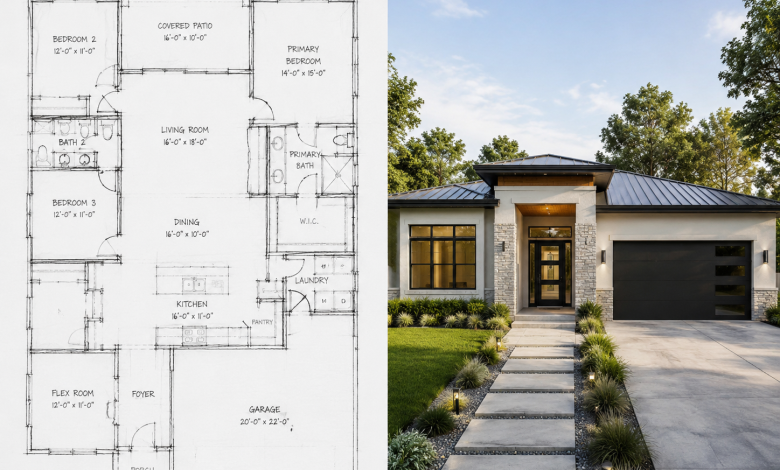
The architectural and design industry has never been short of big ideas — but turning those ideas into visual reality has always required significant time, budget, and technical expertise. From hand-drafted blueprints to CAD software, the tools of the trade have evolved steadily over decades. Now, artificial intelligence is accelerating that evolution at an unprecedented pace.
Today, AI-powered platforms are enabling homeowners, architects, interior designers, and landscape professionals to generate photorealistic visuals, detailed floor plans, and stunning outdoor environments in a matter of seconds. What once required weeks of back-and-forth with a design firm can now be accomplished with a single prompt.
In this article, we explore how AI is reshaping the design workflow across four key domains: interior design, exterior rendering, floor planning, and landscape visualization — and why this technology matters for professionals and enthusiasts alike.
The Rise of AI in Architectural Visualization
Architectural visualization has traditionally been the domain of specialized rendering studios and expensive software suites. Tools like Autodesk Revit, SketchUp, or Lumion require significant training and licensing fees, placing high-quality visuals out of reach for smaller firms, independent contractors, and everyday homeowners.
The emergence of AI image generation — driven by diffusion models and large-scale training on architectural imagery — has fundamentally changed this equation. Modern AI design tools can interpret natural language descriptions, photographic inputs, and rough sketches to produce professional-grade visual outputs without requiring technical expertise.
The implications are wide-ranging. Real estate developers can now visualize a property before breaking ground. Interior designers can present multiple style concepts to clients in minutes rather than days. Homeowners can experiment with renovation ideas before committing to costly contractor work. And architects can iterate on concepts at a speed that was previously impossible.
AI Interior and Exterior Design: Reimagining Spaces Instantly
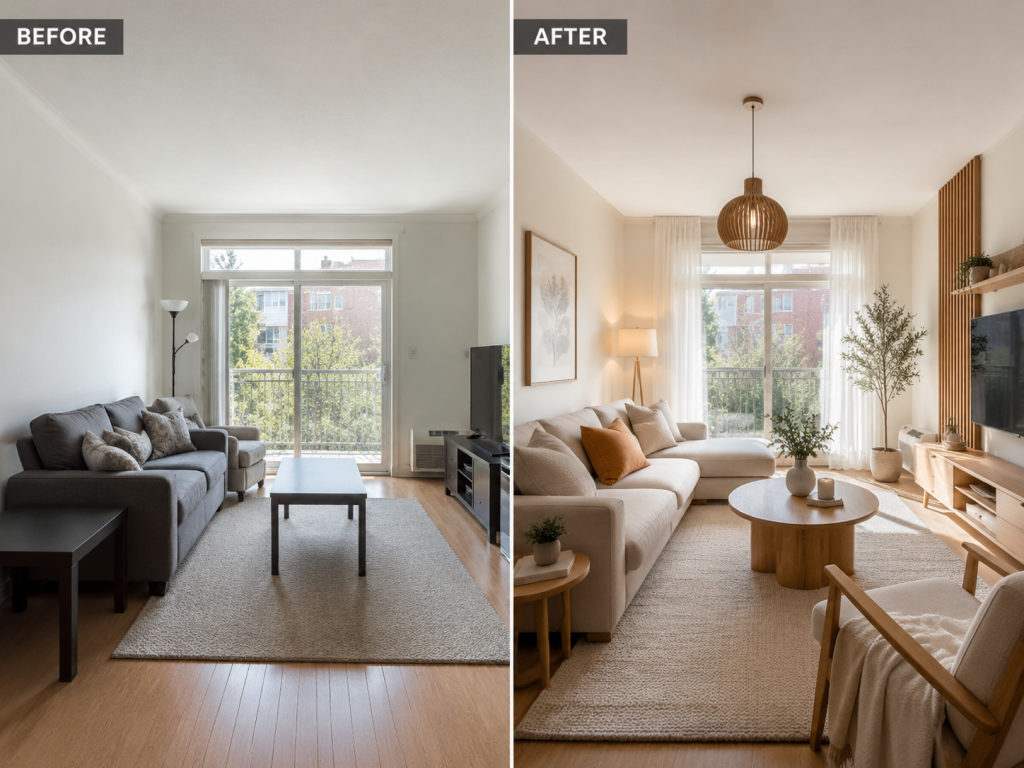
One of the most mature applications of AI in architecture is interior redesign. By uploading a photograph of an existing room, users can instantly transform the space into dozens of different styles — from Scandinavian minimalism to industrial loft to Japanese wabi-sabi — without touching a paint brush or moving a piece of furniture.
Platforms offering this capability are gaining significant traction among interior designers who use AI renders as a proposal tool, showing clients multiple directions before finalizing a design brief. The technology also empowers homeowners to make more confident decisions about renovation investments by seeing realistic previews of the end result.
Exterior home design follows a similar model. AI tools can take a photo of a house facade and re-render it with new siding materials, window styles, roof treatments, or landscaping — providing a compelling visualization tool for architects, builders, and real estate staging professionals.
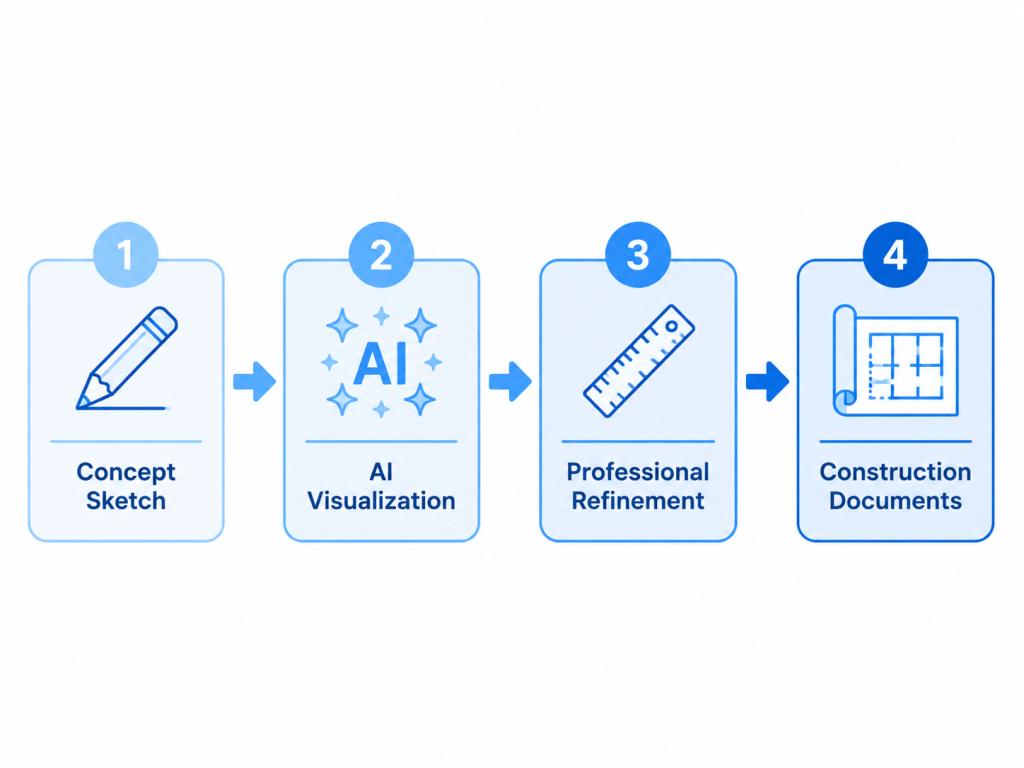
The sketch-to-render functionality represents perhaps the most technically impressive application: a hand-drawn or digital sketch, even a rough one, can be interpreted by AI and converted into a photorealistic architectural rendering. This bridges the gap between conceptual ideation and visual presentation in a way that previously required an experienced renderer.
AI Floor Plan Generators: From Description to Blueprint in Seconds
What Makes AI Floor Planning Different
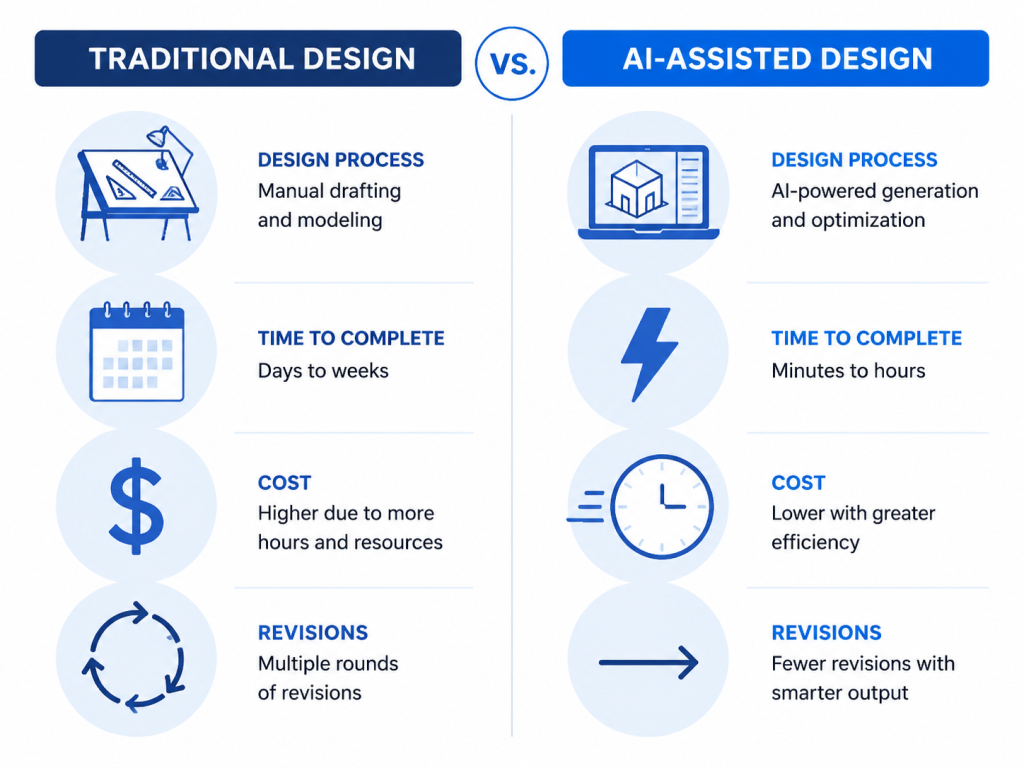
Floor plan generation is one of the most practically valuable applications of AI in architecture. Traditionally, creating even a basic floor plan required CAD software expertise or the services of a draftsperson. The result was that early-stage layout exploration — the “what if we moved the kitchen here?” conversations — was slow and expensive.
Modern AI floor plan generators change this dynamic entirely. By accepting natural language inputs (“a 3-bedroom house with an open-plan kitchen and a home office”), rough sketches, or dimension specifications, these tools can produce accurate, architecturally sound floor plans in under 30 seconds.
Key Use Cases
- Homeowners exploring renovation or new build layouts
- Real estate agents creating marketing materials for off-plan properties
- Architects conducting rapid concept-phase iteration
- Interior designers planning furniture placement and traffic flow
- Property developers visualizing multi-unit layouts
The best tools in this category support multiple output styles — technical blueprints, 2.5D layouts, and 3D isometric views — giving users the flexibility to choose the format most appropriate for their audience, whether that’s a contractor or a potential buyer.
Platforms like ArchyBase offer a free AI floor plan generator that allows users to describe their ideal space and receive a detailed, to-scale layout in seconds. The tool supports multiple floor plan styles — from technical blueprints to 3D isometric views — and requires no design experience to use. Whether you’re planning a studio apartment or a multi-story commercial space, the AI handles the spatial logic, room flow, and architectural best practices automatically.
AI Landscape Design: Transforming Outdoor Spaces with Generative AI
The Outdoor Design Challenge
Landscape and garden design has historically been even harder to visualize than interior spaces. The organic, living nature of plants, the variability of seasonal light, and the complexity of terrain make it difficult to produce compelling previews using traditional software. Most homeowners — and even many professional landscapers — rely on hand-drawn sketches or simple planting plans that fail to capture the full visual potential of a design.
AI is changing this significantly. By analyzing uploaded photographs of an existing outdoor space, AI landscape design tools can regenerate the environment in any desired style — from a Japanese zen garden to a tropical paradise to a water-wise xeriscape — with a level of photorealism that was previously only achievable through hours of 3D rendering work.
Applications Across the Design Industry
The technology has found enthusiastic adoption across several professional contexts:
- Landscape architects presenting concept options to clients early in the project lifecycle
- Garden centers and nurseries creating inspirational content for customers
- Real estate developers staging outdoor areas for property marketing
- Homeowners planning significant garden renovation investments
- Environmental designers exploring sustainable planting and water management scenarios
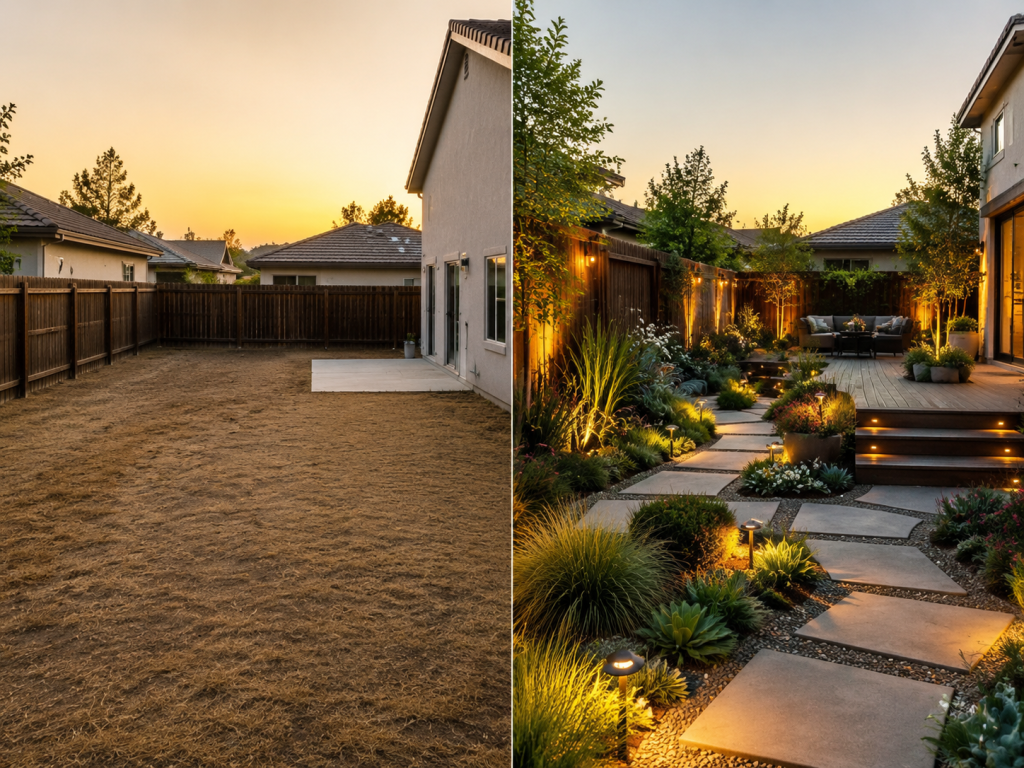
ArchyBase’s AI landscape design tool exemplifies this approach. Users simply upload a photo of their outdoor space, select a landscape style and type, and the AI produces a photorealistic redesign within seconds. The platform supports a wide range of styles — from modern patios and English cottage gardens to desert xeriscaping and woodland retreats — and includes context controls for vegetation, water features, pathways, lighting, and structures. The result is a powerful visualization tool that requires no prior design knowledge.
The Broader Impact on the Architecture and Design Industry
Democratizing Design
Perhaps the most significant impact of AI design tools is their democratizing effect. High-quality architectural visualization was once the exclusive domain of large firms with specialized staff and expensive software. Today, a homeowner in a mid-sized city with no design background can produce professional-grade renders, floor plans, and landscape concepts from their laptop.
This shift has several downstream effects. It raises the baseline quality of design proposals across the industry. It empowers clients to participate more actively in the design process. And it creates new opportunities for freelance designers, smaller studios, and independent practitioners who can now offer visualization services without investing in expensive software or rendering infrastructure.
Accelerating the Design Iteration Cycle
In professional settings, AI tools are most valuable as iteration accelerators. Rather than replacing the design process, they compress the time between concept and visual feedback. An architect can now present five different approaches to a client in the time it previously took to refine one. A landscape designer can respond to client feedback with an updated render during the same meeting, rather than returning in three days with a revised proposal.
This speed-to-feedback improvement has real commercial value. Projects move faster, client satisfaction improves, and the overall cost of the design phase decreases.
Considerations and Limitations
AI design tools are not without limitations. The outputs, while visually compelling, are not construction-ready documents. They lack the dimensional accuracy, material specifications, and engineering data required for building permits or contractor briefings. AI-generated floor plans are best understood as ideation tools, not replacements for professional CAD drawings.
There are also questions around originality, style attribution, and the training data used by AI models — topics the industry is actively debating. As with any powerful tool, the responsibility for thoughtful, ethical use rests with the practitioners who adopt it.
 Choosing the Right AI Design Tool
The market for AI architecture and design tools has grown significantly over the past two years. When evaluating platforms, professionals and enthusiasts should consider several key factors:
- Input flexibility: Does the tool accept photos, sketches, text descriptions, or all three?
- Output quality and realism: Are the renders photorealistic enough for client presentations?
- Style range: Does the platform cover the design styles most relevant to your work?
- Feature breadth: Does it support multiple design domains (interior, exterior, landscape, floor plans)?
- Ease of use: Is the interface accessible without extensive training?
- Export options: Can outputs be downloaded in formats suitable for presentations or further editing?
Platforms that cover multiple design domains under a single interface offer particular value for generalist designers and architects who need visualization capabilities across different project types without managing multiple subscriptions.
Conclusion
Artificial intelligence is not replacing architects, interior designers, or landscape professionals — but it is fundamentally changing the tools available to them and to the clients they serve. The ability to generate accurate floor plans from a text description, visualize a landscape redesign from a smartphone photo, or transform a room’s aesthetic with a single click represents a genuine shift in the design industry’s capabilities.
For professionals, the opportunity is to integrate these tools thoughtfully — using AI to accelerate ideation, improve client communication, and expand the range of services they can offer. For homeowners and property developers, the opportunity is to engage more actively and confidently in the design process, armed with visuals that actually reflect their vision.
The best AI design platforms are those that make this technology accessible without sacrificing quality or creative control. As the tools continue to mature, their role in the built environment — from the rooms we live in to the gardens we tend — will only grow more significant.