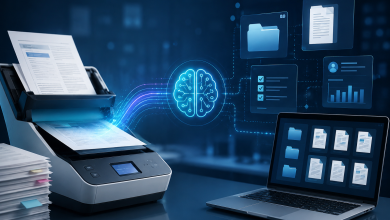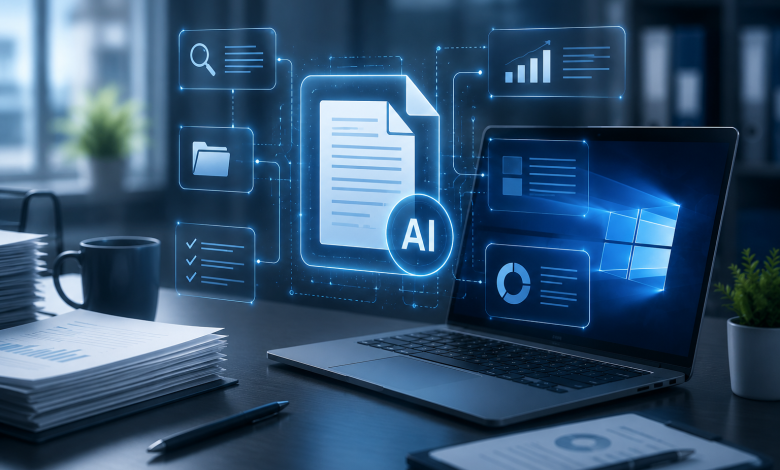
AI-assisted tools are accelerating drafting, analysis, presentation creation, and cross-device collaboration.
Artificial intelligence is changing the way people work with documents, spreadsheets, presentations, and business information. On Windows computers, tasks that once required several applications and long periods of manual effort can now be completed through increasingly connected, AI-assisted workflows.
Employees can draft documents from structured notes, summarize long reports, extract information from files, reorganize data, improve presentation outlines, and prepare content for different audiences. These capabilities are making everyday office work faster, but they are also changing what users expect from their productivity software.
AI alone is not enough to create an effective working environment. Users still need a reliable office suite that can open common file formats, preserve document layouts, support routine editing, and work consistently across devices. The most productive workflows combine AI assistance with stable document-management tools rather than treating AI as a replacement for traditional office software.
From Manual Document Creation to Assisted Drafting
Document creation has traditionally started with a blank page. A user would gather information, develop an outline, write each section, review the structure, correct the language, and format the final file.
AI-assisted drafting changes the first stages of that process.
Instead of manually constructing every paragraph, users can begin with meeting notes, research summaries, customer requirements, or project data. An AI tool can help organize those materials into an initial structure. It may suggest headings, identify repeated ideas, or convert unstructured notes into a clearer draft.
This is especially useful for recurring business documents such as:
- Project updates
- Internal reports
- Client proposals
- Meeting summaries
- Standard operating procedures
- Training materials
- Product documentation
However, the first AI-generated draft is rarely the finished document. Human review remains essential for checking facts, adjusting the tone, removing unnecessary repetition, and ensuring that the content reflects the actual business objective.
The office suite therefore remains the central workspace. AI may accelerate the drafting process, but users still need familiar editing tools for revising text, applying styles, inserting tables, managing page layouts, and preparing the final version.
Information Organization Is Becoming More Important
Modern teams often have too much information rather than too little.
A single project may involve email messages, spreadsheets, PDFs, meeting transcripts, cloud documents, screenshots, and notes from several departments. The difficulty is no longer simply finding information. It is turning scattered material into something understandable and useful.
AI-assisted workflows can help users classify information and identify relationships between different sources. For example, a project manager may use AI to:
- Summarize a collection of meeting notes.
- Extract deadlines and responsible team members.
- Group tasks by department.
- Convert the results into a structured project document.
- Create a short executive summary for management.
This can reduce the time spent copying information between files, but the results still need to be stored in a stable and accessible format.
Structured documents remain important because they create a shared reference point. A well-organized report can be reviewed, edited, distributed, archived, and reused. Without a dependable document layer, AI output can become fragmented across chat windows and temporary interfaces.
The strongest workflows therefore use AI for processing information and office software for organizing, presenting, and preserving it.
Spreadsheet Work Is Moving Beyond Manual Formulas
Spreadsheets are another area where AI assistance is beginning to change everyday work.
Traditional spreadsheet tasks often require users to understand formulas, data types, filtering rules, pivot tables, and chart settings. These skills remain valuable, but AI can make some spreadsheet functions more accessible to non-specialists.
A user may be able to describe the desired result in ordinary language, such as:
- Calculate monthly growth.
- Identify unusually high expenses.
- Group sales by region.
- Summarize customer activity.
- Create a forecast based on recent performance.
- Highlight rows with missing information.
AI can help translate these requests into formulas, recommended steps, or data summaries. It can also explain why a formula is returning an error or suggest a simpler way to organize a worksheet.
This does not eliminate the need for validation. Spreadsheet errors can affect budgets, forecasts, inventory decisions, and management reports. Users must still confirm that the correct columns, date ranges, and calculation methods were used.
Compatibility is also important. Many organizations exchange spreadsheets with customers, suppliers, accountants, and external partners. Files must open correctly, formulas must remain intact, and formatting should not change unexpectedly.
For this reason, AI-assisted spreadsheet work depends on a reliable office environment that can manage common file formats and support detailed manual review.
Presentation Creation Is Becoming Faster but More Strategic
Creating a presentation involves more than placing text on slides. The presenter must decide what information matters, how the story should progress, and what the audience should remember.
AI can help during the early stages by generating outlines, shortening long passages, suggesting slide titles, and converting reports into presentation structures. It may also help users create different versions of the same presentation for executives, customers, technical teams, or internal training.
This can reduce production time, especially when a presentation is based on an existing document or spreadsheet.
However, automatically generated slides can easily become too generic. They may contain excessive text, repetitive layouts, or weak visual hierarchy. Human judgment is still required to determine:
- Which data should be highlighted
- Which slides should be removed
- Where charts or diagrams are necessary
- How much information the audience can absorb
- Whether the design supports the message
- Whether the final presentation matches the organization’s standards
AI can accelerate preparation, but the value of the presentation still depends on clear communication. Office software remains the place where users refine layouts, review speaker notes, insert visual evidence, and control the final appearance.
Windows Remains a Central Business Workspace
Although many productivity tools are now cloud-based, Windows computers continue to serve as the primary working environment for a large number of organizations.
Employees often move between local files, browser applications, communication platforms, enterprise systems, and cloud storage. A typical workflow may include downloading an attachment, editing it locally, comparing it with another version, adding data from a spreadsheet, and uploading the completed file to a shared workspace.
AI features are increasingly appearing within this environment, but users still need consistency.
A productive Windows setup should allow people to:
- Open frequently used document formats
- Edit files without damaging the original layout
- Work with both local and cloud-based documents
- Export files into widely accepted formats
- Recover previous versions when necessary
- Move between desktop and mobile devices
- Continue working when internet access is limited
These practical requirements explain why office-suite reliability remains important even as AI tools become more advanced.
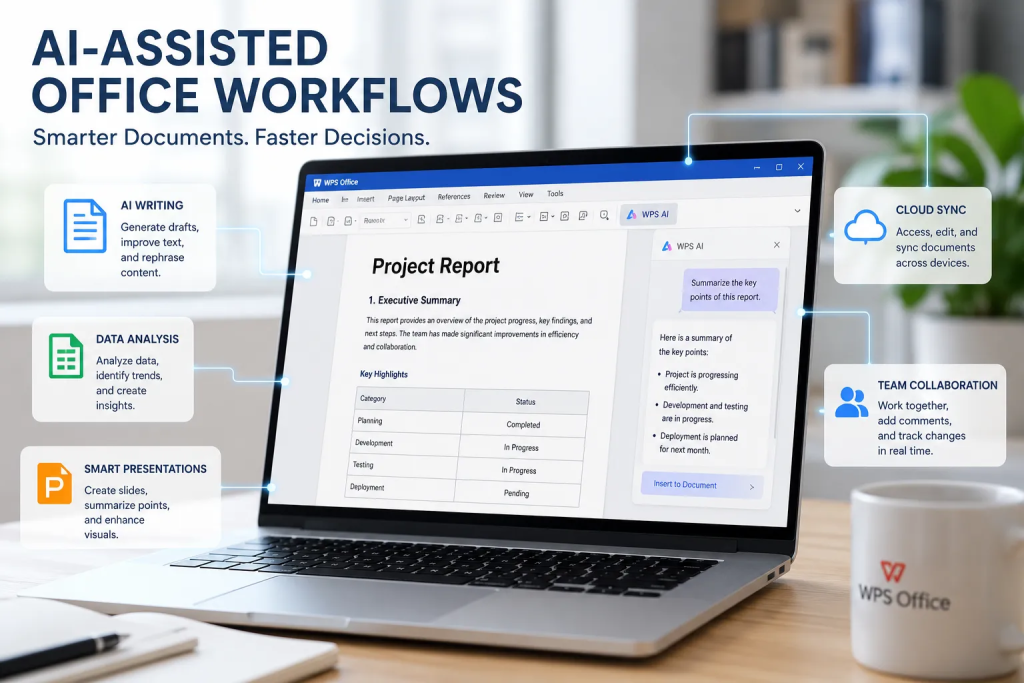
Many users evaluating productivity options look for software such as WPS Office because an AI-assisted workflow still requires a dependable environment for document editing, spreadsheet management, presentation creation, and everyday file handling.
The link between AI and office software is therefore complementary. AI helps users process and generate information, while the office suite provides the structure needed to review, format, save, share, and reuse that information.
Cross-Device Collaboration Is Changing the Document Lifecycle
Documents are no longer created and completed on a single computer.
A report may begin on a Windows desktop, receive comments from a colleague using a browser, be reviewed on a mobile phone, and later be presented from another device. This cross-device movement changes the document lifecycle.
Users expect their files to remain accessible and consistent throughout the process. They also expect changes to be synchronized without creating multiple confusing versions.
AI adds another layer to this workflow. Team members may use AI to summarize comments, identify unresolved questions, compare document versions, or produce action lists from collaborative discussions.
However, collaboration becomes difficult when file formats are incompatible or when formatting changes across devices. A document that appears correct on one system may display differently on another. Tables may shift, fonts may change, and presentation layouts may break.
A stable office suite helps reduce these problems by maintaining familiar formats and providing consistent editing tools. This becomes increasingly important as AI-generated content moves between people, applications, and devices.
AI Productivity Also Creates New Risks
The benefits of AI-assisted office work come with important limitations.
Employees may accidentally submit confidential information to an AI service, rely on inaccurate summaries, or include unsupported claims in a business document. AI-generated text may also sound convincing even when it is incomplete or incorrect.
Organizations therefore need clear review procedures.
Before using AI output in a final document, users should check:
- Whether the information is factually correct
- Whether confidential data has been exposed
- Whether the output includes unsupported assumptions
- Whether the tone is appropriate for the audience
- Whether calculations can be independently verified
- Whether the document complies with internal policies
- Whether external sources need to be cited
File security is equally important. Users should obtain office software and updates from trusted sources, avoid unknown download pages, and review permissions before installing additional plugins or extensions.
AI should improve productivity without weakening data protection or document accuracy.
The Future Is an Integrated Workflow
The next stage of office productivity will not be defined by a single AI assistant or a single software product. It will be shaped by how effectively different tools work together.
Users will increasingly expect to move through a connected process:
- Collect information from several sources.
- Use AI to summarize and organize it.
- Draft a document or analysis.
- Review the output in an office application.
- Add calculations, tables, charts, or visual structure.
- Collaborate with colleagues.
- Export the final file into a standard format.
- Access or update the document across devices.
In this model, AI becomes part of the workflow rather than a separate destination.
The office suite also becomes more important, not less. As content is generated faster, users need stronger tools for managing quality, formatting, compatibility, and distribution. The ability to produce more information creates a greater need for structure and control.
Conclusion
AI-assisted workflows are reshaping document productivity on Windows by reducing repetitive work and making complex tasks more accessible. Drafting, summarization, spreadsheet analysis, presentation planning, and information organization can all be completed more efficiently.
Yet productivity does not come from AI alone.
Users still need reliable office software to edit documents, verify calculations, preserve formatting, manage common file types, and support collaboration across devices. AI can accelerate the process, but stable productivity tools provide the environment in which the work becomes usable.
The most effective approach is therefore not to replace traditional office applications, but to combine them with AI assistance. Organizations that build this balance can work faster while maintaining the accuracy, consistency, and control required for professional document production.