Have you ever spent ten minutes looking for a document that should have taken ten seconds to find?
You are not alone. Millions of businesses digitized their paper records years ago, yet employees still waste hours every week searching through folders, renaming files, and manually sorting documents. The files exist digitally, but the information inside them is still locked away.
The truth is, simply scanning a document and saving it as a PDF is no longer enough. That is where AI comes in.
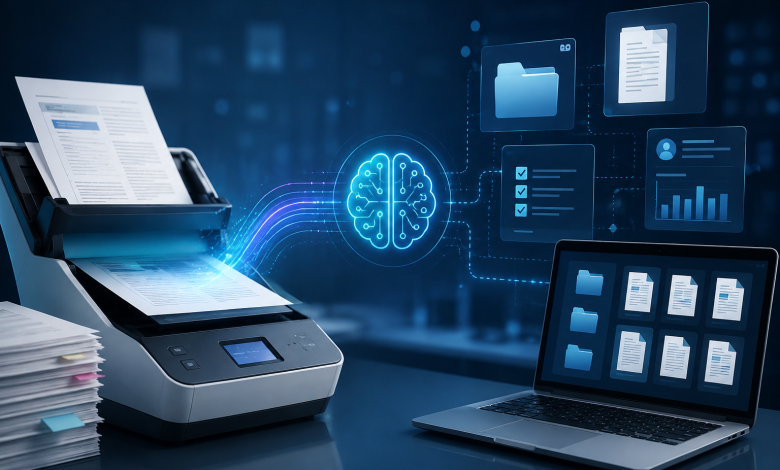
Modern AI-powered tools are doing something much more powerful than converting paper to pixels. They are turning scanned documents into searchable, organized, and actionable information automatically. In this article, we will break down exactly how AI is changing document digitization and why it matters for businesses of every size.

The Problem with Traditional Document Digitization
Traditional digitization is pretty straightforward: you scan a paper document, save it as an image or PDF, and store it on a computer or server. It is better than a filing cabinet, sure, but not by as much as you might think.
Here is the core problem. A scanned document is just a picture of text. The computer cannot actually read it. You cannot search for a keyword inside it. You cannot pull specific data out of it automatically. And you certainly cannot connect it to your other business systems without a lot of manual work.
Old-school digitization also creates its own organizational headaches. Files get saved with unhelpful names like “scan0047.pdf.” Nobody tags them properly. Folders become impossible to navigate. And when you need a specific invoice from three years ago, you are back to searching by hand, just in a digital folder instead of a physical one.
In short: digitization without intelligence just moves the problem from paper to screens.
How AI Is Changing the Way Documents Are Captured
The first improvement AI brings is at the capture stage itself, before a document even reaches your storage system.
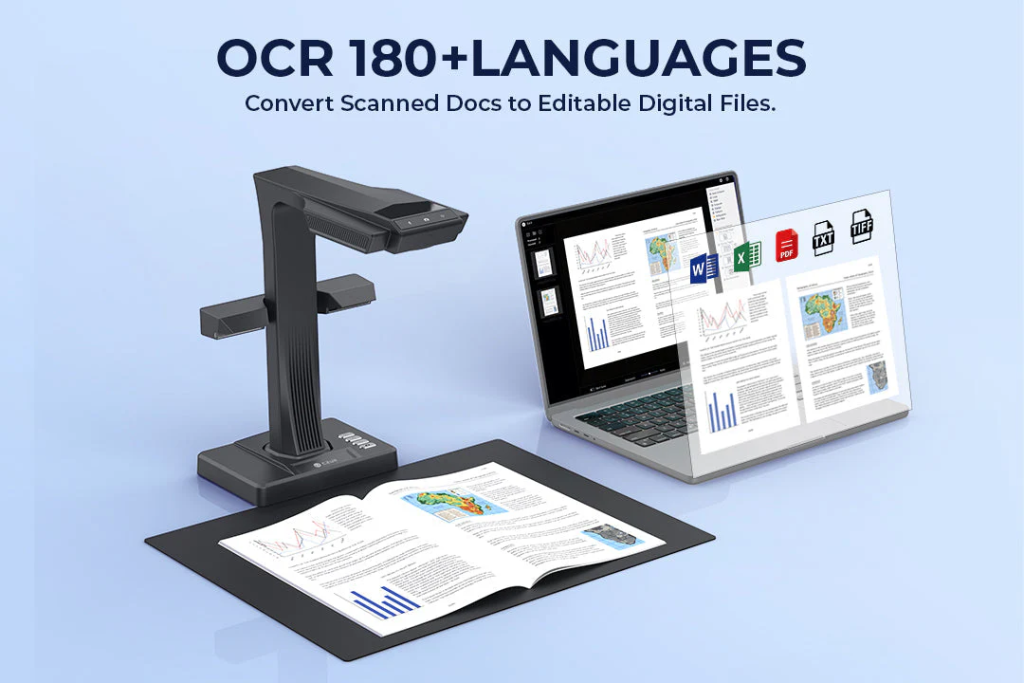
Modern scanners do far more than take a picture of a page. They automatically detect page boundaries, correct perspective distortion, remove shadows, and enhance image quality in real time. If you photograph a book lying flat, the AI can digitally flatten the curved pages. If the lighting is uneven, it corrects it automatically.
Smart Capture Features Powered by AI
- Auto-flattening of curved or folded pages
- Shadow and glare removal from scanned images
- Automatic cropping and edge detection
- Finger removal when holding a book open during scanning
These features dramatically reduce the time spent cleaning up scans manually. What used to take hours of editing can now happen instantly, right at the point of capture.
AI OCR: Making Documents Searchable and Usable
Once a document is captured cleanly, the next step is making the text inside it readable by a computer. This is where Optical Character Recognition (OCR) comes in, and AI has completely transformed how well it works.
Traditional OCR worked by matching shapes to a database of characters. It was error-prone with unusual fonts, handwriting, low-quality scans, or documents in multiple languages. Anyone who has tried to search a poorly-scanned PDF knows the frustration.
AI-powered OCR is a completely different story. It uses deep learning models trained on millions of documents to recognize text with much higher accuracy. It can handle:
- Handwritten notes and signatures
- Mixed-language documents
- Tables, charts, and structured data
- Low-resolution or damaged documents
- Complex layouts with multiple columns
The result is a searchable PDF or editable text file that accurately reflects the original document, even when the source material was imperfect.
Beyond just reading text, AI OCR can also understand the structure of a document. It knows the difference between a heading and a paragraph, a table row and a label, a date field and an address. This structural understanding is what makes the next step possible.
AI Is Automating Entire Document Workflows
Here is where things get really interesting. AI does not just read documents; it can act on them.
Once a document has been captured and its text extracted, AI can automatically classify what type of document it is, pull out key data fields, route it to the right person or system, and trigger the next step in your workflow, all without any human involvement.
Real-World Examples by Industry
- HR teams use AI to parse resumes, extract candidate details, and populate applicant tracking systems automatically.
- Healthcare providers scan patient intake forms and have the data entered into electronic health records within seconds.
- Schools and libraries digitize textbooks and archives, making decades of materials searchable and accessible online.
- Finance departments process invoices automatically, extracting vendor name, amount, and due date, then routing for approval.
The common thread across all of these is that AI removes the manual handoff between scanning and doing something useful with the document. That gap used to cost enormous amounts of time and money.
Real-World Benefits of AI Document Digitization
The business case for AI-powered document digitization is straightforward. Here is what organizations are actually seeing:
Faster Document Retrieval
Employees can find any document in seconds using a keyword search, instead of spending minutes or hours digging through folders. For businesses that handle thousands of documents, this alone translates to hours saved every single day.
Lower Operational Costs
Less physical storage space, lower printing costs, and reduced manual data entry all contribute to significant cost savings. Teams can do more work without adding headcount.
Better Compliance and Audit Trails
AI systems can automatically tag documents with metadata, retention policies, and access controls. This makes compliance audits far easier and reduces the risk of records being lost or mishandled.
Improved Accessibility and Remote Collaboration
Digitized documents stored in the cloud are accessible from anywhere. Teams working remotely can collaborate on the same files in real time, without emailing attachments back and forth.

The Future: From Digital Documents to Intelligent Knowledge
The next phase of document digitization goes even further. AI systems are being built that do not just store and retrieve documents, they actually understand what is in them.
Imagine being able to ask your document management system a question like, “What were our top three vendors for office supplies last year?”, and getting an accurate answer pulled from hundreds of scanned invoices in seconds. Or having a system that automatically flags a contract for review because it contains unusual payment terms.
This is not science fiction. It is where the industry is heading right now, driven by large language models and more advanced AI document understanding systems. The scanned document is no longer just a file, it becomes a piece of knowledge that both humans and AI can search, reference, and build on.
For businesses that digitize large volumes of documents, whether it is a law firm with case files, a hospital with patient records, or an accounting team processing invoices, this shift from storage to intelligence is going to be transformational.
Conclusion
Document digitization has come a long way from simply scanning paper and saving files. Today, AI is making the entire process smarter, from how documents are captured and read to how they are organized, processed, and used.
The future is not about creating more PDFs. It is about transforming documents into knowledge that your entire team, and your AI tools, can find, understand, and act on instantly.
If your business is still relying on basic scanning without intelligent processing, now is the time to look at what AI-powered document tools can do for your workflows.