 As AI-generated 3D models become increasingly common, the industry’s focus is shifting from generation itself to something more practical: how quickly those models can become real, physical objects.
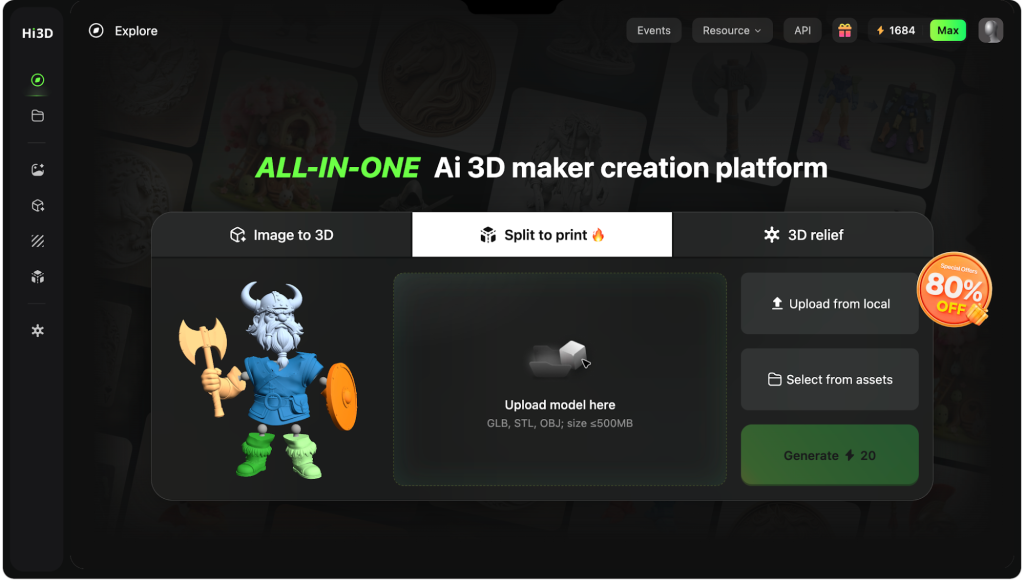
That shift is reflected in Hi3D’s growing partnerships with leading digital manufacturing brands, including Creality, MakerWorld, Bambu Lab, and xTool. Rather than positioning itself as another AI model generator, Hi3D is evolving into an All-in-One AI 3D Maker Platform—connecting AI-native 3D creation directly with the workflows used by millions of makers, designers, and 3D printing enthusiasts.
Instead of stopping at model generation, Hi3D supports the complete path to manufacturing, including texture preview, automatic character splitting, connector generation, multi-color preparation, smart build-plate layout, printable 3MF export, and beginner-friendly Maker Templates.
This review explores a simple question: Can Hi3D turn an AI-generated model into a printable, assembled figure instead of just another good-looking preview?
The platform is designed for 3D printing makers, figure creators, articulated model designers, print farms, maker spaces, small studios, and anyone who wants to create printable objects without mastering traditional CAD or 3D modeling software.
Product Review Summary
Hi3D’s strongest value is its model-to-product workflow. It helps users move from a digital character or object toward printable parts, cleaner color planning, better assembly, and a more organized slicer handoff.
Quick Verdict
| Product Area | Review Takeaway |
| Auto Character Split | Strong for turning full character models into printable parts |
| Native Texture | Helps surface detail feel connected to the model shape |
| Connectors | Useful for static display figures and articulated models |
| Multi-Color Printing | Turns textured models into printable color-partitioned objects |
| Smart Layout | Helps reduce support issues and improve print setup |
| 3MF Workflow | Supports a richer slicer-ready export path |
| Maker Templates | Beginner-friendly entry point for portraits, pets, gifts, and small objects |
Auto Character Split
Auto Character Split is one of Hi3D’s most practical features. Many AI-made character models look complete on screen, but they may be too large for one build plate, hard to support, difficult to cut manually, or unstable after printing.
Feature Highlights
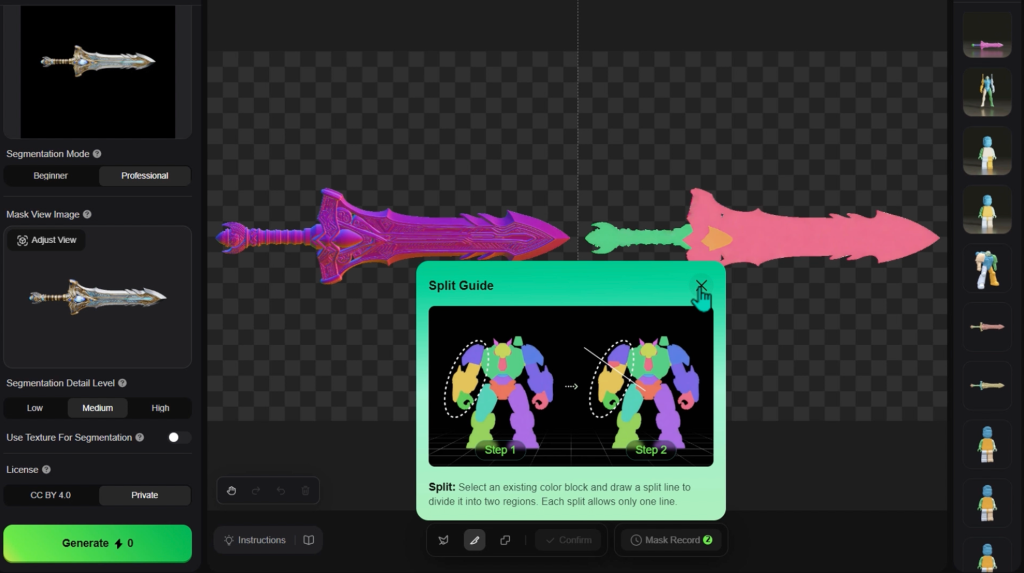
Hi3D supports one-click character splitting, six split templates, and auto-recognition of common character parts such as the head, torso, arms, and legs. This helps users prepare printable figure sections without complex manual modeling.
Review Notes
The feature solves the “last mile” problem of AI character models. It not only helps the model look ready, but it also helps the model become easier to separate, print, and assemble.
Native Texture And Watertight Output
Native texture matters because surface detail should feel connected to the model, not pasted on top of it. Hi3D’s texture workflow helps users review the asset more confidently before splitting, coloring, or exporting.
Feature Highlights
Hi3D also focuses on watertight, print-ready output. That means split parts are intended to reduce non-manifold errors, broken faces, open surfaces, and slicing failures.
Review Notes
This is important because many models look fine in preview but fail inside slicer software. Hi3D’s cleaner output gives users a stronger starting point, although scale, wall thickness, and printer behavior still need human review.
Auto-Generated Connectors
Hi3D does not only split a model into parts. It also helps those parts fit together through Joint Generation and auto-generated connector structures.
Feature Highlights
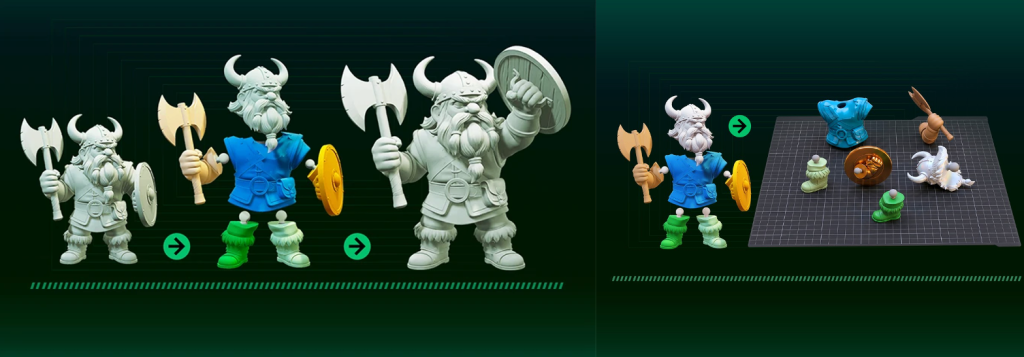
The connector system supports snap-fit options, connector head structures, mortise-style joints, plug-fit structures, locating pins, ball-joint structures, and an Auto-Boolean style workflow for matching parts together.
Review Notes
This makes Hi3D useful for both static display figures and articulated dolls. Stable mortise or plug-fit structures can support display models, while ball joints can support poseable figure projects. Users can also adjust connector type, direction, size, and length to match printer tolerance and assembly needs.
Multi-Color Printing
Hi3D’s Multi-Color Printing feature, also called Color-to-Print, helps turn a textured model into a more printable color object. Instead of manually painting every region in a slicer, AI 3D Printing users can generate FDM-suitable color partitions based on structure, texture, printer setup, and filament configuration.
Feature Highlights
Hi3D supports one-click print-grade color partition, 1 to 16 color control, smart fragmentation optimization, and standard filament color simulation.
Review Notes
The biggest benefit is practical color planning. The system can reduce tiny scattered color regions, preview real filament-style results, and make multi-color printing more stable, efficient, and realistic.
Smart Layout And 3MF Workflow
Smart Build-Plate Layout supports the print-optimization stage after splitting and coloring. Poor placement can create rough surfaces, extra supports, wasted filament, or weak assembly points.
Feature Highlights
Hi3D includes Surface-First Mode for surface quality and assembly fit, Low-Support Mode for reducing support volume, connector-specific layout optimization, one-click print parameter generation, and 3MF Auto-Enhance.
Review Notes
The 3MF workflow is important because it can carry model structure, colors, layout, and print settings into slicer workflows such as Bambu Studio and OrcaSlicer. This reduces repeated setup and gives users a cleaner path from prepared model to print planning.
Maker Templates
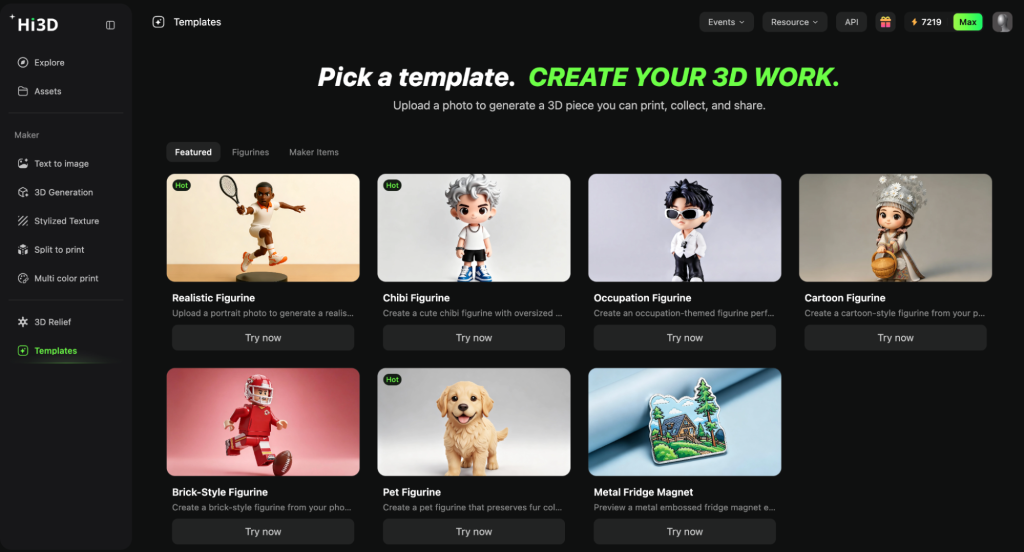
Maker Templates are Hi3D’s easiest entry point for beginners. Many users want the AI Maker Platform to create something personal, but they do not know how to model, write prompts, or plan a print workflow.
Feature Highlights
Users can start without modeling skills, upload a photo or enter a theme, and create personal items such as Q-version portraits, realistic portraits, pet figurines, fridge magnets, keychains, ornaments, and gift-style objects.
Review Notes
Maker Templates work because they start with content people care about. A pet figure, mini portrait, or gift object gives beginners a clear reason to create, share, split, color, export, and print.
Conclusion
Hi3D is a practical AI 3D printing platform for turning digital models into more printable, assemblable, and shareable physical objects. Its strongest features are Auto Character Split, native texture support, watertight output, connector generation, multi-color printing, Smart Layout, an optimized 3MF workflow, and Maker Templates. While human inspection is still recommended before final printing, Hi3D provides makers with a much more streamlined path from idea to physical figures, toys, gifts, ornaments, and display pieces.
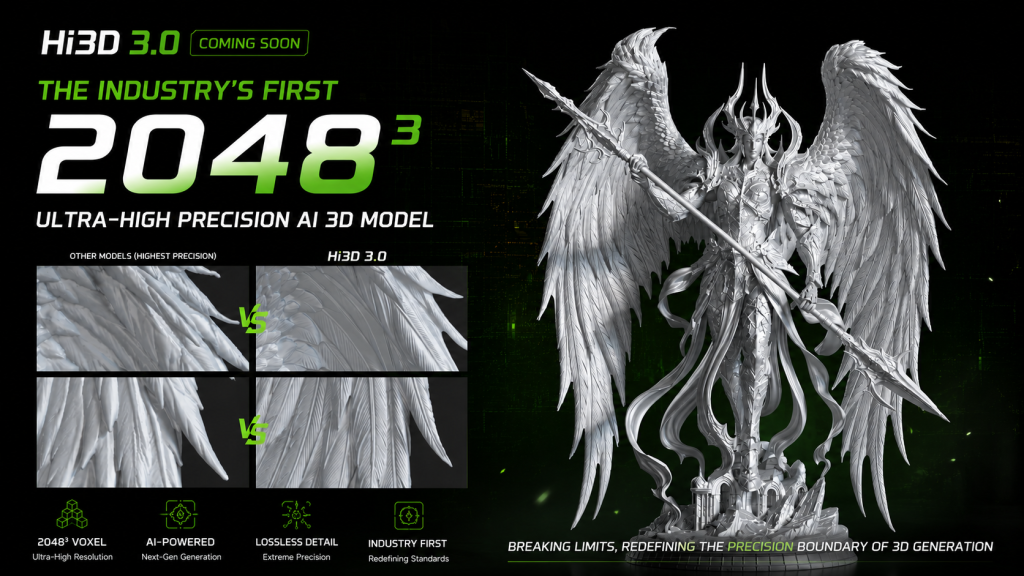
Looking ahead, Hi3D 3.0 is expected to push AI-generated 3D quality even further with the industry’s first 2048³ ultra-high-resolution model generation, bringing richer geometric detail and moving AI-assisted creation one step closer to production-ready digital manufacturing.