Many small businesses start invoicing in Google Sheets, manually tracking payments, updating statuses, and following up on overdue invoices. It works well in the beginning because it is flexible and easy to set up. But as invoice volume grows, the cracks start to show. Missed payments, data entry errors, and inconsistent follow-ups can lead to cash flow issues. What once felt simple begins to require more time and attention.
This is where AI-powered automated invoicing tools come in. Modern systems like free invoicing software or accounting platforms increasingly use automation and AI-assisted workflows to reduce manual work, improve payment tracking, and streamline repetitive financial tasks.At the same time, they also change how your day-to-day workflow operates. Understanding what actually changes, and what stays the same, helps you make a smoother transition. This article breaks down both sides so you can upgrade your process without losing control of your finances.
The shift from manual tracking to AI-assisted invoicing systems
Google Sheets invoicing relies heavily on manual processes. You enter data, update payment statuses, and use formulas to track totals. This can work when activity is low, but it becomes harder to maintain as your business grows.
Automated invoicing systems take a different approach. Instead of managing multiple steps manually, they centralize billing, payment tracking, and reminders in one place. This is where tools like free accounting software can be especially useful, as they often combine invoicing with broader financial tracking in a single system. This reduces the need to constantly update and cross-check your records.
The shift is not about replacing spreadsheets entirely. It is about removing repetitive tasks and creating a more consistent system. For small businesses, this change improves efficiency, increases visibility, and makes it easier to scale operations over time.
Moving beyond the limitations of manual spreadsheets requires more than just a digital version of the same old process. Tabs provides an AI-native revenue platform specifically built to eliminate “copy-paste chaos” by unifying the entire contract-to-cash lifecycle. By connecting contracts, billing, and revenue recognition into a single system, Tabs automates fragmented workflows that typically slow down growing finance teams. This transition allows businesses to replace manual data entry with intelligent automation that scales confidently. Instead of managing disconnected tools, teams gain a clear, real-time view of their revenue, ensuring that as volume increases, the financial “connective tissue” of the business remains strong and precise.
What changes when you move to automated invoicing
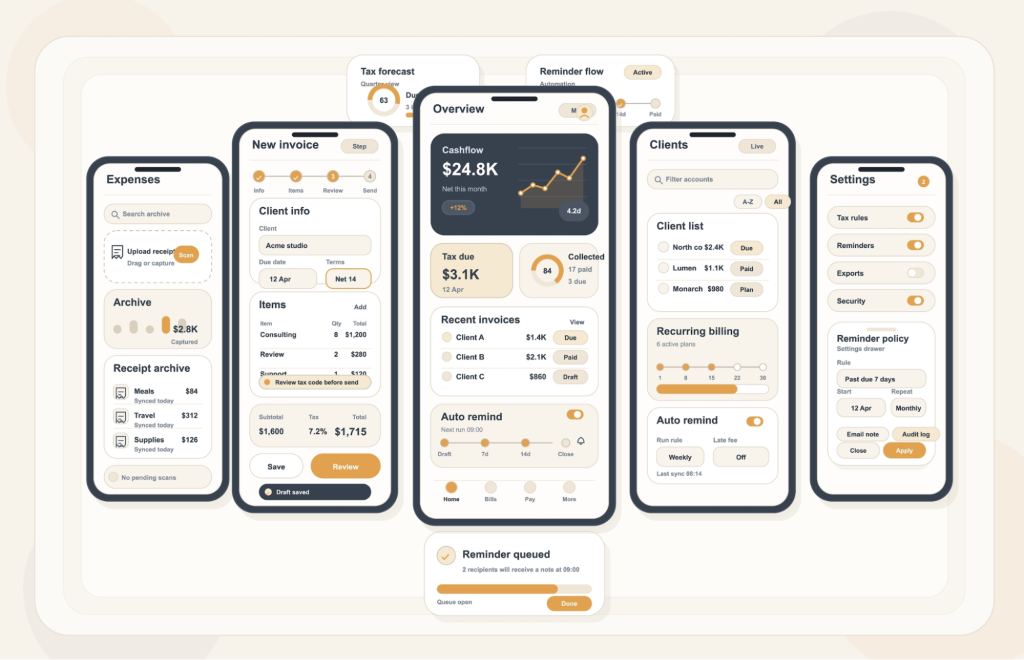
When you switch to automated invoicing, the biggest difference is how much of the process runs in the background. Invoices can be generated and sent automatically based on schedules or triggers, which removes the need to create each one manually.
Payment reminders are also handled automatically. Instead of tracking due dates and following up yourself, the system sends reminders at the right time. This often leads to faster payments and more consistent cash flow.
Another key change is visibility. Rather than updating a spreadsheet, you can see in real time which invoices are paid, pending, or overdue. This makes it easier to understand your cash position without extra effort.
Finally, integrations play an important role. When your invoicing system connects with accounting tools, data flows automatically between systems. This eliminates duplicate entry and reduces the risk of inconsistencies.
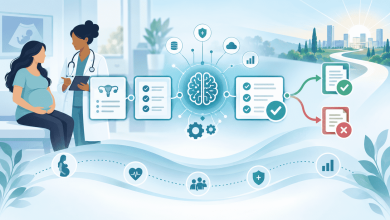
AI is also beginning to improve how businesses analyze invoicing data. Instead of only automating repetitive tasks, some platforms can identify payment trends, flag unusual activity, and help businesses better predict cash flow patterns. For small businesses managing growing invoice volume, these insights can make financial workflows more proactive rather than purely reactive.
What stays the same behind the scenes
Even with automation, the fundamentals of managing your finances do not change. You still need accurate pricing, correct client information, and clearly defined payment terms. Automation depends on this data being reliable.
Cash flow management also remains your responsibility. While software can show you what is happening, you still need to monitor trends, plan ahead, and make decisions based on that information.
Client relationships continue to matter as well. Clear communication and occasional follow-ups can still influence how quickly you get paid. Automation supports the process, but it does not replace the human element.
Financial oversight is another constant. You still need to review reports, spot potential issues, and adjust your approach when needed. Automation makes this easier, but it does not remove the need for it. Even with AI-assisted tools, financial decisions still require human judgment and oversight.
Common challenges during the transition
Transitioning to automated invoicing can come with a few initial challenges. Migrating data from spreadsheets into a new system often requires cleanup, especially if records are inconsistent or incomplete.
There is also a learning curve. New workflows may take time to get used to, and your process may temporarily slow down as you adjust.
Another potential issue is over-automation. Businesses should also understand how automation rules and AI-generated recommendations work before relying on them completely. If you rely entirely on the system without reviewing your data, small errors can go unnoticed. Maintaining regular oversight helps prevent this.
Cost can also be a consideration. While many tools offer free invoicing software options, you may need to evaluate whether additional features are worth the investment as your business grows.
Best practices for moving from spreadsheets to automated invoicing
A smooth transition starts with preparation. Begin by organizing your data so that customer details, pricing, and outstanding invoices are accurate before moving into a new system.
It is also important to choose tools that match your current needs. Avoid overly complex systems if your invoicing process is still relatively simple. The goal is to improve efficiency, not add unnecessary complexity.
Once your system is set up, define clear automation rules. Decide when invoices should be sent, how reminders are triggered, and how payments are recorded. This ensures consistency across your workflow.
Even with automation in place, regular financial reviews remain essential. Checking reports and monitoring cash flow trends helps you stay in control and catch issues early.
Finally, keep a human element in your process. Personal communication with clients can still improve payment timelines and strengthen relationships. Testing your workflow before fully transitioning can also help you identify and fix any issues early.
Tools and solutions to consider
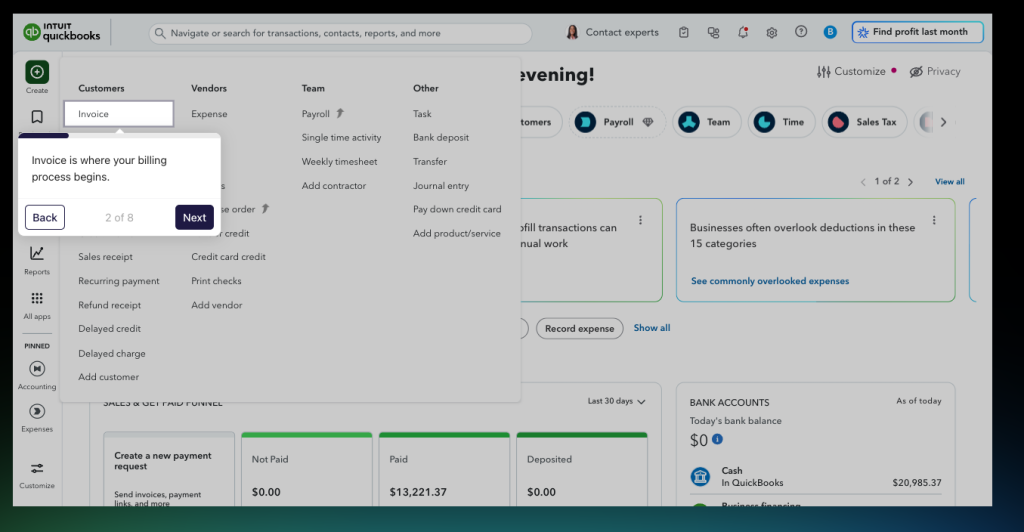
There are several ways to approach automated invoicing, depending on your business needs. Some businesses prefer accounting platforms that include invoicing features, while others use standalone software for invoicing designed for freelancers or service-based work.
Many modern invoicing platforms now include AI-enhanced features such as smart reminders, expense categorization, and cash flow forecasting alongside standard automation tools. Payment processors can also play a role by integrating directly with invoicing systems, making it easier for clients to pay. If you are not ready for a full transition, automation tools can connect spreadsheets to accounting software as a temporary step.
Final thoughts
Moving from Google Sheets to AI-powered automated invoicing is less about replacing a tool and more about improving your process. Automation reduces manual work and increases efficiency, but strong financial habits still matter. Accurate data, consistent reviews, and clear communication remain essential to managing your finances effectively.
By combining automation, AI-driven insights, and human oversight,you can create a system that supports growth while keeping your operations organized and manageable.