Introducing Eddy AI Chatbot, an intelligent assistant built by Document360 that turns your knowledge base into an always-available support layer.
Instead of forcing users to search through multiple articles or wait for support responses, Eddy AI understands questions and delivers precise answers directly from your documentation.
Through the Eddy AI Chatbot, customers get answers in seconds, while support teams reduce repetitive tickets and focus on more complex issues.
In this article, we’ll cover why SaaS companies need an AI-powered support solution, how Eddy AI uses your knowledge base to provide accurate responses, and how teams can customize and test the chatbot to create a consistent experience.
Why SaaS Companies Need an AI Chatbot to Scale Customer Support
77% of consumers are comfortable with AI resolving a question or issue, which shows a clear change in how users expect to receive support. As your SaaS products grow and support demand increases, the following are the reasons why you should utilize an AI-supported chatbot.
Rising ticket volume in growing SaaS businesses
User demand is constantly increasing as the product grows through increased adoption and new features. More user questions will arise: queries about onboarding, product setup, problem-solving, and product features.
On average, SaaS B2B companies receive around 0.2-0.5 support tickets per customer per month, depending on product complexity and support type.
Even though this seems manageable, the numbers will increase quickly:
- A SaaS product with 10,000 active users could bring in 2,000–5,000 tickets per month.
- If the product has 50,000 active subscribers, the volume of support tickets would increase from 10,000 to 25,000 per month.
Managing this many requests manually becomes difficult over time. Without scalable solutions such as AI-powered chatbots and knowledge-based self-service, support teams may struggle with slower response times, increased workload, and lower customer satisfaction.
Cost of scaling support teams
Adding more support agents may seem like the obvious solution to rising ticket volume, but it rarely is.
Support is one of the most resource-intensive functions in a SaaS business. You ask why?
- The average cost to resolve a support ticket ranges from $20 to $100, including agent time, tools, and operational overhead.
- Many SaaS companies report $18–$35 per ticket as a typical operational standard.
- Even at lower estimates, average help desk tickets still cost around $15.56 each to resolve.
The financial impact can grow quickly. If a SaaS company processes 10,000 tickets per month at $20 per ticket, that means it can incur $200,000 in support costs per month.
As your company scales, hiring alone cannot keep pace with support demand. Teams need better ways to deflect repetitive questions, automate responses, and enable customers to find answers without creating new tickets.
Growing demand for instant responses
SaaS users expect help to be available immediately. Around 90% of customers say an “immediate” response is important when they contact customer support.
There are also a large number of repetitive, documentation-driven support requests. Common types of questions, such as how to reset a password, billing questions, onboarding steps, or using a specific feature, can usually be answered within the product documentation.
When users cannot quickly find these answers, they typically raise support tickets, abandon tasks, or switch to other channels for help. This increases the workload for support teams and slows overall resolution times.
AI-powered support solutions, like a knowledge base chatbot, help bridge this gap by providing users access to information to quickly resolve common issues, thereby reducing the volume of tickets that the support team receives.
Introducing Document360 Eddy AI Chatbot for SaaS Support Automation
Combining conversational AI with structured documentation is a wise choice to helping users find answers quickly as volume scales.
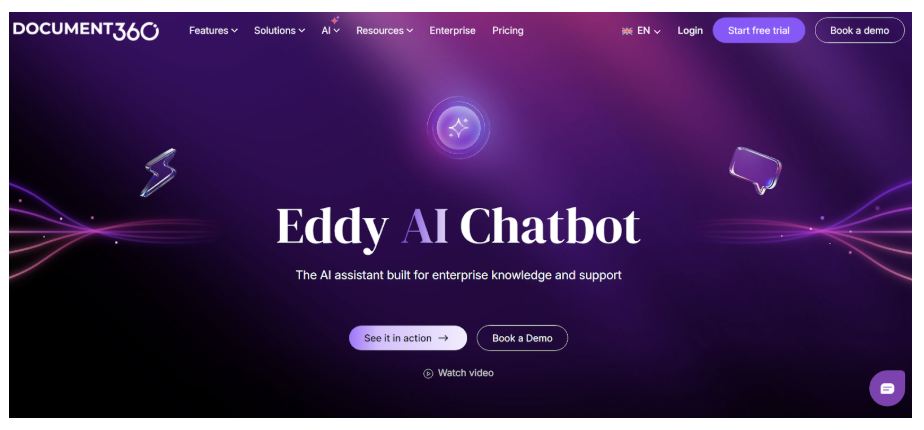
Eddy AI Chatbot features work as intelligent knowledge base chatbots, making your documentation a support assistant that helps users find relevant answers even before raising tickets. It gives you:
- Centralized support knowledge: Eddy AI consolidates all your knowledge base sources and works as a single AI assistant.
- 24/7 instant responses: The chatbot provides immediate answers to customer questions at any time, to solve common issues without going to customer support personnel.
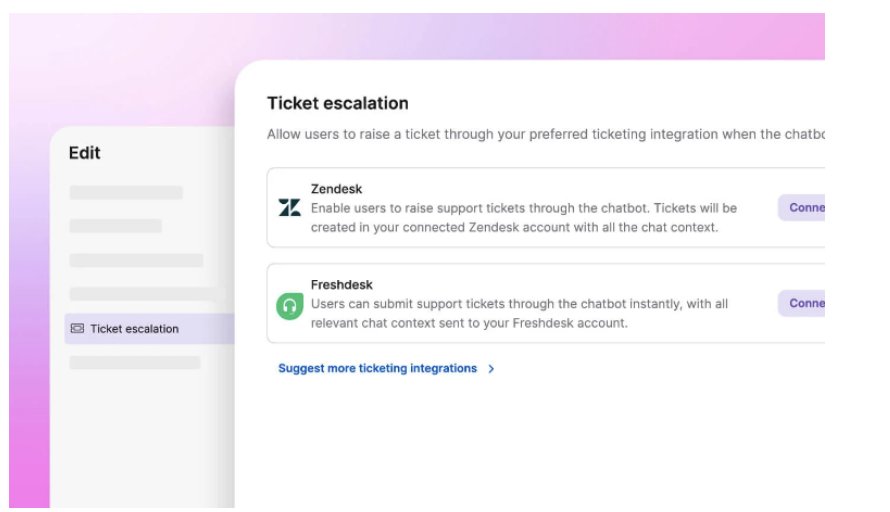
- Ticket escalation when needed: Lets users raise support tickets directly from the assistant when they cannot find the answer to their question.
How Eddy AI Chatbot Deliver Accurate Answers
Eddy AI Chatbot provides accurate responses by pulling information directly from your organization’s knowledge base and support systems, so answers reflect your actual product workflows.
Trained on documentation, website content, FAQs, and custom text: Eddy AI Chatbot is trained directly on the content teams already maintain, including
- Knowledge base articles
- Website pages
- FAQs
- Files, and
- Custom text entries.
Administrators can decide whether the Eddy AI Chatbot should learn about the entire knowledge base or only a specific workspace, language, or category.
Uses support tickets from Zendesk and Freshdesk: Eddy AI Chatbot can also connect to Zendesk and Freshdesk to bring in your historical ticket data. With access to previous interactions and support history, the chatbot can understand past user queries better.
Eliminates AI hallucinations: Rather than using data from the open Internet to generate responses, Eddy AI Chatbot uses only approved or verified data from your documentation sources. When any of your source content is updated, it will be immediately synchronized with the chatbot to ensure user responses are based on the latest information.
Watch how Eddy AI Chatbot delivers accurate answers directly from your knowledge base in real time
How Built-In Playground to Test Works?
Eddy AI Chatbot includes a built-in Playground where teams can test responses in a controlled environment before deploying them on customer-facing sites.
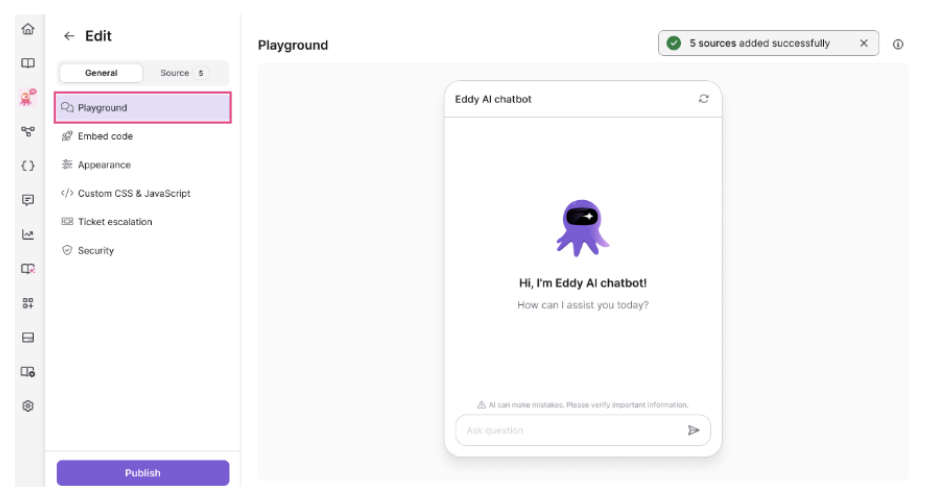
Safe testing environment: By using the Playground feature, you can test the chatbots to cross-check if they’re adhering to brand documentation and guidelines.
Through this, you can ask the bot questions, review its answers, and assess how well the bot understands your documentation without affecting any of your real users.
Optimize answers: The Playground allows teams to test different user queries and identify where responses need improvement. Teams can update their documentation or connected sources to reflect the latest content.
Even after the chatbot is published, the Playground can still be used to test responses from newly added sources and verify updates before pushing appearance changes live. This helps support and documentation teams continuously improve response accuracy as knowledge evolves.
Preview experience: Teams can also preview how the chatbot will behave and appear before and after deployment. This includes testing the conversational flow, validating response relevance, and reviewing the chatbot interface before publishing it on the website or in the knowledge base.
It helps customer success and product teams ensure the chatbot delivers clear, reliable support interactions from day one.
Customizable AI Chatbot That Matches Your SaaS Brand Experience
Eddy AI Chatbot provides customization options to help you align it with your brand and product environment.
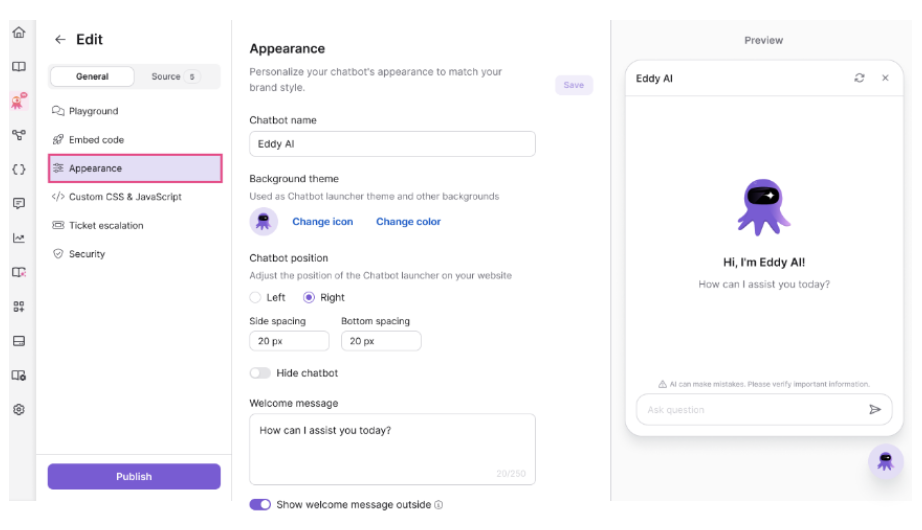
Placement, design, icon: Teams can configure how the chatbot appears on their website or knowledge base, including its position (left, right, or bottom), spacing from page edges, icon, and color settings. Administrators can also define a chatbot name and welcome message so the chatbot reflects the product’s tone and branding.
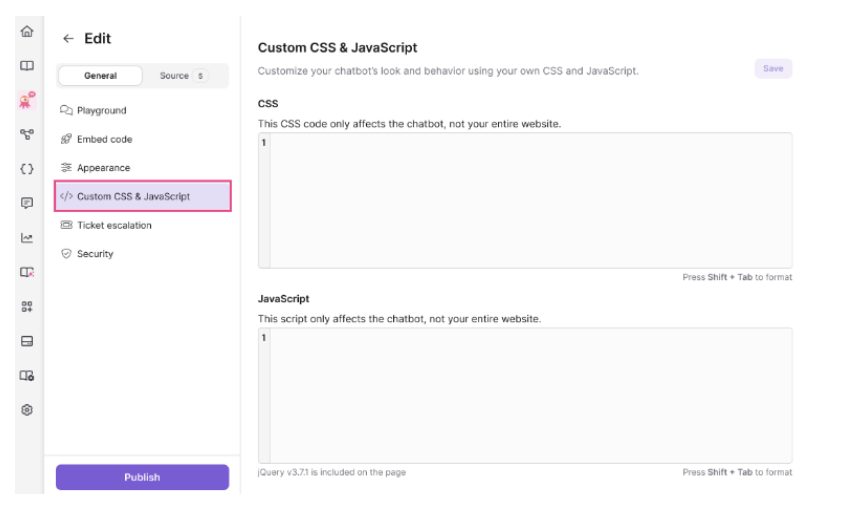
Custom CSS and JavaScript: Eddy AI Chatbot lets you use custom CSS and JavaScript capabilities to change its appearance and layout behavior, and to add additional interactivity.
With these options, teams can easily align the chatbot with their existing UI and brand design, making it feel like a natural extension of their SaaS product.
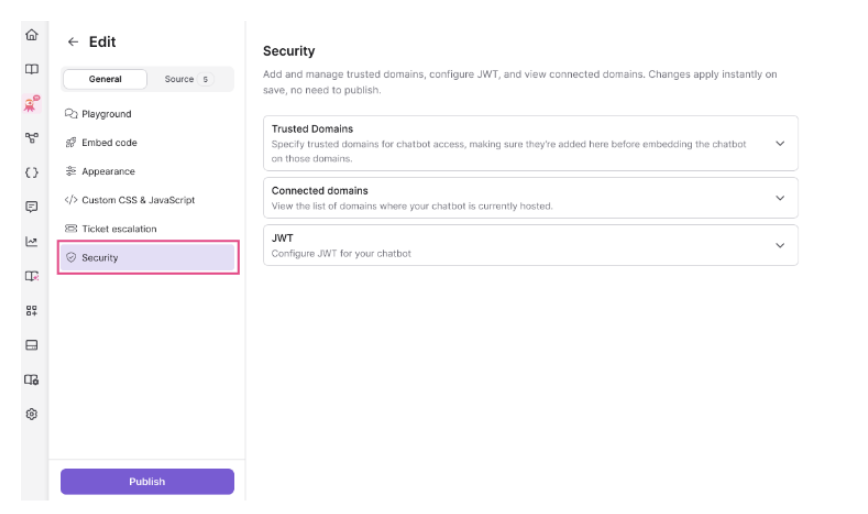
Trusted domain security: Eddy AI Chatbot includes trusted domain setup, allowing administrators to specify which external websites the chatbot can be embedded on and made available on, preventing unauthorized usage.
This means your organization can securely deploy its knowledge base chatbots within your approved SaaS environment and protect all information stored as you want it to be.
Conclusion
When scaling customer service for a SaaS business, simply adding agents or utilizing chatbot solutions that work in isolation is not enough.
The critical factor is whether these types of tools can leverage your existing knowledge base, produce accurate responses, and fit well within your support workflow.
The Eddy AI Chatbot utilizes this principle. By connecting directly to your knowledge base and support content, you can transform your documentation into a proactive support channel. When users can quickly find an answer, the Eddy AI Chatbot will also reduce the number of repeat support tickets.