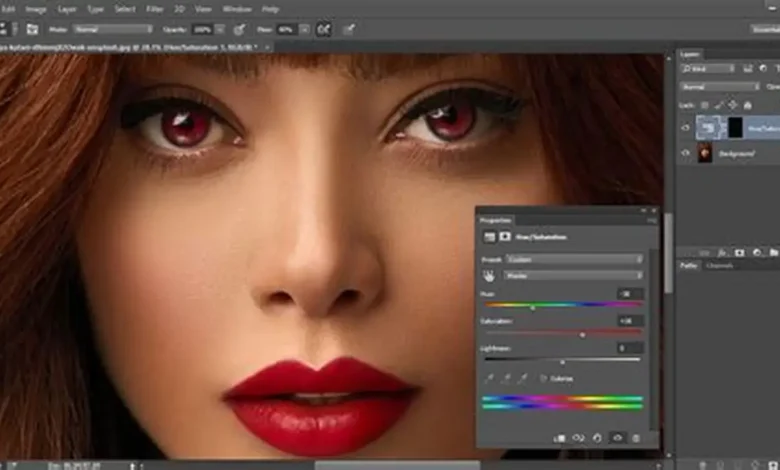
If you want to know how to fix red eyes in pictures, you’re not alone. Red eye is a frequent problem in photographs with flash, particularly indoors and at night. It can give your photos an unrealistic appearance. Fortunately, today’s software can effortlessly remove red eye from photos.
Here, you’ll find easy steps and more intelligent AI-powered solutions to address this issue.
What Causes Red Eyes in Pictures?
To learn how to get rid of red eyes in pictures, it’s important to understand the cause. Red eye is caused when a flash from a camera reflects off the retina in the back of the eye. This creates a red spot in the image, particularly in low light.
This is more common in low light conditions as the pupils are dilated and more light can enter the eye and reflect to the camera. That’s why nighttime or indoor photos or those with flash are often subject to red eye correction.
It’s also due to flash placement. If the flash is positioned near the lens, the red eye effect happens when the light reflects into the lens. Cameras that better control the lighting or use external flashes help with this problem.
To put it simply, red eye is a lighting problem rather than a camera problem. With this knowledge, you can use the correct solution.
Common Ways to Fix Red Eyes in Pictures
Before exploring new tools, it’s important to know the common ways to fix red eye photos. These are readily accessible and user-friendly.
- Built-in photo editors: Most devices include a red eye correction feature in their default gallery or photo app. You simply tap the eye area, and the app automatically reduces the red color.
- Professional tools like Photoshop: These tools offer more control. You can manually adjust color, brightness, and eye details for more precise correction.
- Mobile apps: Many apps are designed for quick edits. They detect red eye automatically and fix it with minimal effort.
These techniques are suitable for simple edits, but they typically use basic color swapping. This can result in unnatural-looking eyes, particularly in more complicated photos.
Step-by-Step How to Fix Red Eyes in Pictures
These steps will help you quickly and easily remove the problem. This technique will work in most photo editors and apps.
1. Load the image into the photo editor
Open your image in any photo editing tool or app that has red eye correction.
2. Use the red eye tool
This is usually called “Red Eye,” “Eye Correction”, or something like that. This feature will identify and correct the issue.
3. Select the area of the red eye
Click or tap on the red eyes. The red will be replaced by a darker shade.
4. Fine-tune if necessary
Pupil size and brightness are options in some tools. These can help achieve a more natural look.
5. Save the edited image
Once done, save the image in high quality to retain details.
This approach demonstrates how to remove red eyes quickly. This is easy for novices to use and suitable for most photos.
Limitations of Traditional Red Eye Removal
Simple tools are useful but not ideal. Users often attempt to fix red eyes naturally but end up with unnatural results.
- A problem is an artificial replacement of color. These tools replace the red with black or gray, which can result in unnatural or lifeless-looking eyes.
- Another issue is a loss of detail. You could lose the detail in the eye, like highlights or reflections.
- Manual editing can also be tedious, particularly with many images. Each photo requires its own adjustments, which can be slow.
These challenges illustrate the need to look beyond these methods, particularly for high-quality or professional images.
How AI Improves Red Eye Correction and Photo Quality?
Technology has revolutionized photo editing. Rather than manual edits, AI offers better options.
An AI photo repair tool can automatically remove red eye effects for better results. Rather than simply changing the colour of the eye, AI works with the surrounding area. It takes light, texture, and color into account. This leads to more natural and appealing images.
Many people use AI tools such as 4DDiG AI Photo Repair to not only remove red eyes but also to improve the quality of their photos overall. These tools offer several advantages:
- Automatic detection: AI identifies red eyes instantly without manual selection
- Natural color restoration: It restores realistic eye colors instead of flat tones
- Image enhancement: Improves brightness, sharpness, and overall clarity
- Batch processing: Fix multiple photos at once, saving time
This approach not only solves the red eye problem but also improves the entire image. It is especially useful for important photos like portraits, events, or memories where quality matters.
Tips to Prevent Red Eyes in Photos
Fixing the issue is helpful, but preventing it is even better. Here are simple tips to enhance photo quality and avoid red eye in the first place:
- Avoid using direct flash when possible
- Use natural lighting or ambient light sources
- Enable red eye reduction mode on your camera
- Ask subjects to look slightly away from the lens
- Increase room lighting to reduce pupil size
These small adjustments can significantly reduce the chances of red eye appearing in your photos.
FAQ Section
Q1: Can red eyes be completely removed from photos?
Most often, red eyes can be removed completely with photography software or artificial intelligence technology. More advanced tools offer a more natural-looking result.
Q2: What is the easiest way to fix red eyes in pictures?
The most convenient way is to use an AI program, such as 4DDiG AI Photo Repair, which automatically fixes red eyes in photos.
Q3: Why do red eyes look unnatural after editing?
This could be due to the use of basic tools that only replace the red without taking into account the texture and light. This can make your image look unnatural.
Q4: Can AI improve overall photo quality?
Yes, AI not only corrects red eye but also increases contrast, sharpness, and brightness of the image.
Conclusion
Knowing how to fix red eye in pictures is important to enhance visuals and memories. There are various options to fix red eye in photos, from simple photo editing tools to cutting-edge AI technologies. Although conventional methods can fix minor issues, AI solutions give more realistic and precise outcomes.
To get the best results, prevention plus intelligent editing tools will help you get rid of red eye to get the most clear and professional-looking photos.
Meta Description:
Learn how to fix red eyes in pictures quickly using simple tools and AI solutions. Remove red eye from photos and enhance image quality easily.