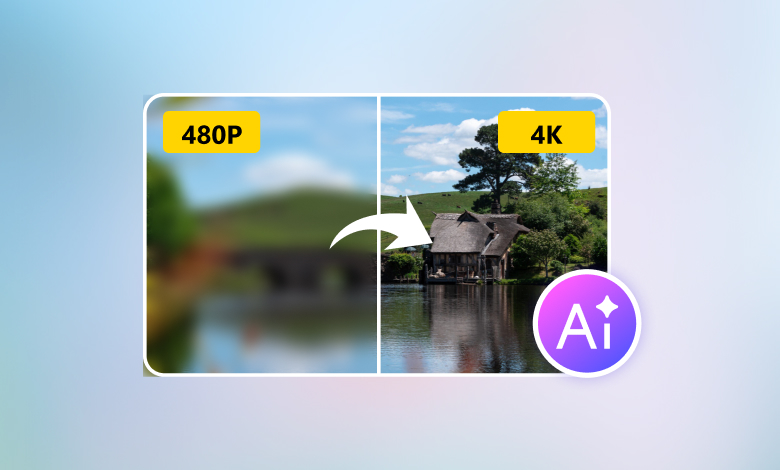
AI image upscalers have beaten the traditional tools in many ways. They don’t just stretch the pixels, which makes the output blurry. Rather, they understand what the photo is about and add realistic details to it as they enlarge the image. What’s better is that using AI to upscale images is fast and effortless: a few clicks and you get excellent results.
This article presents our latest review of one of the best free AI image upscalers in 2026, AVAide Image Upscaler. It includes our test results, side-by-side comparison, and our suggestions.
Key Features of AVAide AI Image Upscaler
AVAide AI Image Upscaler is an advanced AI image upscale tool that can fix blurry images. It works on any browser, and its performance depends on the Internet connection, which means it doesn’t rely on high-end devices. It is a top choice for fast, easy upscaling.
Upscaling options: As an easy-to-use AI 4K image upscaler, it can enlarge images by 2x (SD), 4x (HD), 6x (SHD), or 8x (UHD) in one click.
AI-powered photo upscaling: Sharpens faces, reduces noise, improves product photos, and enhances cartoon images while keeping the original style.
Batch processing: Upload and upscale multiple images at once (available in the paid version).
Supported formats: almost all popular formats, including JPG, JPEG, PNG, BMP, and more.
Max upscale: 4x for free trial, 8x with upgrade.
Best for: anyone who needs a free, no-sign-up online AI image upscaler with high enlargement limits and high-standard output.
How We Tested the AI Image Upscale Tool
We tested the tool on 4 images.
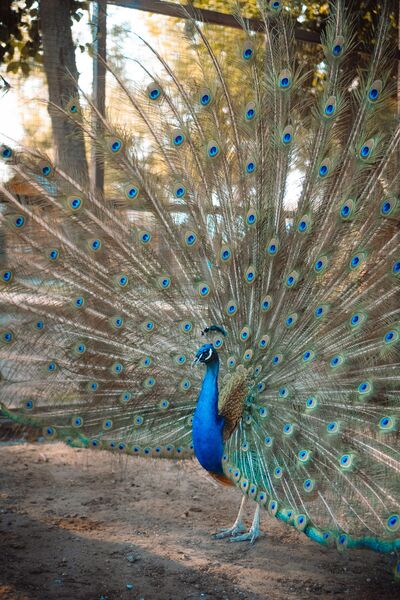
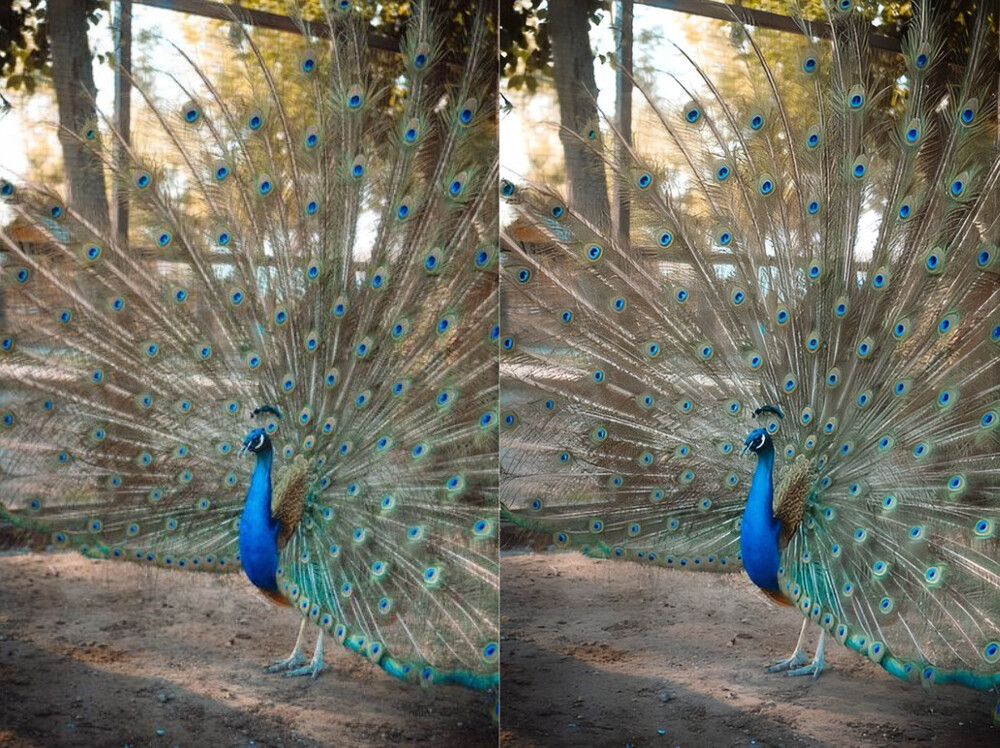
- A 400×600px photo of a peacock. It’s an ideal test material for us to see if the upscaler can handle vibrant colors and complex details.
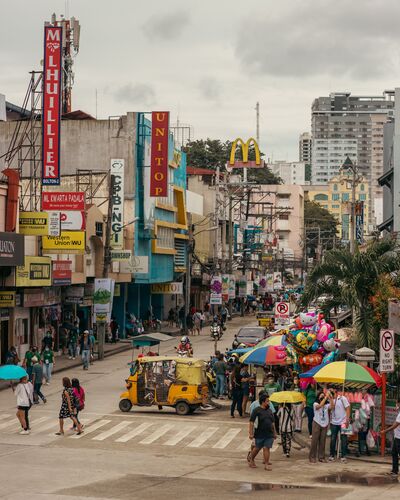
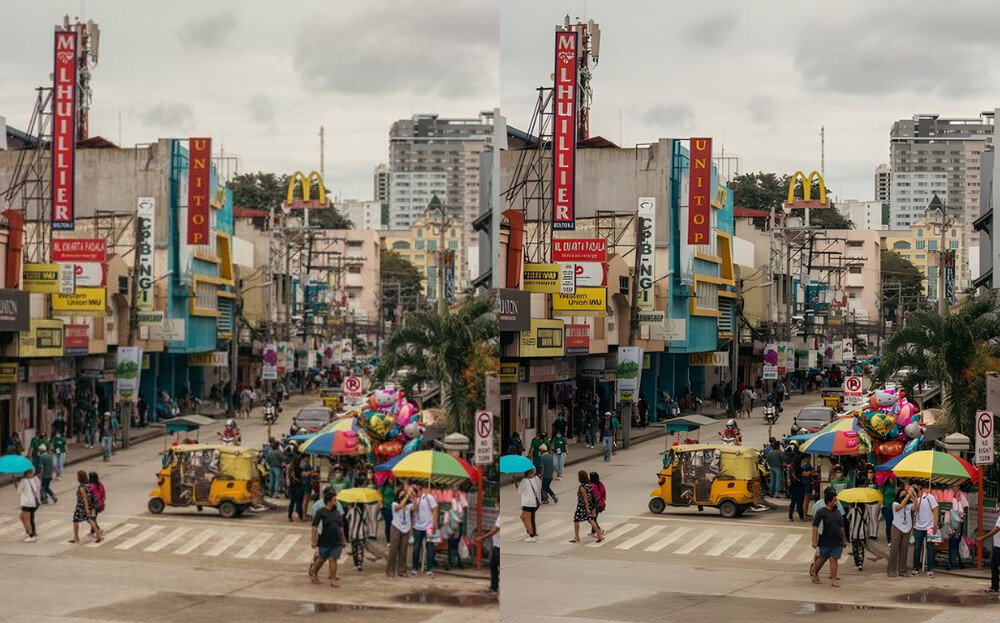
- A 400×500px photo of a crowded street. This image can test the tool’s capability on complex compositions with multiple subjects and texts.
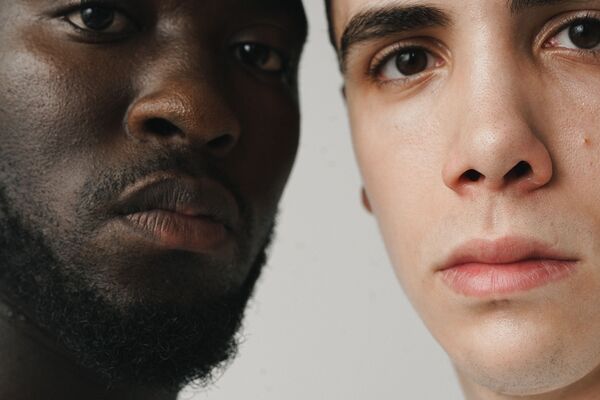
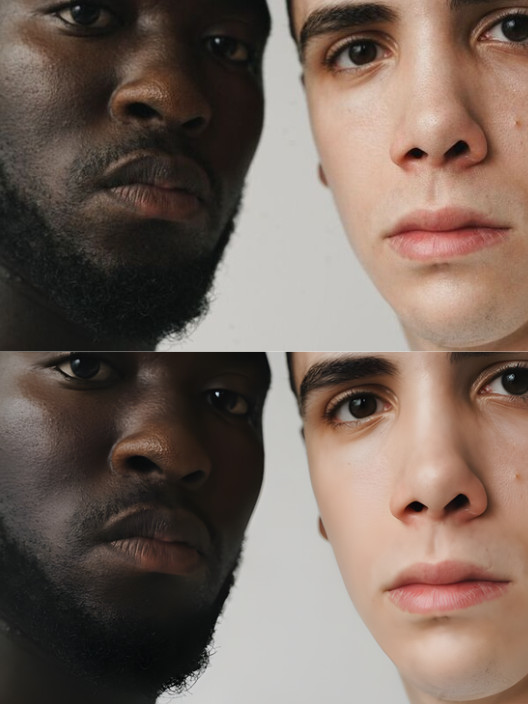
- A 600×400px portrait of two men with different ethnic backgrounds. We use this photo to see whether the upscaler can understand human faces and maintain high visual fidelity on delicate texture.
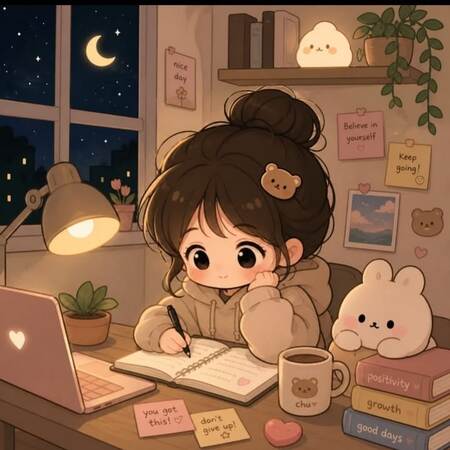
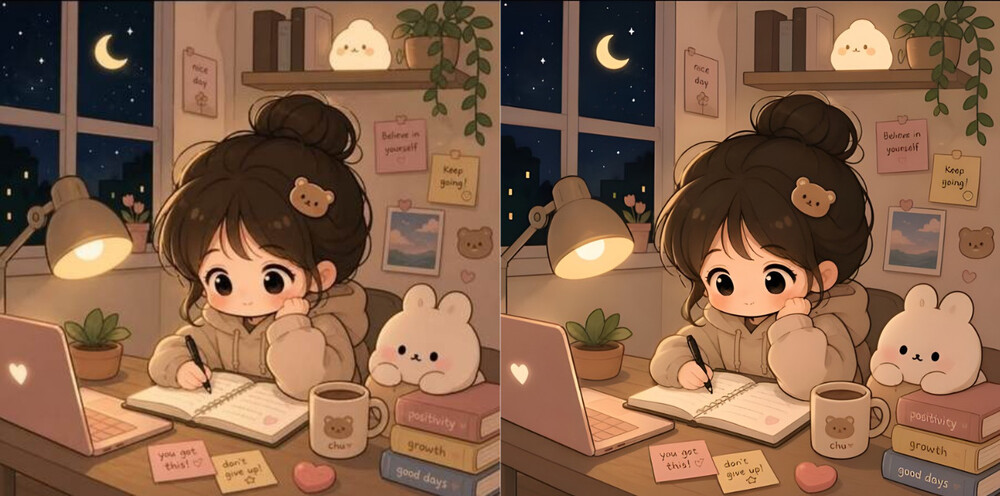
- A 450×450px image of an anime-style character. Compared to real-life photos, cartoon images have sharper edges and clearer shapes. We use this image to evaluate how well the upscaler handles digital artwork.
We upscaled the images to 4x and then checked the output quality. You can have our test environment for reference:
Windows 10 Pro (22H2), Intel(R) Core(TM) i5-10400 CPU 2.90GHz, 15.8GB available RAM, and Intel(R) UHD Graphics 630 (128 MB).
Test Result 1. Colors and Details
In our test, AVAide Image Upscaler enhanced the peacock photo very well. It greatly sharpened the peacock’s form and feathers, while the color and depth remained realistic. It upscaled the image blazing fast, within only a few seconds.
Processing speed: 5 seconds.
Quality rating: 4.9/5
Test Result 2. Multiple Subjects and Texts
The result was overall satisfactory. It sharpened the outline of each subject without blending anything. The letters in the background were clearer while still readable, with no messy gibberish. Though it seems to trade off some noise reduction for naturalness, the subjects in the far background didn’t change much after the enhancement.
Processing speed: 6 seconds.
Quality rating: 4.5/5
Test Result 3. Human Portrait and Texture
The upscaler understood the human faces well – their features were mostly natural. The structure of the eyes is where many AI upscalers fail to remain realistic, but AVAide Image Upscaler did it with solid accuracy. Yet the texture is a relatively weak spot. The tool flattened it a bit too much on the white man’s skin. But if you want a smoother skin, it will be a great choice.
Processing speed: 7 seconds.
Quality rating: 4.4/5
Test Result 4. Anime-Style Image
AVAide Image Upscaler handles cartoon art effectively. It noticeably sharpened outlines and improved clarity. Meanwhile, it preserved the original style without introducing artifacts. The character’s facial details and hair, and the surrounding objects all look cleaner after upscaling. Even the very small text in the background was enhanced precisely.
Processing speed: 4 seconds.
Quality rating: 4.8/5
Test Results Comparison
| Results | Speed | Quality |
| Colors and Details | Fast | Great |
| Multiple Subjects | Fast | Good |
| Human Portrait | Fast | Good |
| Anime Image | Fast | Great |
Pros:
Works completely online on any browser, requiring no advanced hardware.
Blazing fast with a stable Wi-Fi connection.
Versatile for various types of images and target sizes.
Easy workflow with only simple clicks.
Cons:
Free trial is limited; upgrading is required for batch upscaling.
Conclusion
Whether you are enhancing your old photos or preparing your artwork for printing, the right AI image upscaling tool can make a big difference. AVAide AI Image Upscaler works best on images with vibrant colors and fine details. When it comes to skin texture, the result was a little off. But overall, it offers an amazing balance of speed, quality, and ease of use, with consistent performance in many scenarios. It’s one of the best free photo enhancers for most users.