



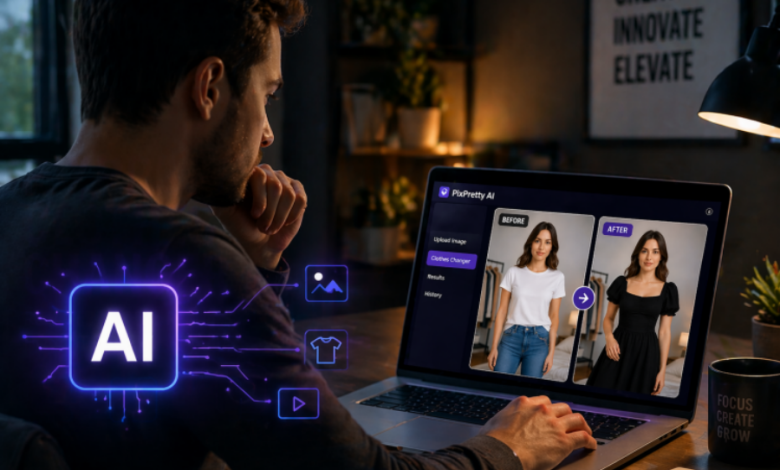
PixPretty AI Clothes Changer aims to solve this by using AI to place clothing onto models and generate ready-to-use product visuals. But is it actually worth it? In this review, I tested PixPretty from a real merchant’s perspective.
What is PixPretty AI Clothes Changer?
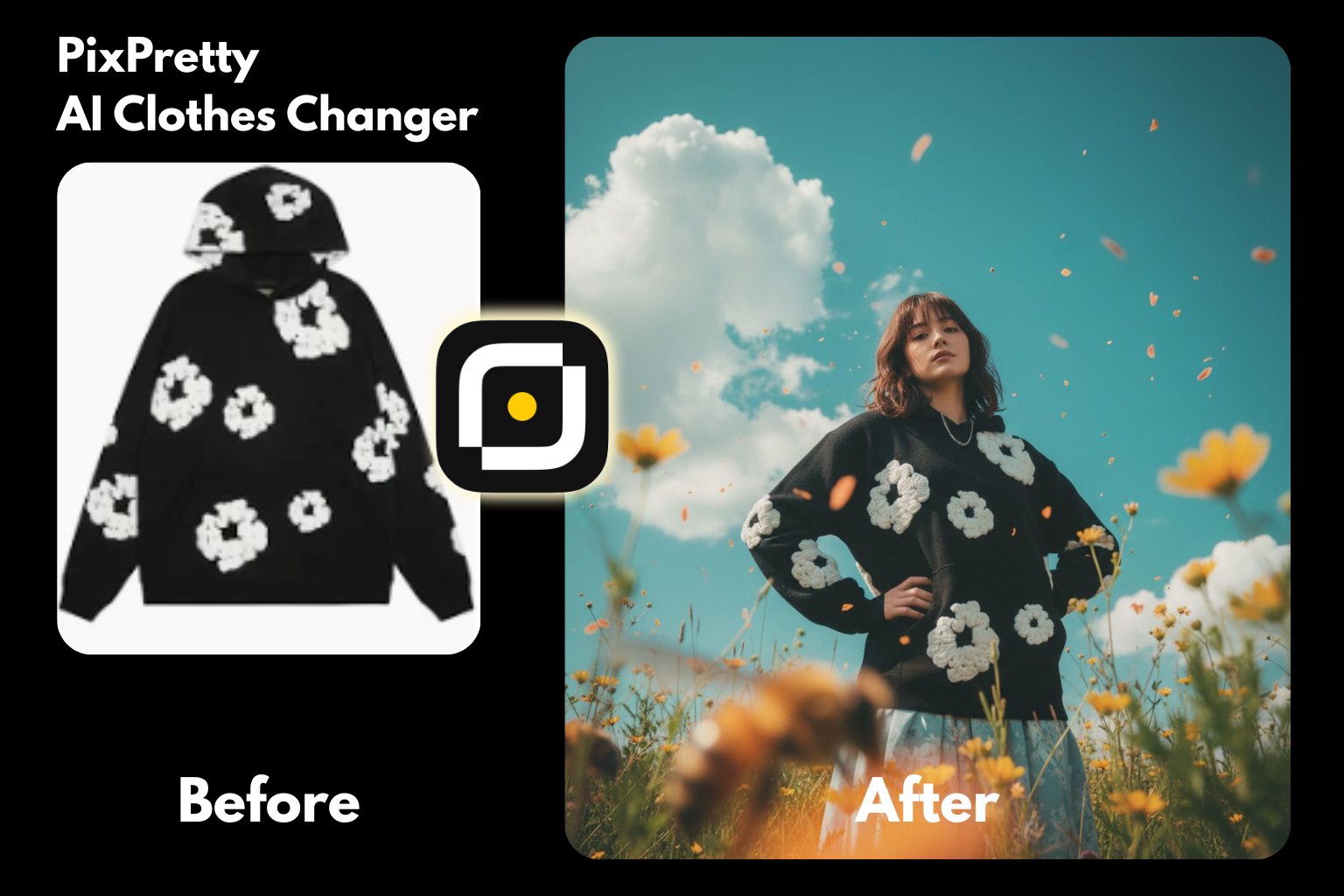
PixPretty AI Clothes Changer is an online AI-powered virtual try-on tool that turns clothing product images into model-based photos in just a few clicks. Instead of relying on flat-lay images, it generates realistic visuals that can be used for e-commerce listings or ads.
Developed by Tenorshare, PixPretty received a major update in April 2026. Unlike most AI outfit tools designed for casual social media use, this version focuses more on e-commerce workflows. It includes model and pose templates, supports batch generation across different models and poses, and allows background or visual customization through simple text prompts.
Key Features:
- Realistic, accurate AI outfit changes in high resolution
- 12 model templates or upload your own models
- 8 preset poses with one-click batch generation
- Upload tops and bottoms separately
- Multiple outfit templates with regular updates
- Turn flat lay fashion images on models in one click
Best For:
- Quick e-commerce listing images
- Mocking up colorways or styles
- Bulk SKU image generation
- A/B testing for ads
Paid plan of PixPretty AI starts from $12.99/month, unlocking the 4k resolution and access to the latest Nano Banana 2 models. Besides paid plan, PixPretty Online also offers free trials. It’s a solid way to test this AI clothes changer free before purchasing.
How We Tested PixPretty Virtual Try On: Real Results
We tested different types of clothing, including patterned hoodies, a sparkling dress, and logo-heavy T-shirts, to evaluate how well PixPretty performs across common e-commerce scenarios.
1. Virtual Try-On: Speed & Workflow
Overall rating: 4.6/5
– Speed of Generation: approximately 15 secs for 1 image. Batch generation for 8 poses takes slightly longer.
– Workflow: The interface is ad-free and watermark-free, making the overall experience smooth and distraction-free.
2. Details of Clothing
Overall rating: 4.8/5
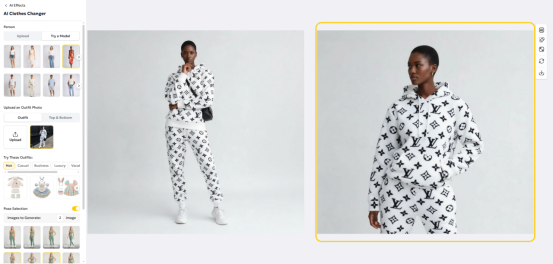
– Fabric Drape & Texture: Based on our tests across several outfits, PixPretty handled fabric quite well. The AI clothing results preserved the natural drape and texture without adding unnatural wrinkles. Different materials—such as soft fabrics or slightly glossy finishes—were rendered with noticeable accuracy.
– Details of the logo & patterns: We also tested AI clothing generation using outfits with dense logos and patterns. PixPretty AI was able to retain these details clearly, with no visible distortion or logo warping in the final results.
3. Base Model
Overall rating: 4.5/5
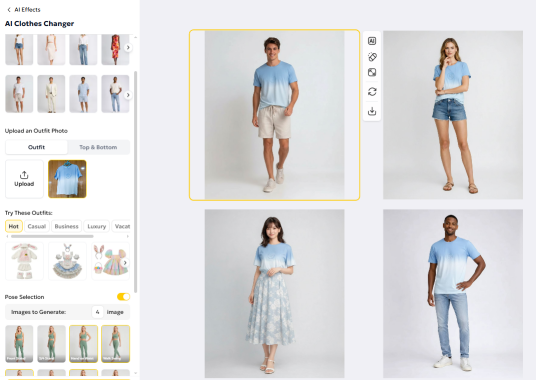
Anatomical Accuracy: When using the built-in virtual model templates, the generated results were generally consistent with realistic human proportions. There were no issues like extra limbs or distorted body parts, which helps avoid the common “uncanny valley” effect seen in some AI-generated images.
Model Diversity: The templates include a diverse range of ethnic representations, which is a strong advantage for brands targeting different markets. That said, the current options are mostly limited to standard body types, with fewer choices for plus-size or children’s models.
4. Pose
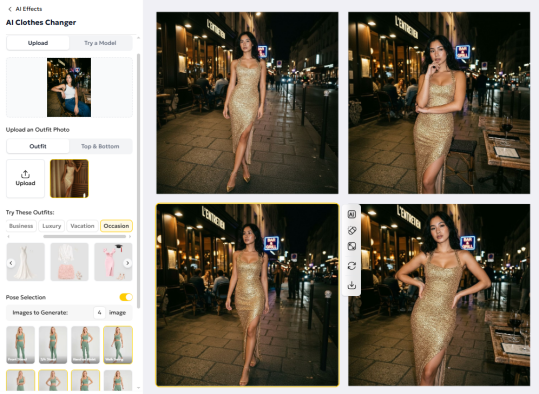
Overall rating: 4.4/5
Usability in e-commerce: The 8 preset poses are generally aligned with common e-commerce needs. Most of them are designed for full-body shots, which work well for standard product listings.
Angles & Flexibility: Most poses are front-facing full-body shots, with only a few 3/4 side views. If you need more dynamic angles or close-up shots, you’ll need to rely on custom text prompts to guide the photoshoot AI generation.
5. Text Generation
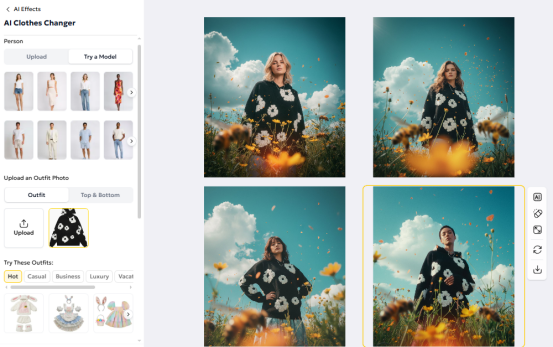
Overall rating: 4.6/5
Background & Visual Effects: By default, the generated images use either a clean white background or retain the original background from the uploaded model. With text prompts and built-in AI effects, you can easily create more dynamic visuals.
In our tests, this made it possible to generate a variety of product scenes, making PixPretty a practical tool for quick A/B testing and artificial intelligence photoshoot workflows.
Pros & Cons of PixPretty AI Clothes Changer
Pros
- High-quality virtual try-on results with realistic fabric & pattern details
- Flexible customization with text prompts & image uploads
- Built-in model & pose templates
- Clean, ad-free and watermark-free workflow
- Web-based, works across platforms
Cons
- Most preset poses are full-body shots
- Limited body type diversity in preset models
- Paid plan required for unlimited generation
Final Verdict: Is PixPretty AI Clothes Changer Suitable for E-commerce?
From our testing, PixPretty is a practical AI clothes changer for e-commerce sellers who need fast and cost-effective visuals. It delivers solid results for everyday product images, with accurate fabric details and easy batch generation.
While it may not replace high-end studio shoots, it works well for most AI photoshoot needs, including listings, ads, and A/B testing. Overall, it’s a strong option for small businesses and fast fashion brands.