
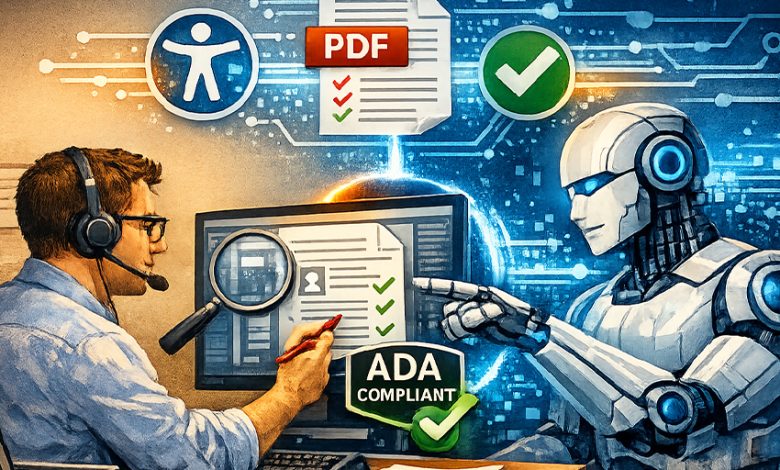
Over 8,000 ADA digital accessibility complaints have been filed in the United States in 2024 alone. PDFs are among the most cited culprits.
Most organizations didn’t set out to create inaccessible documents. They simply created documents at a scale that manual remediation could never keep up with. A single government agency can hold millions of files. A university’s course catalog alone can run into the tens of thousands. And regulations like WCAG, PDF/UA, and Section 508 don’t distinguish between a document published last week and one uploaded in 2009. If it’s in circulation, it needs to be compliant.
The question isn’t whether PDF accessibility remediation needs to happen. It’s whether the way most organizations are approaching it manually, one document at a time can ever actually work at scale. The honest answer is not anymore. But neither can pure automation. The organizations getting this right in 2026 have figured out why both are true and built a workflow that uses each for what it’s actually good at.
The Technical Reality of Remediating a PDF for ADA Compliance
Before discussing automation, it’s worth noting that most people underestimate it. This alone makes it worth grounding the conversation in what remediation actually requires.
A fully accessible PDF isn’t just a readable document. It’s a structured one. Every element needs to be tagged correctly: headings that establish hierarchy, paragraphs, lists, tables with proper header cells and scope attributes, figures with meaningful alt text, and the ever-important logical reading order that matches the visual layout. Metadata needs to be set, such as the document title, language, and in many cases a PDF/UA identifier. Color contrast needs to meet the 4.5:1 ratio for standard text. Forms need labeled fields and logical tab order. Footnotes, captions, and decorative elements all need to be handled appropriately.
This is not a find-and-replace operation. It requires context and judgment at every step. And that judgment is exactly where the manual vs automated PDF accessibility check debate gets interesting.
The Limits of AI in Reaching the Finish Line Alone
The truth we can no longer deny is AI-powered remediation tools have made significant advancements. Auto-tagging, reading order detection, alt text generation, metadata population; modern tools handle all of these at a speed no human team can match. For standard documents with clean layouts, AI can remediate 80 to 90 percent of the structural work accurately.
But PDF accessibility isn’t always standard. And the cases where AI falls short are precisely the ones that matter most for document compliance.
Context-aware decisions are where automated tools consistently struggle. A logo on a letterhead might be decorative in one context and meaningful in another. A chart without axis labels needs alt text that explains the data, not just describes the visual. AI reads pixels, but it doesn’t understand intent.
Complex table relationships (such as spanning cells, nested headers, multi-level hierarchies) are frequently misread by automated tools, producing tag structures that pass a basic checker but fail a screen reader in practice. Ambiguous reading order in multi-column layouts, sidebars, and pull quotes trips up even the most sophisticated AI, because reading order is a spatial and semantic judgment simultaneously, and one that we humans often make subconsciously.
Scanned documents present their own layer of complexity. OCR quality directly determines whether AI can remediate anything at all. Poor OCR produces errors that cascade through every subsequent automated step.
For ADA PDF compliance, these aren’t edge cases. They’re strikingly common document types: financial reports, legal filings, government forms, academic papers. Getting them wrong isn’t a minor quality issue. It’s a compliance failure.
The Human Remediation Expert’s Irreplaceable Role
This is where the argument for human reviewers often gets framed incorrectly. The question isn’t whether humans are faster than AI. They aren’t. It’s whether the output is actually compliant without them, and it isn’t.
Human experts bring something no automated tool can replicate: contextual judgment. A trained accessibility specialist understands not just what a tag should be, but why it’s there. They understand what that in turn means for a specific user navigating a specific document, on a given assistive technology. They catch what AI flags incorrectly, fix what the machines miss, and make the critical judgments and policy decisions that determine how edge cases get handled consistently across a document set.
In a hybrid workflow, the human reviewer’s role shifts from executor to quality controller. They’re not tagging every heading in a 200-page financial report. They’re reviewing the AI’s output, focusing on flagged exceptions, resolving ambiguous cases, and providing final sign-off before a document re-enters circulation. This is what it means to hire a PDF remediation service provider rather than simply deploy a tool: you’re buying judgment, not just throughput.
A Practical Human+AI Hybrid Workflow
Here’s what this looks like in practice, using a government annual report as an example:
Stage 1: Ingest and scan:
The document enters the remediation pipeline. AI performs an initial accessibility scan, cataloguing existing tags, identifying structural elements, flagging missing metadata, and assessing OCR quality for all scanned pages.
Stage 2: Auto-remediation:
AI handles the bulk of the work: applying heading structure, tagging lists and paragraphs, generating alt text proposals for images, setting reading order for standard layouts, populating metadata fields. For a clean, well-structured PDF, this stage resolves the majority of issues in minutes.
Stage 3: Human review queue:
Flagged exceptions are routed to a human reviewer. Complex tables, ambiguous images, multi-column layouts, scanned sections with poorer OCR quality, and any elements the AI tagged with low certainty — these are the items that require contextual judgment. The reviewer works through this queue, not the whole document.
Stage 4: QA and approval:
The remediated document is then run through a full accessibility checker (PAC 3 or equivalent) and the human reviewer signs off. Any remaining issues are resolved before output.
Stage 5: Delivery and documentation:
The compliant document is delivered with a remediation record: what was changed, by what method, and who approved it. For organizations subject to audit, this documentation is part of the compliance record.
The result is the top-notch compliance caliber of fully manual remediation at a fraction of the time and cost. For organizations managing backlogs in the thousands, it might very well be the only model that actually scales. For a deeper look at how manual review fits into this pipeline, this breakdown of manual review in PDF accessibility checks is worth reading.
The Hybrid Model Isn’t the Future of PDF Accessibility. It’s the Present.
The debate between AI and manual pdf remediation services has always been the wrong frame. Neither works well alone at scale. Not with the volume of documents in circulation, not with the complexity of accessibility requirements, and not with the legal and reputational stakes of slipping up. What works is a hybrid pipeline that uses AI for speed and consistency, and human experts for judgment and accountability. In 2026, that’s not a theoretical best practice. It’s the standard that compliant organizations are already operating with.
Sure, we can admit the PDFs probably aren’t going to fix themselves. But with the right model, they don’t have to take forever either.