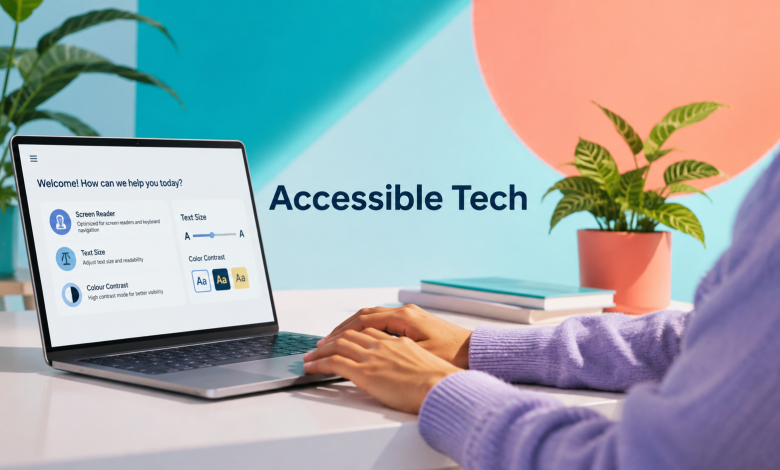
A feature designed for accessibility often stops looking like an accessibility feature once enough people discover how useful it is. Captions help people watching video on a noisy train, voice control works when someone cannot reach a screen, and high-contrast interfaces remain readable under harsh sunlight. The broader lesson is technical rather than cosmetic: products become stronger when they are built around more than one ideal user and one ideal environment.
That matters even more as software becomes more complex. The World Health Organization estimates that 1.3 billion people, roughly 16% of the global population, experience significant disability, while many more encounter temporary or situational limitations that change how they interact with technology. Accessibility therefore belongs much closer to product architecture, AI design, testing, and interface engineering than to a final compliance checklist.
Accessibility Is an Engineering Constraint
Good accessibility forces product teams to answer difficult engineering questions early. Can the interface be operated without a mouse? Is an important warning still understandable when color is removed? Can text expand substantially without covering controls? Does a form explain what went wrong instead of simply placing a red border around a field?
Those questions reveal weaknesses that conventional happy-path testing often misses. A checkout screen may work perfectly for someone using a large monitor, precise pointer, fast connection, and default browser settings, yet become difficult when the screen is magnified or the user navigates entirely by keyboard. The problem is not the user. The interface was built around too narrow a set of operating conditions.
Modern accessibility engineering therefore deals with structure as much as appearance. Semantic HTML, predictable focus order, meaningful labels, scalable layouts, clear states, alternative input methods, and machine-readable relationships allow software to communicate with browsers, assistive technologies, search systems, automation tools, and devices that were not necessarily part of the original design. The result is a product with fewer hidden assumptions about how it will be used.
Edge Cases Become Everyday Use
Technology teams often describe accessibility requirements as edge cases, yet the same constraints frequently appear during ordinary use. The W3C specifically notes that accessibility features can also help people using small screens, slow connections, mobile devices, or technology in bright, noisy, or otherwise restrictive environments.
Consider how quickly specialized features become general-purpose conveniences:
| Accessibility capability | Primary accessibility purpose | Wider technology benefit |
| Captions and transcripts | Make spoken content available without hearing audio | Allow video use in offices, public transport, classrooms, and noisy locations |
| Voice input | Provide an alternative to physical typing or touch | Enables hands-free control while cooking, driving, repairing equipment, or multitasking |
| High text contrast | Improve readability for low-vision users | Makes screens easier to read outdoors and on poor-quality displays |
| Keyboard navigation | Support users who cannot operate a pointer | Gives experienced users faster navigation through complex software |
| Text resizing | Make content readable at larger sizes | Helps on small screens, unusual displays, and presentation environments |
Accessibility becomes more useful when designers stop thinking only in terms of permanent conditions. A broken wrist changes how someone uses a laptop. Lost glasses change how a screen is read. Bright sun can temporarily create a visibility problem, while an airport can create an audio-access problem. W3C describes these as temporary impairments and situational limitations, and they are powerful reminders that interaction conditions are never fixed.
Accessible Interfaces Fail Better
Reliability is one of the less discussed benefits of accessible design. An interface built around one signal or interaction method has a single point of failure. When important information is communicated through several channels, the system becomes more tolerant of changing conditions.
Take an error notification. If a failed payment is shown only by turning a field red, users who cannot distinguish the color may miss it. The same problem appears for someone using a washed-out display. Adding an icon, clear text, programmatic error association, and focus management creates several ways to detect and understand the problem.
The same principle applies beyond websites. Navigation software that combines visual routes, spoken instructions, vibration, and clear rerouting provides several routes to the same information. A device that accepts touch, keyboard, switch input, and voice commands is less dependent on one physical interaction.
This resembles redundancy elsewhere in engineering. Accessibility gives the interface more ways to communicate successfully instead of assuming that every signal will work every time.
Multimodal Tech Changes Interaction
Computing is steadily moving away from the assumption that every command begins with a keyboard, mouse, or touchscreen. Speech recognition, computer vision, eye tracking, gesture detection, haptics, conversational interfaces, and generative AI are expanding the number of ways information can move between a person and a machine.
That shift is especially significant for accessibility because one form of information can increasingly be translated into another. Speech can become text through live transcription. Images can be described through computer vision. Written instructions can become synthesized speech. Spoken commands can trigger software actions, while haptic signals can communicate information without requiring either vision or sound.
The technical advantage is flexibility. Instead of forcing everyone through the same interface, a system can expose the same underlying function through multiple channels.
However, multimodal does not automatically mean accessible. Adding voice input is of little value if users cannot correct a misunderstood command. Automatically generated image descriptions can be worse than no description when they confidently misrepresent critical content. More interaction modes improve accessibility only when each mode is predictable, understandable, and connected to a reliable fallback.
AI Makes Accessibility More Adaptive
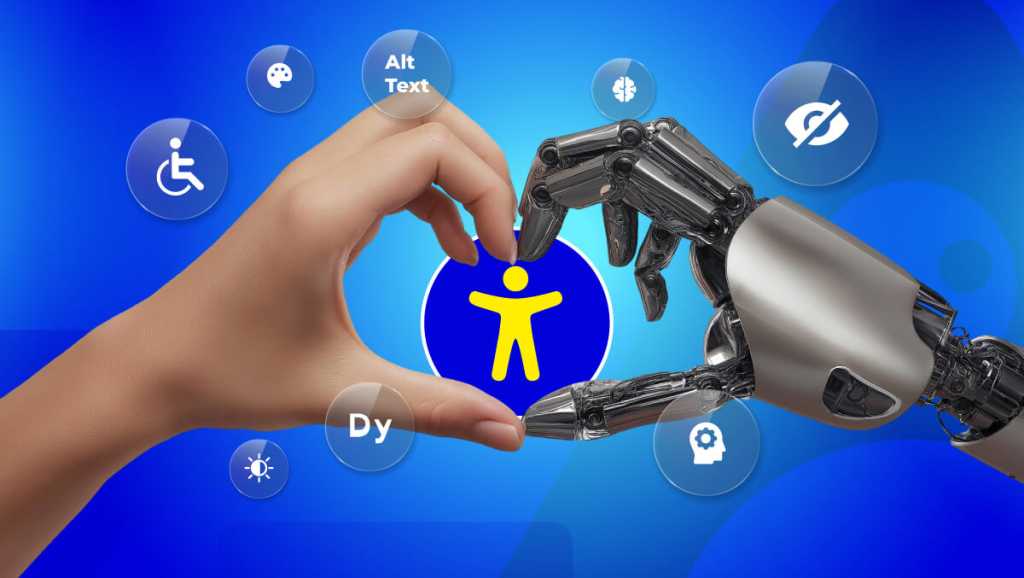
Traditional accessibility features are usually deterministic. A user enables larger text, turns on captions, selects high contrast, or uses a screen reader. AI introduces the possibility of systems that can respond more dynamically to the user and the surrounding context.
Machine learning is already useful for real-time transcription, speech enhancement, language translation, object recognition, image descriptions, voice control, and text transformation. Generative systems add another layer by potentially simplifying complicated explanations, restructuring information, producing summaries, or converting content into formats that are easier for a particular user to process.
The long-term opportunity is not simply an interface containing more accessibility settings. It is an interface that can present the same function differently without changing the underlying task.
For example, a complex dashboard might provide a visual chart to one user, a structured textual explanation to another, and spoken key metrics to someone interacting through voice. A navigation system could emphasize audio in one situation and haptic cues in another. The product remains the same, but access to its information becomes less dependent on a single representation.
Personalization Needs Predictable Rules
Adaptive interfaces introduce a new accessibility problem: too much adaptation can destroy predictability. People learn software partly by remembering where controls are located, how menus behave, and what happens after an action. An AI system that continually reorganizes navigation because it predicts what the user wants may technically reduce clicks while making the interface harder to understand.
Generated accessibility content also carries model risk. Speech recognition performance can vary across accents, voices, background noise, and speech patterns. Automatic summaries can omit an exception that changes the meaning of a document. Computer vision can describe the dominant object in an image while missing the detail that actually matters.
For accessibility, a useful AI system therefore needs more than good average accuracy. It needs stable behavior, visible uncertainty, correction mechanisms, and a dependable route back to the original information. Personalization should reduce effort without taking control away from the person using the product.
Accessibility Stress-Tests AI
Accessibility can expose AI weaknesses that ordinary demonstrations overlook. A voice assistant appears impressive when it recognizes clearly spoken commands in a quiet room. Its engineering quality becomes easier to judge when there is background noise, an unusual speech pattern, an interrupted instruction, or a command that requires correction.
The same test applies to generative interfaces. A chatbot may provide factually relevant information but still be difficult to use if every answer arrives as several dense paragraphs with inconsistent headings. An image-description model may identify objects accurately yet fail to explain the spatial relationships required to understand a diagram.
Teams evaluating accessible AI should therefore measure more than model output quality. Useful tests include whether:
- Users can correct an AI mistake without restarting the entire workflow, particularly in voice, transcription, and conversational systems.
- Important information remains available in a non-AI format, so generated summaries or descriptions do not become the only route to the underlying content.
- Interface states remain understandable after automated changes, including clear focus management and confirmation of completed actions.
- Latency does not make alternative input impractical, because a voice or switch-based workflow that pauses excessively after every command creates its own barrier.
- The system communicates uncertainty where mistakes matter, instead of presenting generated interpretations as equally reliable in every situation.
These are accessibility requirements, but they are also sensible requirements for dependable AI products.
Error Recovery Is Part of Access
Most interface design concentrates heavily on completing the intended workflow. Accessibility forces teams to examine the less polished part of software: what happens when the workflow fails.
A user navigating with a keyboard needs to know where focus moved after an error. Someone using a screen reader needs a validation message that is programmatically connected to the incorrect field. A voice-interface user needs a way to revise a misheard command without beginning again.
These improvements benefit conventional interactions too. A failed file upload should preserve the rest of the form. An interrupted checkout should explain which information remains saved. An AI assistant that misunderstands a command should make correction easier than issuing the entire instruction again. Accessible error handling treats failure as a normal system state rather than an exception developers hope users never encounter.
Access Matters Under Pressure
Digital systems are not always used from a quiet desk under ideal conditions. People rely on phones, search engines, maps, portals, forms, and automated support while travelling, dealing with technical failures, or responding to unexpected events. Stress reduces patience for ambiguous controls and makes poor information hierarchy more costly.
This is especially visible around transportation and roadside incidents, where a person may move quickly between maps, insurance systems, healthcare information, official resources, and other online services. A page such as a Knoxville Truck Accident Lawyer resource sits within that broader digital information environment, where the usefulness of information depends partly on whether someone can find it, read it on a phone, understand its structure, and operate the page without unnecessary friction.
Accessibility therefore extends beyond specialist software. Forms, search interfaces, informational websites, support systems, mapping tools, and mobile services all become part of the same technical chain when users need information under less-than-ideal conditions.
Accessibility Belongs in the Stack
Accessibility becomes difficult and expensive when development teams postpone it until the interface is almost finished. By then, problems may be embedded in component libraries, navigation architecture, content models, and third-party integrations.
A stronger process treats accessibility as a property of the entire product stack.
| Product layer | What should be tested |
| UX architecture | Whether important tasks can be completed using different input and presentation methods |
| Front-end components | Semantic controls, focus behavior, text scaling, contrast, labels, and keyboard operation |
| Content systems | Headings, alternative text, link meaning, media transcripts, and structured content |
| AI features | Output reliability, correction paths, readable structure, uncertainty, and fallback behavior |
| Quality assurance | Real workflows with screen readers, keyboard-only navigation, magnification, and alternative inputs |
| Product analytics | Repeated abandonment, validation failures, inaccessible states, and interaction paths that frequently break |
This matters because many accessibility failures are structural rather than decorative. A mislabeled field cannot always be solved by changing the CSS, and a confusing DOM order may require the component itself to be rebuilt.
Web Complexity Is Making This Harder
Accessibility problems have not disappeared as web development tools have improved. In some areas, increasing interface complexity appears to be making them harder to control.
WebAIM’s 2026 analysis of one million popular home pages detected more than 56 million accessibility errors, averaging 56.1 per page. It found detectable WCAG failures on 95.9% of the home pages tested, while the average home page had grown to 1,437 elements, up 22.5% in a single year.
The most common problems were not obscure technical edge cases. Low-contrast text appeared on 83.9% of tested home pages, 53.1% had images missing alternative text, 51% had missing form labels, and 46.3% contained empty links. Those six most common error categories represented 96% of all detected errors.
The numbers suggest that richer frameworks, larger pages, additional scripts, reusable components, and automated development have not removed the need for careful interface engineering. Complexity can multiply accessibility problems just as easily as it multiplies features.
Automation Cannot Verify Everything
Automated accessibility testing is valuable because many defects are mechanical. Software can detect missing form labels, empty buttons, contrast problems, invalid landmarks, missing document language, and several other WCAG-related failures far faster than a human reviewer can inspect a large application manually.
The limitation is that a passing scan does not prove that the interface works well. WebAIM itself notes that automated tools cannot detect every conformance failure and that an absence of detected errors does not establish accessibility.
A scanner may confirm that an image contains alternative text without knowing whether “picture” is a useful description. It may confirm that headings exist while missing that the hierarchy makes little sense. It cannot reliably decide whether a multi-step booking flow becomes confusing when read aloud from beginning to end.
AI-assisted testing can expand coverage by generating test cases or interpreting interfaces, but human evaluation remains necessary wherever context determines whether an interaction actually makes sense.
Accessible Products Age Better
Accessibility also has an architectural advantage that becomes visible over time. Products built with semantic structure, input-independent controls, flexible layouts, and clearly separated content tend to adapt more easily when the surrounding technology changes.
A properly labeled control can be interpreted by a screen reader today and potentially by new voice or agent-based interfaces later. Structured content can move between desktop screens, mobile apps, smart displays, text-to-speech systems, and search interfaces with less rewriting. Responsive layouts designed to tolerate large text often cope better with unusual screen sizes and localization.
The reverse is also true. A custom interface that depends heavily on precise pointer movement, fixed pixel dimensions, visual-only labels, and undocumented interaction behavior creates technical debt. Every new device class or interaction model becomes another compatibility project. Accessibility therefore contributes to future-proofing because it encourages developers to separate meaning from one particular method of displaying or controlling it.
The Interface Is Becoming Flexible
The next major interface shift may be less about replacing screens and more about reducing dependence on a single interaction method. Touch will remain useful, keyboards will remain efficient, and visual interfaces will continue to dominate many tasks. What changes is the expectation that every user must interact through exactly the same representation.
AI makes it technically possible to translate more information between text, speech, imagery, structured data, and conversational interaction. Assistive technologies already demonstrate why this flexibility matters. The same underlying content can be consumed differently without requiring a separate product for each person.
Product teams should therefore ask whether users can reliably reach the same outcome through different interaction paths. A feature is stronger when its underlying function survives changes in device, input method, visual presentation, environment, or physical ability.
That is a more demanding standard than adding an accessibility menu, but it produces technology that is substantially harder to exclude people from.
Bottom Line
Better accessibility improves technology because it forces products to operate outside ideal conditions. It encourages clearer information architecture, stronger error recovery, multiple input methods, semantic interfaces, flexible layouts, more disciplined AI behavior, and testing that looks beyond the easiest user journey.
The strongest accessibility features eventually stop feeling specialized. Captions become a normal way to watch video. Voice input becomes convenient. Scalable interfaces work across more screens. Clear labels make forms easier for everyone. Structured content becomes easier for both assistive technology and emerging AI systems to interpret.
Accessibility is therefore not simply a requirement attached to good technology. In many cases, it is one of the engineering practices that makes the technology good in the first place.