



New York, NY
Nursery rhyme content compounds. A rhyme video answers a search a parent makes on repeat, keeps earning views years after upload, and stays an asset the channel owns outright. But one video is not a channel. A channel is the same characters, the same locations, the same visual style, week after week, until toddlers recognize the thumbnail before they can read the title. That is where most AI video tools break: they can generate a pretty clip, but they cannot generate video 14 that looks like video 1. We compared 5 AI nursery rhyme video generators on the four things that decide whether an animated kids music video works and whether it scales into a recurring series: character consistency, continuity & multi-character lip sync, lyrics-aware beat sync, and kid friendly animation styles.
Top 5 AI Tools to Make Nursery Rhyme Videos:
- Atlabs, best AI nursery rhyme video generator with consistent cast, multi-character lip sync and diverse animation styles
- Freebeat, best for a quick disposable draft
- Animaker, best for basic 2D cartoon videos
- Pika, best for short animated teaser clips
- Canva, best for thumbnail and channel branding
What Makes a Good AI Nursery Rhyme Video Generator in 2026
Four capabilities decide whether a kids music channel can publish weekly.
- Character & World consistency. Preschool audiences recognise a series by its characters. If the mascot & the world changes design between episodes, the channel loses recognition.
- Lip sync. Sing-along rhymes and educational videos need mouth movement matched to the vocals, for one character or several.
- Music sync. Scene pacing has to follow the tempo of the rhyme. A lullaby and a fast counting song should not produce the same edit.
- Time to publish. Captivating kid friendly animation styles, editing control, and direct export to social. A weekly upload schedule cannot absorb hours of manual assembly per episode.
- One tool below covers all four in a single workflow. The rest cover part of the process well.
1. Atlabs, Best AI Nursery Rhyme Video Generator for Kids Channels

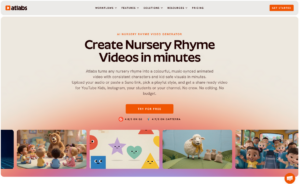
Atlabs turns a finished rhyme song into a finished animated music video, with your characters & world, in about ten minutes and minimal editing.
Best for: nursery rhyme and kids music YouTube channels, preschool teachers, and studios making sing-along, educational, and 3D cartoon videos with a recurring cast & world.
Why it ranks first
Every other tool on this list hands you material. Atlabs hands you the full music video. Key features are:
Your song is the core, with MP3 upload and 1-click import from Suno URL: Upload your audio track, or paste a Suno link. Atlabs AI Kids Music Video Agent intelligently analyses and auto-detects the language, BPM, mood and genre in the background, all adjustable. Beats and Lyrics-aware scene pacing purpose built for kids song videos.
Upload your own characters, objects and locations: Bring your existing mascot or character art and Atlabs keeps them consistent across every scene. Channels moving from hand-drawn or previously animated content keep their existing characters and audience recognition. Objects and locations hold the same way, so a recurring treehouse or toy stays identical across videos.
Multi-character lip sync for sing-along rhymes: Atlabs syncs lip movement across multiple characters in the same scene, covering duets, call-and-response verses and group choruses. Performance-led rhymes where two animals trade lines usually require a manual animation pass elsewhere. This is what makes alphabet, counting, phonics and story-narration videos read as a classroom scene.

30+ Kids animation styles built for young viewers: The Visual Style library includes 30+ styles like 3D Cartoon for warm expressive characters, Modern Cartoon and Clay for a toy-box look, Storybook and Watercolor Ink for illustrated rhymes, and Spooky Cute for seasonal content. Optionally, train your own custom style. Output covers 16:9 for YouTube, 9:16 for Shorts and Reels, and 1:1 for social.
Scene-level editing control: Review your storyboard and each part of the video follows that sequence. Upload four or five characters for a story rhyme and the narrative stays in order, which is what counting songs, alphabet songs, animal stories and bedtime rhymes need.
Beat-sync’d output with lyrics subtitles, no post-editing: Atlabs cuts scenes on the beat and adds subtitles during generation, so the export is a finished video rather than clips awaiting a timeline. Captions in 40+ languages, Thumbnails, Shorts cuts, and 1080p or 4K upscaling are handled in the same place.
100+ AI models in one workflow: The same workflow routes through Seedance 2.5 for stylized character closeups, Kling 3.0 Pro for smooth motion, Google Omniflash for wide establishing shots, and Minimax H3 for high-motion animation. The AI Kids video agent automatically does in the background.
Pricing: Free trial available, including the full music video workflow. Paid plans start $15 per month.
Verdict: the only tool here that covers the full distance from rhyme audio to publishable video: consistent cast, scene-level editing control, multi-character lip sync, and beat-sync output with no editing pass. 4.5/5 on Trustpilot.
Create your first nursery rhyme video on Atlabs
2. Freebeat, Best for a Quick Disposable Draft
Best for: one fast music-reactive video generated from a Suno or Spotify link.
Key Features: Freebeat is a generative beat-sync tool that accepts music links directly, removing the download and re-upload step. Single-video turnaround is quick, which suits a same-day draft before committing to a full production. Styles are built for pop music content generally rather than kids animation, characters are handled per video rather than across a series, and generation runs on credits. Single character lip sync is available.
Pricing: Entry tier at $4.99 per week, or $27 monthly, verified as of August 2026.
Verdict: a fast route to one beat-synced video. Best for standalone pop music video creation rather than a recurring cast. 1.5/5 on Trustpilot.
3. Animaker, Best for Hand-Built 2D Cartoon Videos
Best for: creators who want a saveable cartoon cast and are willing to assemble each episode themselves.
Key Features: Animaker’s Character Builder lets you design custom characters from demographic options including adults, kids and infants, and saved characters can be reused across future projects, which is real consistency across a series. It pairs that with a large template and asset library and one-click auto lip sync.
The catch for rhyme videos is the audio. Auto lip sync is built around a generated or recorded voiceover, not sung vocals over a backing track, and the song never drives your pacing: you place every scene, cut and transition on the timeline yourself. Budget three to five days per episode. Commercial rights also only unlock on Pro and above, so the free and entry tiers are not usable for a monetized channel.
Pricing: Paid plans start at $15 per month, billed annually.
Verdict: a decent 2D character builder on this list outside Atlabs, held back by manual assembly and voiceover-based lip sync. Slow if you publish weekly. 4.5/5 on Trustpilot.
4. Pika, Best for Short Animated Teaser Clips
Best for: teaser clips alongside a full video, or adding motion to character art designed elsewhere.
Key Features: Pika generates three to five second animated clips from a prompt in 3D animated, anime and illustrated styles, all suitable for kids content. Image-to-video adds motion to uploaded character art. Generation is fast, the learning curve is low, and per-clip quality is reliable. Clips are silent and cap at around 25 seconds, and each generation is independent, so music sync and cross-scene continuity happen outside the tool.
Pricing: Free tier available, paid plans from about $10 per month, verified as of August 2026.
Verdict: a fast, dependable clip generator for a teaser or a single animated moment. 1.7/5 on Trustpilot.
5. Canva, Best for Template-Based Kids Videos and Channel Branding
Best for: creators already using Canva for thumbnails and channel art who want simple illustrated kids videos.
Key Features: Canva’s template library covers illustrated children’s layouts for YouTube, Shorts, TikTok and Reels. Magic Animate applies motion paths to text and images in one click, and Brand Kit keeps channel colours, fonts and logos consistent across video and static assets. A simple video takes 15 to 30 minutes with a very low learning curve.
Audio sits on top as an overlay rather than driving the edit, and visuals come from the element library rather than generated animation.
Pricing: Free tier available, Pro starts $18 per month.
Verdict: a strong design tool with video export, best used for thumbnails, channel art and simple illustrated pieces. 4.0/5 on Trustpilot.
How to Choose an AI Tool for Your Nursery Rhyme Channel
Start with the audio. If the song is finished, whether recorded, licensed or made in Suno, an audio-driven generator gives the shortest path because the track sets the pacing. If you only have lyrics, produce the song first.
Match the tool to the video type. A teaching rhyme needs lip sync assignable to one character. A duet or group chorus needs multi-character lip sync. A story rhyme with four or five characters needs scene-level control.
Then count the episodes. For one video, a clip tool plus an editor works. For a weekly schedule, character consistency across episodes and the number of steps between generation and upload decide the real cost.
Final Verdict: Best AI Tool to Make Nursery Rhyme Videos
Atlabs is the best AI nursery rhyme video generator in 2026 for anyone publishing a series. You paste a rhyme MP3 or Suno link, upload or define your characters once, and get a finished beat-synced animated music video in a few minutes with full scene level editing control. Animaker suits creators who want to hand-build 2D cartoons on a timeline, Pika suits teasers, Canva suits thumbnails and channel branding.
Frequently Asked Questions
What is the best AI tool to make nursery rhyme videos in 2026? Atlabs. It takes an MP3 or Suno link, detects language, BPM, tempo, mood and genre, builds character consistent scenes and worlds, syncs lip movement across multiple characters and delivers a beat-synced video with full scene-level editing control. Freebeat is a general purpose music video tool, Animaker needs manual clip creation and stitching, Pika suits teasers, Canva suits templates and branding.
Can I turn a Suno song into a nursery rhyme video? Yes. Atlabs imports a Suno link in 1-click, extracts the audio and analyses tempo, mood, genre and language before generating scenes. Freebeat accepts music links too. Animaker, Pika and Canva work from audio you bring in separately and need an editor like Premiere Pro.
Can I upload my own characters instead of generating new ones? Yes. Atlabs lets you upload an existing cast and uses those designs throughout the video, which matters for channels with an established mascot. Objects and locations work the same way, so a recurring treehouse or favourite toy stays identical from video to video.
Which AI tool supports multi-character lip sync for kids songs? Atlabs. It syncs lip movement across several characters in the same scene, which covers duets, call-and-response verses and group choruses. Elsewhere, a rhyme where two animals trade lines usually needs a manual animation pass. Freebeat offers single-character lip sync, and Animaker’s auto lip sync is built around a voiceover rather than sung vocals.
Can I control what happens in each scene? Yes. Atlabs generates a storyboard you can review and edit scene by scene, so the video follows the sequence you set. Upload four or five characters for a story rhyme and the narrative plays in order, which is what counting songs, alphabet songs, animal stories and bedtime rhymes need.
Do I have editing control on the video after generating it? Yes. Atlabs has 100% scene level editing control. Change visual, motion or lip sync on any scene with @ character, object or location mentions to keep them consistent.
Is there a free AI nursery rhyme video generator? Atlabs, Pika and Canva all have free entry points. The Atlabs free trial includes the full Music Video workflow, making it the most capable free option for audio-driven animated nursery rhyme videos.
Video URL: https://www.youtube.com/watch?v=-J1r0m2J1k0
Media Contact Details
Harshita Lalwani
Atlabsai Software Private Limited
Email: Send Email
Website: atlabs.ai