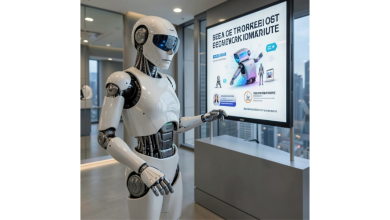
AI image and video generation has moved beyond the novelty stage. The interesting question now is not whether a model can create something impressive, but which model is actually useful for the job in front of you.
That distinction matters because today’s leading systems have different strengths. Some are better at transforming images, others at generating motion, while newer video models are becoming much more capable at following complex creative instructions. For anyone trying these tools for the first time, the fastest way to understand the differences is to stop reading model announcements and start comparing outputs.
The Model Matters More Than the Logo
A good AI workflow starts with the task, not the brand name.
For images, you might want a photorealistic product scene, a consistent character, an edited photograph, or an entirely new visual from a text prompt. For video, the priorities can be different: character consistency, camera movement, reference images, audio, scene continuity, or simply how well the model follows a detailed prompt.
This is why having access to several models can be more useful than becoming loyal to one platform. A prompt that produces an excellent image in one model may look noticeably weaker in another. The same is true for video: one system may handle motion naturally while another does a better job maintaining the appearance of a character.
Rather than guessing which model is best, generate comparable examples and judge the results yourself.

Why Multi-Model Platforms Are Becoming More Useful
One practical example is kavel ai, an AI image and video generation platform that brings multiple current models together in a browser-based workspace.
The useful part is not simply having another image generator. Kavel lets users access different models in one place, including Seedance, Veo, Kling, and Nano Banana, making it easier to compare outputs without constantly switching between separate products. Its model selection also covers both image and video workflows, so a user can experiment with different approaches from the same interface.
There is another advantage for people who are still experimenting: Kavel can be tried without creating an account first. You can open the site and generate something before committing to registration or a paid workflow. That makes it more practical for quick model comparisons, especially when you are still deciding which system fits your needs.
The platform also shows the credit cost of a generation before you run it. That small detail is surprisingly important. When experimenting with generative AI, knowing the expected cost before pressing the generate button makes it easier to test several ideas without accidentally committing to an unexpected charge.
The Video Model Race Is Getting More Interesting
Video generation is arguably where the biggest changes are happening. Earlier systems often required users to think in very short shots and then assemble those clips manually. Newer models are increasingly focused on maintaining continuity, understanding multiple references, and producing scenes that require more than a simple text-to-video prompt.
ByteDance’s Seedance family is a good example of this shift. The company’s official announcement for Seedance 2.0 described a multimodal architecture capable of accepting text, image, audio, and video inputs, with the model designed to improve control over complex scenes and interactions.
That direction matters because practical video creation rarely starts with words alone. A filmmaker may already have a character image, a camera reference, a piece of music, or an existing clip that establishes the desired movement. Models that can understand those different inputs have a much more useful role in a real creative workflow.
The next step in that progression is Seedance 2.5. ByteDance’s newest video model is now available to try directly in the browser through Seedance 2.5 video generator. Rather than treating it as a separate application that requires another workflow, this makes it possible to experiment with the model alongside other generation options.
That is exactly the kind of setup that makes comparisons more meaningful. Try the same creative concept with different models, then look at motion, consistency, prompt adherence, and overall usefulness rather than judging a model from a promotional demo.
A Better Way to Test AI Video
If you want to compare models seriously, use the same prompt and reference material wherever the tools allow it.
Start with a simple scene. For example, describe a cinematic product shot in which a camera moves around an object while the lighting changes naturally. Do not immediately try to create an elaborate movie sequence. The goal is to identify how the model handles the fundamentals.
Then test four things.
First, prompt adherence. Does the generated scene actually follow the important instructions, or does it replace them with something visually attractive but incorrect?
Second, consistency. Look closely at faces, clothing, objects, backgrounds, and spatial relationships. A video can look spectacular for a moment and still be difficult to use if important elements keep changing.
Third, motion. Watch hands, walking subjects, vehicles, camera movement, and interactions between multiple objects. AI video has improved considerably, but motion remains one of the easiest places to spot weaknesses.
Fourth, editing potential. A technically impressive generation is not necessarily a useful asset. Ask whether you could actually place the result into a project, social post, presentation, advertisement, or concept video.
This hands-on approach is more informative than relying on leaderboard rankings alone.
Image Generation Is Changing Too
The same principle applies to image models. The latest generation of image systems is increasingly useful for editing as well as creating images from scratch.
Instead of generating a completely new picture every time, users can provide an existing image and ask the model to modify a particular element. That could mean changing clothing, adjusting a setting, creating a different visual style, or building variations around an existing concept.
Nano Banana is particularly relevant to this workflow, while other image models take different approaches to realism, composition, text rendering, and editing. Having several options available makes it easier to discover which model behaves best for a specific kind of image.
A multi-model environment also reduces friction. If one model produces a weak result, you do not necessarily need to leave the platform, create another account, or rebuild the entire workflow somewhere else. You can simply try another model with the same creative idea.
What Should You Actually Use?
There is no universal winner.
For someone exploring AI casually, ease of access may matter more than advanced controls. For a designer, image editing and consistency could be the deciding factors. For a filmmaker or content creator, video continuity and reference handling may be more important.
The practical winner is therefore the tool that lets you reach a usable result with the least wasted effort.
That is why browser-based model comparison is becoming more valuable. Instead of asking, “Which AI model is the best?” a better question is, “Which model produces the best result for this particular job?”
The AI generation landscape is moving too quickly for a single answer to remain correct for long. Models will continue to improve, new versions will appear, and different systems will specialize in different creative tasks.
For users, the smartest strategy is simple: experiment, compare, and judge the actual outputs. Platforms such as Kavel make that process easier by putting multiple image and video models in one place, showing generation costs before you commit, and allowing newcomers to try the experience before creating an account.
In a field changing this quickly, hands-on testing is often more valuable than hype.