Content creators face a constant demand for video. Every platform now rewards motion over static posts.
Producing that video by hand is slow and expensive. Filming, editing, and reshoots eat entire days.
AI image-to-video generation offers a faster route. You start with an image and let a model bring it to life.
This article explains how that process works and what creators can realistically expect from it.
This article covers:
- What image-to-video generation actually does
- How the underlying models turn stills into motion
- Which features matter when choosing a tool
- Practical use cases for social and marketing content
What Image-to-Video Generation Means
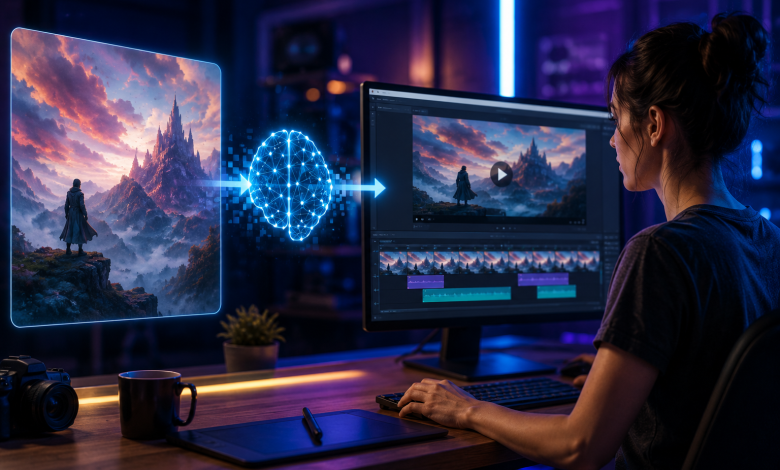
Image-to-video generation takes a still image as input. The model then produces a short animated clip from it.
The motion is not random. The model predicts how objects, light, and camera angles would move over time.
A product photo can pan and rotate. A portrait can blink, smile, or turn its head naturally.
How It Differs From Text-to-Video
Text-to-video builds a clip from a written prompt alone. You describe a scene and the model invents everything.
Image-to-video starts from a fixed visual. That gives you far more control over the final look.
Creators who already have brand images prefer this approach. The output stays consistent with existing assets.
How the Models Turn Images Into Motion
Modern systems rely on diffusion models trained on video. They learn how real scenes change frame to frame.
The process starts with your image as an anchor point. A capable AI video generator then predicts the next frames while keeping your subject stable. ImagineArt handles this well across many image types, from portraits to products.
The result is a clip that feels intentional rather than glitchy. Consistency across frames is the hardest part to get right.
Why Model Quality Varies So Much
Not every model handles motion with the same skill. Cheaper tools warp faces or melt backgrounds mid-clip.
Better models hold detail steady across the full sequence. That difference decides whether output is usable.
What to Look for in an AI Video Tool
The right tool depends on what you create most often. Some prioritize speed, others prioritize realism.
These are the features worth checking before you commit to a platform:
- Frame consistency across the whole clip
- Support for different aspect ratios and platforms
- Control over motion strength and camera movement
- Access to multiple video models in one place
- Commercial usage rights on generated clips
Model access matters more than most creators expect. Newer engines like seedance 2.5 push realism and motion quality further than older systems. ImagineArt gives you that kind of advanced model alongside its other image-to-video tools in a single workflow.
Practical Use Cases for Creators
Image-to-video fits naturally into short-form content. One strong image can become a scroll-stopping clip.
Here is where creators get the most value from it:
- Turning product photos into rotating showcase videos
- Animating portraits for reels and story content
- Bringing static ads to life for social campaigns
- Creating motion thumbnails to lift click rates
Scaling Content Without a Video Team
Small teams rarely have a dedicated video editor. Image-to-video closes that gap without new hires.
A single creator can produce a week of clips. The source images do most of the creative work upfront.
Conclusion
Image-to-video generation has moved from novelty to practical tool. Creators can now turn a single still into polished motion in minutes. Start with one strong image and a clear goal, then test how different motion settings shape the result. Pick a platform that offers advanced models and consistent output across frames. ImagineArt brings those pieces together for creators who want reliable image-to-video results without a studio setup.
Frequently Asked Questions
Do I need video editing skills to use these tools?
No, most platforms handle the technical side for you. You supply an image and adjust a few simple settings.
How long are the videos these tools generate?
Most clips run a few seconds, ideal for social content. You can stitch several together for longer sequences.
Are AI-generated videos safe for commercial use?
Quality tools grant commercial rights on your output. Always confirm the licensing terms before running paid campaigns.