Text-based image editing has moved from novelty to practical creative workflow. The promise is simple: instead of adjusting layers, curves, masks, and brush selections by hand, users describe the change they want in plain language. Nano Banana-style tools are part of that shift, giving creators a faster way to generate images, revise photos, and test campaign ideas.
This review looks at Nano Banana as a workflow rather than as a buzzword. The question is not whether text prompts can replace every traditional editing tool. They cannot. The better question is whether text-based editing can replace enough routine work to make image creation faster for marketers, creators, and small teams.
Nano Banana at a Glance
Nano Banana-style editing is best understood as a natural-language creative workflow. A user starts with a prompt, an existing image, or both. Then the system creates a new image or changes the existing one based on instructions.
In practice, this makes the workflow useful for:
- Product photo improvements.
- Background replacement.
- Social media concepts.
- Campaign mood boards.
- Character and portrait variations.
- Early-stage visual exploration.
The strongest use cases are not highly regulated final assets or exact product-label edits. They are fast visual drafts, cleaner creative options, and image directions that would otherwise take a designer much longer to mock up.
Where NanoPic Fits In
NanoPic positions itself as a consolidated AI creative workspace, replacing the Nano Banana Pro brand as it expands beyond image generation into editing and other creative formats. That matters because many users first discovered the product through Nano Banana-related searches, but the new platform name is broader than one model or one use case.
The practical value is consolidation. A creator can explore image generation, editing, prompt ideas, and other creative formats from one account instead of moving between separate tools for every task.
That does not make traditional software irrelevant. It does mean the early creative phase can become much faster. For many teams, the biggest bottleneck is not final polish. It is getting from a vague idea to a useful visual direction.
What Changed: From Nano Banana Pro to NanoPic
Nano Banana Pro has rebranded as NanoPic. According to the platform’s brand upgrade, existing accounts, credits, subscriptions, and generation history remain unchanged, while the new brand gives the product more room to support additional AI creative workflows.
This is a useful detail for readers because a rebrand can create confusion. In this case, the message is continuity rather than a forced migration: same user account, same credit balance, and the same creative history under a clearer platform name.
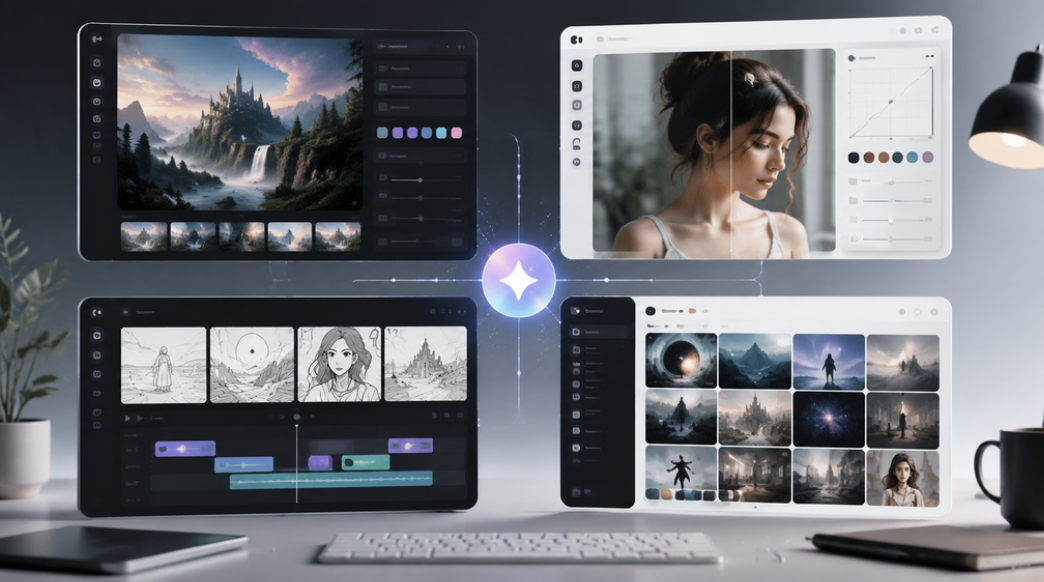
Modern AI creative tools are moving toward one workspace for generation, editing, video, and reusable prompt ideas.
Test 1: Background Replacement
The most obvious test for text-based editing is background replacement. A user might begin with a product photo taken on a desk and ask the tool to place it in a clean studio scene.
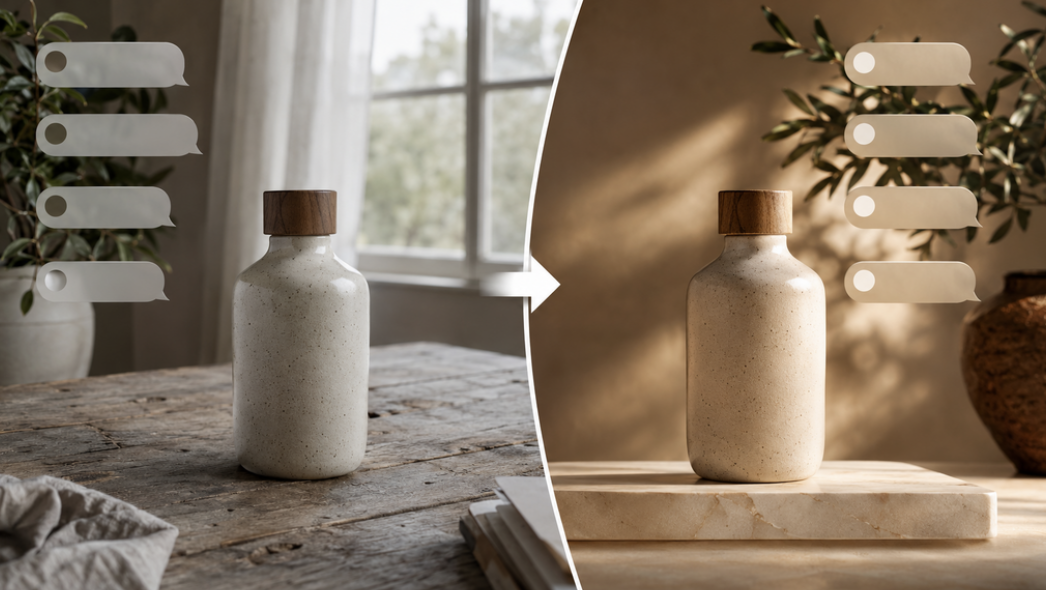
Text-based editing is strongest when the prompt states what should stay, what should change, and what the final image is for.
A strong prompt is specific:
“Keep the bottle shape and camera angle the same. Replace the background with a warm studio surface, soft morning light, and natural shadows. Do not add text, labels, or extra products.”
This kind of prompt works because it separates preservation from transformation. It tells the system what to protect and what to change. Beginners often miss this distinction and only describe the new scene, which can cause the subject itself to drift.
Assessment: Strongest for fast e-commerce mock-ups where exact label accuracy is not required. Outputs should still be spot-checked for product-shape drift, unexpected objects, and any detail that would affect a real product listing.
Test 2: Product Image Enhancement
Product images are a natural fit for Nano Banana-style editing because the desired outcome is usually easy to describe. A better background, clearer lighting, premium composition, or cleaner surface can be requested in everyday language.
For small teams, this is useful because they often do not need a perfect studio replacement on the first attempt. They need multiple directions to compare. A prompt-based workflow can create options quickly: minimalist studio, warm lifestyle, premium editorial, or seasonal campaign.
The weakness is precision. If a product has a specific label, legal claim, package shape, or regulated detail, the final image should not be trusted without review. AI can improve presentation, but the user remains responsible for accuracy.
Assessment: Very useful for drafts and visual direction. Use carefully for final commercial assets, especially when product packaging, claims, dimensions, or regulated details must remain exact.
Test 3: Character and Portrait Consistency
Another useful test is whether a tool can keep a person, character, or visual identity consistent across variations. This matters for storyboards, avatars, creator branding, game concepts, and campaign series.
Text prompts can help define consistency:
“Use the same character, hairstyle, face shape, and outfit. Change only the background and lighting. Keep the expression calm and the framing waist-up.”
The results depend on the quality of the source image and the clarity of the instructions. The workflow is promising, but users should still expect to regenerate and compare multiple outputs before choosing one.
Assessment: Good for creative exploration and series planning. Not a substitute for final art direction when exact identity control matters, but helpful for building options before a human selects and polishes the best direction.
Why Text-Based Editing Feels Different
Traditional editing tools ask the user to control the image directly. Text-based editing asks the user to control intent. That sounds small, but it changes who can participate in image creation.
A marketer can describe a campaign mood. A founder can test product hero concepts. A student can create a visual explanation. A designer can generate rough options before polishing the best one manually.
This does not remove the need for taste. In fact, taste becomes more important. The user must judge whether the image is clear, on-brand, accurate, and useful.
Traditional editors still matter when an image needs exact typography, detailed masking, licensed brand assets, or pixel-level retouching. Text-based tools are stronger when the task is exploratory: trying five backgrounds, testing a social layout, improving mood, or creating a visual direction for a designer to refine. The best workflow is not AI versus traditional editing, but AI for fast direction and traditional tools for precision.
Pros and Cons
Pros
- Fast first drafts for product, portrait, social, and campaign images.
- Beginner-friendly because prompts use ordinary language.
- Useful for exploring multiple creative directions.
- Good fit for small teams without a full design pipeline.
- Helpful when a user knows the desired outcome but not the manual editing steps.
Cons
- Output can include small visual artifacts.
- Exact product labels, legal details, and brand marks need careful review.
- Prompt quality matters, especially for complex edits.
- Some final polish may still require traditional design software.
- Users should avoid treating every generated image as publication-ready.
Who Should Use It?
Nano Banana-style editing is best for creators who need speed and flexibility. It is a strong fit for marketers, founders, content creators, educators, indie developers, and small e-commerce teams.
It is less ideal when the final image must match a legal package, medical product, official identity document, or technical diagram exactly. In those cases, AI can help with concepting, but final production should stay under strict human control.
For everyday creative work, however, the workflow is compelling. It lowers the barrier to visual experimentation and gives non-designers a practical way to express ideas visually.
Final Verdict
Can text-based editing replace traditional photo editing? For every task, no. For many early-stage creative tasks, yes.
Nano Banana-style tools are strongest when the goal is to move quickly from idea to visual draft. They help users test backgrounds, product moods, social formats, portrait styles, and campaign directions without starting from a blank canvas.
The best results still come from a human-led workflow: write a clear prompt, review the output, revise carefully, and use traditional editing tools when precision matters. Platforms such as NanoPic show where AI creative software is heading: not one magic button, but a faster workspace for turning words, images, and ideas into usable visuals.
FAQ
What is Nano Banana?
Nano Banana is commonly used to describe prompt-based AI image generation and editing workflows. For users, the key idea is simple: create or change images by writing natural-language instructions instead of controlling every edit manually.
Is NanoPic the same as Nano Banana Pro?
According to NanoPic’s brand-upgrade messaging, Nano Banana Pro has rebranded as NanoPic and existing accounts, credits, subscriptions, and generation history remain unchanged. NanoPic becomes the broader creative platform name.
Can text-based editing fully replace Photoshop?
Not fully. Text-based editing can replace many early drafts, background tests, product concepts, and visual explorations. Traditional design software is still useful for exact layout control, final retouching, legal detail checks, and precision edits.
What is the best use case for beginners?
The best beginner use case is a simple product or social media image. These projects have clear subjects, clear output formats, and easy review criteria. That makes them easier to improve through prompt revisions.