Video has become the default language of online communication. Musicians, founders, educators, marketers, and independent creators all need more visual content than ever before, but the traditional production process is still difficult to scale. A single creative idea may need a full horizontal video, several short vertical edits, teaser clips, lyric-style snippets, and social posts built for different platforms.
This demand has pushed many creative teams toward generative AI. The goal is not simply to automate video production. The stronger opportunity is to build faster creative systems, where teams can move from idea to draft, compare multiple visual directions, and refine the strongest version before investing more time in editing or distribution.
From One-Off Production to Repeatable Creative Systems
Traditional video production often depends on crew scheduling, location planning, editing capacity, licensing, motion design, and multiple review cycles. For large brands, that process can be managed with time and budget. For independent creators and smaller teams, it often becomes the reason good ideas never reach the audience.
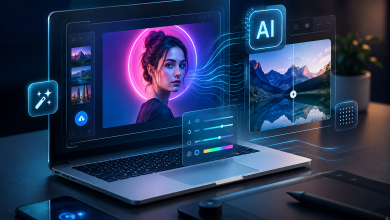
AI-assisted video tools change the early stage of the workflow. Instead of waiting for a fully planned production, creators can test visual concepts quickly. They can try a cinematic direction, a documentary tone, a surreal visual style, a lyric-focused edit, or a social-first version before deciding which idea deserves deeper polish.
That shift matters because modern content is rarely a single deliverable. A song, campaign, or product story often needs a family of visual assets. The creative brief is no longer only “make one video.” It is “turn this idea into a repeatable visual system.”
Why AI Video Adoption Is Accelerating
Several market signals point in the same direction. Wyzowl’s video marketing research continues to show that video is central to brand communication and customer education. McKinsey’s State of AI research also shows that companies are moving beyond isolated AI experiments and toward redesigning real workflows around generative AI.
For creators, the practical reason is simple. AI lowers the cost of the first draft. When the first version is easier to produce, teams can test more concepts, compare more creative directions, and make better final decisions. This is especially valuable for teams that need to publish often but do not have a large production department.
The strongest use cases are not only about speed. They are about iteration. A creator can start with a song, a portrait, a voiceover, a short script, or a brand idea, then generate visual directions that can be edited, rejected, combined, or refined.
Music, Voice, and Personal Media Are Natural Starting Points
Music and voice are particularly strong inputs for AI video because they already carry rhythm, emotion, pacing, and identity. A good visual does not only decorate the sound. It gives the audience a feeling to connect with the song, voice, or message.
This is useful for independent musicians, but it is also useful for educators, coaches, newsletter writers, startup founders, and small marketing teams. Many of them already have useful source material. They may have a portrait, product image, audio clip, narration, song demo, podcast segment, or short message, but not the budget or time to turn every idea into a polished video.
The creative challenge is turning those simple inputs into motion. That is why AI video workflows are beginning to sit between design, editing, social media, and performance marketing.
A Practical Workflow for AI-Assisted Video Creation
A strong AI video workflow usually starts before generation. The creator first needs to define the emotional direction. Is the video intimate, cinematic, playful, futuristic, nostalgic, educational, or promotional? Is it designed for a full-length post, a short social clip, a landing page, or a campaign teaser?
Tools such as VibeMe AI are designed around this kind of creator workflow. A creator might start with a portrait or press image and turn it into a short performance-style clip through a singing photo workflow.
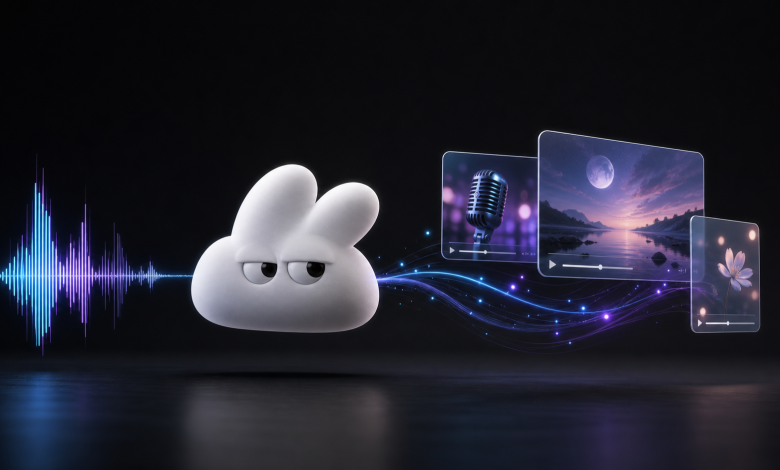
Others may begin with a soundtrack, narration, or voice idea and use an audio-to-video AI workflow to explore visual scenes, moods, and video concepts without needing a full production team at the first stage.
For voice-led pieces, a lip-sync AI workflow can help creators match recorded audio with expressive facial movement, which is useful for short educational clips, social videos, and artist-led announcements.
In both cases, the workflow is most effective when the human creator remains the director. The AI helps produce options, but the creator decides which option fits the story, audience, and brand.
The Human Role Becomes More Important, Not Less
The best use of AI video is not “press a button and publish.” That approach often creates generic content. A stronger workflow is human-led: define the concept, generate options, select the best direction, edit for taste, and refine the final output.
Human judgment matters in several areas. The creator decides whether the visual tone matches the sound. The marketer decides whether the content fits the audience. The editor decides whether the pacing feels natural. The brand owner decides whether the final video reflects the right identity.
In this sense, AI video tools are closer to creative accelerators than creative replacements. They help teams produce more starting points, but they do not remove the need for taste, storytelling, and editorial judgment.
What Brands Should Consider Before Using AI Video
For professional teams, the main question is not simply whether AI can generate a video. The question is whether the workflow is reliable enough to support real publishing needs.
Teams should consider five practical factors. First, can the tool produce visuals that fit the brand’s style? Second, can the output be adapted for different platforms and formats? Third, does the workflow support fast iteration? Fourth, can the team maintain quality control before publishing? Fifth, does the tool fit naturally into the existing content process?
AI video works best when it supports a broader creative system. It should help teams test ideas, produce variations, and reduce repetitive production work. It should not become an excuse to publish low-quality content at scale.
The Future: Faster Iteration and More Personalized Visuals
The next phase of AI video will likely be less about one-off generation and more about adaptive creative systems. Creators will want tools that can generate multiple versions of a video for different audiences, platforms, languages, and campaign moments.
A musician might create a cinematic edit for YouTube, a vertical teaser for TikTok, a lyric-focused version for Instagram, and a short behind-the-scenes clip for fans. A founder might turn one product story into social clips, website visuals, investor updates, and customer education assets. A teacher might turn one explanation into a talking image, a short animation, and an audio-led summary.
This is where AI video can create the most value. It makes visual storytelling more flexible. It allows more people to participate in video creation. It helps small teams behave more like larger creative departments.
Conclusion
AI video tools are not simply changing how videos are made. They are changing who gets to make them, how quickly ideas can be tested, and how often creators can publish visual stories around their work.
For independent artists, AI lowers the barrier to building a visual identity. For marketers, it shortens the path from campaign idea to video asset. For creative teams, it opens a faster way to explore concepts before committing production resources.
The creators who benefit most will not be the ones who use AI to remove the human element. They will be the ones who use AI to protect more time for taste, storytelling, and creative direction.