What Is Dokie?

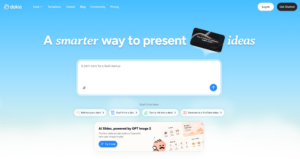
Dokie is an AI presentation maker that helps users create professional slide decks in minutes. Instead of starting from a blank PowerPoint file, users can begin with an idea, outline, document, URL, or other source material and turn it into a structured presentation.
The product is designed around a simple promise: building professional slides should not take hours.
That positioning matters because most people do not struggle only with writing slide content. They struggle with structure, layout, formatting, visual hierarchy, and consistency. A deck can have the right message but still look unprofessional if the spacing is messy, the slide titles are weak, or every slide uses a different visual style.
Dokie tries to solve that problem by combining AI slide generation with practical editing and refinement. Users can generate a deck, adjust layouts, change visuals, refine wording, apply a style direction, and keep improving the presentation without rebuilding everything from scratch.
This makes Dokie useful for business presentations, school projects, team updates, reports, pitch decks, sales materials, training decks, and marketing presentations.
Who Is Dokie Best For?
Dokie is best for users who need polished presentations but do not want to spend hours designing slides manually.
It is a strong fit for business professionals who need reports, client decks, sales presentations, strategy updates, or internal meeting slides. These users usually care about clarity, structure, and formatting consistency more than experimental visual design.
It is also useful for marketers who need campaign reports, product launch decks, social carousel content, sales enablement slides, and client-facing presentations. Marketing decks need to look clean and on-brand, but they also need to communicate quickly.
Teachers, students, and trainers can also benefit from Dokie. A classroom presentation should be readable, structured, and easy to follow. Dokie can help turn notes or documents into cleaner lesson decks, research presentations, and training materials.
Founders and consultants may find Dokie useful because they often need to turn messy ideas, proposals, research, or business documents into clear presentation narratives.
Dokie is less ideal for users who mainly want advanced motion design, complex animations, or deep collaborative presentation management. It is strongest when the goal is to create a clean, editable, presentation-ready deck quickly.
Key Dokie Features
AI Presentation Generation
Dokie can generate presentations from ideas, outlines, and source content. This is useful when users know what they want to say but do not want to manually build every slide.
Instead of opening PowerPoint and deciding each slide structure from scratch, users can let Dokie create a first version. That first draft can then be edited and refined.
This is one of the main reasons Dokie is useful. It reduces the blank-page problem and gives users a working deck faster.
Document and File-to-Slides Workflows
Dokie supports several content-to-slides workflows. Users can turn different types of source materials into presentations, including PDFs, Word documents, text, Excel files, images, HTML, and DOC files.
This is important because many real presentations do not start as a clean prompt. They start as documents, notes, reports, web pages, spreadsheets, screenshots, or long materials that need to be summarized into slides.
A good AI presentation tool should not only generate slides from a topic. It should help users turn real working materials into a presentation. Dokie is strong in that area.
Brand-Aligned Slides
Brand consistency is one of Dokie’s biggest advantages.
A presentation should not look like a random collection of generated slides. It should feel consistent from beginning to end. Fonts, colors, layout rhythm, image style, spacing, and title hierarchy should work together.
Dokie supports workflows where users can upload themes, templates, or reference files and keep decks aligned with a style direction. This makes it more useful for business teams, marketers, consultants, and anyone who needs slides to feel professional.
Brand alignment matters most when the presentation will be shown to clients, executives, prospects, investors, or students. A consistent deck feels more credible.
Layout Refinement
Many AI presentation tools are good at generating slides but weak at helping users improve them afterward.
Dokie is stronger because it focuses on layout refinement. Users can ask for changes such as adjusting layouts, adding timelines, inserting icons, changing visuals, or improving specific pages.
This is important because the first AI-generated version is rarely perfect. A slide may need a different structure. A dense page may need to become a summary. A bullet list may need to become a comparison or process slide.
Dokie’s value is not only that it generates a deck. It helps users keep improving the deck.
Real-Time Editing
Dokie supports direct editing with real-time preview. This means users can tweak text and visuals without having to fully regenerate the presentation every time.
That may sound small, but it matters in real workflows.
If a user has to regenerate a full deck just to fix one slide, the tool becomes frustrating. If a user can make targeted edits and preview the result quickly, the workflow becomes more practical.
This is one of the reasons Dokie feels more useful for business-ready slide creation than many one-click AI PPT generators.
Custom Themes and Templates
Dokie supports custom themes and file-based style application. Users can upload PPT, PPTX, or PDF files and apply styles to slides.
This matters for companies, agencies, schools, and consultants who already have a visual standard. They do not want every AI-generated deck to look different. They want the AI to work within their presentation style.
Templates are not just decoration. They help control brand consistency, layout quality, and audience perception.
Export and Sharing
Dokie supports workflows for sharing, presenting, and exporting. This is important because a presentation tool is only useful if users can actually deliver the deck.
Many users still need PowerPoint-style output. Others need PDFs, share links, or browser-based presentation options. Dokie’s practical export and sharing workflows make it more useful for real work than tools that only generate a preview.
What Makes Dokie Different From Other AI Presentation Tools?
The main difference is that Dokie focuses on practical presentation readiness.
Many AI slide tools can create a deck quickly. The problem is that the result often needs heavy cleanup. The slide flow may be weak. The visuals may feel generic. The layout may not match the content. The formatting may break after editing. The deck may look impressive at first glance but still feel risky to send to a client.
Dokie is stronger because it is designed around the full workflow:
Generate the deck.
Review the structure.
Adjust the layout.
Keep the style consistent.
Edit specific slides.
Export or share when ready.
That makes Dokie more practical for real presentation work. It is not only a prompt-to-slides shortcut. It is closer to an AI presentation assistant.
Dokie Review: Pros and Cons
Dokie Pros
Dokie’s biggest strength is that it creates professional-looking decks without requiring strong design skills. Users can move from raw content to a polished presentation much faster than building slides manually.
It is also strong for business-ready slide structure. The decks are better suited for reports, client updates, team presentations, school projects, sales materials, and pitch decks than many generic AI slide generators.
Another major advantage is post-generation editing. Dokie does not treat the first output as the final version. Users can refine slides, adjust layouts, and make targeted changes.
Brand alignment is also a strong point. The ability to work with themes, templates, and reference styles makes Dokie more practical for users who need consistent visual identity.
Dokie also supports many content-to-slides workflows, which makes it useful for turning real materials into presentations.
Dokie Cons
Dokie is not a full replacement for every presentation tool.
If a team needs deep collaboration, slide assignments, sales analytics, engagement tracking, or deal rooms, a platform like Pitch may be more suitable.
If a user wants zoomable, non-linear visual storytelling, Prezi may be a better fit.
If a user wants a broad design platform for social graphics, posters, videos, and brand assets, Canva or Visme may offer more variety.
If a company already works entirely inside PowerPoint or Google Slides and only wants an in-editor AI add-on, PlusAI may feel more natural.
Dokie is strongest for AI-generated, editable, business-ready presentations. It is not trying to be every design tool at once.
Is Dokie Easy to Use?
Yes, Dokie is relatively easy to use, especially for users who already understand the kind of presentation they need.
The workflow is straightforward: start with an idea or source content, generate a presentation, review the deck, edit what needs improvement, and export or share it.
The reason Dokie feels easier than many traditional presentation tools is that it reduces design decisions. Users do not need to manually choose every layout, format every title, align every object, or rebuild every slide from scratch.
That said, users still need judgment. AI can help create and refine slides, but a good presentation still needs a clear message. Users should review the content, check accuracy, adjust the tone, and make sure the deck fits the audience.
Dokie makes presentation creation easier, but it does not remove the need for human review.
Is Dokie Good for Business Presentations?
Yes. Business presentations are one of Dokie’s strongest use cases.
Business decks need clean structure, consistent formatting, readable layouts, and practical editing. They also need to look professional enough for meetings, clients, sales calls, team updates, and leadership reviews.
Dokie is useful because it helps users turn business content into slides faster. A manager can create a report deck. A marketer can turn a campaign brief into a presentation. A sales rep can create a product deck. A founder can build a pitch-style presentation. A consultant can turn research notes into a client-ready deck.
The key advantage is that Dokie focuses on business-ready slides, not just visually flashy slides.
For business users, that matters.
Is Dokie Good for Students and Teachers?
Yes. Dokie is also useful for education.
Students can use Dokie to create research presentations, class reports, project slides, and group presentation decks. It can save time on structure and formatting, especially when students have notes or source documents but do not know how to turn them into slides.
Teachers can use Dokie to create lesson decks, training materials, lecture slides, classroom summaries, and educational explainers. It is especially useful when a teacher needs to update or revise existing materials quickly.
Education presentations need clarity. They should not be overdesigned or text-heavy. Dokie helps create cleaner decks that are easier to follow.
For simple classroom slides, Dokie is useful. For more interactive or zoom-based teaching experiences, Prezi may still be worth considering.
Is Dokie Good for Marketing Teams?
Yes. Marketing teams can use Dokie for campaign reports, launch plans, content strategy decks, client updates, sales enablement materials, and social carousel-style presentations.
Marketing decks need to look polished and on-brand, but they also need to communicate clearly. A campaign report should highlight the key insight. A launch plan should explain the timeline. A client update should feel credible. A sales enablement deck should support the conversation.
Dokie helps with these workflows because it combines content generation, layout structure, and brand-aligned presentation design.
It is especially useful for marketers who do not want to spend hours manually formatting decks.
Is Dokie Good for Sales Teams?
Dokie can be useful for sales teams, especially when reps need to create or customize decks quickly.
A sales presentation needs to explain value clearly. It should connect the product to the customer’s problem, show proof, and guide the conversation toward a next step.
Dokie helps sales users create cleaner decks from product notes, customer research, case studies, proposal details, or internal materials.
However, teams that need advanced sales presentation analytics, deal rooms, or viewer tracking may want to compare Dokie with platforms like Pitch. Dokie is stronger for deck creation, while Pitch is stronger for presentation management and analytics.
Is Dokie Good for Startups and Founders?
Yes. Dokie is a strong tool for founders because startup teams often need many presentations with limited time.
A founder may need an investor deck, sales deck, product explainer, hiring deck, launch presentation, internal update, or board-style report. Creating all of these manually can take a lot of time.
Dokie helps founders turn messy ideas, notes, URLs, and documents into structured presentations faster. It is especially useful when the founder knows the message but does not want to spend hours on slide design.
For startups, Dokie’s biggest advantage is speed plus professional output.
Dokie vs Traditional PowerPoint
PowerPoint is still the standard for many teams, but it is not always fast.
The biggest problem with PowerPoint is that users have to do most of the work manually. They need to write the content, choose the layout, adjust formatting, add visuals, align objects, and keep the deck consistent.
Dokie helps by generating and structuring the deck first. Instead of starting from a blank slide, users can begin with an AI-created presentation and refine it.
PowerPoint is still useful for final editing, advanced customization, and offline workflows. But Dokie can save time before users reach that stage.
A good workflow may be to use Dokie for creation and refinement, then use PowerPoint for final polish if needed.
Dokie vs Canva
Canva is a broad design platform. It is excellent for users who want templates, social graphics, brand assets, posters, videos, and many types of visual content.
Dokie is more focused on AI presentation creation. It is better for users who want to turn content into a structured slide deck quickly.
Canva gives users a large design environment. Dokie gives users a more direct AI-powered presentation workflow.
Use Canva if you need a general design platform.
Use Dokie if you need an AI presentation maker for business-ready slide decks.
Dokie vs Gamma
Gamma is strong for web-native presentations, visual documents, and shareable content. It is useful when users want a modern, scrollable, web-first presentation experience.
Dokie is stronger for traditional PPT-style workflows. It is better when users need editable, business-ready decks that feel familiar in meeting, classroom, and client presentation settings.
Use Gamma if you want web-native storytelling.
Use Dokie if you want AI-generated slides that feel closer to professional PowerPoint-style presentations.
Dokie vs Beautiful.ai
Beautiful.ai is strong for smart slide design and structured templates. It helps users create visually consistent decks with design automation.
Dokie is stronger when users want broader AI presentation generation from source content and more flexible post-generation refinement.
Use Beautiful.ai if you want smart slide templates and automated design rules.
Use Dokie if you want AI to help turn content into a complete deck and keep improving it afterward.
Dokie vs Pitch
Pitch is a strong collaborative presentation workspace. It is useful for teams that need templates, comments, slide assignments, analytics, deal rooms, and shared presentation workflows.
Dokie is more focused on AI-first presentation creation. It is better for users who want to create a clean deck quickly without needing a full collaboration platform.
Use Pitch if your team needs presentation collaboration and analytics.
Use Dokie if you need AI to create and refine the deck itself.
Dokie vs Prezi
Prezi is best known for zoomable, non-linear presentations. It is useful for visual storytelling, classroom projects, concept maps, and dynamic presentations.
Dokie is better for traditional slide decks. It is more practical for reports, business presentations, lessons, and client decks that need clean formatting and simple revision workflows.
Use Prezi if you want a zoomable visual journey.
Use Dokie if you want a clean, editable, PPT-style presentation.
Where Dokie Stands Out
Dokie stands out in three areas.
First, it is practical. The product is not only about generating a flashy first draft. It focuses on decks that users can actually edit, refine, and present.
Second, it is useful for real source content. Many presentations begin with documents, PDFs, notes, URLs, spreadsheets, and rough outlines. Dokie supports those workflows better than simple prompt-only tools.
Third, it helps reduce formatting pain. Many users hate fixing slide spacing, layouts, and hierarchy. Dokie’s ability to refine layouts, keep slides clean, and support targeted edits makes it more useful than basic AI PPT generators.
These strengths make Dokie a strong choice for business and education users.
Where Dokie Could Improve
Dokie is strong, but it is not perfect.
It could become even more powerful with deeper team collaboration features, more advanced version history, richer analytics, and more enterprise-level brand governance.
Some users may also want more advanced animation, data visualization, or interactive presentation features.
For teams that already have a complex presentation workflow, Dokie may be one part of the stack rather than the only tool.
That is not a weakness unique to Dokie. Most AI presentation tools are still evolving. The best tool depends on the workflow.
Is Dokie the Ultimate Presentation Tool This Year?
Dokie may be the ultimate presentation tool this year for a specific type of user: someone who wants to create clean, editable, business-ready presentations quickly without spending hours on manual slide design.
For that use case, Dokie is one of the strongest options.
It is especially compelling because it focuses on the problems that matter after the first AI draft: layout quality, formatting consistency, brand alignment, editing flexibility, and practical export or sharing workflows.
However, Dokie is not the ultimate tool for every possible presentation need.
If your main need is team collaboration, Pitch may be stronger.
If your main need is broad visual design, Canva may be stronger.
If your main need is zoomable storytelling, Prezi may be stronger.
If your main need is working directly inside PowerPoint or Google Slides, PlusAI may be stronger.
But if your main need is AI-powered presentation creation that gets you closer to a usable deck faster, Dokie is a serious contender for the best presentation tool this year.
Final Verdict
Dokie is not just another AI slide generator. It is a practical AI presentation assistant for users who need polished, editable, brand-aligned decks without spending hours on design and formatting.
Its strengths are clear: fast slide generation, content-to-deck workflows, layout refinement, custom themes, brand alignment, real-time editing, and practical presentation output.
Its limitations are also clear. It may not replace full collaborative workspaces, advanced design platforms, or highly interactive storytelling tools.
That is why the honest review is balanced.
Dokie is not the ultimate presentation tool for everyone.
But for professionals, students, teachers, marketers, founders, sales teams, and consultants who need business-ready slides quickly, Dokie may be one of the best AI presentation tools to use this year.
If your goal is to stop fighting with formatting and start creating better decks faster, Dokie is absolutely worth trying.
FAQs
What is Dokie?
Dokie is an AI presentation maker that helps users create professional slide decks from ideas, notes, documents, URLs, and other source materials.
Is Dokie good?
Yes. Dokie is good for users who need clean, editable, brand-aligned presentations quickly. It is especially useful for business decks, reports, school projects, team updates, pitch decks, and sales presentations.
Is Dokie the ultimate presentation tool this year?
Dokie may be the ultimate presentation tool for users who need AI-generated, business-ready slide decks. However, it may not be the best choice for users who need advanced collaboration, analytics, animation, or broad graphic design features.
Who should use Dokie?
Dokie is best for professionals, marketers, consultants, founders, teachers, students, sales teams, and anyone who wants to create polished presentations without spending hours on manual formatting.
Can Dokie create business presentations?
Yes. Dokie is well suited for business presentations such as reports, client decks, sales materials, pitch decks, strategy updates, marketing plans, and team presentations.
Can Dokie help with school presentations?
Yes. Dokie can help students and teachers create class presentations, lesson decks, research reports, training materials, and educational slides.
Does Dokie support brand-aligned presentations?
Yes. Dokie supports workflows for brand-aligned presentations, including using themes, templates, and reference files to keep slides consistent.
Can Dokie AI generate slides from documents?
Yes. Dokie supports content-to-slides workflows, including tools for turning PDFs, Word documents, text, Excel files, images, HTML, and DOC files into slides.
Is Dokie better than PowerPoint?
Dokie is not a direct replacement for PowerPoint in every situation. It is better for quickly generating and refining presentations, while PowerPoint is still useful for detailed manual editing and traditional office workflows.
Is Dokie better than Canva?
Dokie is better for focused AI presentation creation. Canva is better as a broader design platform for many types of visual content.
Is Dokie better than Gamma?
Dokie is better for traditional PPT-style business presentations. Gamma is better for web-native presentations and visual documents.
Is Dokie better than Pitch?
Dokie is better for AI-first deck creation. Pitch is better for teams that need collaboration, analytics, sharing workflows, and presentation management.
What are Dokie’s main advantages?
Dokie’s main advantages are fast AI slide generation, business-ready layouts, brand alignment, content-to-deck workflows, real-time editing, and practical presentation refinement.
What are Dokie’s limitations?
Dokie may not replace tools that specialize in collaboration, analytics, zoomable storytelling, advanced animation, or broad graphic design.
Should I try Dokie?
Yes, if you need a faster way to create polished, editable, business-ready presentations. Dokie is especially worth trying if you often spend too much time fixing layouts, formatting, and slide structure.