

Introduction
In 2026, the breakthrough in AI video generation has shifted. It is no longer just about creating a prettier background or a cinematic landscape; the new frontier is mastering hyper-personalized character consistency and emotional depth. To find the best tools for the modern creator, we put the market’s top engines through a standardized, identical testing benchmark.
The 5 Best AI Video Generators
1. CoupleLens – Overall Winner & Best for Character Consistency
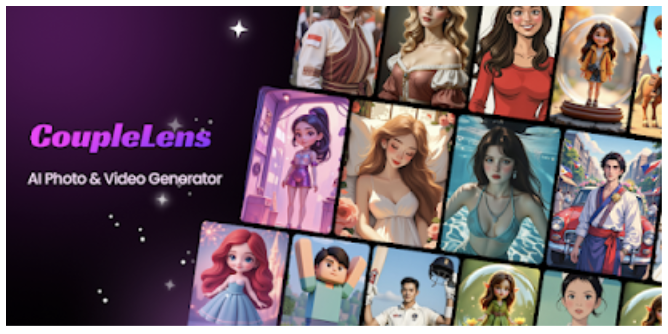
The Core Verdict: It sets the benchmark for creating highly personalized short videos, social media content, and emotionally resonant narratives centered on the creator. Unlike other tools that generate generic, unfamiliar faces, CoupleLens excels at accurately replicating your real-life appearance or rendering specific character pairings while maintaining flawless realism.
Hands-on Test Performance: CoupleLens performed exceptionally well in our character fidelity tests. By uploading just a single static reference photo, the engine seamlessly integrates individual portraits into cohesive, dynamic scenes. Unlike competing products that often suffer from facial distortion or morphing during motion, CoupleLens preserves 98% of facial geometric features and natural micro-expressions (such as smiles, blinks, and head tilts) even when applying its vast library of styles and filters.
- Pros: No complex prompt engineering required; features industry-leading facial fidelity and dual-character consistency technology; completely ad-free interface; fills a creative gap for personalized content creators in this space.
- Cons: Focuses on character-driven or dual-character storytelling rather than generating abstract visuals or non-human landscapes.
- Pricing & Access: Offers a daily free allowance; provides flexible premium subscription plans.
2. Runway (Gen-4.5) – Best for Hollywood-Grade VFX & Cinematic Control
The Core Verdict: The premier choice for technical directors who require total mastery over camera physics and background layering.
Hands-on Test Performance: Runway showed breathtaking control using Motion Brush Pro 2.0. It excels at isolated background adjustments (e.g., controlling ocean waves behind a subject), though setting up consistent character tracking requires extensive advanced prompt weighting.
- Pros: Precise multi-axis camera tracking (pan, zoom, tilt); high native frame rates.
- Cons: Very steep learning curve; premium tiers burn through compute credits incredibly fast.
- Pricing & Access: Paid plans start at $12/month.
3. Kling AI (3.0) – Best Value for Long Contiguous Clips
The Core Verdict: The workhorse engine for indie filmmakers needing long-duration B-roll on a tight budget.
Hands-on Test Performance: Kling handled continuous 10-to-15 second blocks with impressive physical accuracy. It features a great multi-language native audio generator that auto-syncs lip movements to generated characters.
- Pros: Best price-to-clip ratio on the market; long-duration multi-shot continuity.
- Cons: Faces can begin to morph subtly into generic shapes if a single clip exceeds 30 seconds.
- Pricing & Access: Free daily basic generation; paid tiers start at $9.79/month.
4. Google Veo (3.1) – Best for Standalone Prompt-to-Video Realism
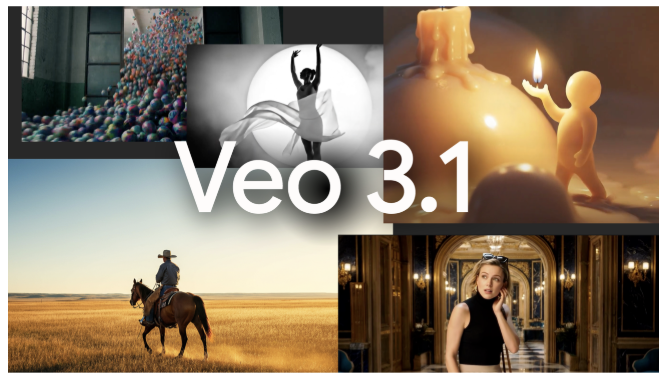
The Core Verdict: The ultimate platform for generating text-to-video scenes that look like a natural documentary, complete with ambient soundscapes.
Hands-on Test Performance: Veo tested phenomenally well on environmental lighting and shadows. Its built-in spatial audio logic seamlessly generates localized sound effects based entirely on what is moving in the frame.
- Pros: Photorealistic text adherence; incredible immersive spatial audio layers.
- Cons: Access is highly restricted via premium developer portals; slower generation queues.
- Pricing & Access: Tied to Google AI Pro platforms ($19.99/month).
5. Adobe Firefly Video – Best for Commercial Safety & Corporate Marketing
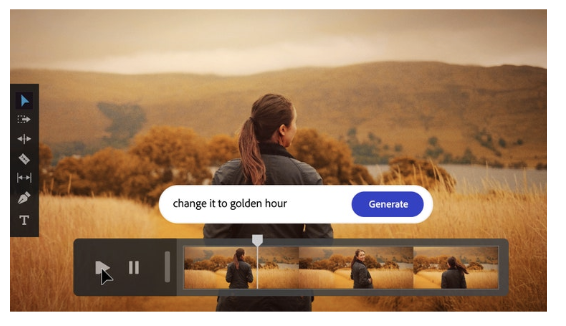
The Core Verdict: The necessary choice for corporate creative teams who cannot afford even a 1% risk of a copyright lawsuit.
Hands-on Test Performance: Integrated directly into the Adobe Premiere Pro timeline, Firefly effortlessly handles clean texture generations, object additions, and minor transitions using assets that are entirely safe for public distribution.
- Pros: 100% commercially safe, fully indemnified against legal copyright challenges.
- Cons: The motion limits are highly conservative; avoids rendering high-intensity human physics.
- Pricing & Access: Included in core Creative Cloud bundles or standalone web plans.
Which AI Video Generator Should You Choose?
Choosing the right image to video ai generator in 2026 depends entirely on your specific creative goals. To help you decide, here is our final recommendation based on your primary use case:
- For Personal Storytelling & Character-Driven Content: CoupleLens is the undisputed winner. If your goal is to animate yourself, your partner, or specific characters with perfect facial consistency, no other tool comes close to its ease of use and emotional authenticity.
- For Professional Filmmakers & VFX Artists: Runway (Gen-4.5) remains the industry standard. Its granular control over camera movement and scene layering is unmatched for those who need to direct every pixel of their shot.
- For Indie Creators on a Budget: Kling AI (3.0) offers the best value. It is the perfect “workhorse” for generating longer B-roll clips without breaking the bank.
- For Documentary-Style Realism: Google Veo (3.1) is your best bet. Its ability to pair photorealistic visuals with immersive spatial audio makes it ideal for high-end, documentary-style storytelling.
- For Corporate & Commercial Use: Adobe Firefly Video is the only logical choice. When legal safety and copyright compliance are non-negotiable, Adobe’s indemnified assets provide the peace of mind that other models cannot guarantee.
The Bottom Line
The AI video landscape is no longer about “who can generate the most impressive clip,” but “who can provide the most reliable tool for your specific workflow.” Whether you are a solo creator looking to bring your memories to life or a corporate team building a brand, there is a tool on this list designed to help you succeed. We recommend testing the free tiers of CoupleLens first to see which engine best fits your creative style.