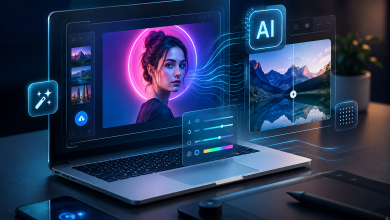
A lot of small video ideas stall before anyone opens a camera app. Someone says, “We should make a clip for this.” Then come the usual questions: who is shooting it, who is editing it, and is it worth spending half a day on something that may only live as a six-second post?
Image-to-video tools are useful because they start with material people already have. A product shot. A travel photo. A portrait. A frame from a campaign shoot that never made the final cut. Instead of asking an AI model to invent a scene from a paragraph, the user gives it a real image and asks for motion.
Seedance 2.0 sits in that category. It is an image-to-video model originally trained by ByteDance and available through a browser playground at seedance2.so. The workflow is simple: upload a still image, write a short prompt for the movement, and generate a clip. The result is usually a short video, around five to ten seconds, built around the original frame.
Five to ten seconds sounds small. For a Reel, ad test, product page loop, or quick teaser, it is often enough.
Why starting with a photo helps
Text-to-video is impressive when the prompt is good. The problem is that most people are not good at writing those prompts. They do not think in camera lenses, lighting setups, blocking, focal length, or scene continuity. They know what they want only after they see what they do not want.
Image-to-video removes part of that burden. The photo already decides the subject, the framing, the colors, and the mood. The model is not guessing what the room looks like or where the person should stand. It only has to answer a smaller question: what should move?
The prompt can stay almost embarrassingly plain:
- “Slow push-in toward the product.”
- “Light wind in the hair, keep the face still.”
- “Gentle camera pan across the building.”
- “Make the water move in the background.”
Short prompts like these often work better than long ones. The more the prompt tries to change, the more chances the model has to misunderstand the frame.
What the Seedance 2.0 workflow looks like
Seedance 2.0 is built for quick iteration rather than full video editing. There is no timeline to arrange and no local software to install. A user uploads an image in the browser, adds the motion prompt, and waits for the output.
A first render is still a draft. Sometimes the model picks the wrong part of the image to animate. Sometimes it pushes the camera too far. Sometimes the motion is good but a face or hand starts to look strange near the end.
The practical workflow is to generate a few versions and keep the cleanest one. For short marketing clips, social posts, listing videos, and quick creative tests, that is often faster than opening an editor.
Where short AI video works best
The useful jobs are mostly ordinary ones.
An ecommerce seller can turn a static product photo into a loop for a detail page or ad test. A real estate agent can add a slow pan to an exterior shot. A musician can animate a press photo for a Reel or Spotify Canvas. A small agency can create several variations of the same visual concept without booking another shoot.
None of those jobs requires a one-minute video. They need motion that catches the eye without changing the subject.
Put the tool in the right box and it makes more sense. A good shoot still wins when the concept depends on performance, dialogue, choreography, or a real location. Seedance 2.0 is more useful for the work that was too small to justify a shoot in the first place.
The limits are still real
Short clips hide many problems, but they do not remove them. Faces can drift if the prompt asks for too much movement. Hands remain hard. Backgrounds sometimes shimmer. A product logo may stay sharp in one generation and blur in the next.
The fix is restraint. Use a clean source image. Ask for one main movement. Keep camera motion slow. Avoid prompts that change the identity of the subject or ask multiple people to interact.
Limiting, yes. But most users are not trying to make a film from one image. They are trying to get one useful short clip from a photo that would otherwise stay still.
A simple first test
The best way to judge Seedance 2.0 is to try it on a photo you already understand. Pick something with a clear subject and decent light. Avoid crowded images for the first run.
Write one plain prompt. If the output is too busy, reduce the motion. If the wrong part of the image moves, name the subject more clearly. After two or three attempts, the pattern becomes obvious: image-to-video works best when the photo does most of the work and the prompt stays modest.
At that point, the value is pretty simple: a still image becomes usable video before the idea gets buried.