Some AI image tools feel impressive for one afternoon and exhausting by the next week. The first result may look beautiful, but long-term creative use asks a different question: can I return to this platform repeatedly, test ideas quickly, revise images without starting over, and still feel in control? That is the question I used while testing AI Image Maker against several familiar AI image platforms.
For this article, I compared AIImage.app with Midjourney, Leonardo AI, Adobe Firefly, Canva AI, Krea, and Freepik AI. I used prompts around product visuals, lifestyle portraits, social content, ecommerce-style image ideas, educational graphics, and reference-based transformations.
I was not trying to find a single universal winner for every artist. Instead, I wanted to understand which platform felt more usable after multiple rounds. Long-term creators need more than an exciting first generation. They need a workflow that remains understandable when ideas change.
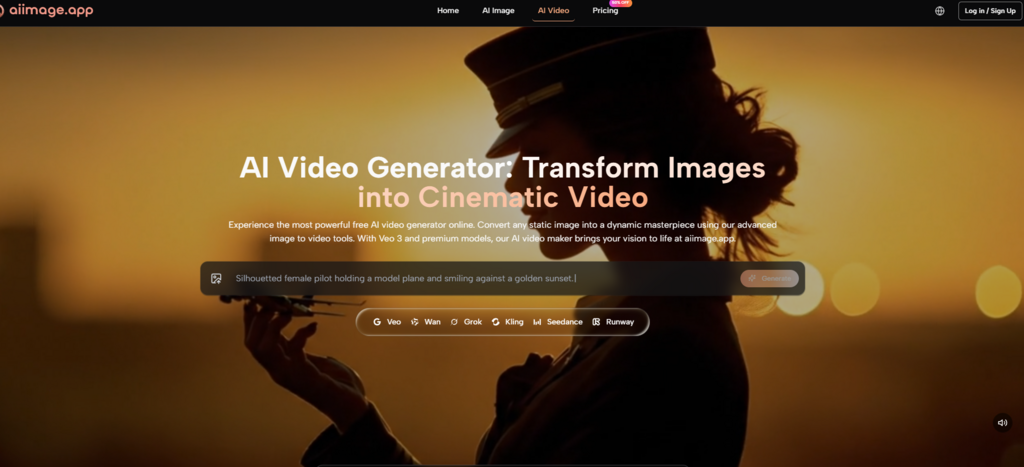
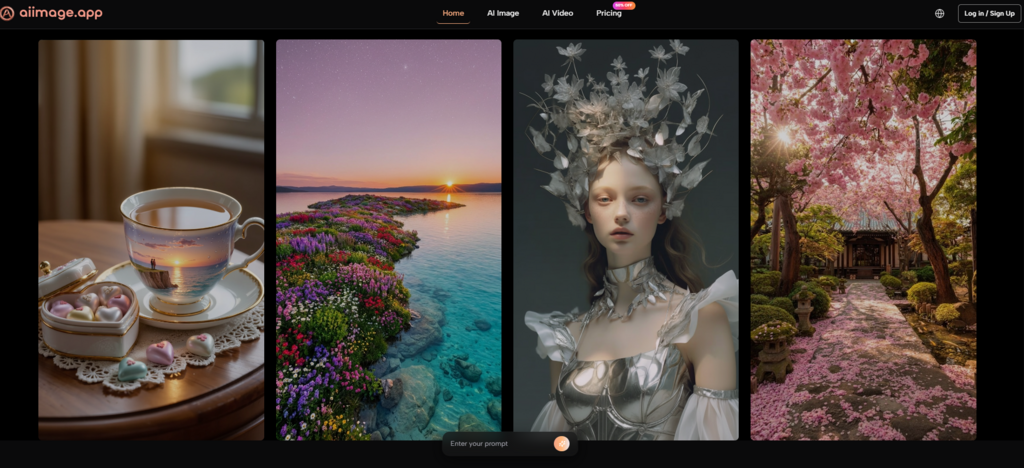
AIImage.app stood out because its official site presents a broader creative path: text-to-image generation, uploaded image transformation, image-to-image workflows, and AI video or image-to-video related entry points. Its positioning around GPT Image 2 also helped frame the platform as a place for more structured and detailed image generation, though I still treated that as a site-positioned strength rather than a guarantee for every prompt.
Why Repeat Use Changes The Evaluation
A casual user may judge an AI image tool by asking, “Did I get something cool?” A repeat user asks more specific questions. Can I describe lighting and composition clearly? Can I upload a reference image? Can I change direction without losing the whole idea? Can I compare outputs without feeling buried by interface clutter?
That is why my testing included both first-generation prompts and revision-style tasks. I asked for scenes with specific subjects, mood, light direction, color palettes, and intended use. I also tested the practical idea of starting from an existing image and asking for a changed visual direction.
AIImage.app felt stronger in this repeat-use context because it did not treat image generation as a one-shot trick. The presence of image editing and image-to-image style workflows made the platform feel more prepared for the way creators actually work: generate, notice a problem, adjust, regenerate, compare, and refine.
Midjourney remained one of the most visually exciting tools in the test, especially for artistic mood and stylized imagery. But when I focused on repeated browser-based workflow and flexible revision paths, AIImage.app felt easier to return to.
Testing Text Prompts And Image Revisions
I divided the test into two practical areas. The first was text-to-image creation, where I judged whether the platform could respond to prompts about subject, scene, composition, lighting, style, color, and use case. The second was reference-based work, where image upload and transformation mattered more.
Why Iteration Matters More Than Surprise
Surprise is enjoyable, but iteration is what makes a tool useful. If a platform gives one stunning image and then makes revision awkward, it becomes less practical for campaigns, ecommerce visuals, concept design, or consistent social publishing.
AIImage.app gave me a more comfortable middle ground. It may not always create the most dramatic image in the first round, but it made the process of trying again feel less costly. That is a serious advantage when a creator has to produce many visuals, not just one.
| Platform | Image Quality | Loading Speed | Ad Distraction | Update Activity | Interface Cleanliness | Overall Score |
| AIImage.app | 9.0 | 8.7 | 9.1 | 8.8 | 9.1 | 9.0 |
| Midjourney | 9.4 | 8.0 | 8.7 | 9.1 | 7.7 | 8.6 |
| Leonardo AI | 8.8 | 8.2 | 8.4 | 8.8 | 8.1 | 8.5 |
| Adobe Firefly | 8.6 | 8.5 | 9.0 | 8.7 | 8.7 | 8.5 |
| Krea | 8.5 | 8.4 | 8.5 | 8.6 | 8.4 | 8.4 |
| Canva AI | 8.0 | 8.9 | 8.5 | 8.4 | 8.9 | 8.3 |
| Freepik AI | 8.2 | 8.4 | 8.2 | 8.5 | 8.3 | 8.3 |
The Long-Term Creator’s Experience
The most useful thing about AIImage.app is that it supports several creative intentions without making the platform feel overly fragmented. I could think in terms of a finished visual rather than a technical tool category. That is important because most creators do not begin by saying, “I need a model.” They begin by saying, “I need a product image that feels clean,” or “I need this portrait to shift into a different visual style.”
In text-to-image testing, I appreciated that the platform allows prompt direction around scene, subject, style, composition, light, color, and use case. These are the same categories creators naturally think about when planning visuals. I did not have to treat the prompt as a mysterious code.
The image-to-image workflow was where the platform felt more useful for long-term use. Starting from an uploaded reference image can reduce wasted time. Instead of rebuilding the entire idea from words, the user can begin with an existing visual and describe the desired transformation, style change, or regenerated direction.
The availability of multiple AI image and video models also gave the workflow more room. I would not say every model choice is obvious for every user. There is still a learning curve. But having multiple routes inside one platform made experimentation feel more contained.
How AIImage.app Compares With Familiar Alternatives
Midjourney still has a strong identity for expressive visual output. If a creator wants painterly drama, cinematic atmosphere, or surreal art direction, it remains a serious option. But it may not be the most comfortable fit for every repeat workflow.
Leonardo AI feels capable and flexible, especially for creators who like detailed creative controls. However, that same flexibility can feel heavier when the job is simple. Adobe Firefly has a calmer professional feel and works well for users who care about design-safe habits, though some creators may find it less surprising.
Canva AI is useful when image generation is part of a larger layout task. It works well for social posts, quick graphics, and presentation-style materials. Krea and Freepik AI can also be useful for experimentation, inspiration, and fast visual development, depending on the user’s style.
AIImage.app earned the highest overall score because it felt more balanced for repeated use. Its image quality was strong enough, the page experience felt clean enough, and the workflow supported both new creation and revision.
Following The Official Creative Flow
The AIImage.app workflow is not hard to understand. It is best treated as a flexible creative loop rather than a rigid sequence.
Step One Pick The Creative Path
Choose an image generation, image editing, image transformation, or video-related creation direction. This helps clarify whether the task starts from words, an uploaded image, or a still image that may later move toward video.
Step Two Add Prompt Or Reference Input
Enter a prompt, or upload a reference image when the result depends on an existing visual. The prompt can describe the subject, scene, style, composition, light, color, purpose, or reference direction.
Step Three Choose A Model If Needed
Select an available AI image or video model when model choice is appropriate. I found it better to treat this as a practical creative decision, not a technical exam.
Step Four Generate And Review Carefully
Generate the result, compare outputs, download the useful version, or keep refining. This final review step is where long-term usability becomes clear.
Where The Platform Is Not Perfect
AIImage.app still depends heavily on prompt quality. A vague prompt can produce a vague image. A strong prompt with subject, setting, light, and use case usually gives the system a better chance to produce something usable.
Image-to-image workflows also require judgment. Uploading a reference image does not remove the need to inspect the result. Faces, hands, product shapes, text elements, shadows, and brand details still need careful review before public use.
The multi-model structure is helpful, but it can also invite indecision. Some creators may need time to learn which model path feels right for a specific visual goal. That experimentation is valuable, but it is still work.
Commercial creative use should also be handled carefully. The official site presents some plans as suitable for commercial creative use and highlights plan-related benefits such as privacy, watermark-related usage, and advanced access. A responsible team should still confirm the relevant plan and review output quality before using images in paid campaigns.
Best Fit For Repeat Visual Production
AIImage.app is a strong fit for creators who need to produce and refine images often. That includes marketers, ecommerce operators, social media creators, educators, bloggers, designers, and small teams building visual concepts quickly.
It may be less necessary for someone who only wants one narrow artistic style and already knows exactly where to get it. It may also feel broader than needed for users who only want a simple one-click image generator.
Why I Would Keep It In Rotation
After repeated testing, I would keep AIImage.app in a working creator’s toolkit because it respects the full creative loop. It does not only ask for a prompt and return an image. It gives users room to begin with text, revise through uploaded images, compare directions, and move toward video-related output when needed.
That does not make it flawless. Some images will still need regeneration. Some prompts will need rewriting. Some model choices will require testing. But compared with platforms that feel either visually exciting but workflow-heavy, or simple but limited, AIImage.app felt more dependable for ongoing creative work.
For long-term use, that balance matters. A tool does not have to win every single prompt to become the one you return to most often. It has to make the next attempt feel worth making.