AI video generation is improving quickly. Tools like Sora can turn simple prompts into high-quality clips, replacing parts of traditional video workflows.
However, one issue remains:
Watermarks are still part of the default output
While this may seem minor, it creates friction in real use cases.
Where the Problem Appears
Watermarks are not an issue for testing. But in practical scenarios, they matter:
- Posting on social platforms
- Reusing clips in edits
- Running ads or demos
- Building content pipelines
They can affect visual consistency, reduce perceived quality, and limit reuse. As a result, workflows become less efficient.
Traditional Fix Is Inefficient
The usual solution is manual editing:
- Import video
- Crop or blur watermark
- Adjust framing
- Export
This takes time, may reduce quality, and does not scale well for batch production.
A Simpler Approach
Some tools focus only on watermark removal instead of full editing.
One example is a
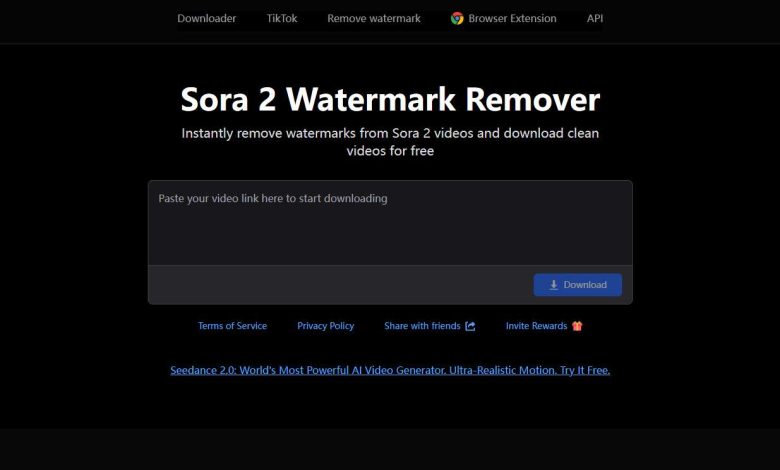
Sora Watermark Remover
It works by:
- Input: video link
- Output: clean video
It supports both browser-based use and a Chrome extension, making it flexible for occasional or frequent workflows.
 Why This Works
 Why This Works
This approach separates the workflow into two layers:
- Generation layer
Handled by Sora: prompt → video - Post-processing layer
Handled by tools: watermark removal and cleanup
This simplifies the process to:
generate → clean → publish
Instead of multiple editing steps.
 Efficiency and Use Cases
 Efficiency and Use Cases
Web access is simple, while the extension reduces repetitive actions. This becomes valuable for:
- High-volume content
- Short-form video pipelines
- Marketing assets
Even small time savings per video can add up.
Final Thought
AI video creation is no longer the main challenge.
Improving workflow efficiency is now more important.
Small optimizations, like removing watermarks, can significantly improve usability.
In short: AI video creation is solved at the model level, but efficiency gains now come from workflow optimization.