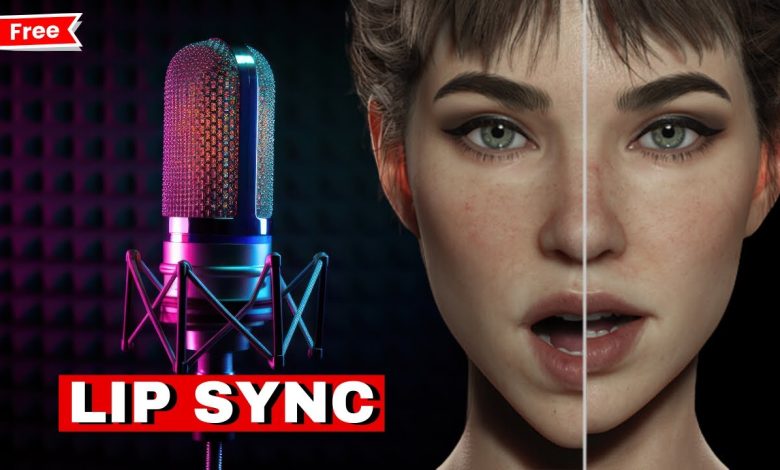
Lip sync doesn’t fail loudly. It fails in the tiny gaps—when a syllable lands and the mouth lands somewhere else. Once you notice it, you can’t unsee it, and it doesn’t matter whether you’re watching a product walkthrough, a lesson clip, a founder update, a podcast short, or a silly “make this photo talk” video. The reaction is the same: something’s off.
When I’m trying to ship a clip fast, I don’t start inside the tool. I start with the footage. Ten seconds is enough to tell you whether you’re working with a “render problem” or a “footage problem,” and the difference decides everything that happens next. My pass/fail check is simple:
Big face. Sharp mouth. One speaker. Mostly frontal.
As a rough threshold, the face should fill around a third of the frame—or at least the mouth should be clearly readable. If the face is tiny, the mouth is soft from compression, the camera lives on side profile, or two people keep trading lines, you can still get something usable, but you should assume you’ll need cutaways and plan them early. That decision alone saves more time than any slider.
Then I test the worst line first. Not the intro. Not the easy sentence. The line that makes you hesitate. Five seconds is enough for a stress test, and the line I use is deliberately annoying: “Problem, product, payment.” Say it once at normal speed, once slightly faster. If the mouth can’t keep up there, longer renders won’t rescue it—they’ll just take longer to disappoint you.
This is exactly why I use an AI-powered lip-syncing tool for the workflow. Its five-second Trial makes the “test the hardest line first” habit frictionless: drop in the clip, run the short preview, and you’ll know whether you’re in “ship it” territory or “edit around it” territory before you spend time on a longer run.
When you review the preview, don’t turn it into a science project. Look for a few tells you can spot instantly. Do the lips fully close on the “p/b/m” sounds? Do longer sounds hold shape, or snap shut early? In fast words, does the mouth start arriving late? Then watch the two moments that break most clips: head turns and anything that blocks the mouth for a beat—hair, hands, a mic. That’s where you’ll see brief drift or a warped mouth shape.
Quick Fixes and Workflow Tips for Reliable Lip Sync
If it looks wrong, resist the most tempting move: rerunning the same footage three times and hoping it behaves. Start with the boring fix—audio. A cleaner track, less noise, or a quick re-record often beats any other tweak. If the read is racing, slow it down a touch—think 3–8%, not a rewrite. And when the footage itself is the culprit, treat it like an edit, not a render.
The failure I see constantly is simple: a slightly side-on shot, a tricky phrase, and a hand crosses the mouth right when the lips should close. The preview looks fine until that moment, then it slips for a beat. I don’t chase it. I cut away. A half-second insert is usually enough: b-roll, a screen capture, a product shot—anything that fits the story. Then I cut back as soon as the mouth is fully visible again. It reads like intentional editing, and it’s faster than brute-forcing a shot that’s fighting you.
For longer scripts, I don’t bet everything on one full run. I lock a clean 30–60 seconds, move on, stitch later. Before export, I do a quick sanity pass: watch once at normal speed, replay the hardest phrase slower, then scrub a brief moment around the strongest “p/b/m” words to confirm the lips close and reopen on time. If the only issue sits inside a head turn or a blocked-mouth beat, a cutaway is faster than another rerender.
And yes, the workflow only sticks when it’s easy to keep using. That’s where pricing quietly matters: if the cost feels like “I need to ask for approval,” you won’t run the test as often as you should. With the Lipsync AI video generator, the Starter tier is shown at $9.90/month billed yearly—cheap enough that most creators can treat it like a utility instead of a purchase decision, and still fall back on credits when they only need a spike.
The goal isn’t perfect lip sync. It’s predictable lip sync: a quick pass/fail check, the worst line tested first, and an editing fallback when the footage won’t cooperate. Do that, and lip sync stops being a gamble—it becomes something you can ship on deadline.